Hi,
My computer is crashing all the time when rendering at more than 2k (sometimes also at 2k) and video rendering at more than 720.
Sometimes it also crashes when just adding a lot of assets (for example grass to a large surface)
It’s weird because the screens turn black, but the computer stays on, sometimes even with the fans at full speed. In all cases, I have to shut down the computer by pressing the power button.
It’s happening with d5 2.5.1 but it happened with previous versions as well…
The computer:
Intel i9 11900k
Nvidia 3080 Ti 12GB
32GB RAM
PSU 800W
All drivers are updated
Do you know what can be happening?
Please let me know if you need more info
Hi mate, sorry for the inconvenience caused by the problem. The hardware seems okay, To confirm, how much size of your scene usually? Do you have the CPU overclocked, please turn off them and then check the result. Also, how large is your computer’s RAM frequency? You can turn off X.M.P or lower the frequency.
You can also refer to this blog for possible solutions: Crashes/Restarts/Fails to Load - Get Help / AnswerHub - D5 RENDER FORUM
If the problem persists, please run a clean installation of the video driver, and also run this dll repair tool: Got notification of “Launch failure might be caused by system DLLs missing, try to repair it automatically?” or stop loading at 0% - Get Help / AnswerHub - D5 RENDER FORUM 2
If still happens, please send the scenes and log files to us for troubleshooting
support@d5techs.com
How to collect log files: D5 Support Tool
Hii! Thanks for tour reply man.
No xmp or overclocking in my ram. Its frequency is 3200 MHz, the one supported by my cpu…
The size of the rhino file is 280MB, and the d5 file is like 20KB (??)
Important thing might be that I have a huge flat surface acting as ground, and habe applied a grass material to it.
Yesterday I did a test rendering video at 1080p:
-
Turning on Level of Detail (LOD) everything went ok. However, it didn’t render the grass material, just like a thin green material.
-
Turning it off, crashed again.
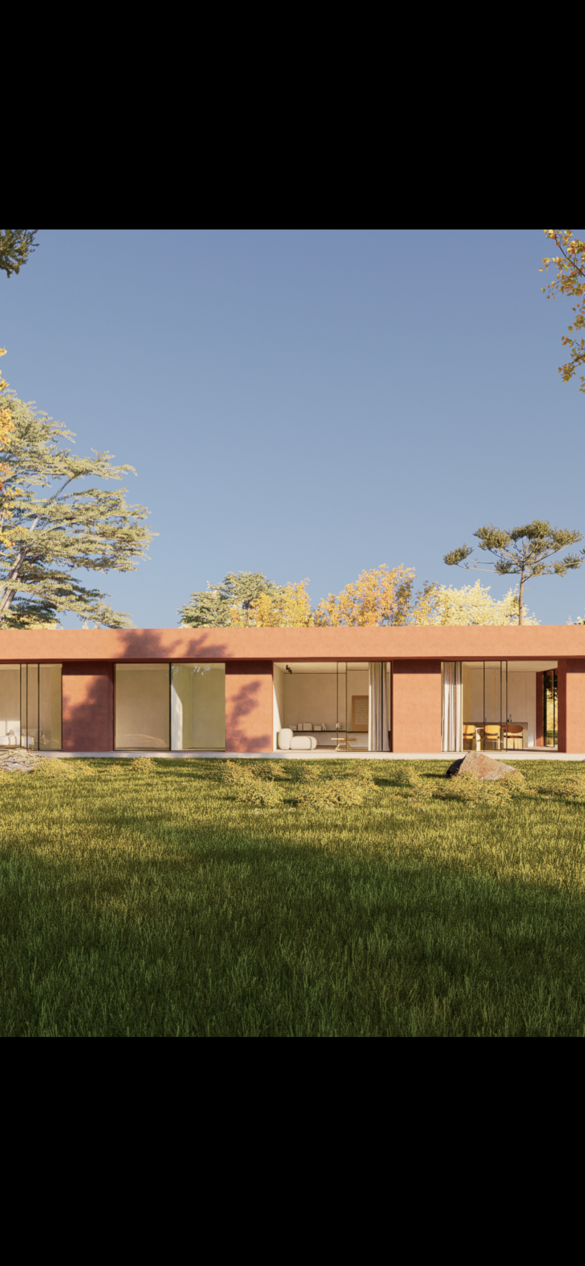
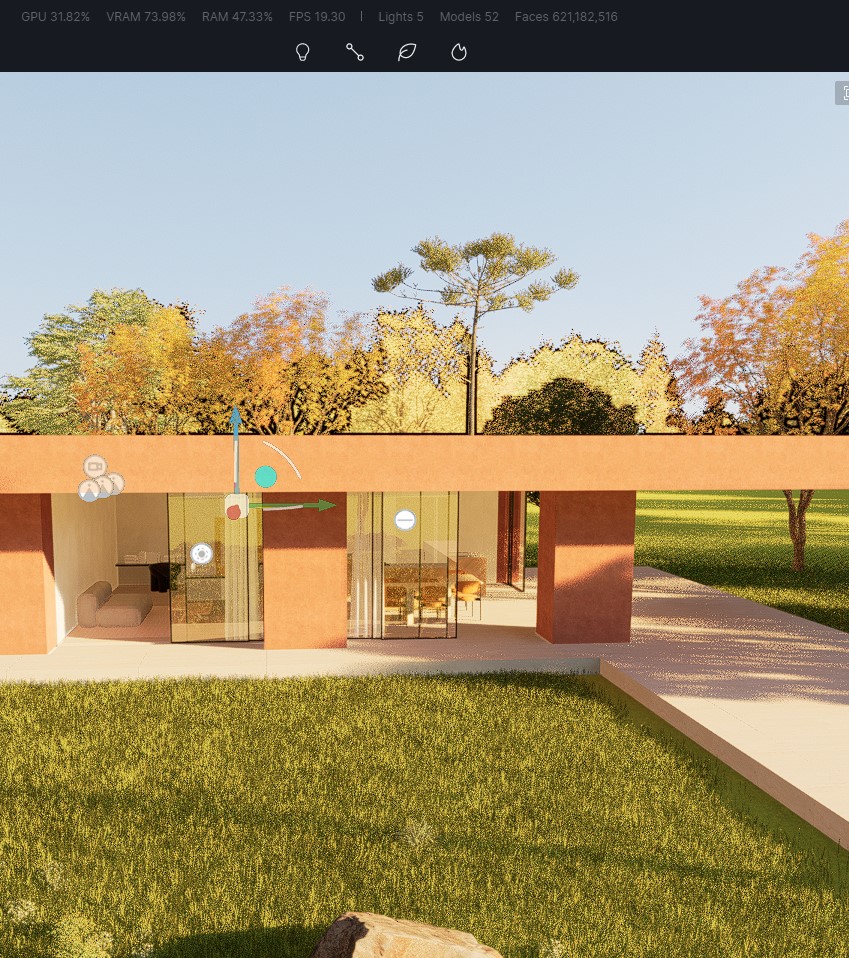
For reference, see attached a render with the grass material vs a screenshot of the video with the LOD off
Will try tonight the clean installation, etc.
Thanks a lot and have a nice day!
We usually have a project folder, so 20KB is okay for the drs.
if your ground is huge, we don’t recommend using too many 3D grasses which occupy too much resources, you can divide the ground and apply the 3D grass to the main one.
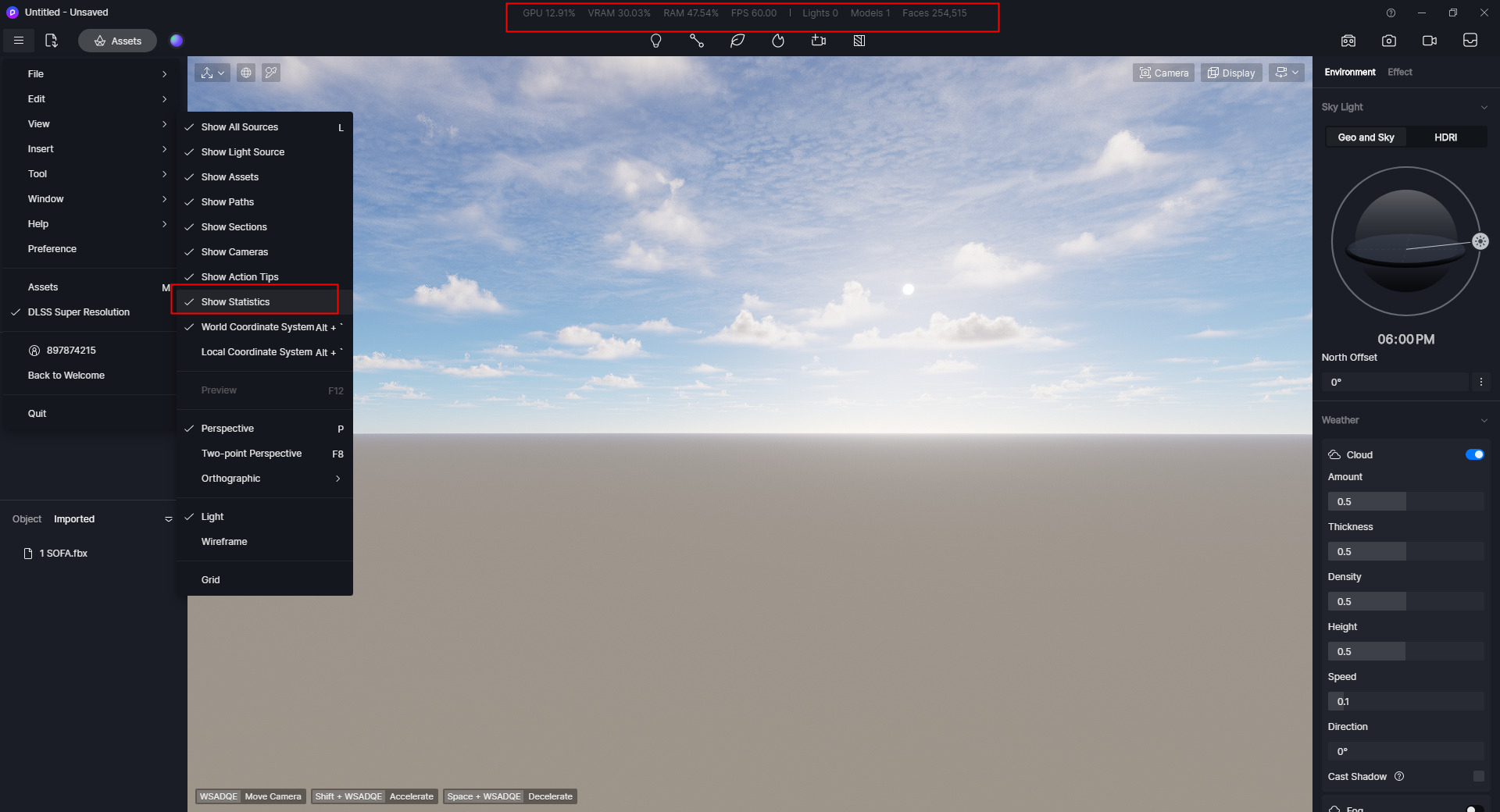
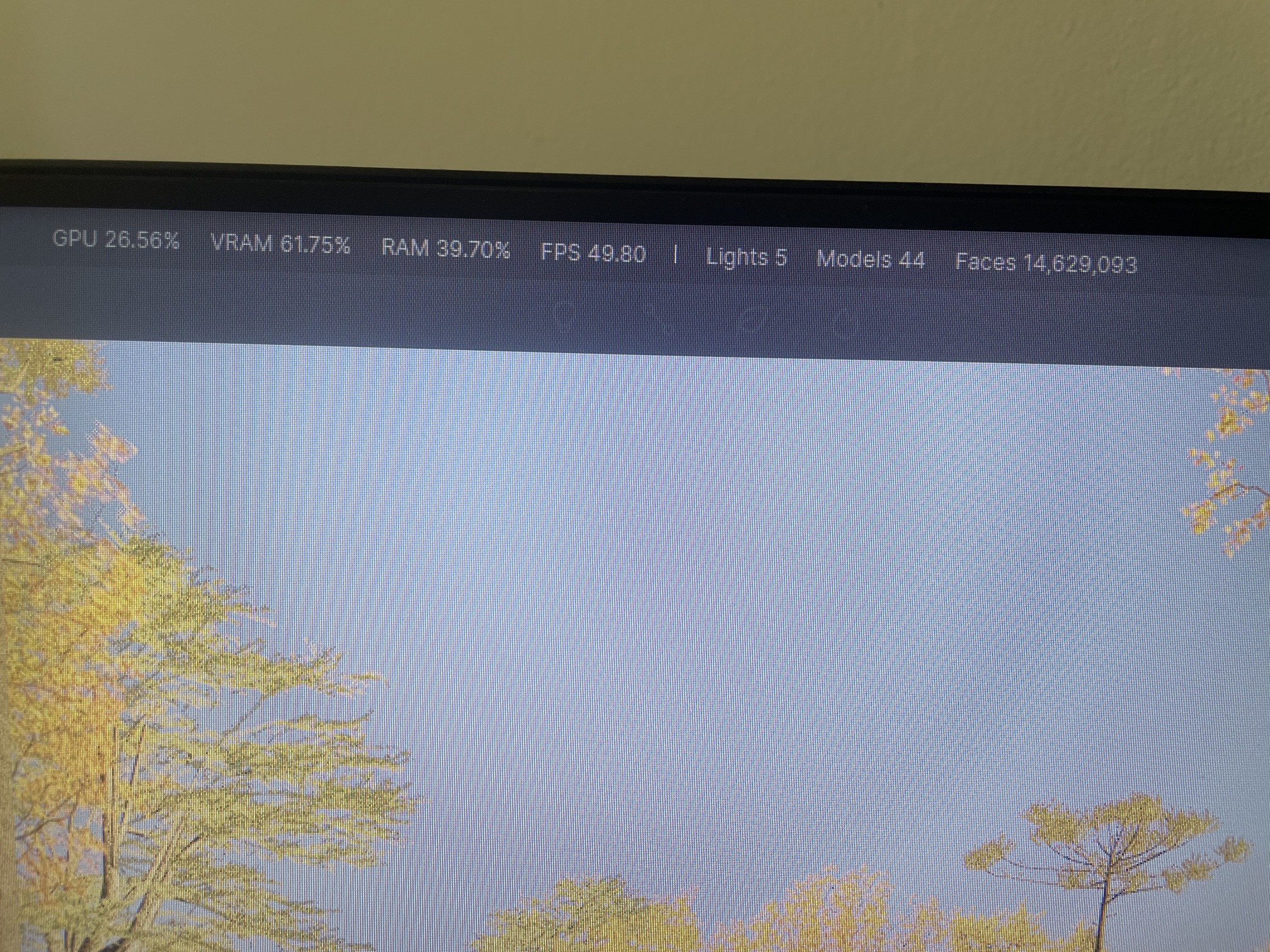
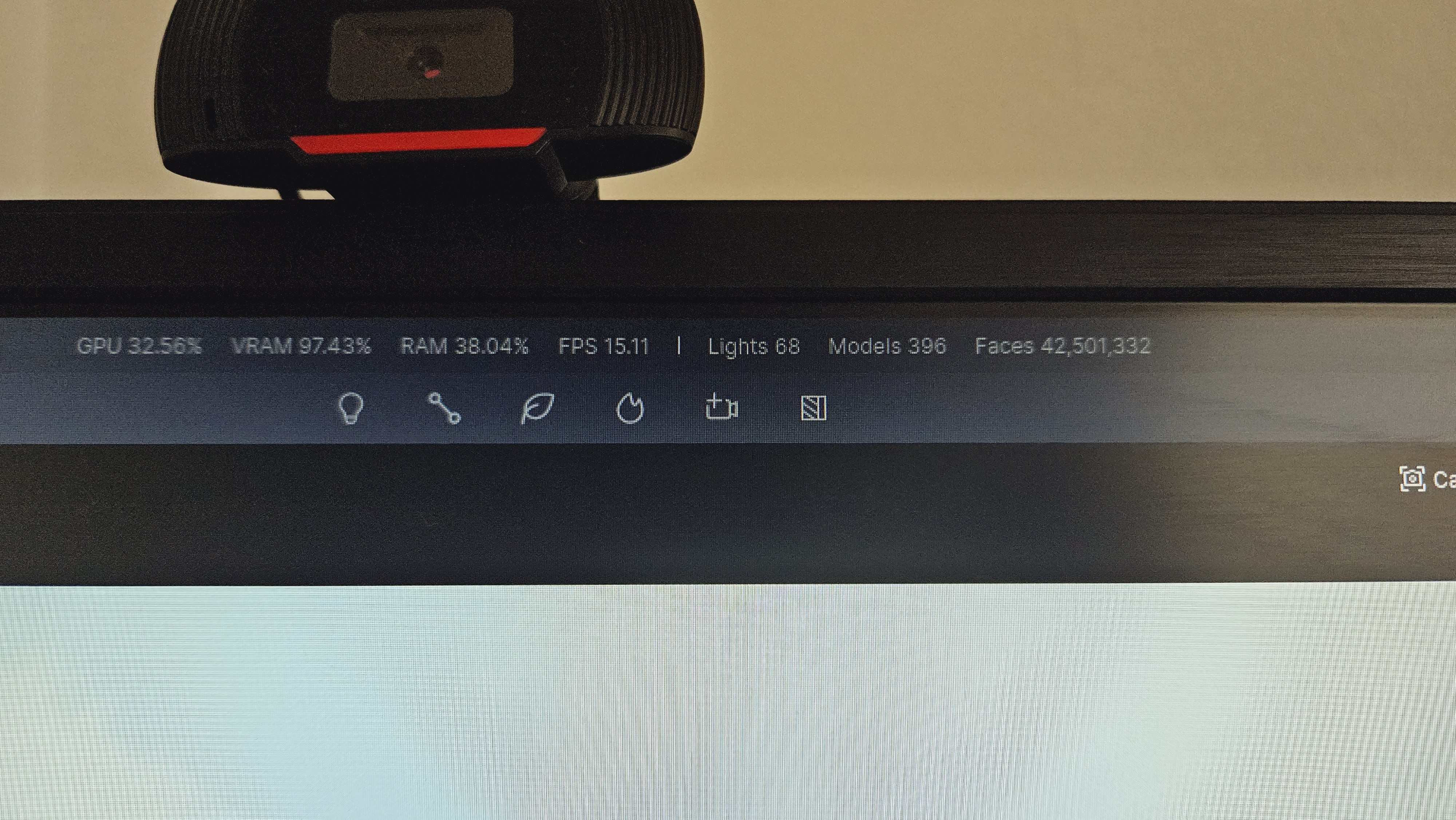
Can you also show us the statistics, you can open it here.
Hi amigo,
It was 600M faces in the scene.
I’ve reduced it to 14M (deleting plants and brushes); reduced the footprint of the ground and replaced the grass material with a standard material / colour.
It still crashes.
By the way, I’ve rendered a video of the “japanese” interior template scene and I’ve had no issues
Hi,
Nothing works.
Sending an email with the required info to support@d5techs.com
Thanks,
Jose
Hey man, got any solution to that problem? I´ve been having the exact same problem and I searched all over the internet with no solution. I´ve done a clean instalattion, reinstall, clean my temp files, reinstall the drivers, disconect perirefal USBs such as mouse and keyboard, unplug the second screen I have, and still happens to me.
And I use other programs, such as Enscape, Lumion, and it doesn´t happen there. It´s only when I use D5.
I am glad and mortified that someone else has the same problem I do.
Sorry for your issue. Please check your VRAM and RAM usage and show us a screenshot.
Recently, I was able to render one image on the same project, but when I tried to render the second one, the screen went black and I had to restart de PC. I have a video but I can’t send it using the forum.
Hello!
It shows that the usage of your VRAM is high. Maybe you could try to lower the VRAM. It is suggested to replace the 3D grass in the distance with texture maps, reduce the Tyndall effect and reduce the use of HD and dynamic assets.
Hey I have this exact same problem, has anyone been able to find a solution to this crash? Or should I just be careful when rendering, to reduce my vram usage? (by example, not using 3d grass)
Hello, can you tell me the version of D5 you are currently using and the configuration of your device? If you’re currently using 2.7, did the current crashing issue start after the update?
Regarding the crashing issue, this posting gives some reasons and solutions. Hope it can help you. Crashes/Restarts/Fails to Load - Get Help / How to - D5 RENDER FORUM
For more information on how to optimise vram usage, you can refer to this post. How to view and optimize graphics card usage? | User Manual (d5render.com)
Hey guys,
Just jumping in because I’m hitting the exact same wall. My PC has been hard-locking randomly during renders in both D5 and Enscape.
It’s that classic crash: screen goes pitch black, fans go full blast, and the whole system just bricks. Even the physical power button stops responding, so I have to kill the power at the PSU switch every single time.
I’ve basically rebuilt my entire rig trying to pin this down, but the problem followed the upgrades. Here’s everything I’ve done so far:
GPU: Upgraded from an RTX 2060 6GB to an RTX 4060 Ti 16GB.
CPU: Went from a Ryzen 5 2600 to a Ryzen 7 3700X.
Cooler: Swapped the stock one for a very powerful aftermarket air cooler.
RAM: Doubled it from 16GB to 32GB (Dual Channel).
Storage: Moved from a SATA SSD to a proper NVMe.
OS: Did a completely fresh, clean install of Windows.
Since the issue happens even with 16GB of VRAM, 32GB of RAM, and a clean OS, it’s clearly not a memory or software problem. My big suspicion now is the motherboard VRMs. My 3700X hits a steady 88W PPT limit during these renders, and since I’m on a basic A320M-HD, I’m betting the power delivery just can’t handle the sustained amperage, causing the system to collapse.
I just bought a B550 board with much better VRMs and heatsinks to test this theory. I’ll report back as soon as I swap it out to let you know if it finally fixed the freezing!
My current specs:
CPU: AMD Ryzen 7 3700X
Motherboard: ASRock A320M-HD
GPU: NVIDIA GeForce RTX 4060 Ti (16GB VRAM)
RAM: 32GB DDR4 Dual Channel
Storage: 1TB NVMe SSD (XrayDisk)
PSU: Corsair GS600 (600W 80 PLUS)