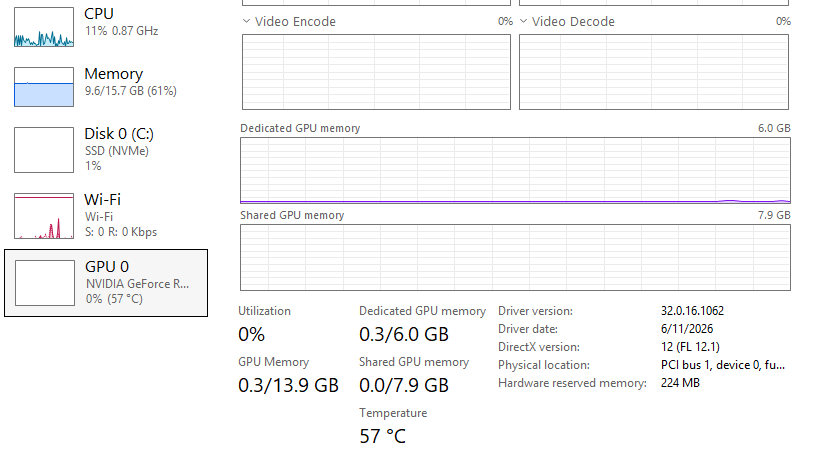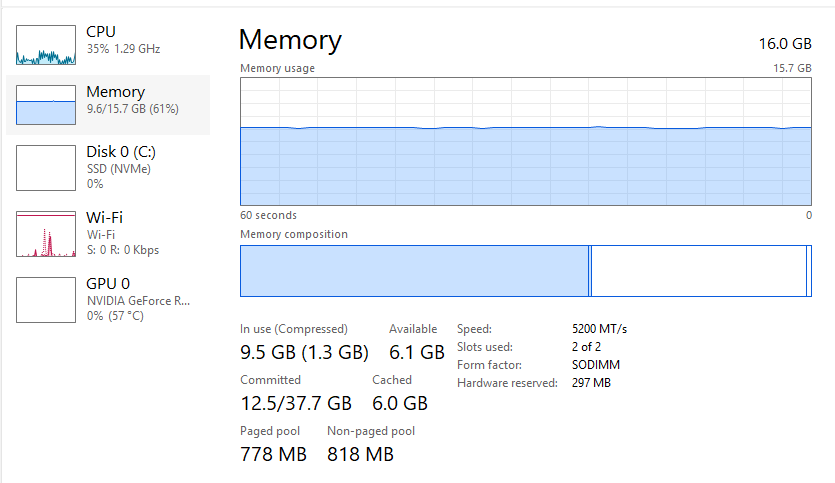
Hello, I’m sorry for the inconvenience this issue has caused you. Is this issue evident in other files as well, or is it file-specific? Can you send me the following information, which can help us assess your situation further?
- System Information
- Memory Speed
- VRAM
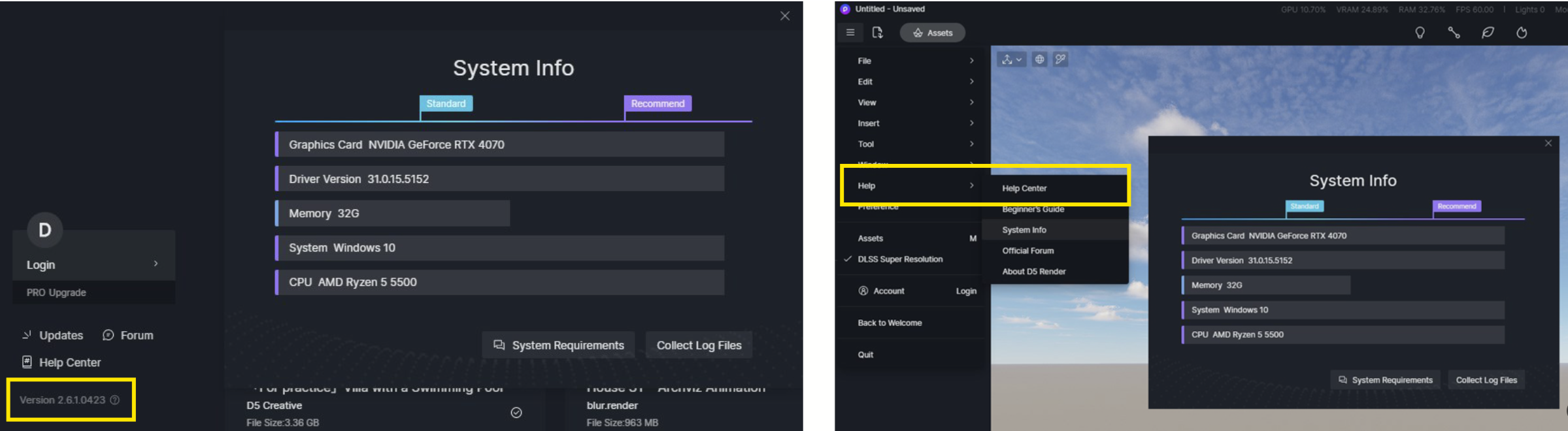
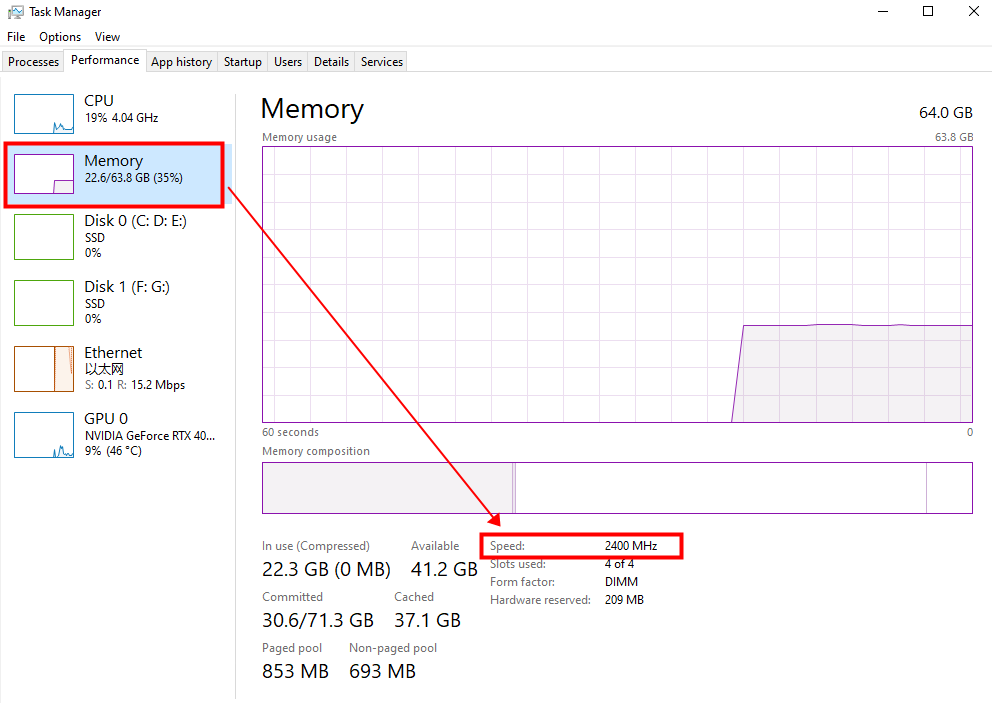
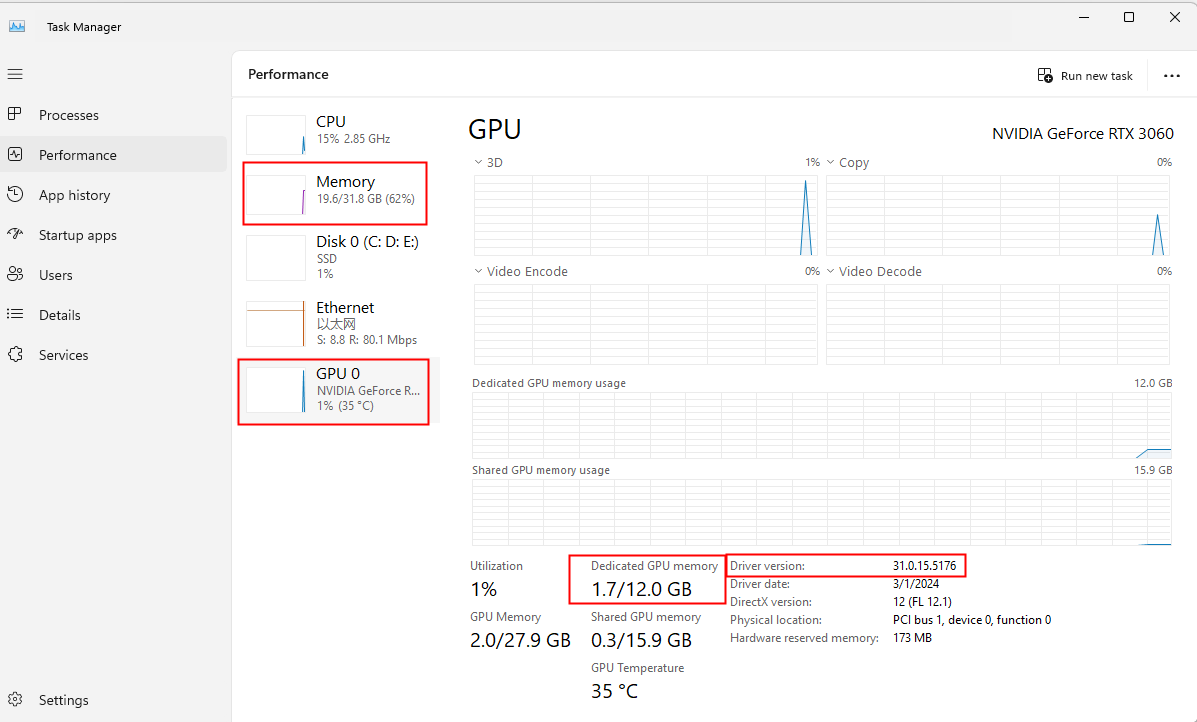
There are also possible solutions for this and may differ from user to user, you may want to try:
-
Upgrade / Update your graphic card drivers or do a clean installation of your graphic card driver - Solution 3 of this link
-
Run D5 Render as administrator
1. Right-click on the “D5 Render” icon, and select “Run as admin”
2. Close D5 after entering the welcome page
3. Restart your PC
4. Start and use D5 -
Other software - Malware, firewalls, and anti-virus software can cause unpredictable issues, as well as pop-up blocks, ad blocks, screencasting software or screen extension software, and other software running at the same time.
Note: If this issue is only evident in a particular file, I suggest optimizing it, as it may be too heavy.
Let me know if any of the suggestions helped. Thank you.
1 Like
thanks very much it is working
2 Likes
Please i’m experiencing the same issue
Hi @sitestudeos
Please also send us the following:
-
System Info
-
VRAM
-
Memory Speed
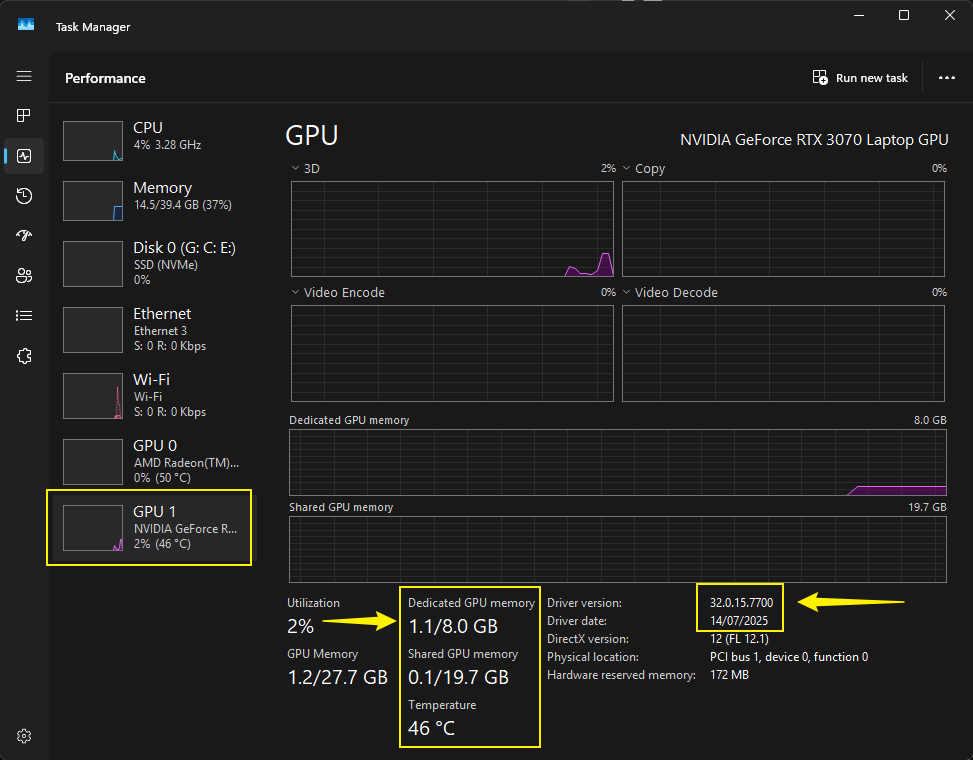
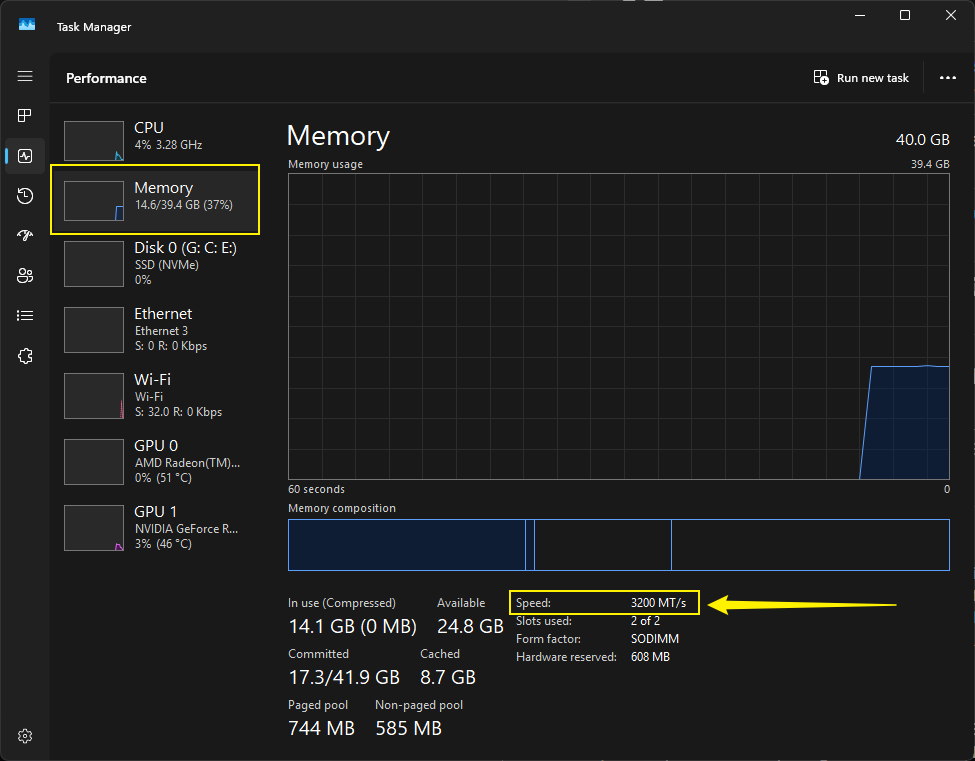
You may also want to check the solution that I have mentioned previously in this post:
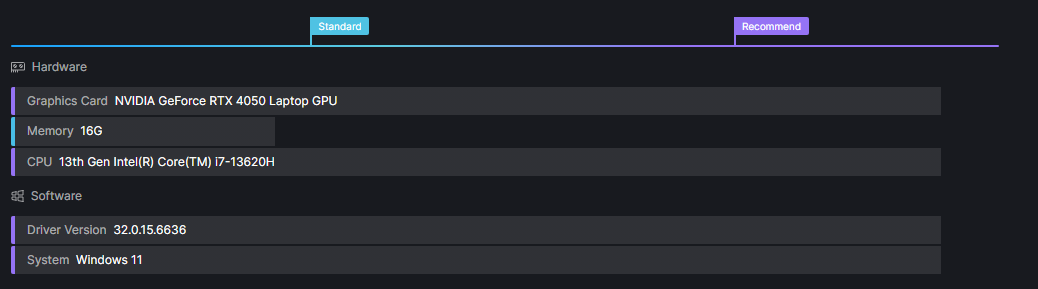
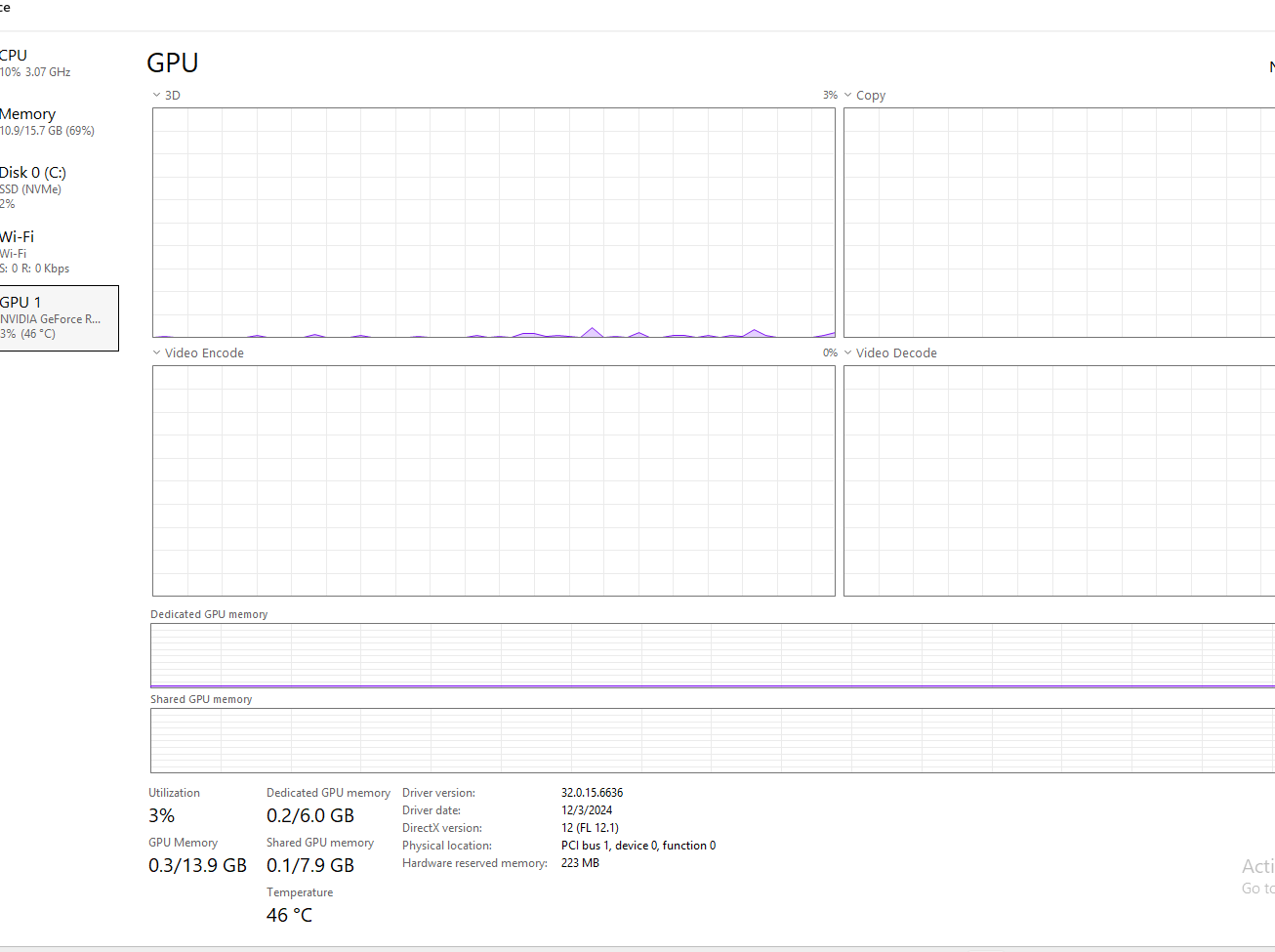
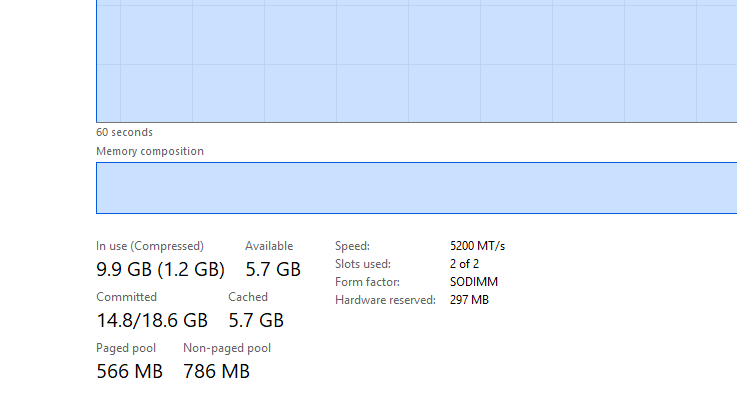
Hi @sitestudeos
To clarify, this issue occurs in all project files, right? Not just a specific D5 File?
- Try to update your driver version to the latest one.
- If it’s possible to reduce the Memory speed to 4000Mhz, I suggests doing so.
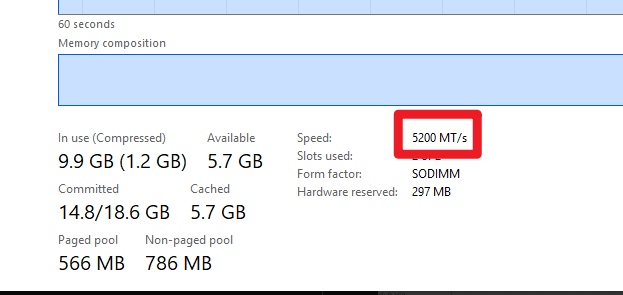
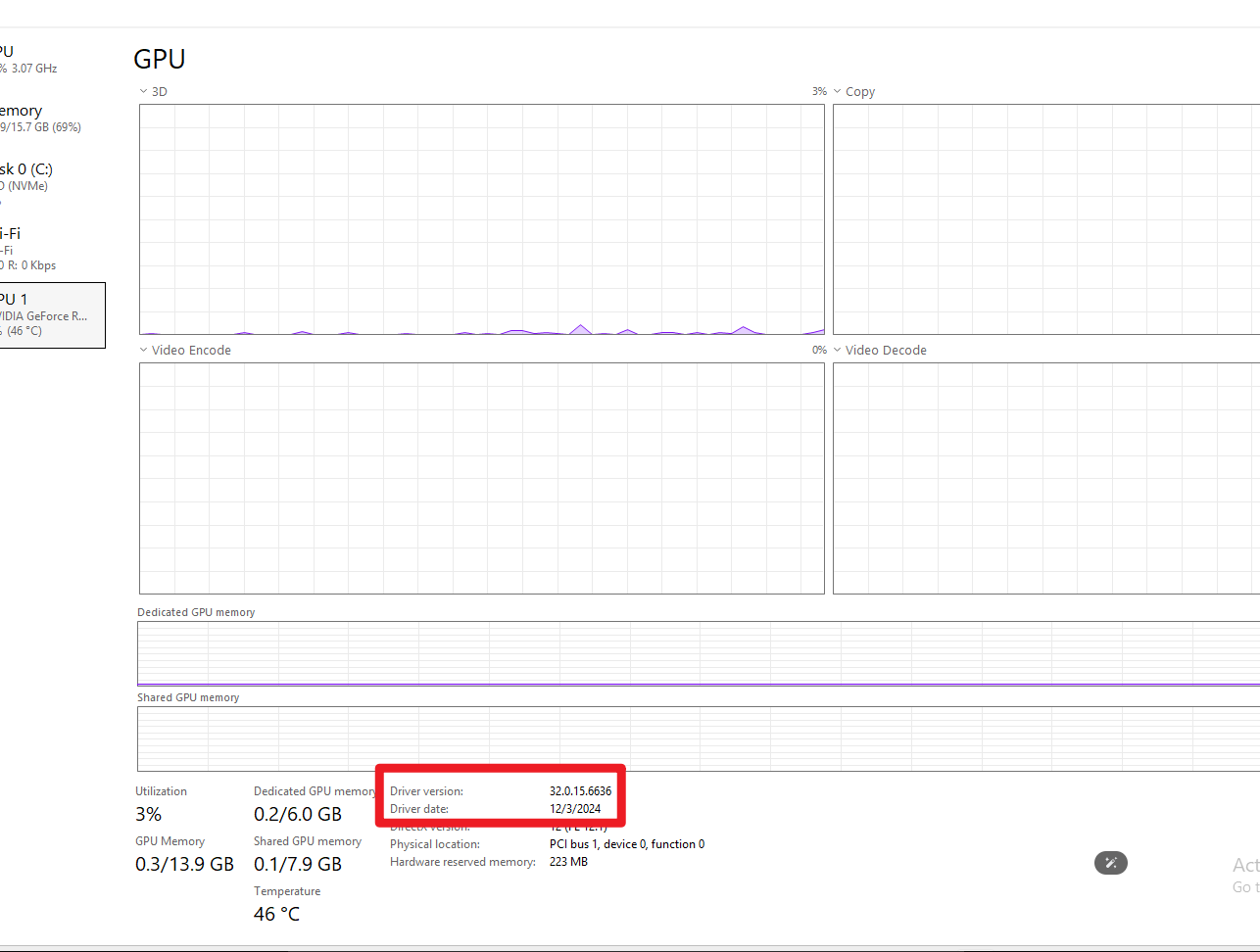
More Suggestions:
- Ensure that CPU Overclocking is disabled.
- Since you’re using a laptop, ensure that you’re plugging in your device and have enabled Turbo Mode in your built-in device application.
Version 3.0 please
Hi @himalka
Could you share a bit more detail about the issue you’re encountering with D5 Render 3.0? For example, does it crash on launch or not open at all? Any error message or instant close?
I also tried with a collegue’s laptop, it’s the same issue, I suspect it’s the new update, can I install the earlier versions?
Hi @sitestudeos
The recent reports involving the 3.0.1 crash have been directly linked to the user’s device being set to Turbo Mode in the BIOS.
- Please disable any GPU or CPU overclocking settings on your end.
- You may also use Throttle Stop as a means to control your Memory Speed, preferably setting it in 4000 Mhz
Additionally, we weren’t able to confirm on your end if this occurs to empty D5 files or only to specific D5 files?
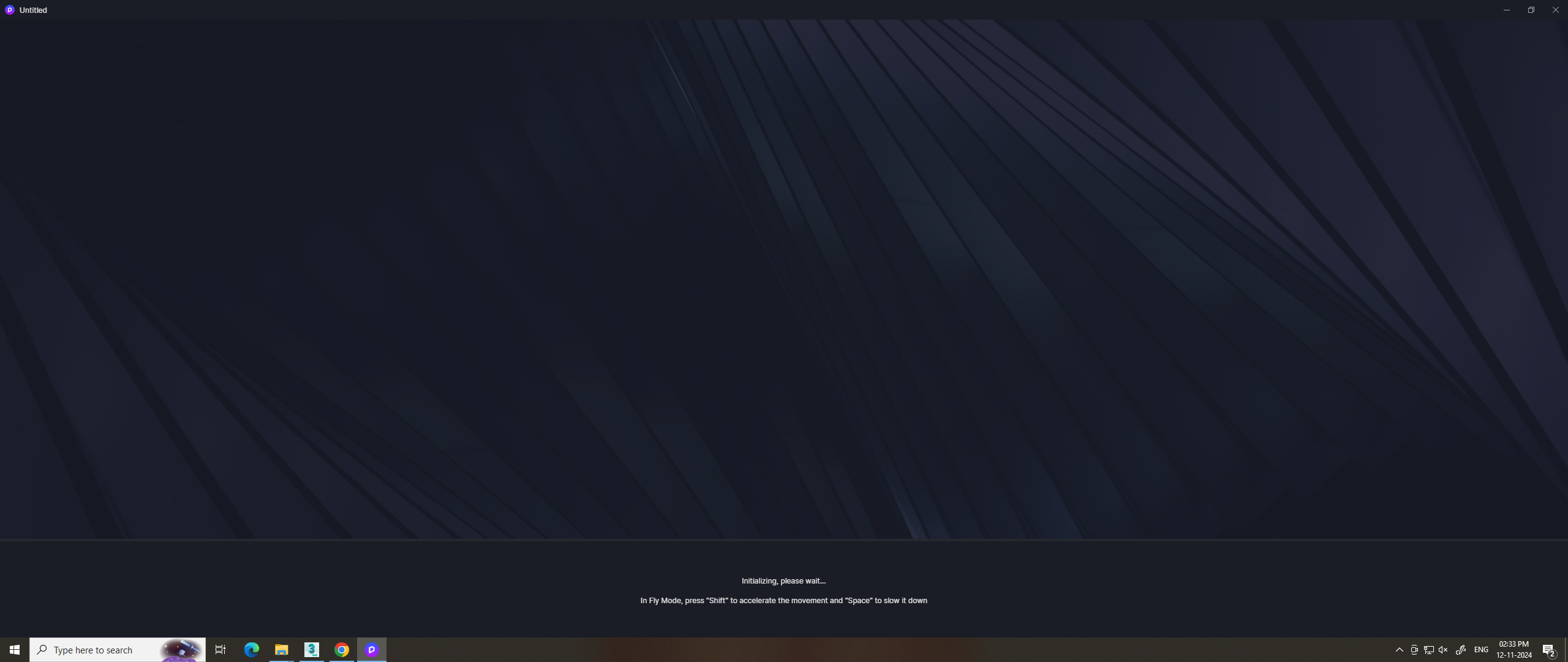
Empty files, anytime I open the application it’s always stuck at initialising, it does not crash
Hi @sitestudeos
Can you send us the following images (you can also include your colleagues’ screenshots):
- System Information
- VRAM
- Memory Speed

Were you able to use D5 Render before? Or is it your first time accessing the application?
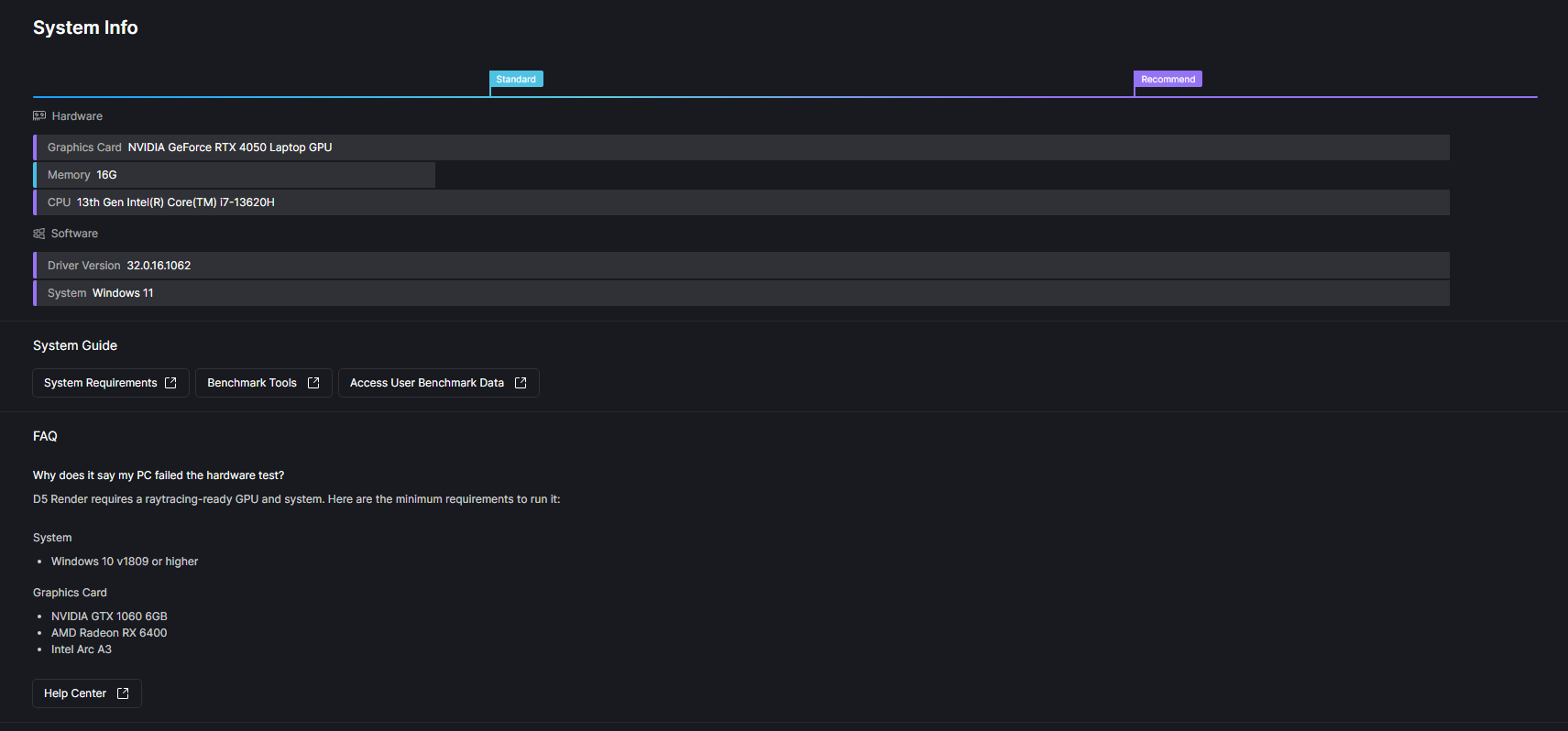
It was working fine before. After formatting my PC, installing a fresh copy of Windows, and installing the latest version of D5 Render, it stopped working.