Hi D5 team,
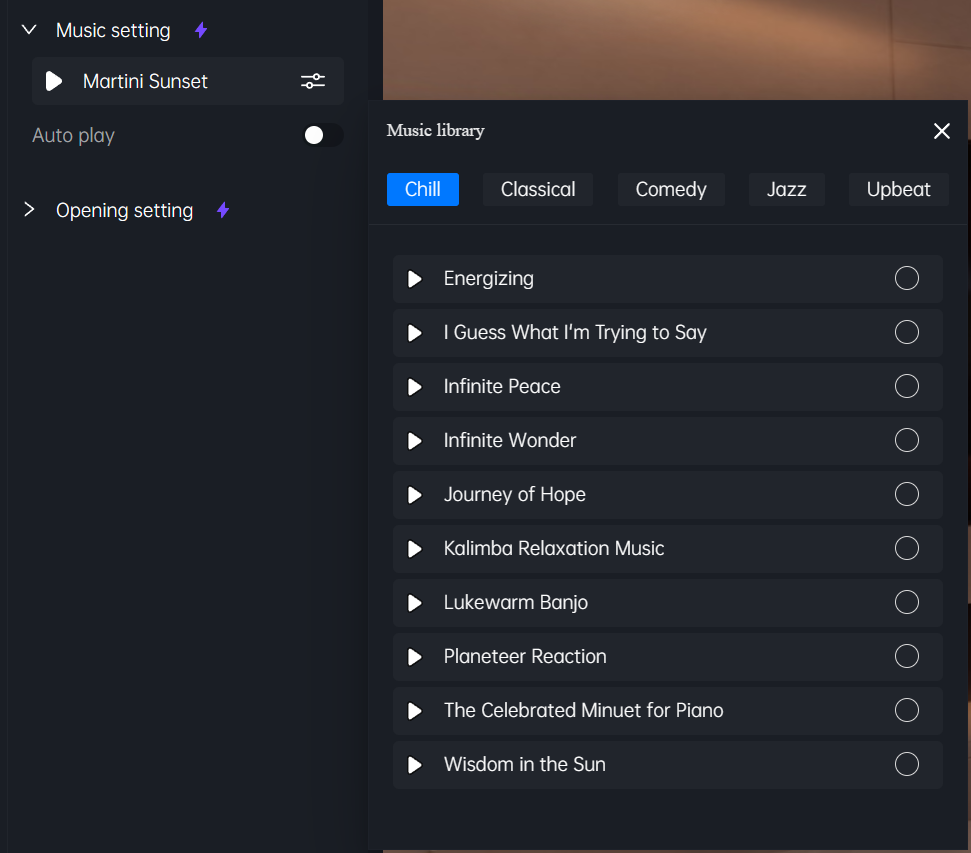
I’ve been using the Virtual Tour feature and I noticed there’s no way to remove a music track once it’s been added in the Global Settings of the Panorama Editor.
The only option available is to disable Auto Play, but the music track itself stays assigned to the project with no delete or remove button.
This causes a real issue: when Auto Play is enabled, the music restarts at every scene transition, resulting in multiple overlapping layers of the same track playing simultaneously.
Could you add a simple “Remove” button next to the music track in Global Settings? Or fix the music restarts ?
Thanks!