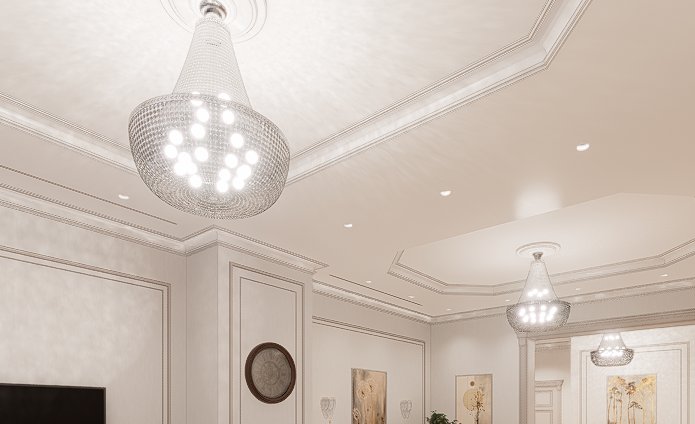
Hallo! I have a problem with the display of light sources. When I turn on Shape Light, they appear, but they completely ignore the glass between the camera and the light source, as if it doesn’t exist. I couldn’t find a solution to this issue in the glass material settings or the light source settings. . In general, the light source does not naturally pass through the glass. What to do?
1 Like
Can you show us any reference photo what you’re trying to achieve?
- Additionally, were you able to try experimenting with other glass materials? Or perhaps modifying the Roughness and Refraction slider?
- I’m using a Basic Semi-Transparent Material with modified settings
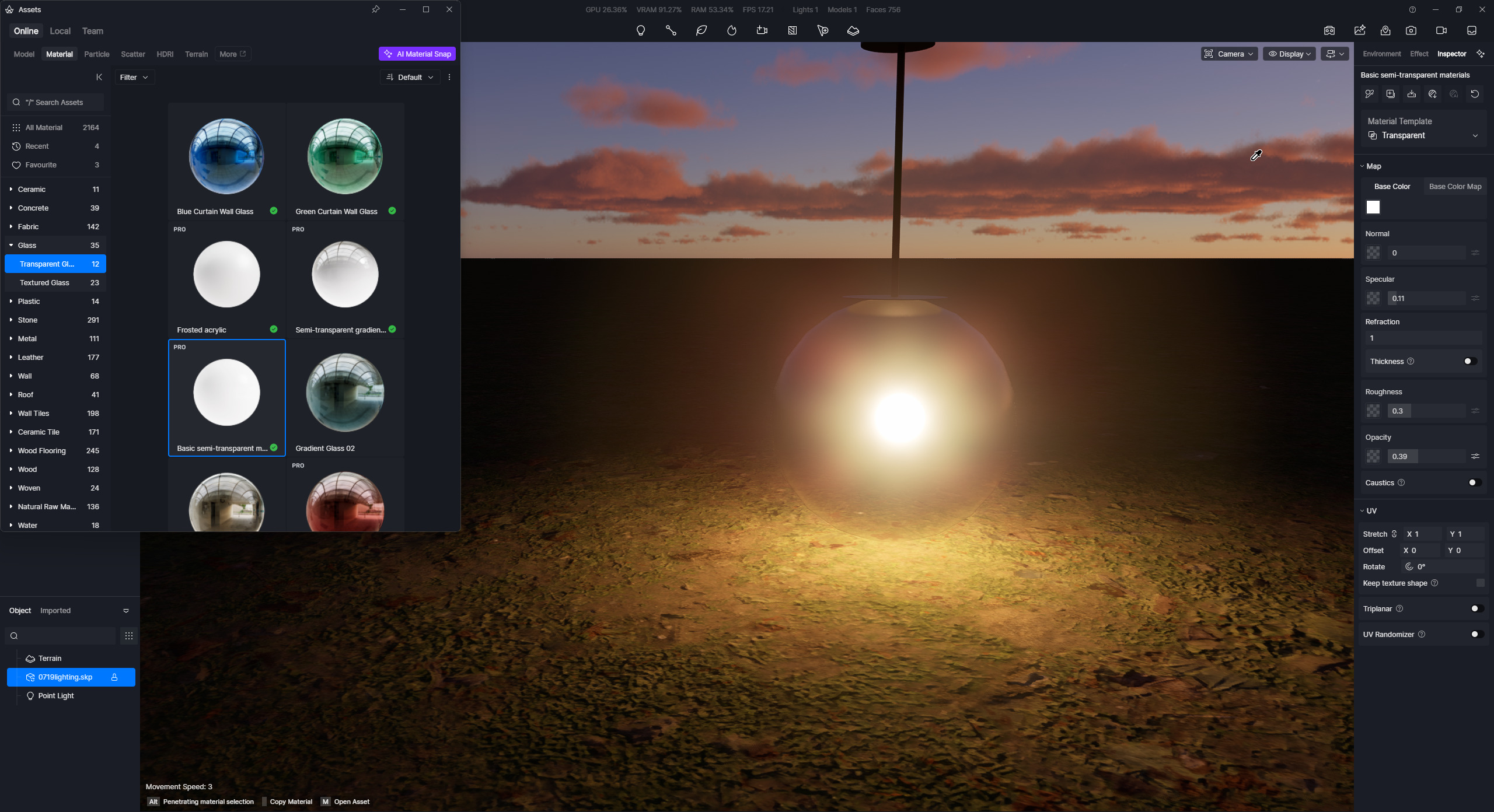
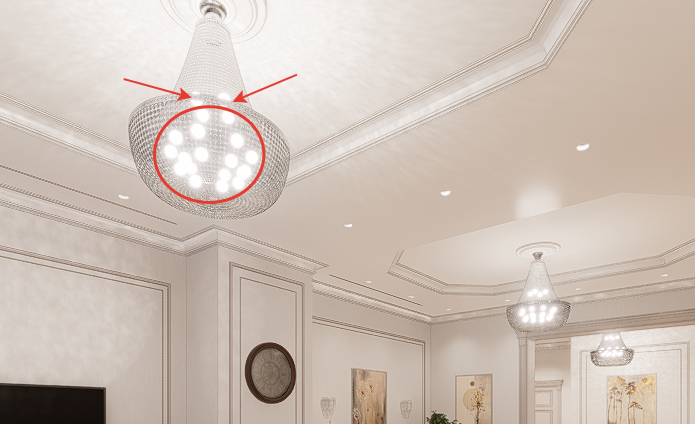
I mean, the glow of the light bulbs should be behind the glass, but now they’re coming to the front, and it’s only a problem with the glass, as they don’t show through the metal rim, which makes sense.
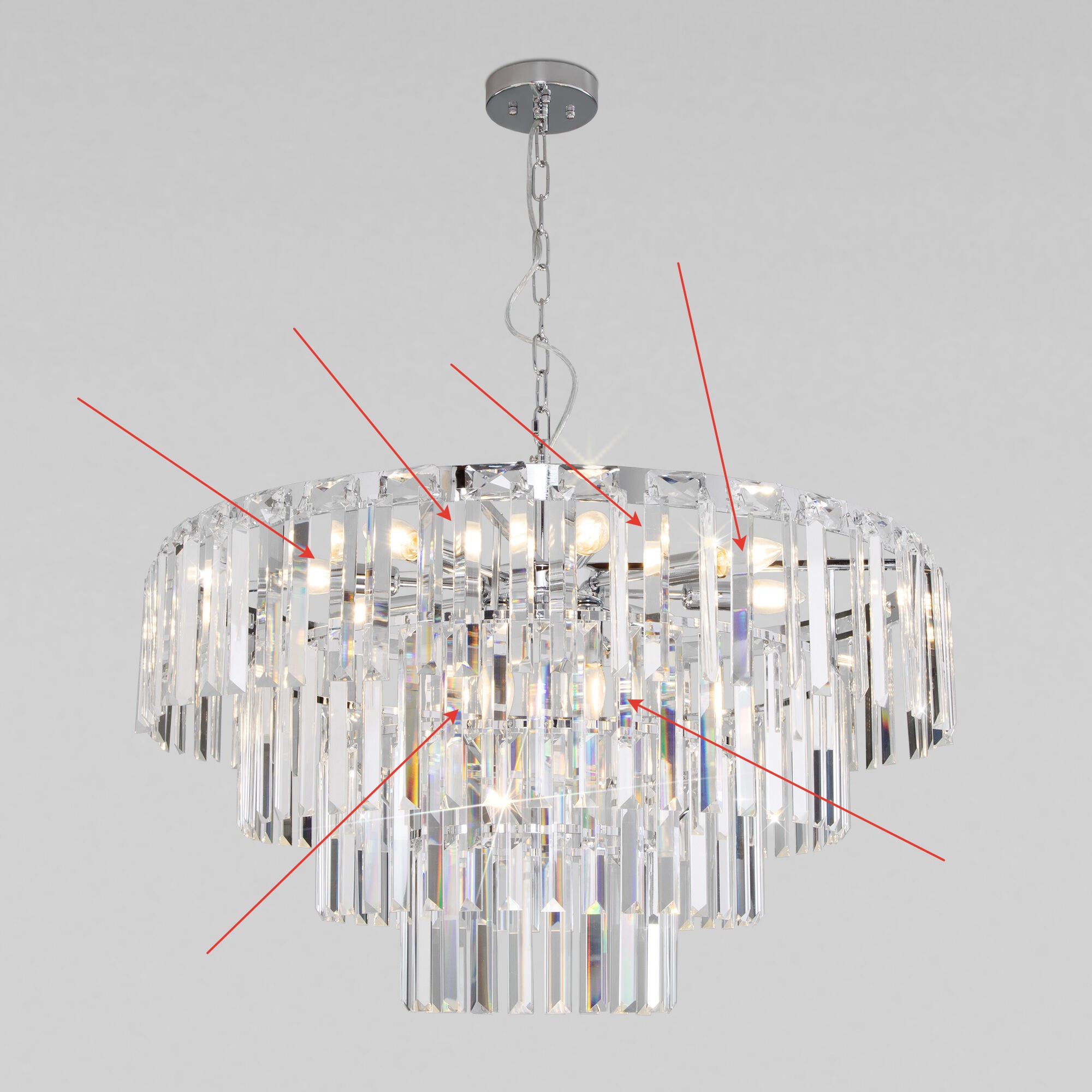
You can see what I mean in the photo.
1 Like
Thanks for providing the requested image. I have tested what you’re trying to achieve, and these are the results:
-
Show Light Shape
-
Emissivity Enabled of the spherical object.
-
Side-by-side comparison
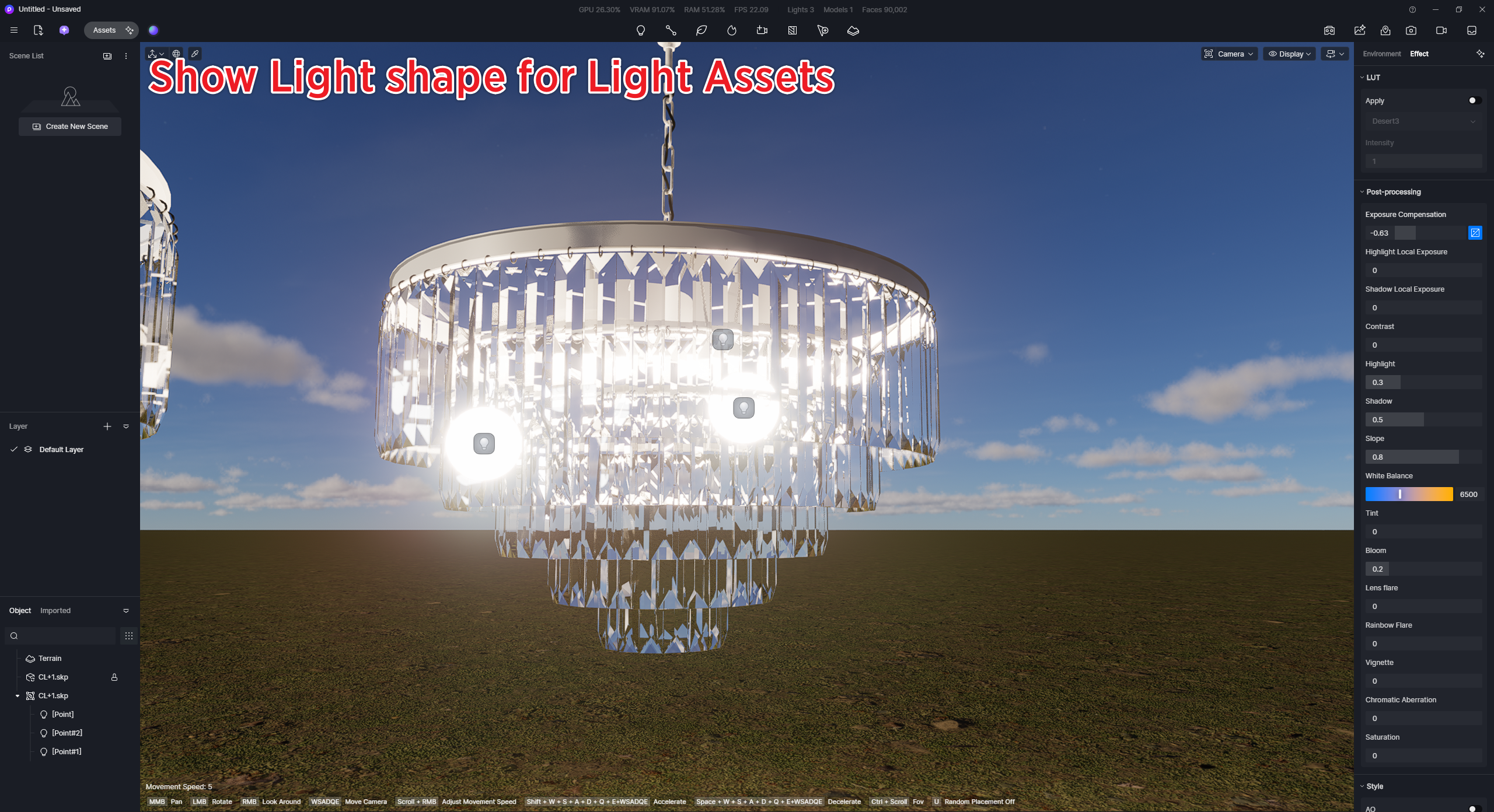
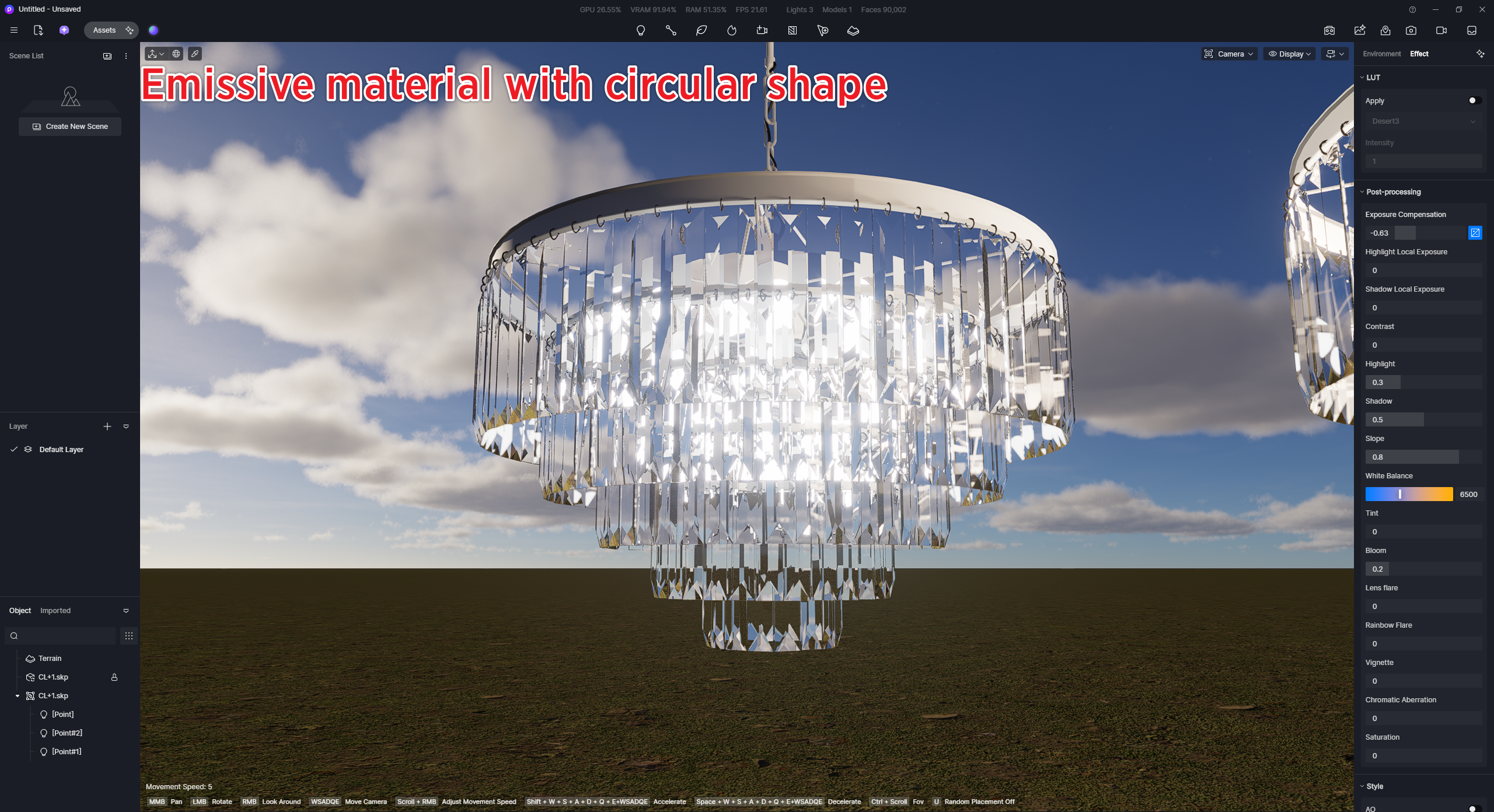
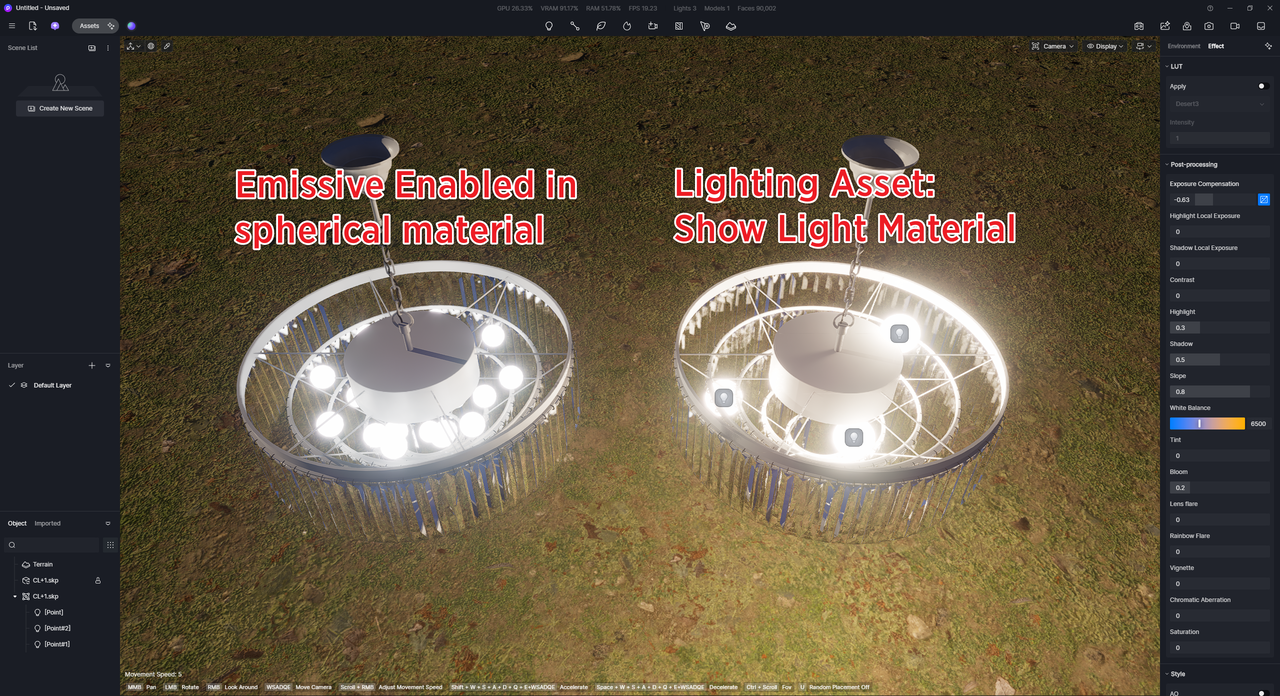
Using a spherical object and enabling its emmisivity is far better than using the lighting fixture with its shape visibility enabled in what you’re trying to achieve. We’ll consider this as feedback regarding the Show Light Shape setting. Thank you for bringing this to our attention.
Thank You!
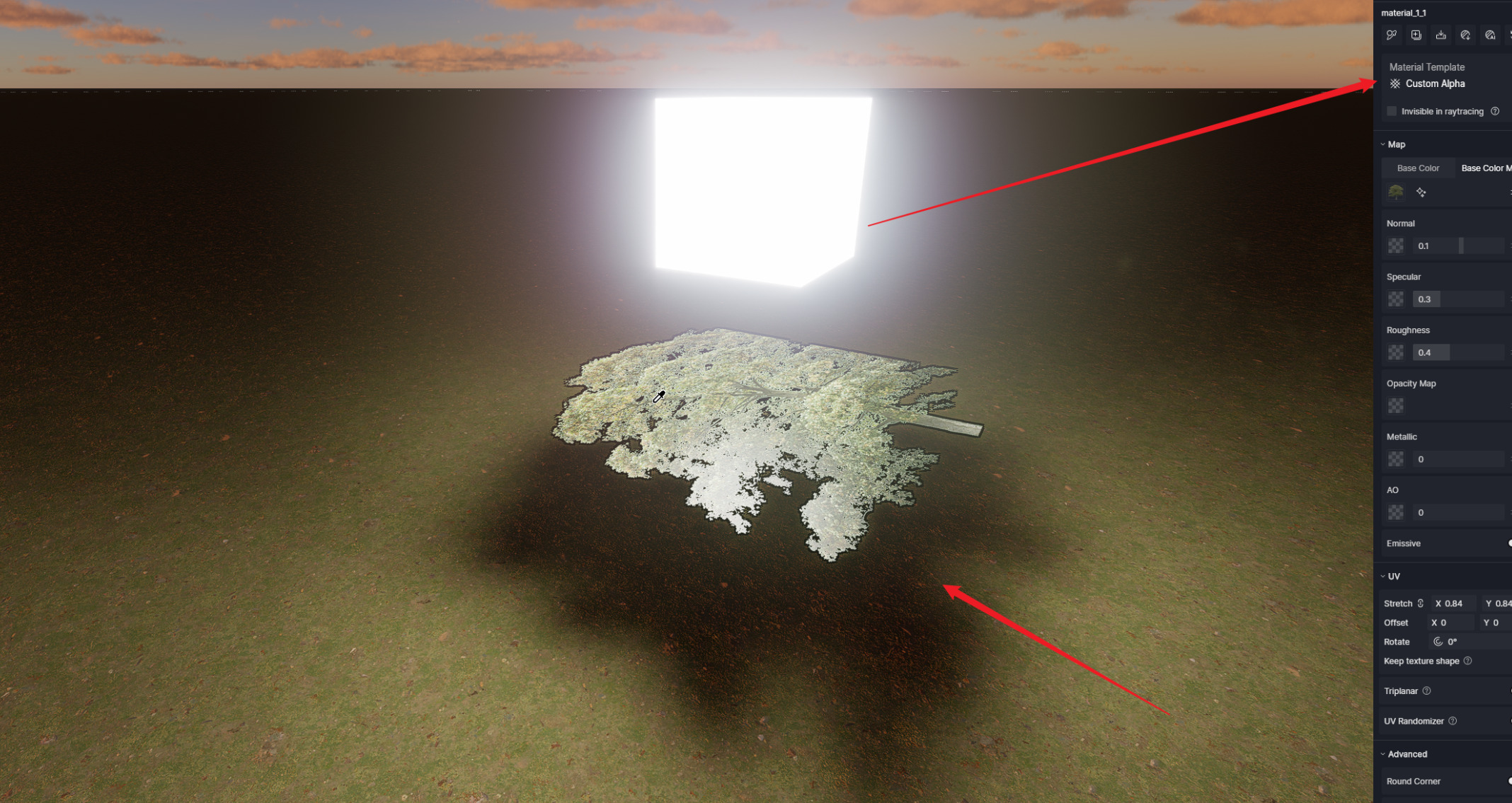
@Clov This causes a shadow bug against PNG with transparent background. @sultanovblog in case you come across the issue.
Great news, thank you. I have been avoiding to use illuminated materials as much as possible.
2 Likes