Hi, I’ve been using D5 Render for a 3+ years now. I used to face an issue for a long time with my textures appearing blurred if they were at a distance.
A few months ago, I discovered from the Forum that setting the option as “Let the 3D application decide” fixed it for me. (Previously I had the Last option selected and set to Quality).
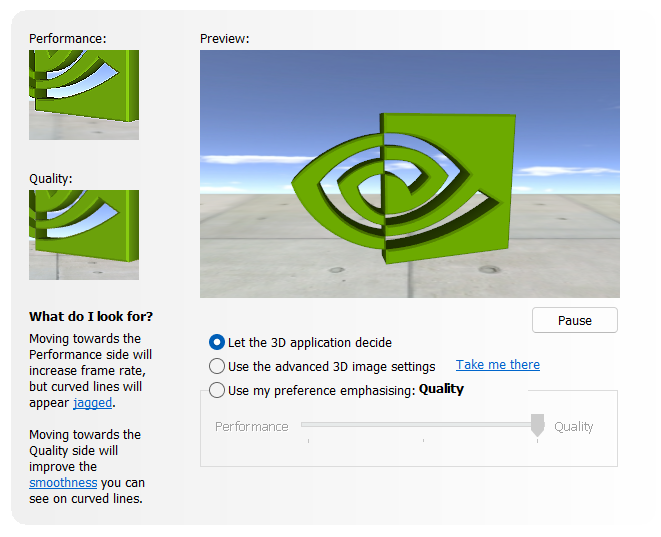
However, I’m still facing issues with anti-aliasing and my renders having a certain “jagged line” look to them. I made a detailed post about it here: Unrealistic Sharpness in Renders - Get Help - D5 RENDER FORUM
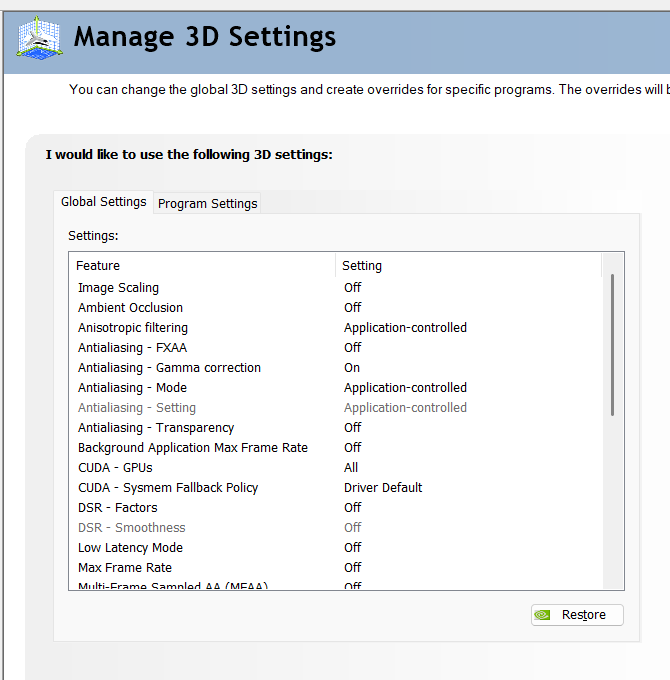
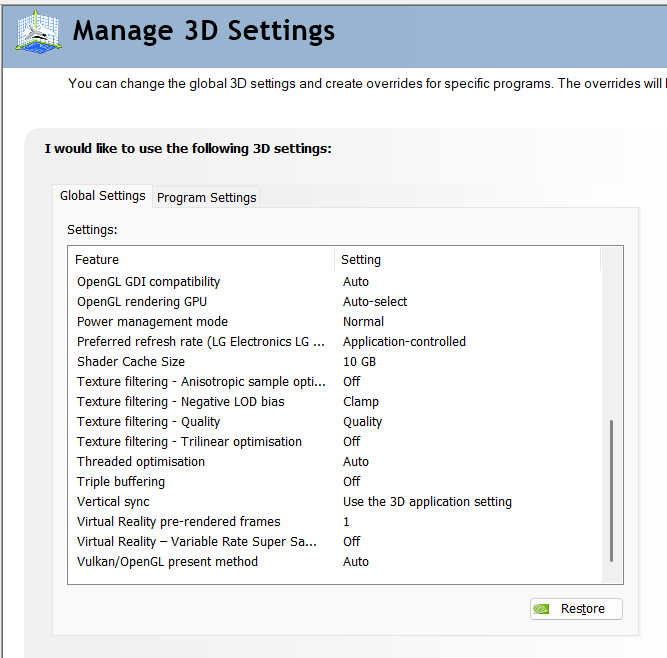
I’ve been wondering if this can be dealt with using the NVIDIA control panel settings the same way that the blurred texture issue was solved. Can someone please post their “Manage 3D settings” section from the NVIDIA Control Panel so that I can make sure if that’s the case? These are my current settings, and I’m running the latest NVIDIA Driver:
Thanks!
