Hi @MaxP thank you for the feedback. We’ll review this further on our end.
2 Likes
I am using D5 Render 3.0.
The crash happens with both Save and Save As.
If I click Save very quickly (within a few seconds), it saves successfully.
However, if the file dialog stays open for more than a few seconds while I choose a folder or rename the file, D5 crashes.
This happens even with very small projects or single assets, so it doesn’t seem related to file size or scene complexity.
My GPU driver is NVIDIA Studio Driver 591.74.
Recently I installed Google Antigravity, Claude, ChatGPT, and Unreal Engine, but I uninstalled all of them. The problem still continues.
I also completely uninstalled and reinstalled D5, but the issue remains.
I can´t save the file, when the file directory opens, d5 crashes instantly, has been happening recently and i have tried solving it in multiple ways but none of them work
Hi @a19792
Sorry to hear about this. What version of D5 are you using?
Your situation may be related to a known issue affecting some users recently. Please try the workaround mentioned above and let me know if it resolves the problem.
Thank you for your patience, and I look forward to your update.

thank you very much , it worked for me
1 Like
Hello D5 Team,
I’m experiencing a critical issue where D5 crashes instantly whenever the Windows file save dialog opens, making it impossible to save renders or any files.
Symptoms
- As soon as the Windows file explorer / save dialog appears, D5 freezes briefly
- The dialog becomes unclickable
- D5 then closes automatically
- This happens before saving, regardless of render settings
- The issue occurs 100% of the time
- It affects all projects, including new empty scenes
At this point, I cannot save any files at all because the crash is triggered solely by opening the file dialog.
System Information
- OS: Windows 11 (latest updates installed)
- GPU: NVIDIA RTX 5080
- GPU Driver: Latest NVIDIA driver
- D5 Version: Latest version
- This is not project-specific
What I’ve Already Tried
- Restarting Windows (multiple times)
- Reinstalling / updating GPU drivers
- Switching GPU performance settings (Windows Graphics Settings → High Performance)
- Disabling Explorer previews and thumbnails
- Forcing legacy file dialogs via Windows registry
- Disabling overlays (NVIDIA Overlay, Xbox Game Bar, etc.)
- The crash still happens the moment the file save dialog opens
Conclusion
This appears to be a system-level conflict between D5, Windows 11’s file save dialog, and NVIDIA RTX 50-series drivers, rather than a project or user configuration issue.
At the moment, this issue completely blocks any workflow, since saving files is not possible.
I would appreciate guidance, confirmation of a known issue, or any workaround from the team.
Thank you for your support.
Hi @kpark
Apologies for the inconvenience caused. Please try the suggestions from Leah in this thread and let me know if it works for you. Thanks in advance.
i already tried but still crashing
oh i figured it out! super thanks!
Hello @Clov , Im in Philippines Region,
Im experiencing the same problem. Every time I open file manage to save, render image or import PBR material D5 Render crashes.
Please help.
I have same problem guys. when windows folder comes to screen for save or open something program crashing
1 Like
İt worked brother thank you
1 Like
Hi @abet.ceniza
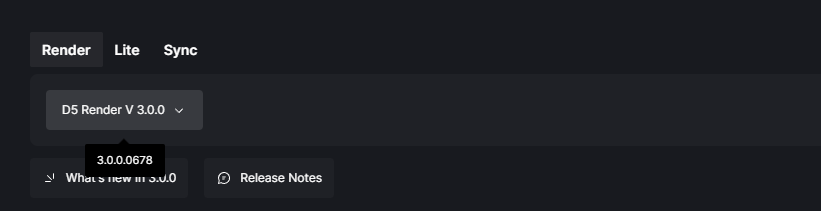
May I know the exact version number of your D5 Render? Also, have you tried these suggestions mentioned? Thanks in advance for your reply.
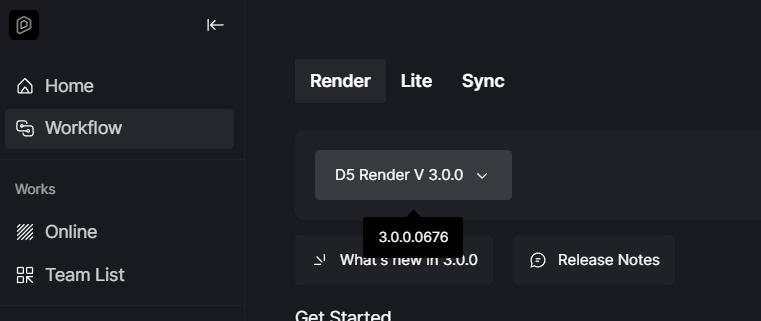
Hello @ela yes I tried the troubleshooting mentioned below and it still crashes, and I dont have any cloud storage running. For my D5 Render Version here it is:
Hi @abet.ceniza
Please back up files first and try the following:
- Rename the local files in the D5 \framework\ folder (MSVCP140.dll & _1.dll) to .old
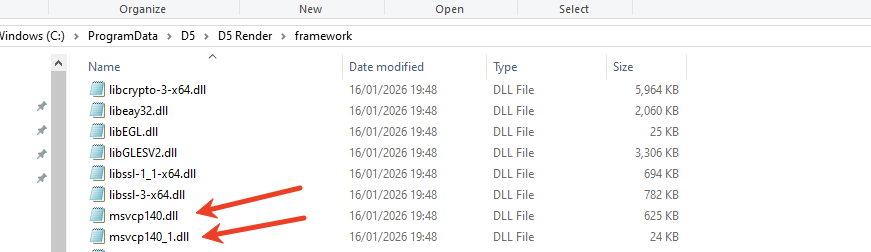
- Copy healthy versions from C:\Windows\System32.
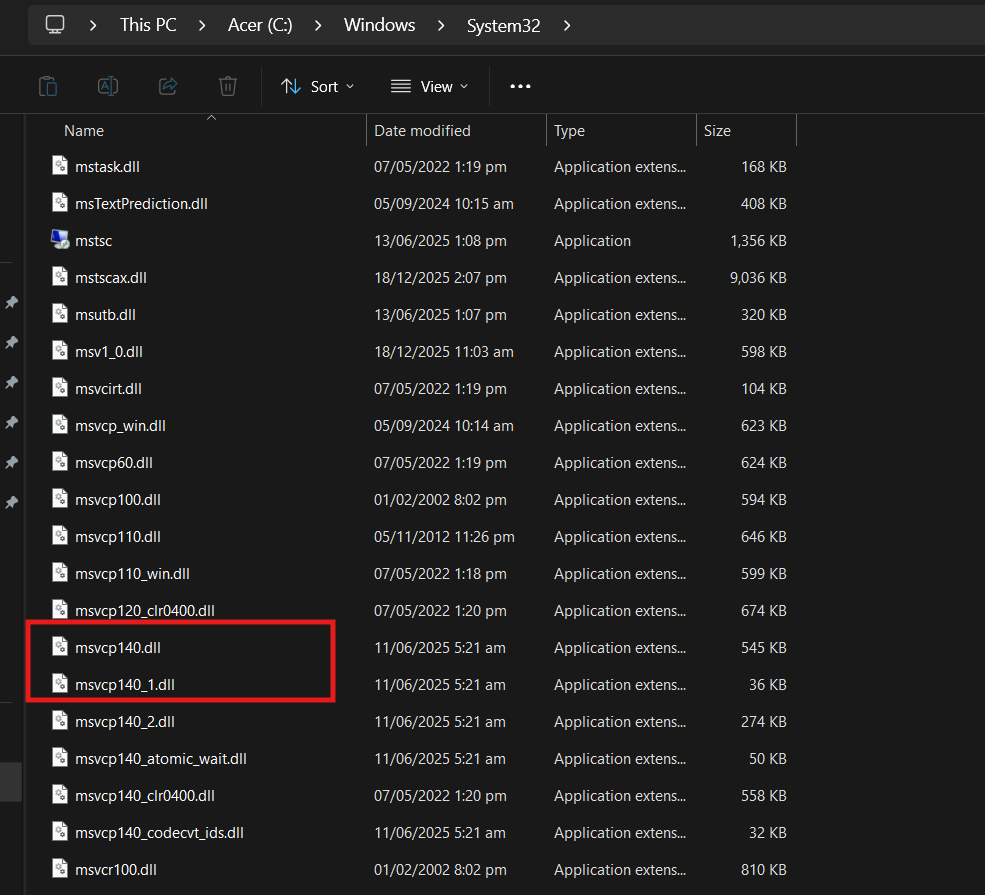
- Paste them into the D5 \framework\ folder.
The crash should be resolved immediately on all machines.
Please note this is a temporary workaround, and the issue will be fixed in a subsequent update. Thank you for your patience. 
This Solution helps!
1 Like