The issue only affects all features within AI Post-Processing .
Other AI tools, such as AI Style Transfer , are working normally without any problems.
Regarding the downloads: my previous AI process successfully reached 100% completion , but I was unable to download the result afterward . After that, I tried running the process again, and now AI Enhance does not work at all — it does not start or generate any result.
Please let me know if you need any additional information from my side to investigate this issue.
Do you mean the AI Atmosphere Match? Could you let me know the exact message or prompt you see when it times out? Also, does the issue still persist if you try again now? Please let me know. Thank you
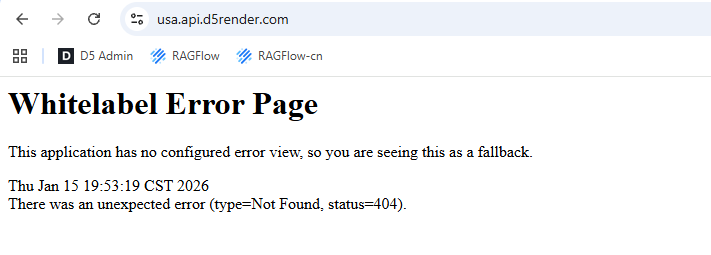
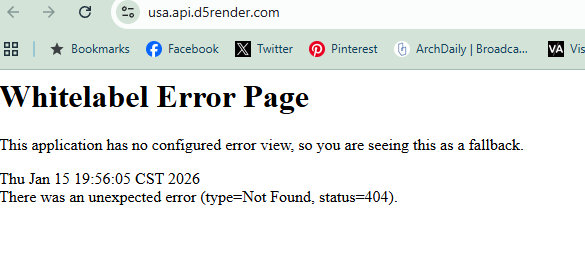
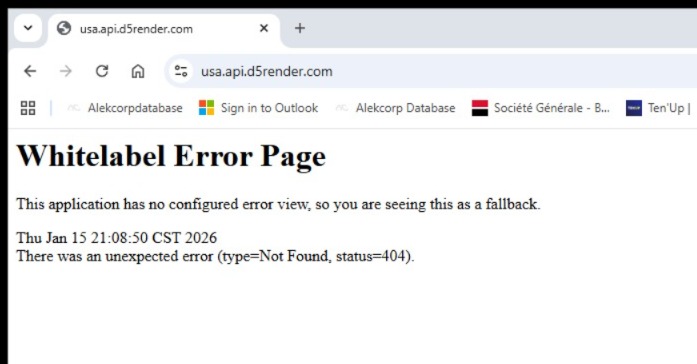
Sorry for any inconvenience caused. Can you please type 【 https://usa.api.d5render.com/ 】in your Browser, and please share the result with me. Any update will be appreciated.
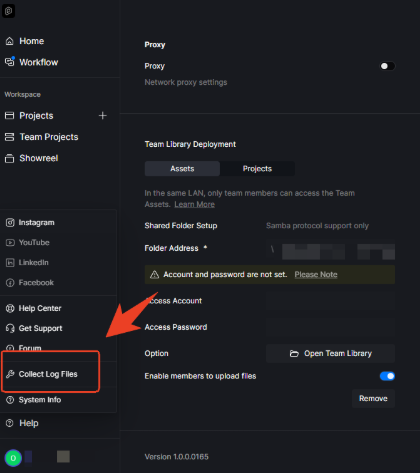
Thanks for getting back to us. Can you please also share the logfiles with us? Please click the ‘Help’ in Launcher and click ‘Collect Log Files’, and then send this ‘zziplog’ file and email to us [ support@d5techs.com], and tag AI FORUM in the topic. Thanks in advance.
Sorry for this issue. What are the signs of the AI issues you’ve encountered? When did the problems start to appear? Can you please also share the logfiles with us? Please click the ‘Help’ in Launcher and click ‘Collect Log Files’, and then send this ‘zziplog’ file and email to us [ support@d5techs.com], and tag AI FORUM in the topic. Thanks in advance.
And please also share your target output address. Like:C:/Appdata/user/
Apologies for the trouble. Please also share your logfiles with us. Please click the ‘Help’ in Launcher and click ‘Collect Log Files’, and then send this ‘zziplog’ file and email to us [ support@d5techs.com], and tag AI FORUM in the topic. Thanks in advance.
I’ve been running into problems since version 3.0 came out. I can’t apply the AI features properly; sometimes it works, but then I can’t download the file.
Also, I haven’t tested exterior scenes yet, but there is a quality issue with interiors. When I use AI on interiors, I get distorted textures and worse shadows instead of the expected realism. The old version definitely gave me better results.