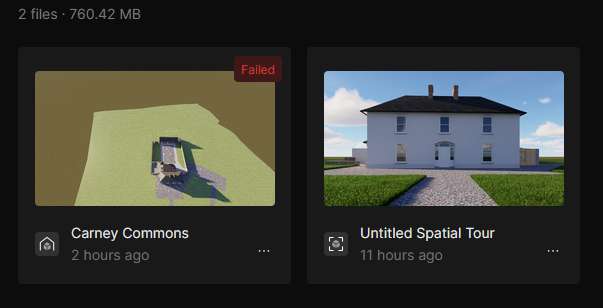
I’ve already tried out XR Tour today for my project. After rendering and uploading it on My Workspace on D5 Render website, the Status set “Generating”. Then it become “Failed”. I tried multiple times and it was always the same.
Should I do now to publish my project? Does anyone have the same problem?
It seems that one of the rendered files came out empty. Could you please share your source/project file with us? You can send it to support@d5techs.com, tag me in the email, and include the link to this forum post for reference.
Thanks, and we’ll take a closer look once we receive it.
I’ve just sent my email to D5 Support Team following your suggestion. My email is “m2x.designer@gmail.com”. Hope to see your solution soon. Many thanks!
Hello, I’m also encountering this issue on the XR tour generation. After roughly 1hr of generating, I keep receiving the ‘Failed’ notification continuously.
Is there a fix for this?
I have D5 version 3.1.1.0755 installed
I have updated my drivers to the latest version: Studio Driver 616.92
I’ve turned off my VPN
My PC specs are more than sufficient
I would appreciate any help with this.
Many thanks
This is to confirm that we are aware of a known issue that has recently arisen. We are currently working on repairs. Thank you for bringing this to our attention.