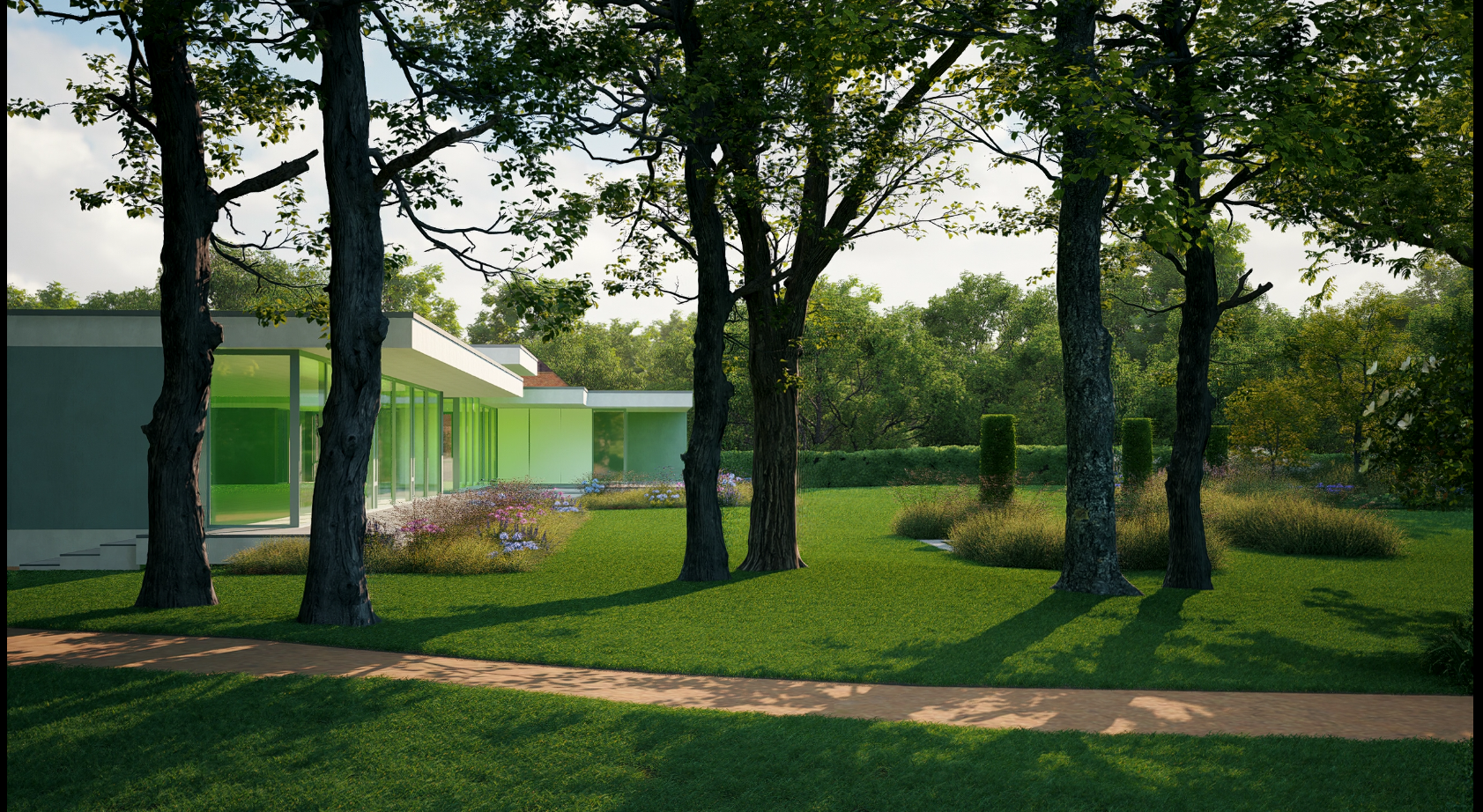
D5 2.11
RTX 4080TI
driver version 581.57
hi guys i have werid problem, some time the glass on the image and video rendering turn green like this, anyone know how to solve it? thnks
D5 2.11
RTX 4080TI
driver version 581.57
hi guys i have werid problem, some time the glass on the image and video rendering turn green like this, anyone know how to solve it? thnks
Can you confirm what specific glass material or preset you’re using in this scene? The green surroundings near the glass can also cause color bleeding through GI. Thanks
hi, i use normal glass
Got it @krisnayudi654. Could you clarify a few points?
I haven’t been able to replicate the problem with standard single-layer clear glass, so these details will help pinpoint whether the issue is with the material setup, multi-layer interactions, or lighting/GI effects. Thanks!
hi ela sorry for late reaply,
Thank you for the additional details. To help us investigate further, could you please:
If possible, please also share your file—both the 3D model and the D5 synced file—so we can test it directly and confirm whether this is scene-specific, environment-specific, or a rendering glitch. You can upload it to WeTransfer and share the download link with me privately.