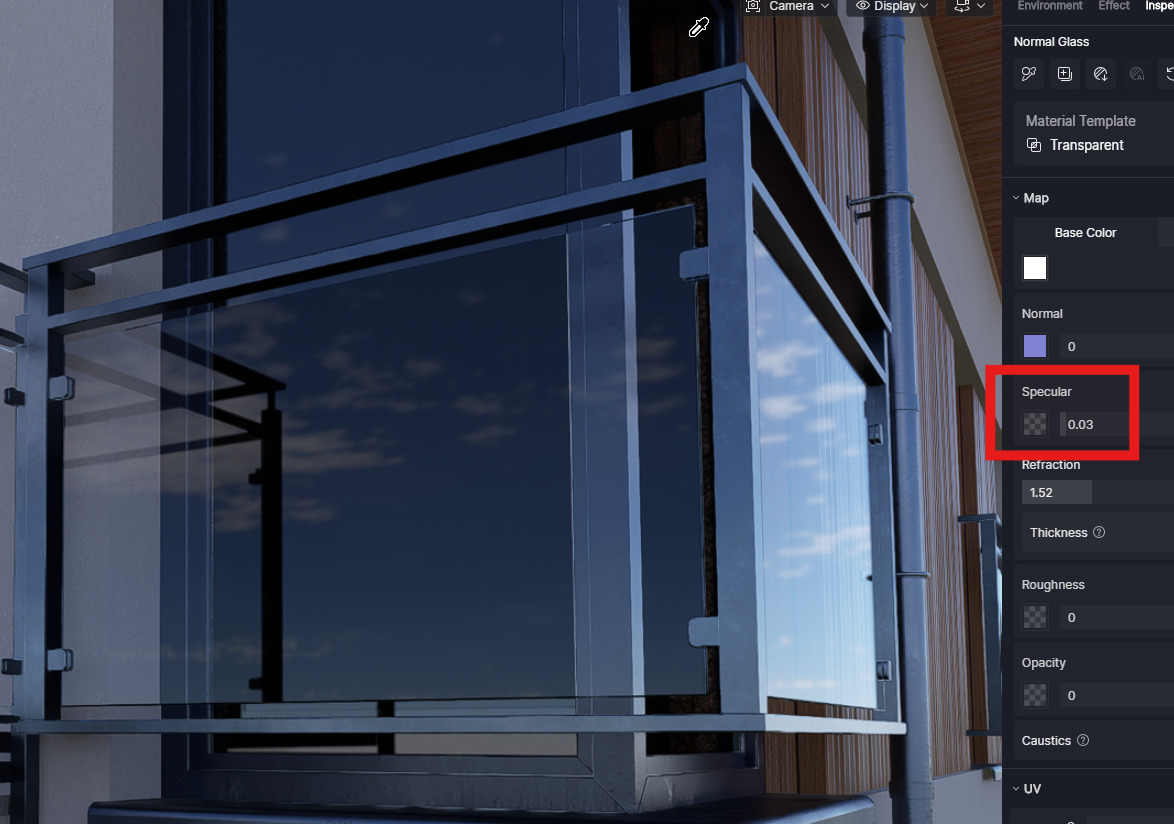
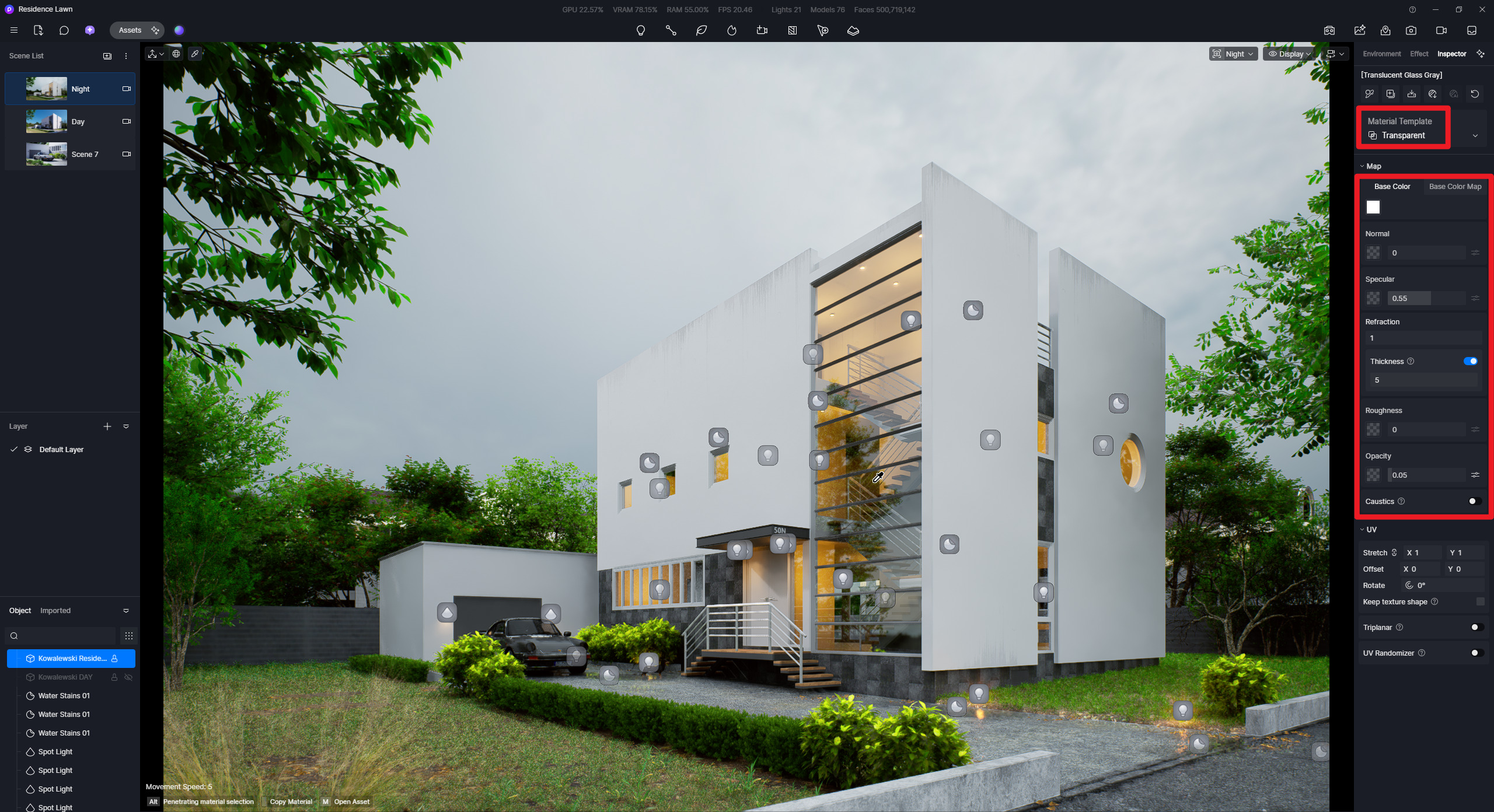
Ok I see that it works fine using pure white color for right transparency but to have proper fresnel effect Specular is need to set 0.03 max. Very tricky !
Another problem is that Transparency Material doesn’t recognize double-sided glass objects. It treat them as single sided and Thickness must be always turned on.
This is not a bug, what you’re seeing is expected behavior based on how the shader balances color absorption, transparency, and reflection (Fresnel):
When the color is black, it absorbs light
– so the material cannot appear fully transparent, even if transparency is enabled. However, reflections (including Fresnel) remain visible.
When the color is white, it allows full light transmission
– resulting in clear transparency, but it can reduce or override reflection contribution depending on the shader’s energy handling.
These are technical trade-offs in the rendering model, not random failures. Real-time engines simplify physically accurate light behavior to maintain performance, and this sometimes creates interactions like the one you’re observing.
This is expected shader behavior, not a defect.
If your goal is to achieve realistic glass (both transparent and reflective), the correct approach is to avoid extreme values:
Use a light gray color instead of pure white
Keep high transparency
Increase reflection/specular
This will restore both transparency and Fresnel reflections correctly.
Note: Additionally, if you’d like to suggest improvements, it’s best to include a reference image of the result you’re trying to achieve. That makes the feedback clearer and allows us to better evaluate whether it’s a limitation, an intended behavior, or something that can be improved.
This is a known limitation. D5 Render’s global illumination (GI) and transparency channel solver does not support physically accurate multi-layer transparency.
For realistic double-glazed effects, consider:
Change the inner glass material from “Transparency” to “Custom”, then manually adjust parameters like Base Color and Transmission to bypass automatic transparency blending.
Increase the Specular value of the outer glass to enhance reflection visibility (improves perception, though it doesn’t fix transmission).
If your model uses single-plane double-sided glass, replace it with a solid glass geometry with physical thickness (e.g., 6mm) in your modeling software, and enable the “Thickness” parameter in D5’s glass material for proper refraction.
All great but if you set color to light gray you will never have 100% transparent glass - it will have 50% transparency even with Opacity=0%. This is the same like 100% white and 50% Opacity.
In my test to have physically accurate glass there is need :
pure white color to have 100% transparency or little darker depend on glass type
specular max to 0.12-0.15 to have fully range fresnel reflection
Specular above 0.15 increase reflection power on angle towards camera but doesn’t increase reflection on low angle ( it is clipped ). This mean that all above 0.15 reduce fresnel reflection effect.
Specular = 1 means that no fresnel effect is visible - low and high angle have the same level of reflection.
Regarding transparency materials, have you tried using D5 Lite? There’s a difference in the render output with D5 Lite; you might want to check it out to see if it matches the results you want.
Yes, currently it only supports SKP. I think for testing, you can find sample SKP files, but if you prefer using your personal files, then yes, you may need to convert C4D Files to a format that SKP supports.