I’d like to ask for your help. I teach D5 online, and I frequently encounter this issue.
We use the same project file for all participants, but typically 2–3 out of 10 people, when opening the file in D5 (even directly, without importing it from a modeling software), see some materials displayed as completely white.
There doesn’t seem to be any pattern regarding which materials turn white. They can be materials assigned in the modeling software, as well as objects and materials downloaded from the D5 Assets library. In addition, the computers used are very different from one another: some are more powerful, some less, yet the issue still occurs.
This doesn’t happen only with this project, but also with another one that I use in my basic course, so I don’t think it’s related to a specific file.
I don’t know how to solve this situation and, more importantly, I don’t know what advice to give to the participants. On my computer everything displays correctly, and I also don’t experience the issue on a second computer that I use.
Has anyone had a similar experience or knows what might be causing this?
There are several reasons why assigned materials may appear white in D5 Render:
The D5 file, along with the linked 3D model file and texture folder, is stored in one of the following locations:
Cloud storage (e.g., Google Drive, OneDrive, etc.)
Server storage (shared network)
We recommend that users store these files on their local C or D drive. If archiving or file transfer is necessary, it is advisable to zip the files before sending them to another device or user.
The files may be located in a long path. You can resolve this by either:
Disabling LongPath in the Registry Editor
Moving the files to a simpler file path
The materials might originate from software that is not supported in D5 Render.
However, this is unlikely to be the issue in your case.
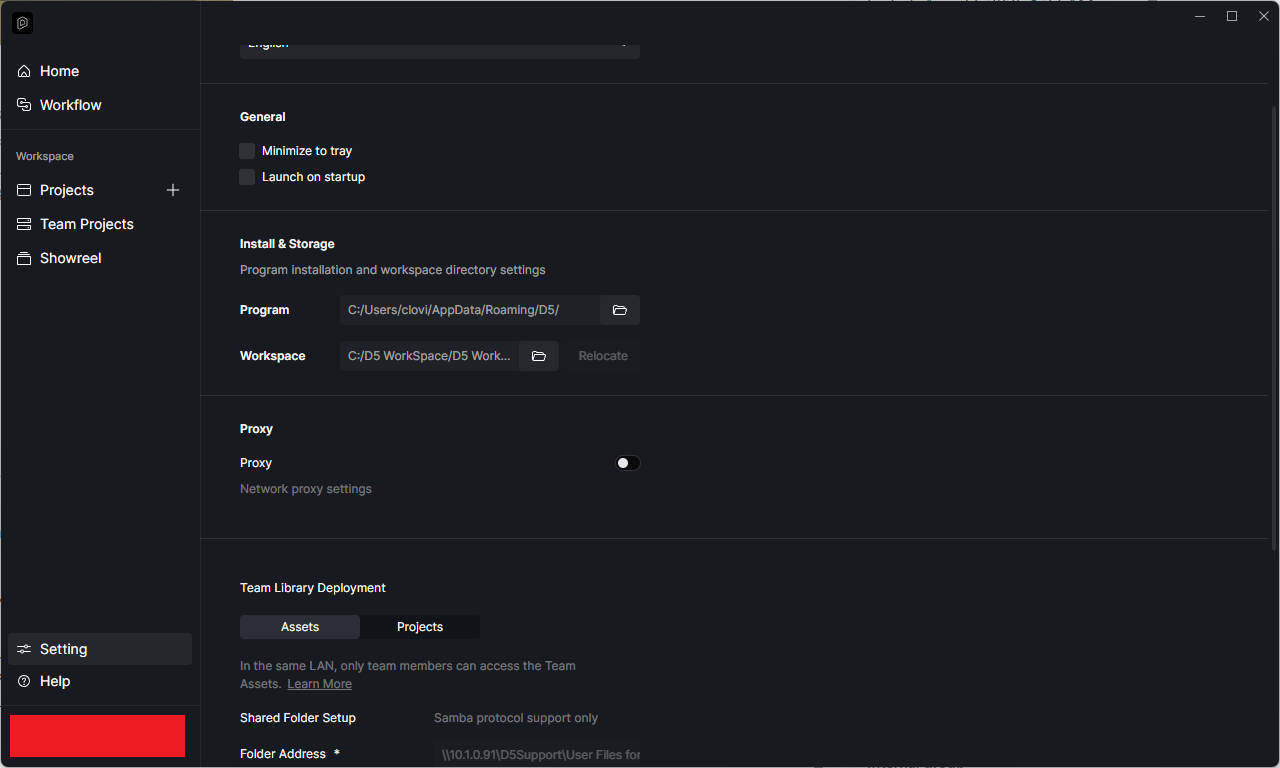
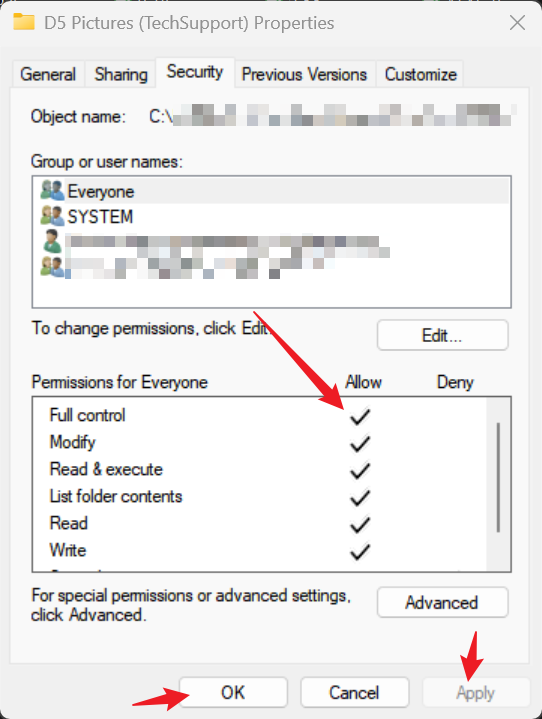
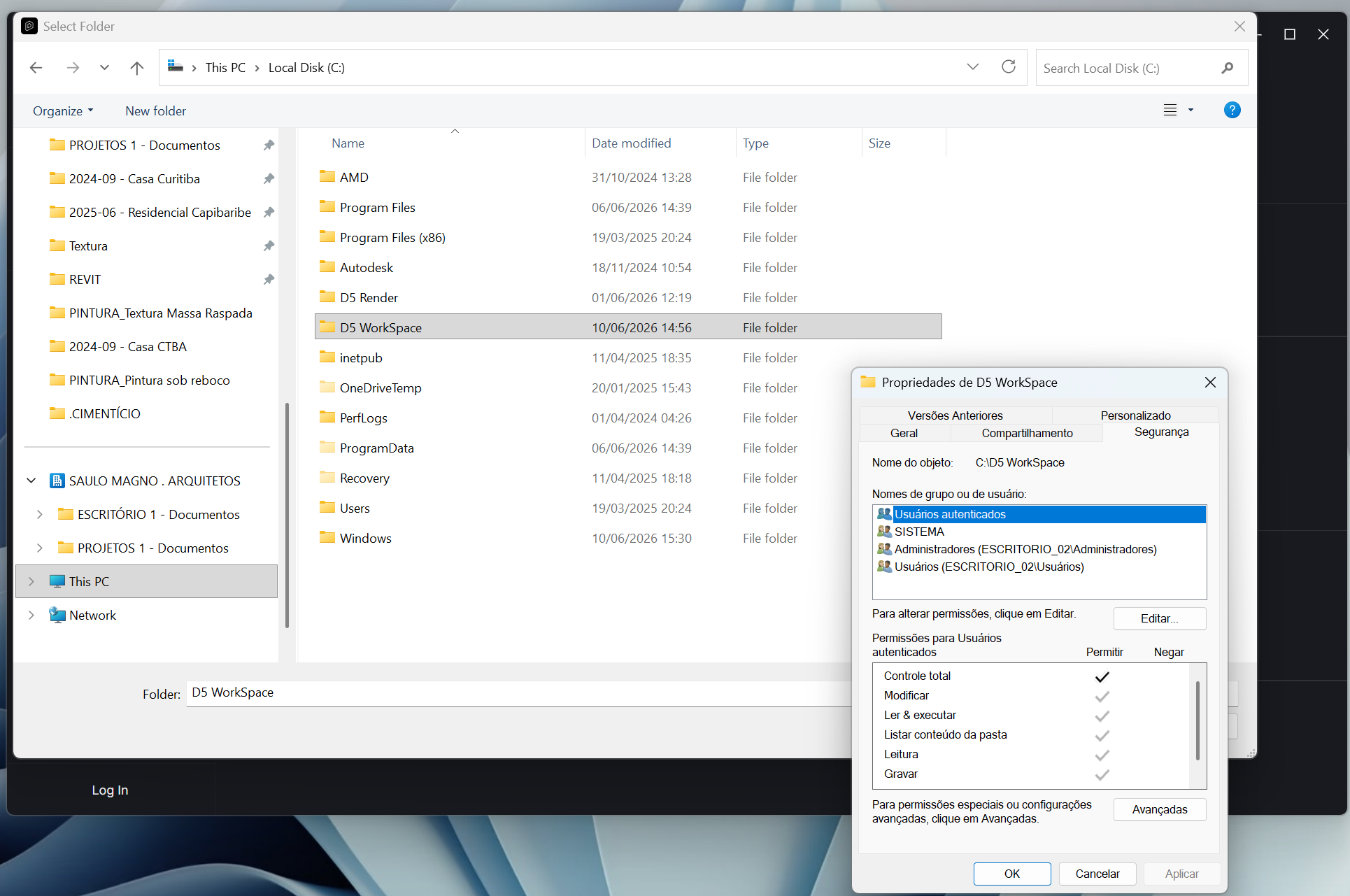
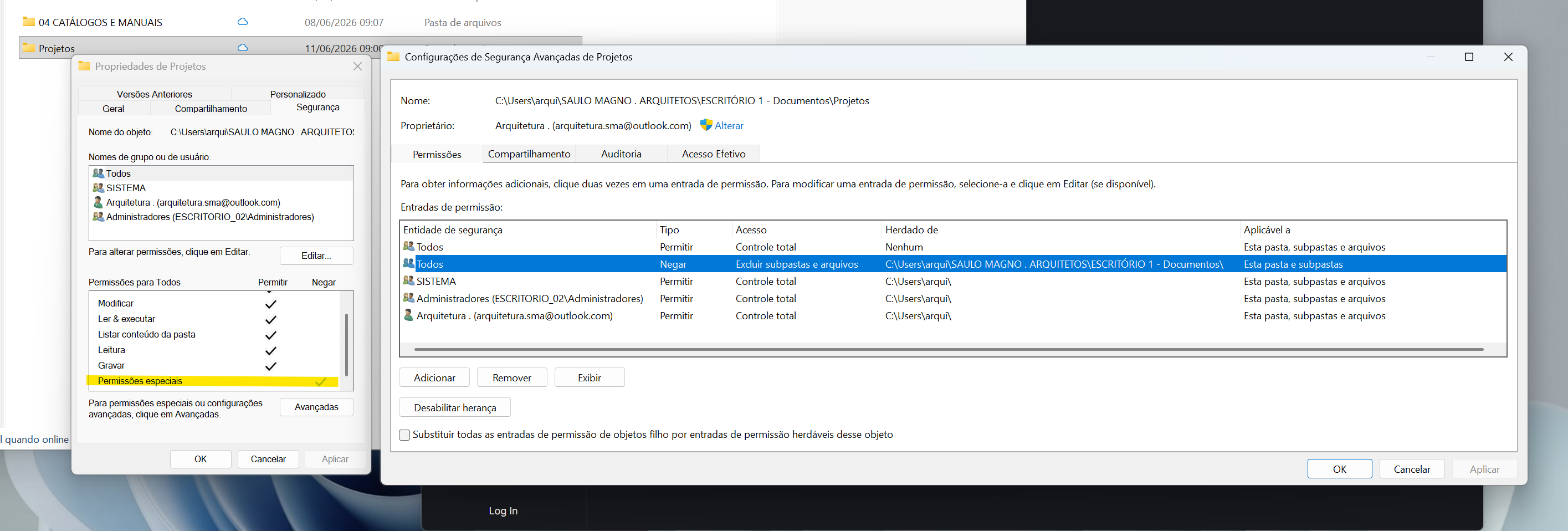
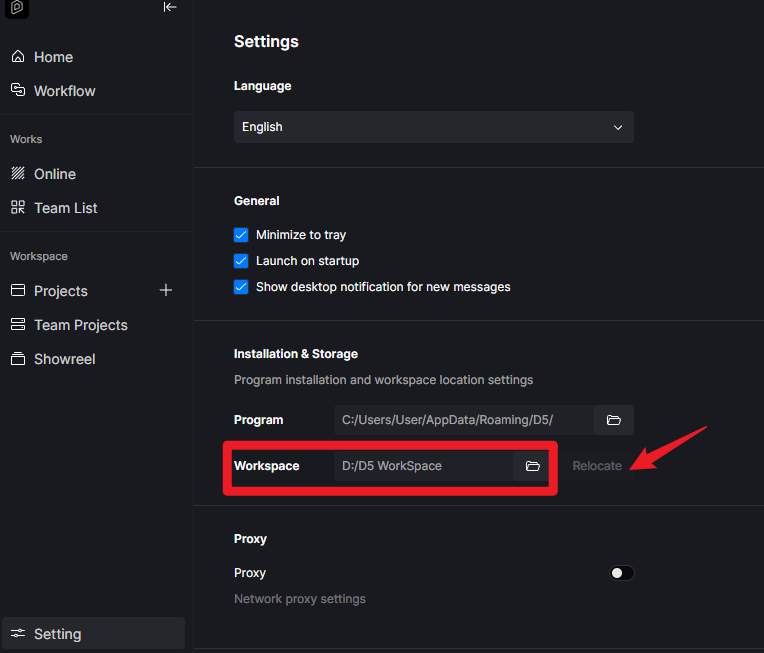
If these materials are from our online asset library, please check your Workspace folder’s location, it should be in your local C or D drive and you should have Full Control settings.
we’re facing almost the same issue here in the office.
Some textures loses their maps randonly. most of the time happens when we save the file after working on it , and then re-open some time later. It is happening both with our materials, and D5 Online materials, sometime missing only the diffuse map and keeping height or AO maps.
In both cases the Map icon next to the parameters are being substituted for a blue/gray square.
The D5 software is installed in a user with admin permission. the textures maps are located in a Microsoft Sharepoint drive.
the thing with the cloud storage is weird , because this is happening only in one computer while this whole issue does not occur in the other two machines.
Can you guys help me ? we’re facing this in the last week and keep losing a lot of work everytime e save and closes the file.
There are several points that we would like you to check:
Verify SharePoint Path Permissions and Stability
Ensure the affected computer has full Read & Write access to the SharePoint drive folder where the texture maps are stored.
Check if the SharePoint path contains any special characters (e.g., “&”, “#”, non-English characters) or is excessively long, as this can cause file reading errors
Try saving the D5 project to a local path (not SharePoint) and re-opening it to confirm if the issue is specific to the cloud storage
The same goes for the texture maps located in your SharePoint drive; save them locally and observe if the issue persists.
Check for System-Level File Access Issues
Ensure the affected computer does not have any encryption software running that might be blocking access to the SharePoint files
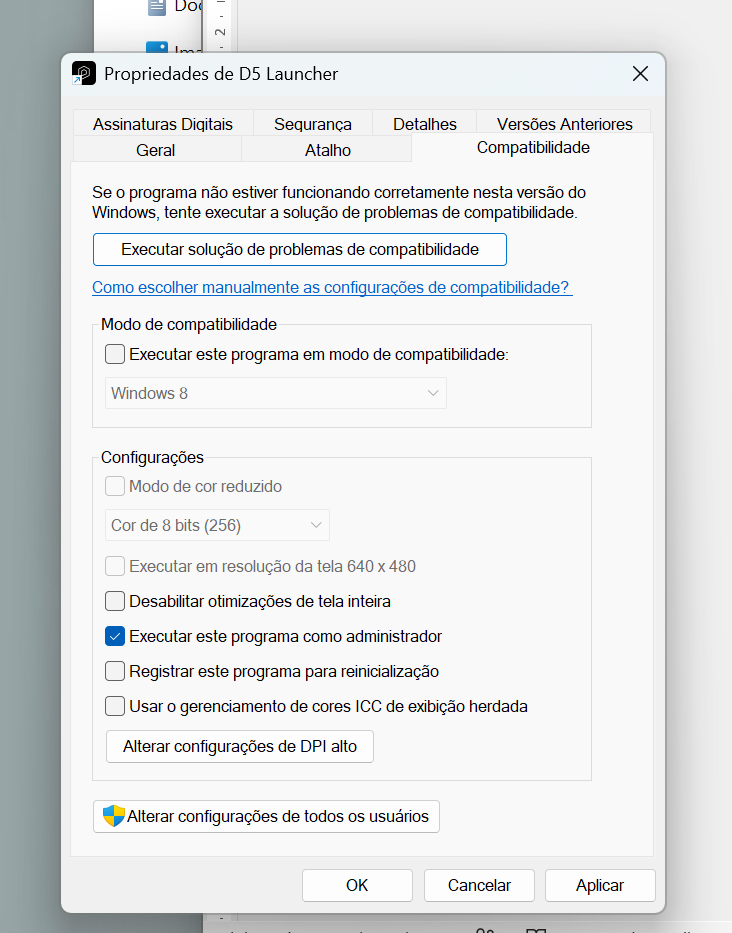
Verify that the D5 Render software is running with administrator privileges on the affected computer.
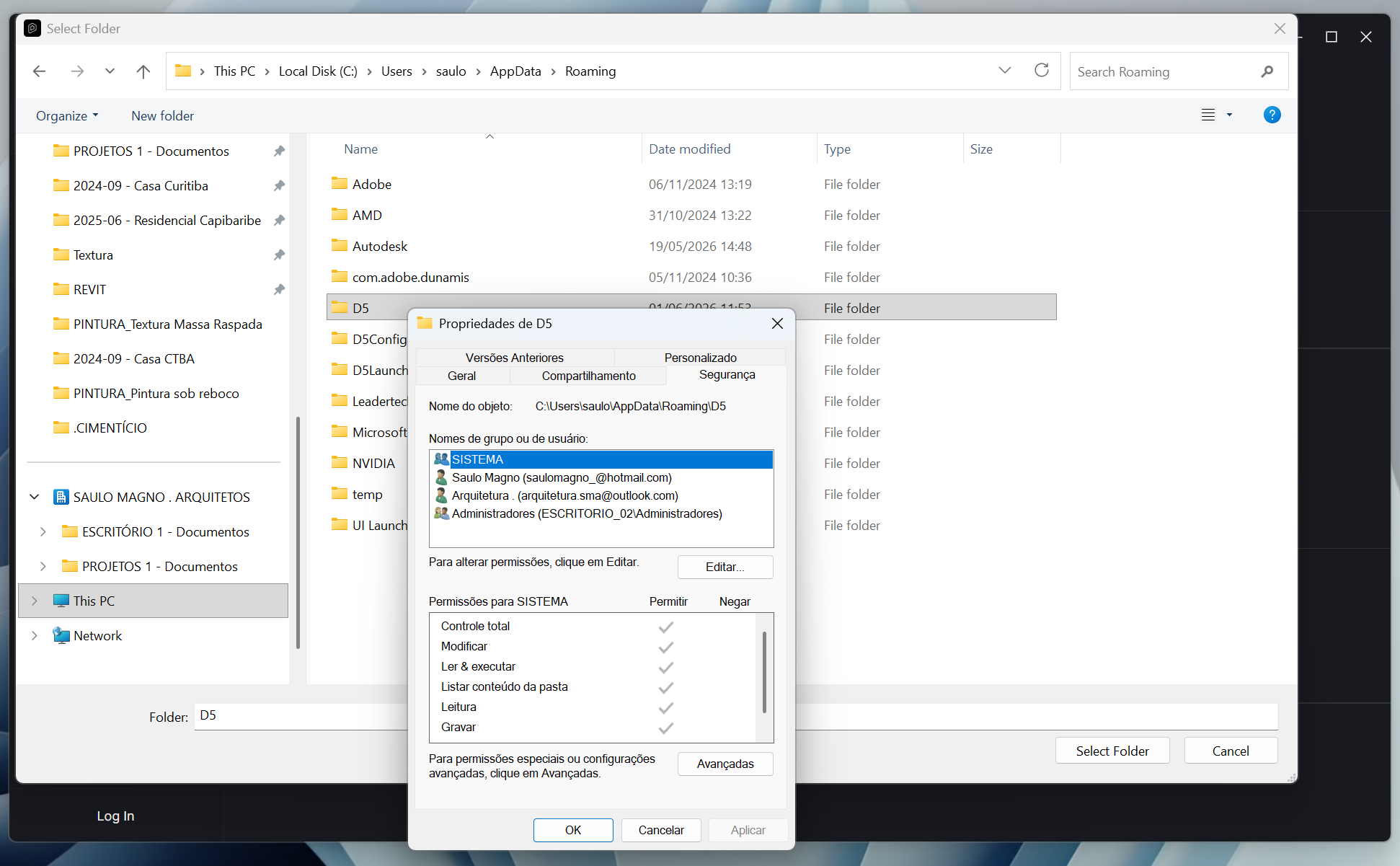
Check the location of necessary folders that are involved in your workflow, you should have full control over it.
Sorry for only getting back to you now. Since these issues do not occur on my computer, I am unable to verify what is happening on the participants’ computers.
What I can say is that the folders I send them in ZIP format are saved locally on the C: or D: drive, not on a network location. Therefore, the path to the materials should also be within the D5 project folder.
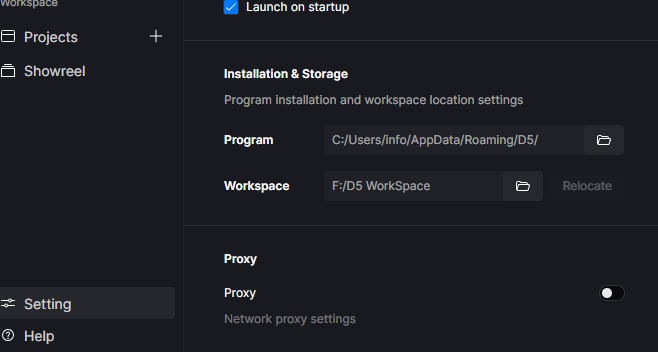
Regarding the D5 materials, I checked and my workspace is located on the F: drive, but I do not know whether this is relevant.
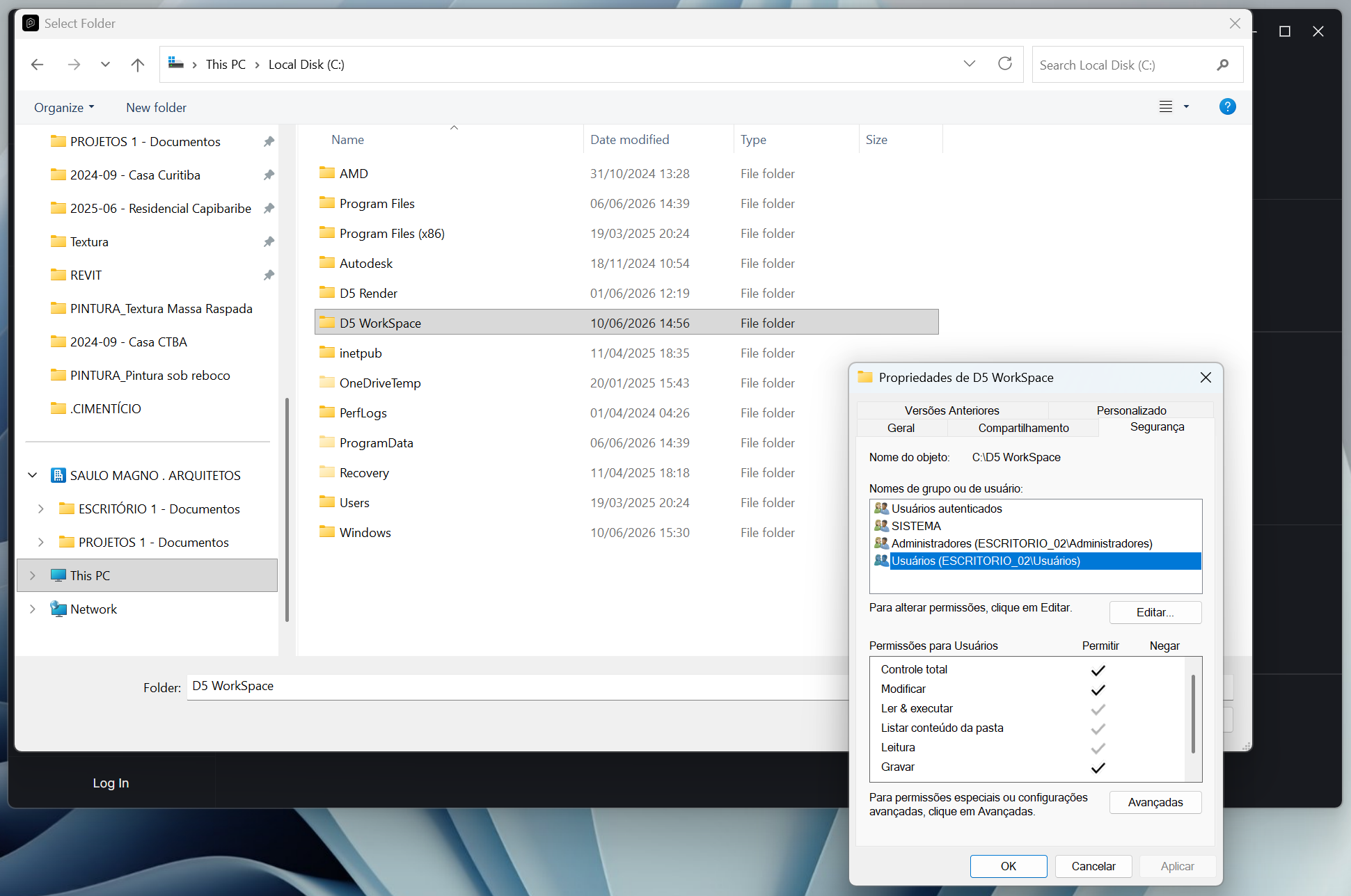
I am sorry, but I cannot find the path to the window where the Full Control option can be enabled. Could you please show me how to get there?
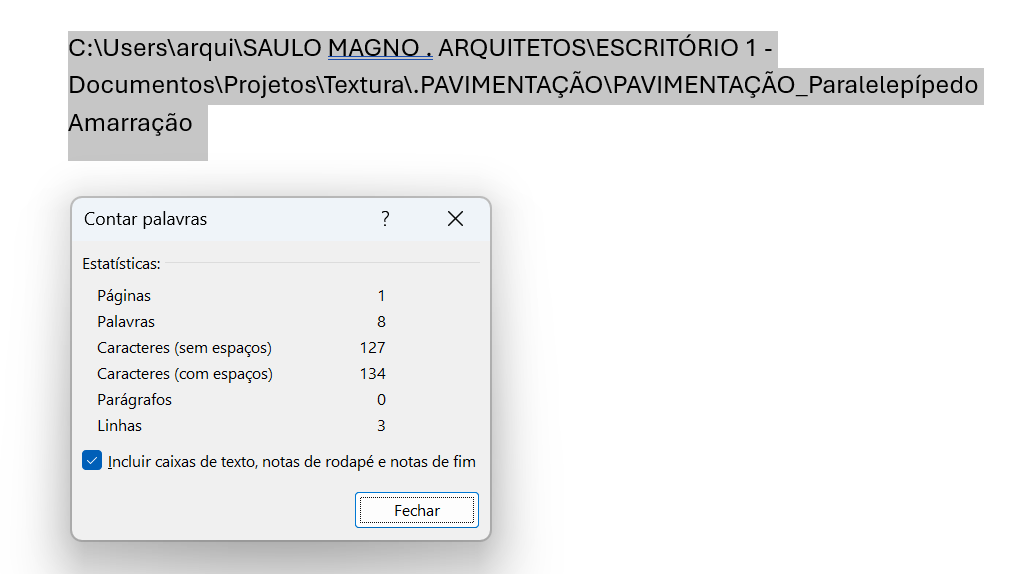
-Sharepoint path contains a “.” dot, but work normally in other computers.
-Also it isn’t that long, took a picture of the longest file path and it has 134 characters
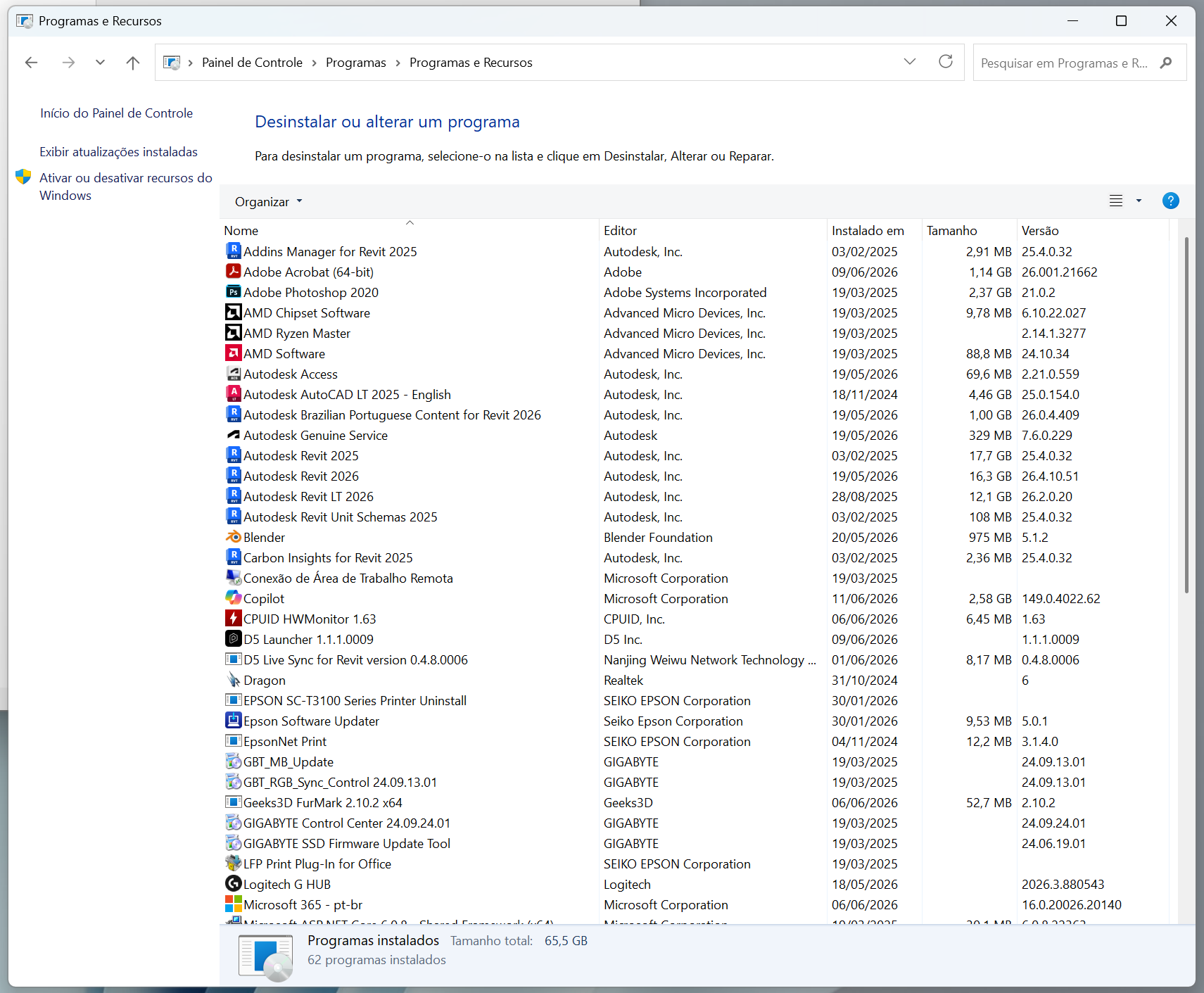
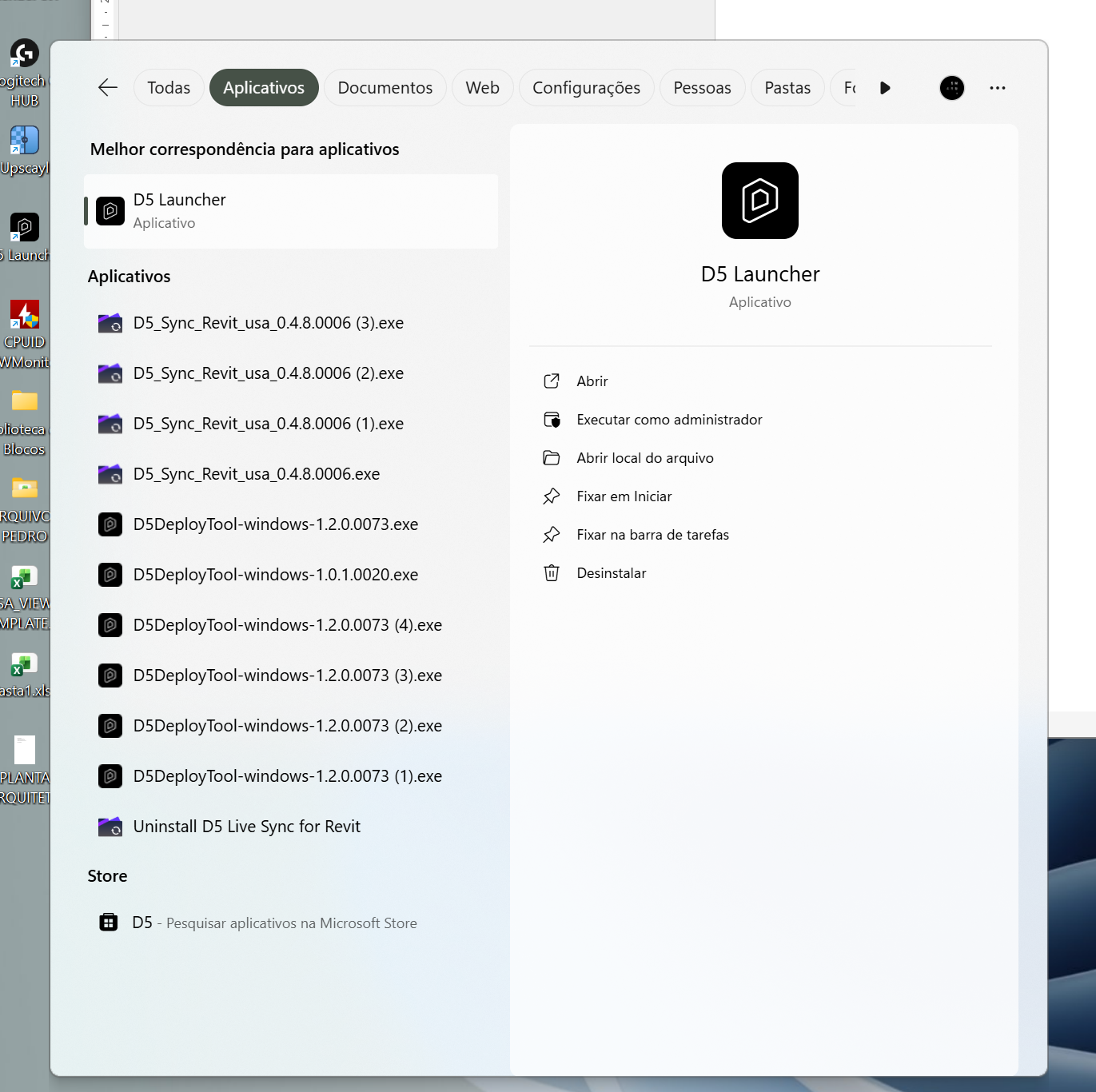
I also found something weird. I Cant find the D5 Render in my computer. only the laucher as a .exe file.
but software does open and I can use it, but I can’t, for example, unistall it.
I’m not seeing a screenshot of the Texture Maps located in Microsoft SharePoint being transferred to your Local C or D drive, then testing whether it still occurs.
Additionally, can you confirm that despite modifying these settings, the issue was not resolved?
What’s the significant difference between the device that is experiencing this issue and the one that is working normally? Do they have an English Device Name/File Name/etc.?
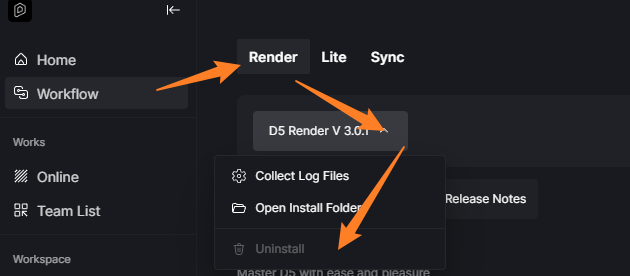
D5 Render can be uninstalled via the D5 launcher
If even a clean reinstallation and after migrating these texture maps in your Local C or D Drive does not work, please send us your Log Files
How about the default materials that were assigned before using D5’s online asset library?
We’ve had users experience an issue where they lose the original material because their textures are located in a long file path. Transferring them to a simpler path and then reapplying them in their 3D modeling software resolved the problem.
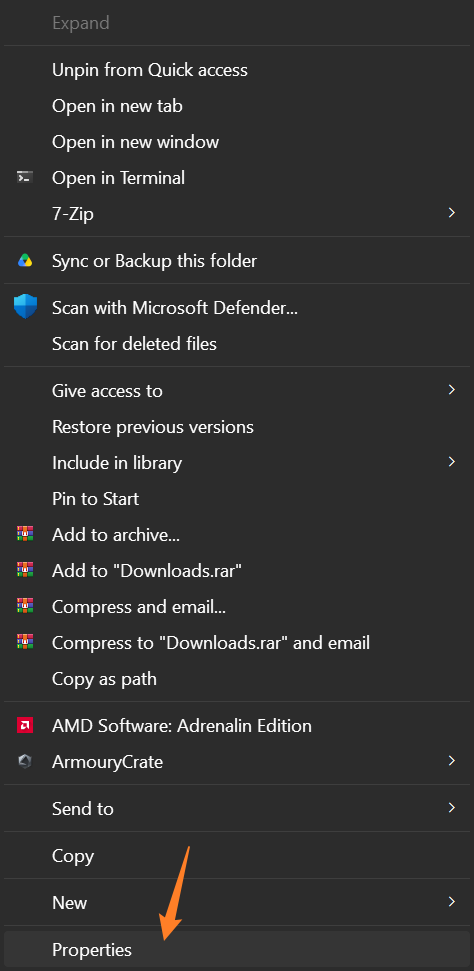
The full control option can be accessed when you right-click a folder/file > Properties > Security.
just so you know, we’ve been testing and using the software with the extra permissions you’ve pointed us. and it is working bakc again !
we didn’t move the files to a local folder, as it would be way less productive for the rest of the office. I would try this in a last try, but for now that wasn’t necessary.
thanks for your help. it was probably a access permission problem.
I managed to get some feedback from one of my training course clients who has been experiencing issues with the materials.
They completed all the authorization steps, but nothing changed.
Regarding the texture paths, there’s something I don’t quite understand. If they open the project in the modeling software and then synchronize it with D5, they don’t have any problems and all the materials are displayed correctly. However, if they open the D5 file that I created, even though it was generated from the same modeling software and the same project, they experience problems with the materials.
For this reason, it seems unlikely to me that the issue is related to the texture paths.
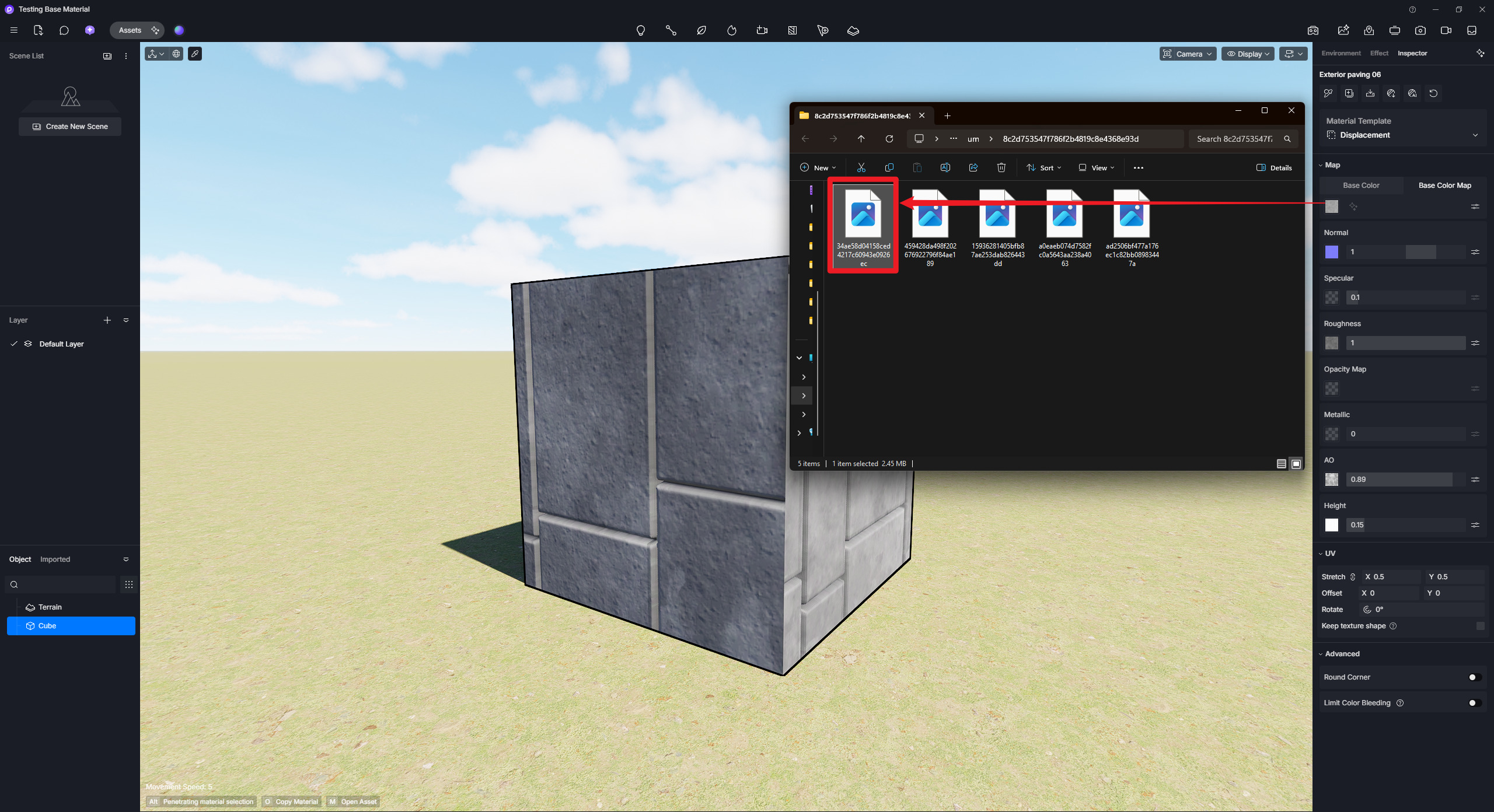
I’ve been having this issue for ages and just now figured out the possible cause of the glitch. When I go to “Base color map” and click on “File Location” it opens up the folder of my last project instead of the current one or the C:/ workspace folder. If I relink it to that image it works, but every time I reopen the file I lose new textures (including standard D5 asset textures), and it’s very annoying / time consuming. Is there a way I can make D5 save textures to one single workspace folder, or at least the current project folder? Please fix this.
I’m not entirely sure as to why this has opened in your file’s previous location instead of the D5 Workspace, unless you have changed your workspace folder before. All material maps are located in your D5 Workspace folder by default.
The D5 Workspace folder can only be modified via the D5 launcher