Are you a CN User? If so, it might be best to post your queries in the CN Version of D5’s forum. Anyway, I’ve translated the description for everyone to understand.
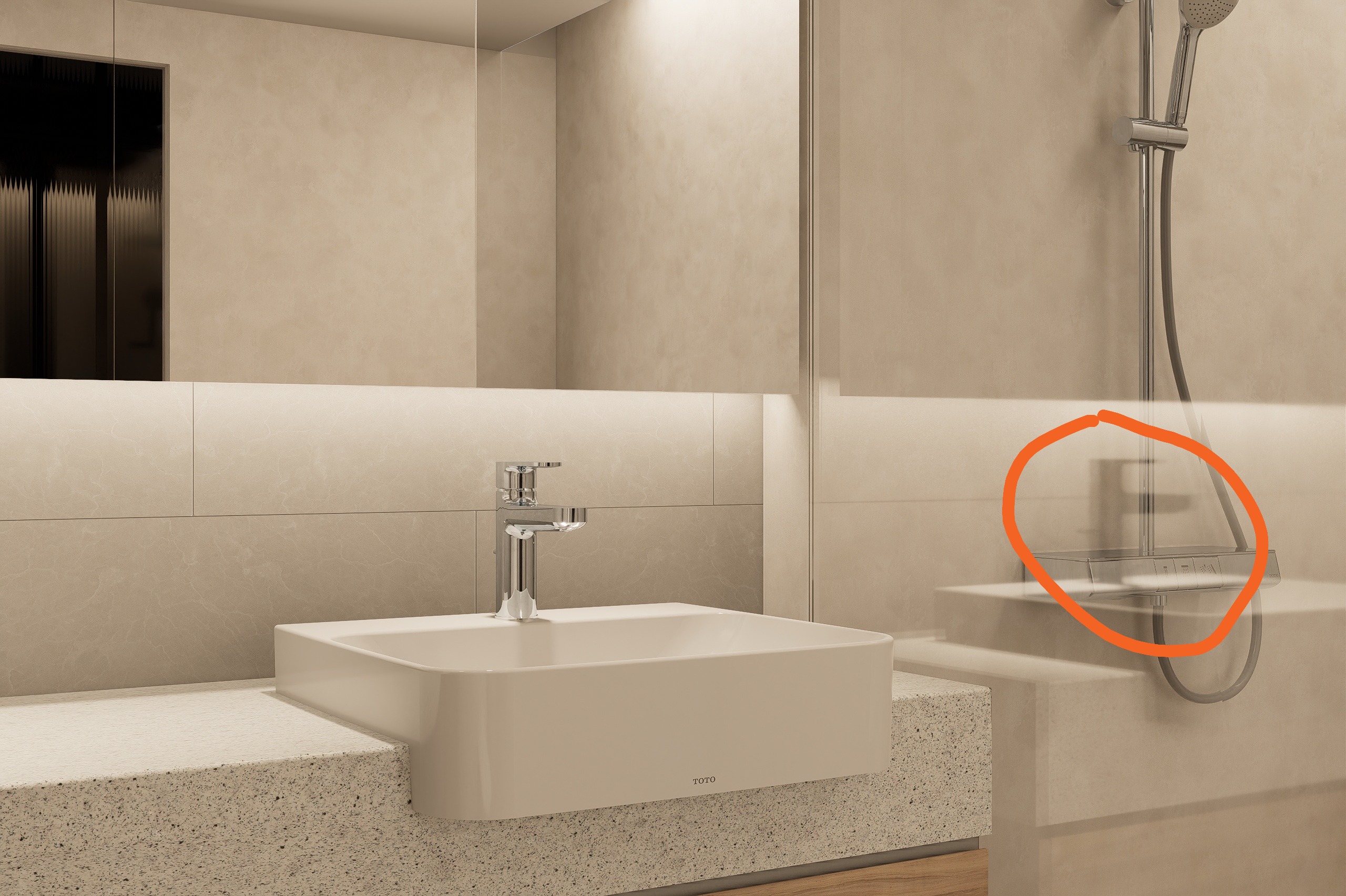
This is currently a known issue. It manifests as correct reflections in the preview but black or overly dark reflections in the final render, especially when real-time path tracing is enabled.
We suggest the following workarounds:
Adjust Material Parameters:
Reduce Metalness slightly (e.g., from 1.0 → 0.95)
Increase Roughness slightly (e.g., from 0.0 → 0.02–0.05)
This prevents the material from being treated as a perfect mirror, aligning preview and render.
Avoid Perfect Mirror Setup:
If the surface doesn’t need physically perfect reflection (e.g., brushed metal, frosted glass), avoid using Metalness = 1 and Roughness = 0
Check Lighting & HDRI:
Ensure your environment (HDRI/GeoSky) provides sufficient illumination for reflective surfaces.
Rotate HDRI to avoid dark areas reflecting onto key surfaces.