Hi all,
Just wondering why when I open a scene that I am working on, my textrures/materials are missing and I have to add them again.
I have the latest version of everything 
Thanks
George
Hi all,
Just wondering why when I open a scene that I am working on, my textrures/materials are missing and I have to add them again.
I have the latest version of everything
Thanks
George
Hi @gneocleous
There are several reasons this is happening; I’ll narrow it down to the most common cause.
Generally,
You might want to check where you are placing your D5 File; we highly suggest placing it in your Local C: or D: drive if you’re not using the Cloud Integration from D5 Teams
It is also best to avoid long paths for your d5 file’s location; it is best to keep the path simple (e.g D:/D5 File/ instead of D:/D5 File/x/xxx/xxxx/xxxxx/xxxx)
Note: You may send us a screenshot of your path
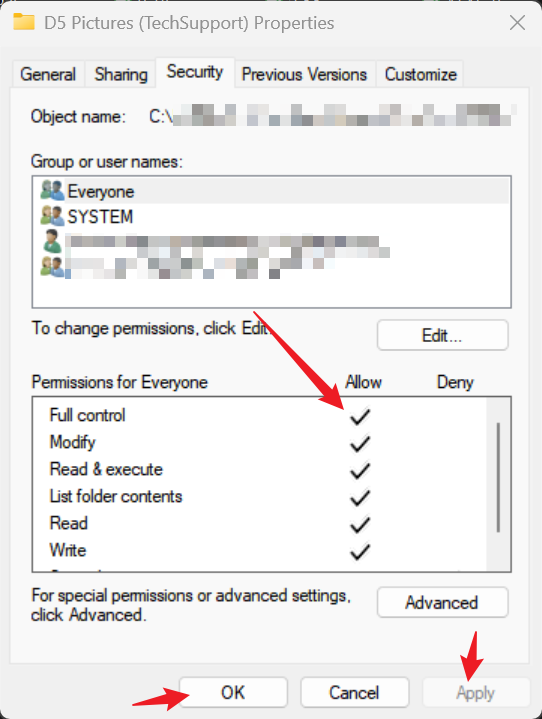
Ensure that you have Full Control over this location
The same goes for your Workspace path