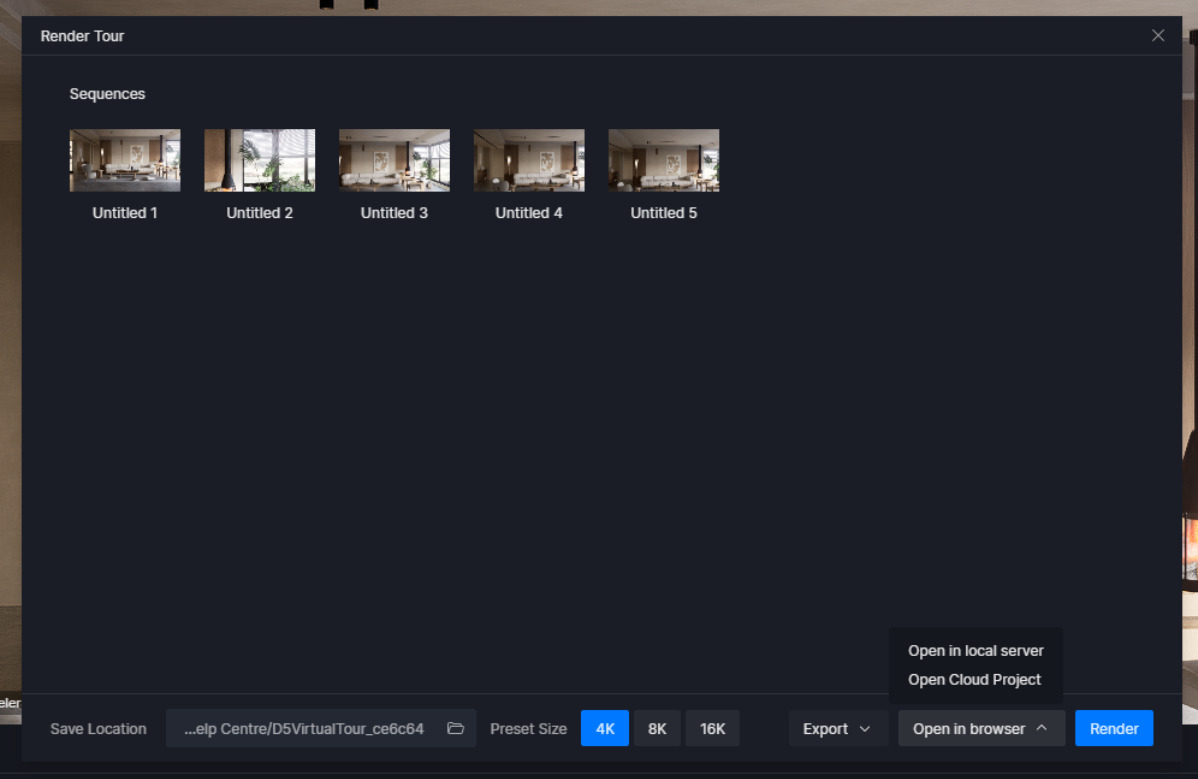
I have D5 pro member. im trying to export scene into a spatial tour via cloud and share the link. im having issues with it because i dont have the option to option in browswer prompt. am i missing something ? i have the latest D5 3.0 and pro member.
Since you’re on D5 Pro and using v3.0, the Spatial Tour cloud share option should be available once the tour is properly created and published to D5 Cloud. To narrow this down, could you please confirm:
Have you created and finalized a Spatial Tour (added viewpoints) inside D5, not just a normal scene?
Did you use Export → Publish to D5 Cloud successfully?
Do you see the project listed in your D5 Cloud / Showreel after publishing?
Are you getting any error messages, or is the browser/share option simply missing?
If possible, please also share a screenshot of the export or share window where the browser prompt is missing. This will help us quickly identify whether a step is missing or if there’s a cloud-related issue. Thanks!
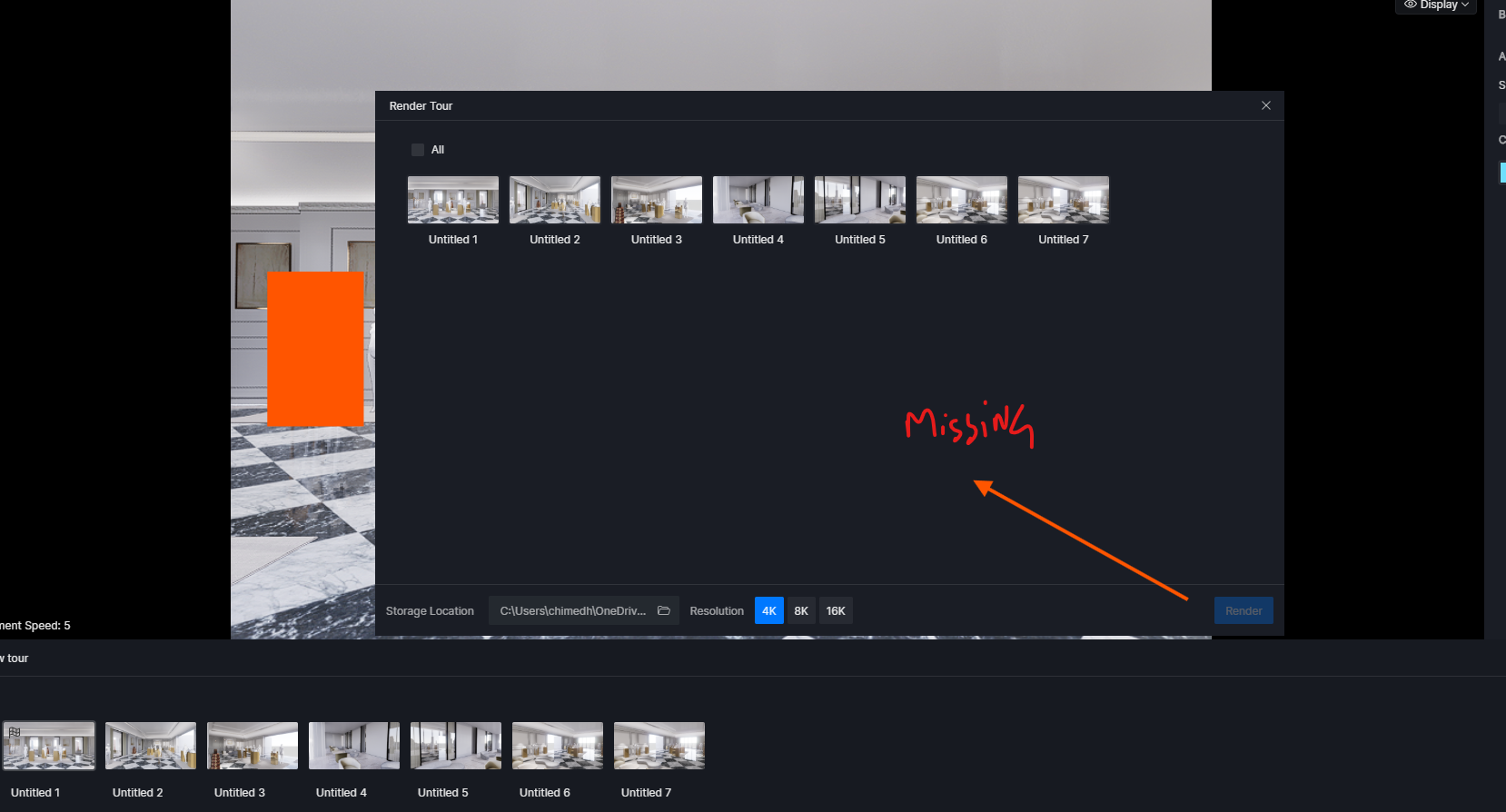
Yes, I have created spatial tour view points and was able to export to my computer but i do not have option to export it to cloud. see attached screenshot of what i see when i click render, im only able to rend to my computer but not to the cloud.
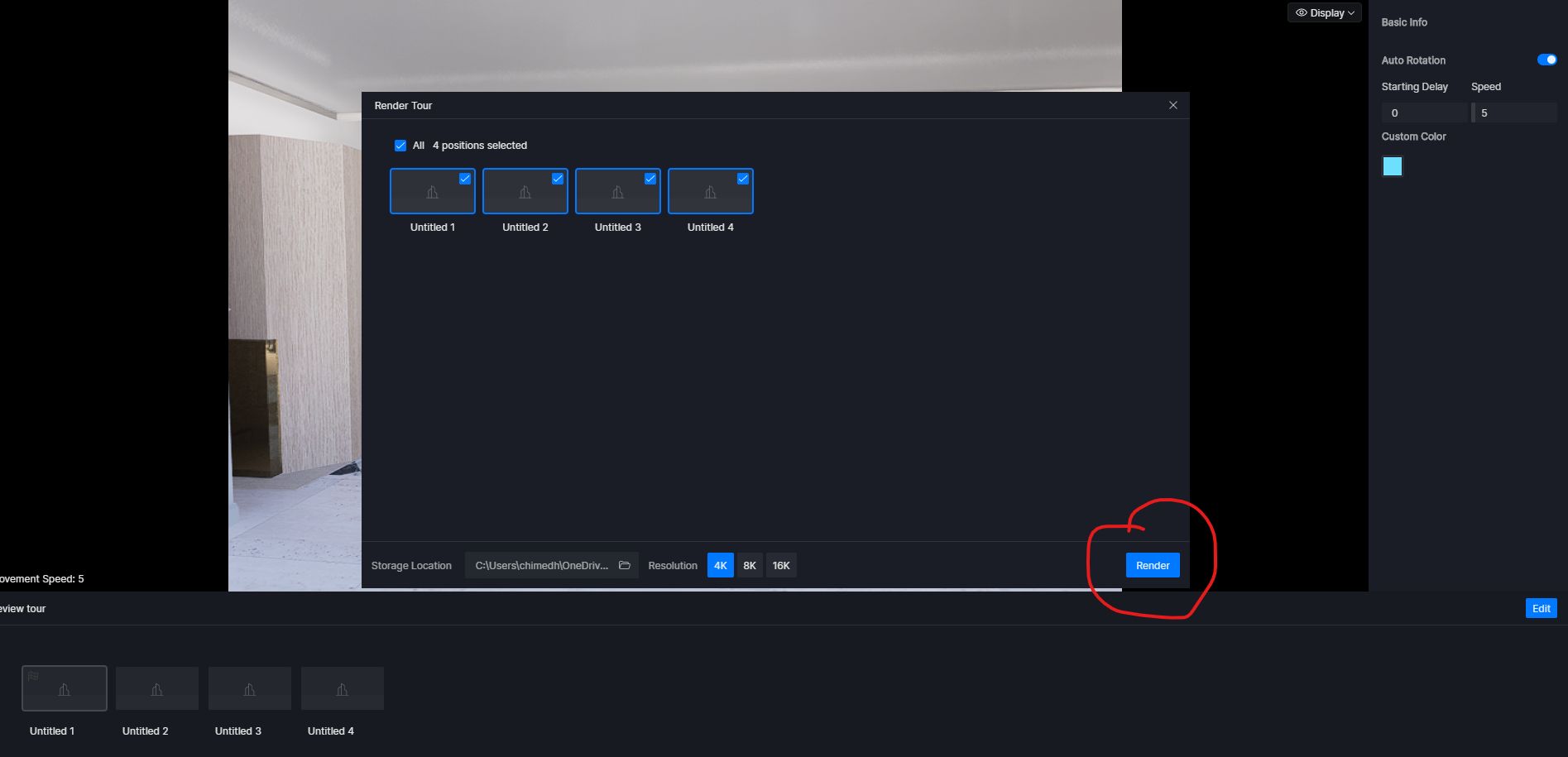
Thank you for sharing the screenshot. Based on what you provided, it appears that no scene is currently selected for rendering, which is why the render (and cloud export) option is grayed out.
Please note the following two important points:
If the scene/image to be rendered is not checked or selected, the Render button will remain grayed out.
If the render path is switched, the Render button will also become grayed out. Even if you switch back to the original path, the scene needs to be reselected and rendered again before the button becomes active.
Please try selecting which scene to render. Once selected properly, the render and cloud export options should become available. Thanks!
If so, please collect your log files and send them to support@d5tech.com. When you do, please tag me in the email and include the link to this forum post for reference. Thank you for your patience.