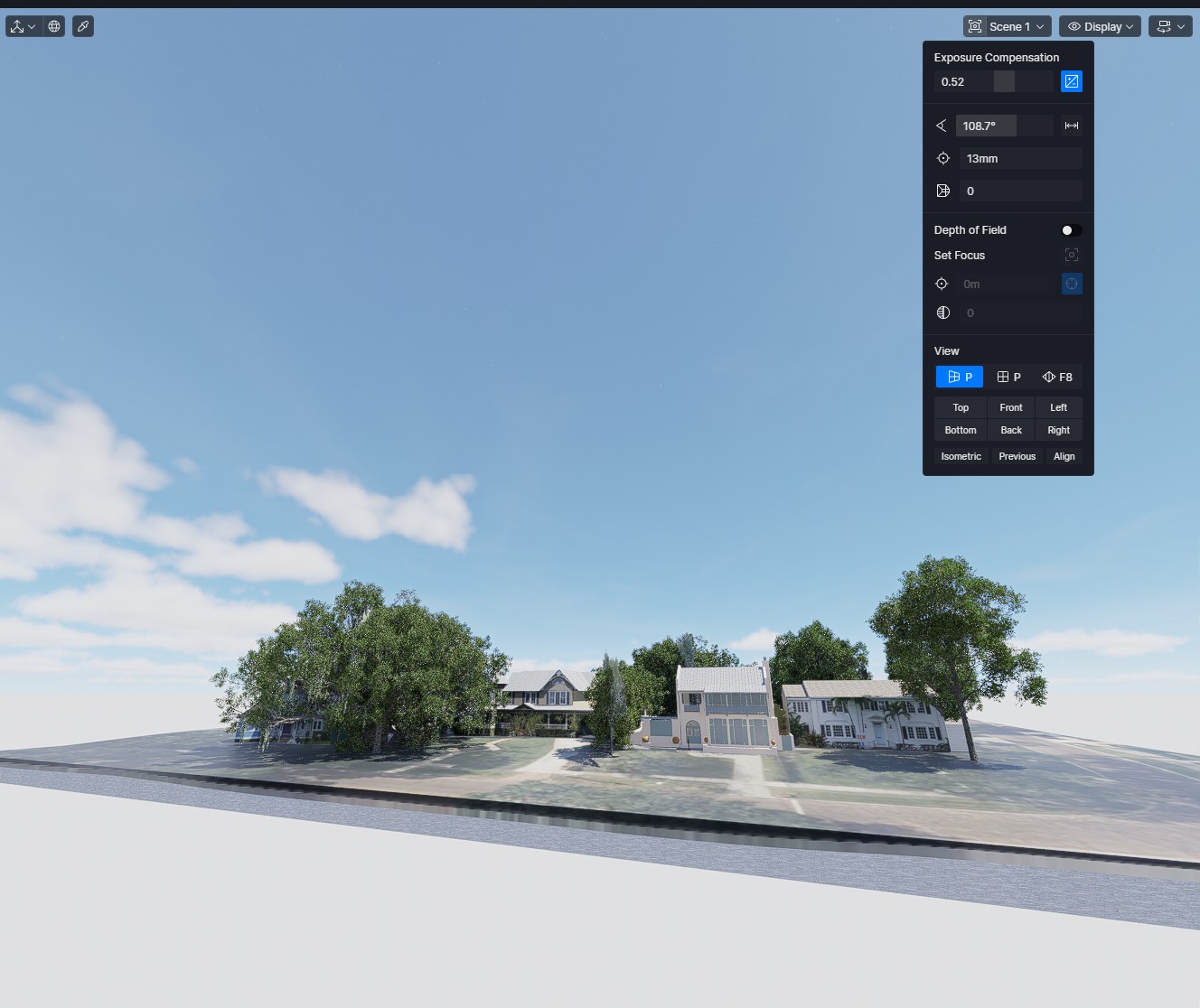
D5 Render Version: 3 Graphics Card: RTX 3080 Driver Version: 32.0.15.9579 Issue Description: When I update a sketchup scene (latest ver of Sketchup April 2026), whatever the camera zoom is in Sketchup, say 39mm will come out very wide angle in D5. For example 13mm in D5, but set to 39mm in Sketchup view ( 39/3 = 13mm) Screenshots/Videos Description:
Each time I click the ‘Connect to D5 Render’ button, I get this result. Multiple different files and models, so consistent with an App issue, rather than a particular file.
I often wonder why I use ‘field of view’ of 90 - 100 degrees in D5, but in Sketchup the same effect only requires around 55-65 degrees. It doesn’t really bother me, I’m just curious.
You can try entering Sketchup.send_action 10624 in the Ruby Console to open the Camera window in SketchUp.
We support FOV (Field of View) value matching between SketchUp and D5, so you can compare and align the values in both applications. If the view doesn’t match exactly, try switching the FOV mode in D5 between horizontal and vertical, as this can affect the result.
Regarding focal length, it is indeed related to the FOV. However, it is not used in our mapping process, so you can safely ignore it when matching the views.