Alright, got it, have you tried placing them purely in your local address and opening it again via the launcher and see if the vegetation appeared normally?
Does opening it directly (clicking the .drs file) have normal results?
Since the Live Sync was activated, the surfaces where these scatters were generated were not changed, renamed, or removed, right?
If it’s possible to collect your Logs + Scene Files that would be best, but if you’re unable to share the Scene Files, then we’ll gladly collect your Logs. Please send it to me via Direct Message.
Hello Clov,
I saved the scene from the launcher to a local hard drive on my PC.
Then I closed D5 and the launcher.
I restarted the launcher, loaded the scene, but the plants were still missing.
Then I loaded the locally saved scene directly from D5, but the plants were still missing here too!???
I loaded the scene from the network directly from D5, and the plants were back!
(This scene is not saved via the launcher.)
There seems to be a problem with saving from the launcher!
I will probably avoid the launcher until this problem has been saved.
Sorry but I’m quite confused about your statements, let me clarify:
By “Local Hard Drive,” you meant either your C or D Drive, right? and not an External Drive?
Loading the locally saved scene directly from D5, does this mean you opened D5 First > File > Open ?
And how were you able to load the scene directly from the network to D5? Is it by simply clicking on the File Folder > Opening the drs file?
We have been unable to replicate this issue on our end, and to properly investigate, we need to clarify the exact steps you are taking. A screen recording of your workflow would be extremely helpful, as it would allow us to see the problem firsthand and better understand what might be causing it.
Additionally, if you have put the D5 program or any files in your network folder or network path, I suggest placing them purely on your local drive ( C: or D:), then check if it persists.
Thanks for your update. What drivers were you using before? There were no similar reports that was made with previous Driver Version with this issue, so we might need to monitor this issue if it persists.
… Too early to celebrate!
Another project… same problem!
Vegetation generated via Scatter is gone when I load via the launcher!
If I don’t use the launcher… vegetation is there!
I apologize for the inconvenience. The same situation as @a.drexler? Opening the .drs file is normal and all scatters appear?
Please send us your D5 Scene File and Log Files. You may send it to support@d5techs.com and have it titled 2.11 Clov-Forum Scene without vegetation when I load it via the Launcher
…and again!
New project, vegetation created with Scatter.
When I load the project via the launcher, this vegetation is not displayed.
When I load the project directly from D5, the vegetation is back!
Hello Clov,
Well, that sounds very good!
I’m on vacation for a few days now.
It would be nice if there were a nice surprise in the form of a hotfix after my vacation.
I’ll be back in the office in the middle of next week!
So you have plenty of time!
Hi there
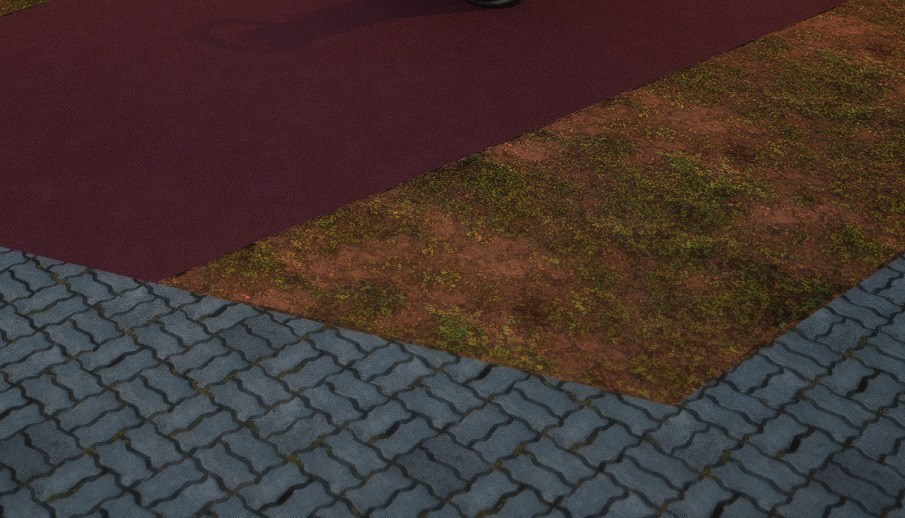
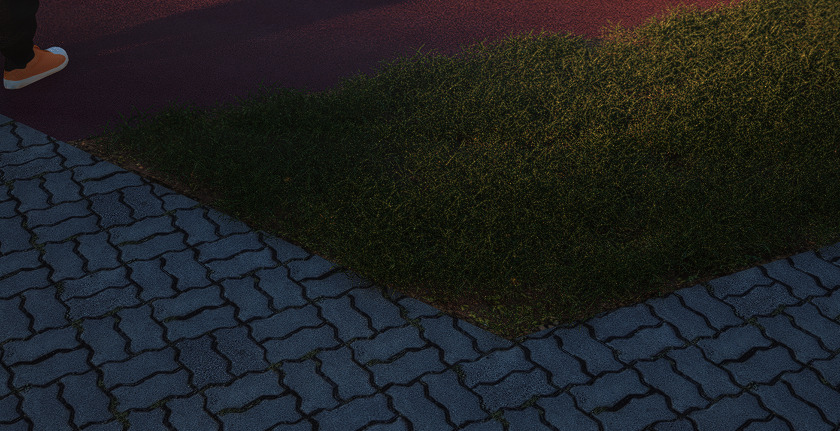
Have the same problem. Whether I open D5 from the file or from the sketchup. Scatter looks like that
and I cannot regenerate it.
I see when I open file, scatter works sometimes, but when I open one of my video clips it disappears. And whe I click on other - then it shows again. But again when I click on previous clip it disappers. And it is not possible to show or regenerate it. Visibility is also on. I see that it works on some clips and on others not.