D5 Render Version: 2.11.1 Graphics Card:Nvidia GeForce RTX 4090 24GB Driver Version:32.0.12.6094
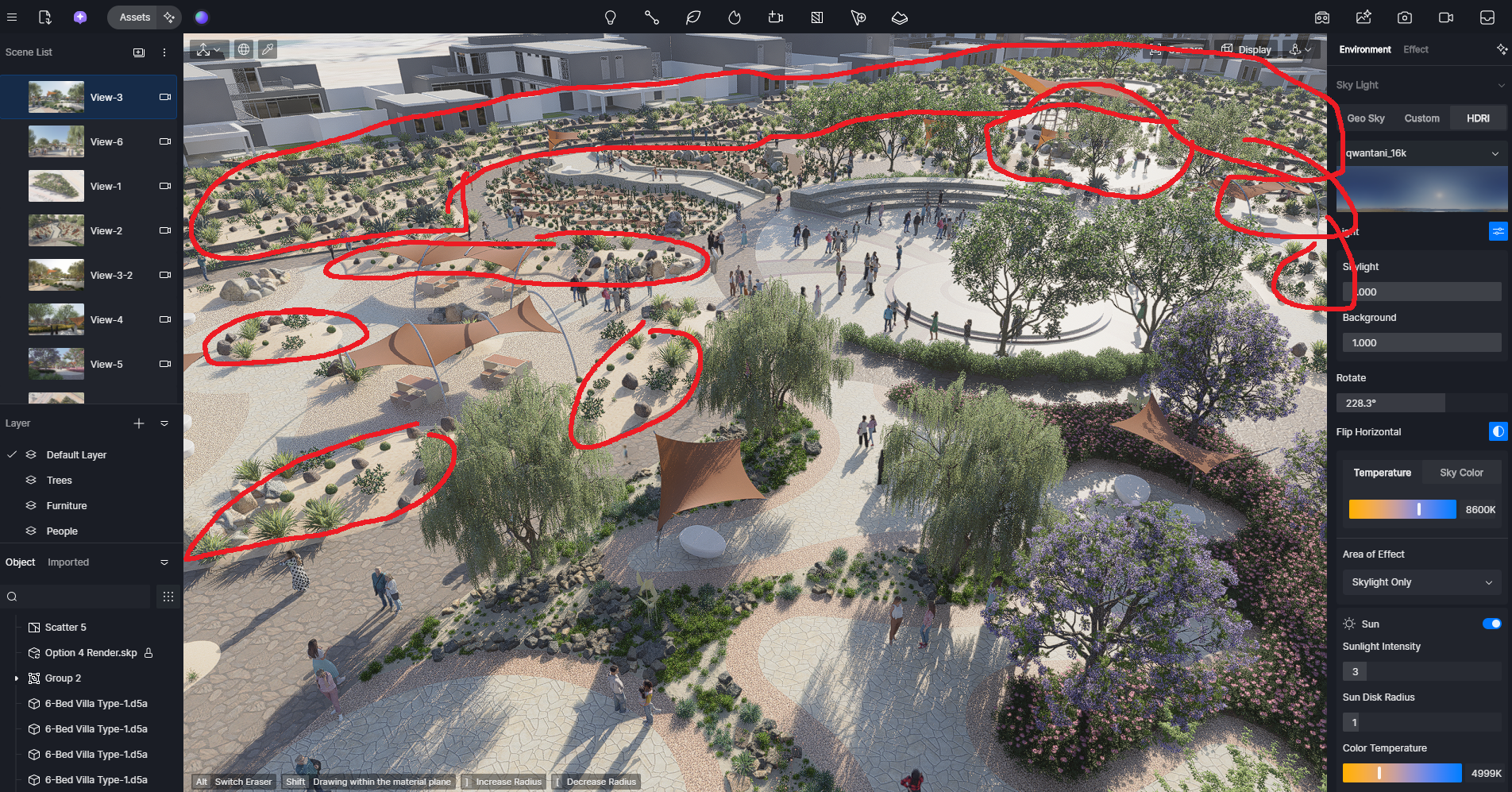
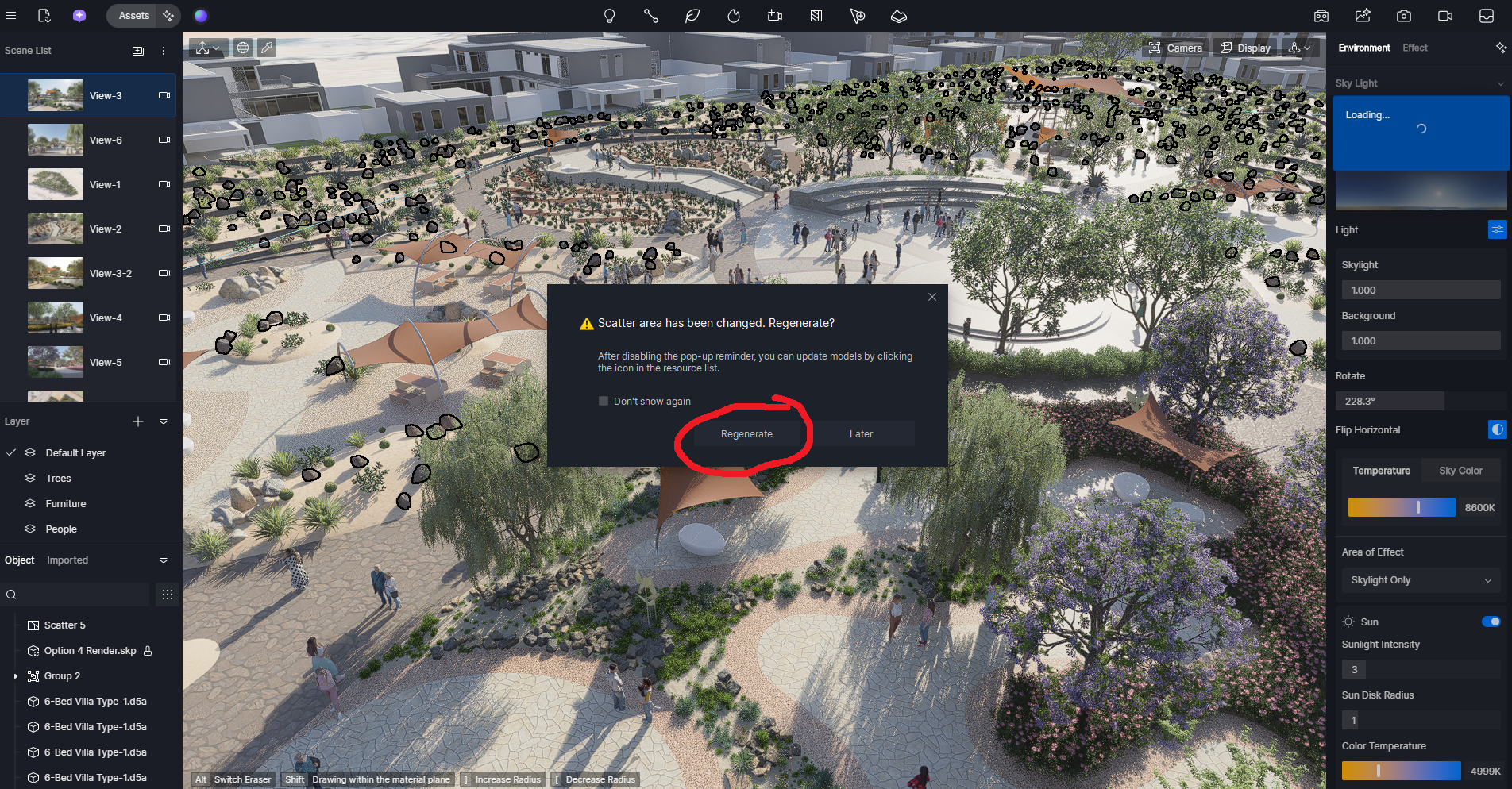
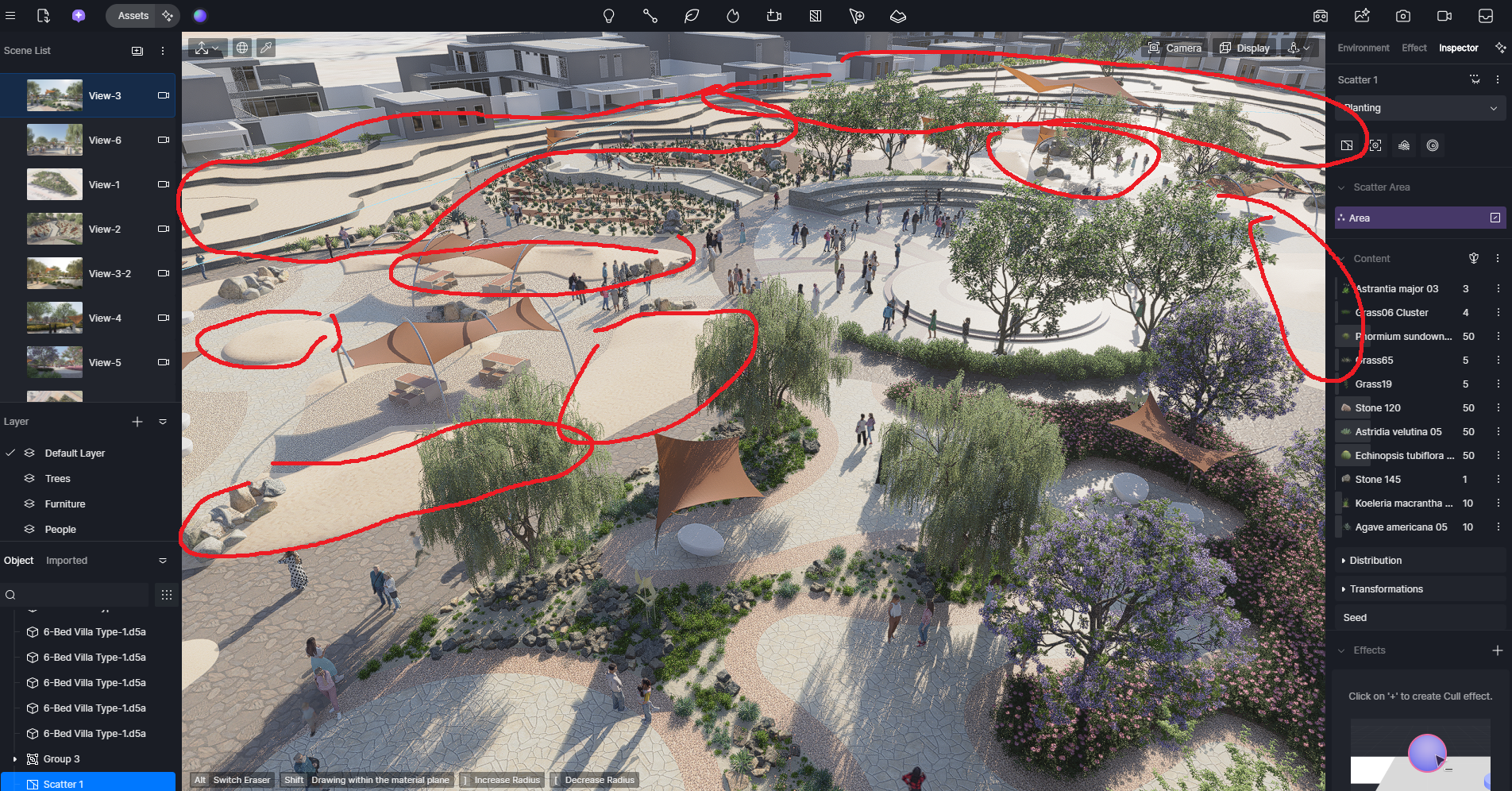
**Issue Description:Scatter loosing its path and library from file
**Screenshots/Videos Description:Attached screenshots and sharing video link also Steps to Reproduce (optional):
whenver i clicked on regenerate button scatter lost its all library and surface as well . whats the reason please resolve this matter
In D5 version 2.11, scatter regeneration only occurs when the surface it was placed on is either moved or renamed. From your video, it doesn’t appear that the scatter surface was moved. Could you let me know which version of D5 you are using?
I also tried to recreate this in the Residence Lawn test file, and I could not reproduce the issue. I suspect this may be related to the shape or complexity of the surface you are applying scatter on, which can sometimes cause the scatter setup to unexpectedly lose its assigned library assets and target surface.
To help narrow this down, could you please try the following:
Test scatter on a simple plane or surface to see if the issue persists.
Try using a different file to check if it is file-specific.
If possible, to avoid regeneration, finalize your geometry and LiveSync changes before applying Scatter.
This behavior does seem abnormal, so your tests will help determine whether it’s a file-specific issue or something else. Thank you for your understanding.