**D5 Render Version:3.1.0.0746
**Graphics Card:AMD Ryzen 7 8700G w/Radeon 780M
**Driver Version:32.0.31035.1003
El problema surge al entrar y no aparece el HDRI anteriormente usado antes de la actualizacion, tampoco se accede a la biblioteca de materiales solo tiene un mensaje de falla al recuperar activos.
Intente conectarme con el celular como router y no tiene problema, pero al regresar a wifi o ethernet surge de nuevo el mismo problema, alguien tiene algun problema similar o solucion?
Hi @giovany0890
Is this issue occurring only when you connect to your Wi-Fi? If so, it may indicate a blockage in your network connection. Is this a company Wi-Fi? We can provide you with the IP addresses and domains for your IT team to whitelist. This will help prevent any further blocks.
I’ve tried using both the LAN cable and Wi-Fi—which are basically from the same provider, TELMEX—and perhaps if I modified those parameters (which I don’t have), I could gain access.
Can you show us a video recording of this issue?
- I’m ruling out the possibility that this could be because of your D5 Workspace folder since connecting to a different network solves the issue.
- If you’re in a corporate setup, then it would be best to contact your IT Team
- If not, then please send us your log files.


I just emailed the video of the process.
Hi @giovany0890
Please check the location of your Workspace folder and ensure you have full control.
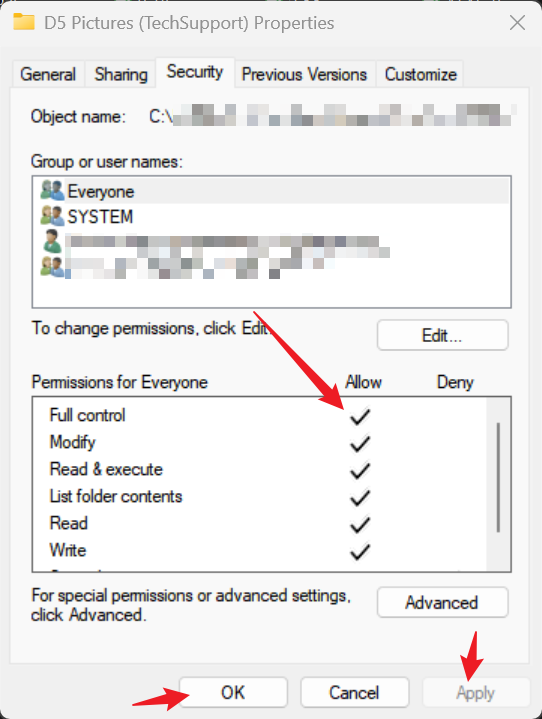
- Additionally, this G:/D5 Workspace is a local drive (similar to the C or D drive); the workspace folder should be situated in any of your local drives and is not suggested to be placed in your Cloud Storage or any External Drive.

al parecer con la nueva actualizacion se soluciono el problema ya carga el hdri y los materiales