Can you tell me your e-mail info? you can dm me
1 Like
Hello. I did a reformat on my laptop and would like to bind again my account. Can you help me, thanks!
Please send your issue to our support team ( support@d5techs.com, please describe your problem and send your email with the forum link), we will solve your problem after the holiday.
Hi! I have the same problem and It’s been 21 days and no one’s answered me there
Facing the same issue can anyone help me on this
Hello. The app doesn’t allow me to log in on my D5 edu license. I reinstalled the app on my new laptop, because I changed the other one, with which I started using D5. After doing this I tried to enter my account again on my new laptop an this message pops up, how can I fix this?
Actually the other laptop was reset completely so doesn’t have any record about D5 render, i thought that would help, but it still won’t let me log ing in the new one.
Hi @alejandro.velez ,
Educational license is a ‘‘fixed-seat’’ license, which means your EDU account is limited to only one particular computer, we don’t support unbinding due to any changing (including add HDD). You can apply for a new educational license after the current one is expired. At that time, you can rebind it. Thank you for your understanding.
hello, i am also having the same problem. I only updated my windows and didnt change my device
Hi there,
I apologize for the inconvenience. Your educational license is bound to the device you used to apply. We do not recommend changing devices in the active span of your educational license, since unbinding it will result in a license downgrade (Community Version) and require you to reapply again. If you wish to proceed, please let us know your educational email used. Thank you.
I’m currently having the same problem after resetting my laptop because of too much lag. please help me.
Hi there,
Our policy remains the same:
Educational license is a ‘‘fixed-seat’’ license, which means your EDU account is limited to only one particular computer, we don’t support unbinding due to any changes (including add HDD).
You may provide us with a detailed reason as to why there is a need for you to change your device given our fixed-seat license policy. Please send it privately via DM. Thank you.
Hi,
I’ve got the same issue, and I’ve changed laptops recently please is there any way for me to change it asap?
Hi there,
Unfortunately, the only way is to wait for the educational license’s expiry date so you can reapply again using your new device / modified device.
Thank you for your understanding.
Hello, I logged into my educational account on my work computer, I can’t log in on my personal computer, how can I solve this problem?
Hi @10323081
Educational license is a ‘‘fixed-seat’’ license, which means your EDU account is limited to only one particular computer during its duration of validity. You can reapply after your license expires with your new device.
Same problem here, I just uninstall and reinstall after having some issues on the ui after the 3.0 update. The ui problem was fixed but now I cant log in to my edu account
Hi @2191999
In D5 Render 3.0, you should be able to unbind your device directly from your MySpace page. Please log in to your Launcher, click on your email, open your My Space page, and unbind the previous device entry. You can then log in again to your current setup.
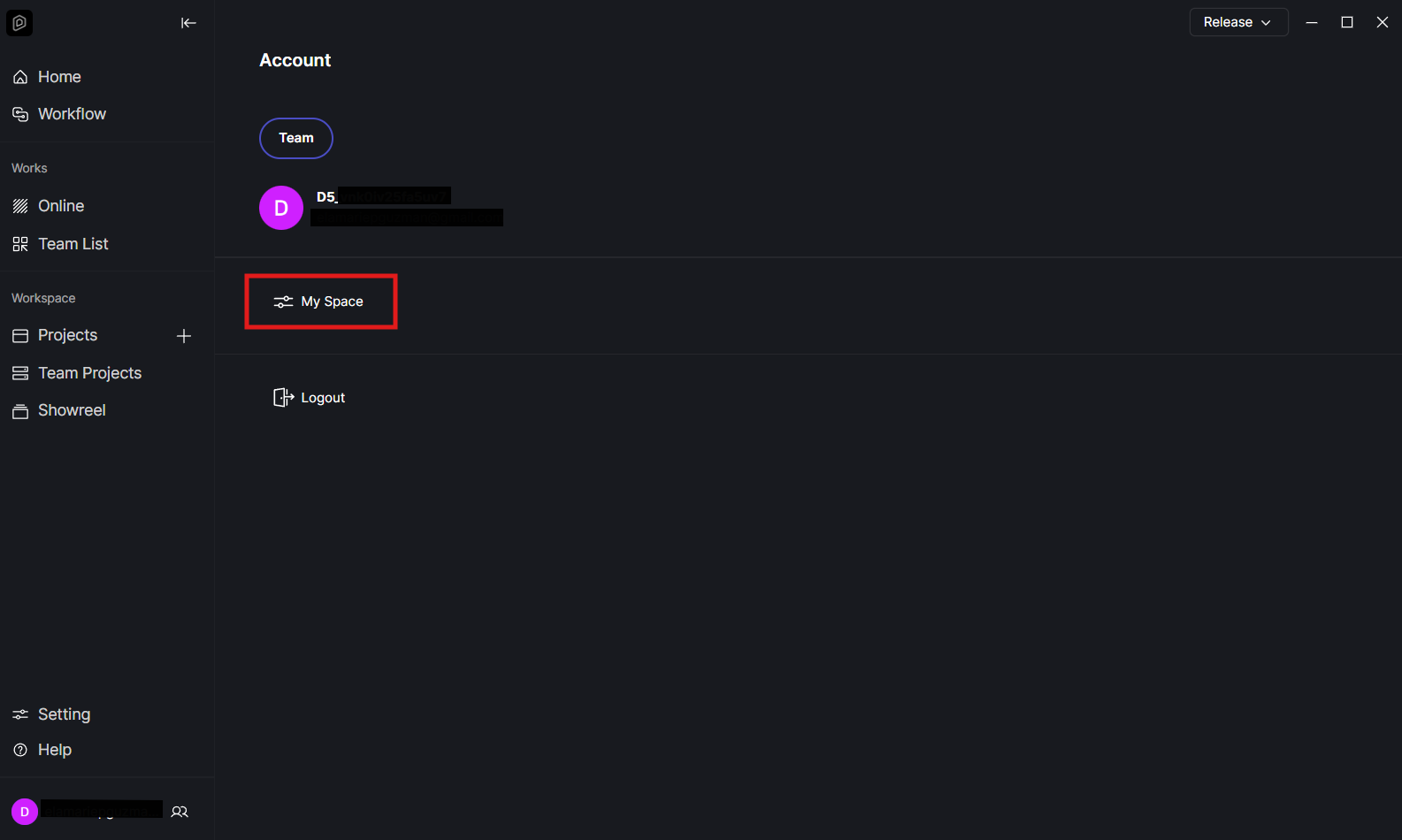
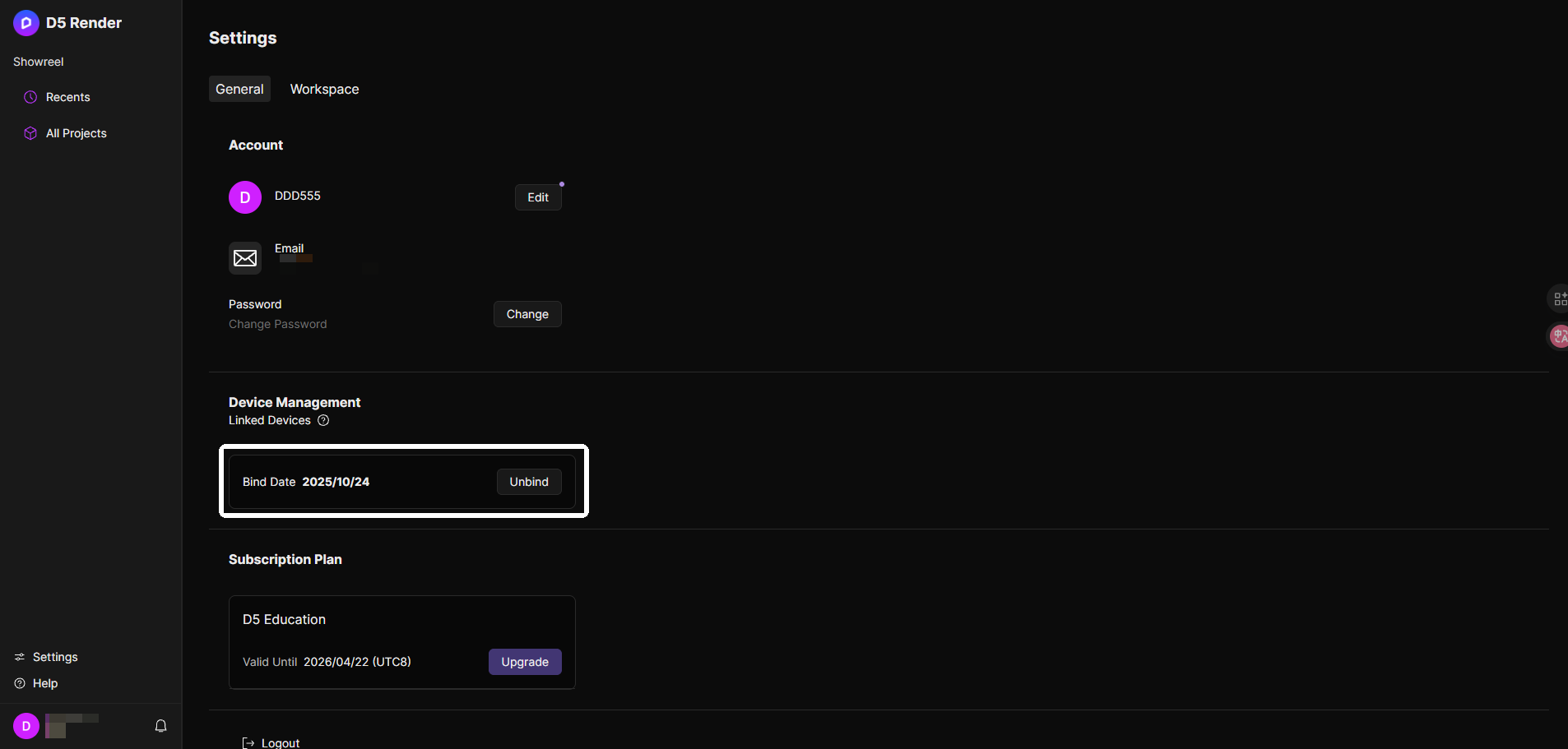
Please also note that device unbinding is limited to once per year, so kindly proceed with caution before confirming the unbind. If you encounter any issues while doing this, feel free to let me know. Thank you
1 Like
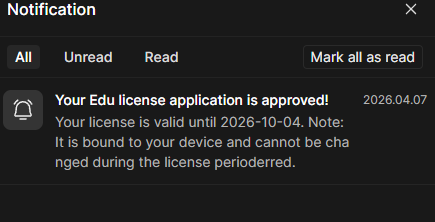
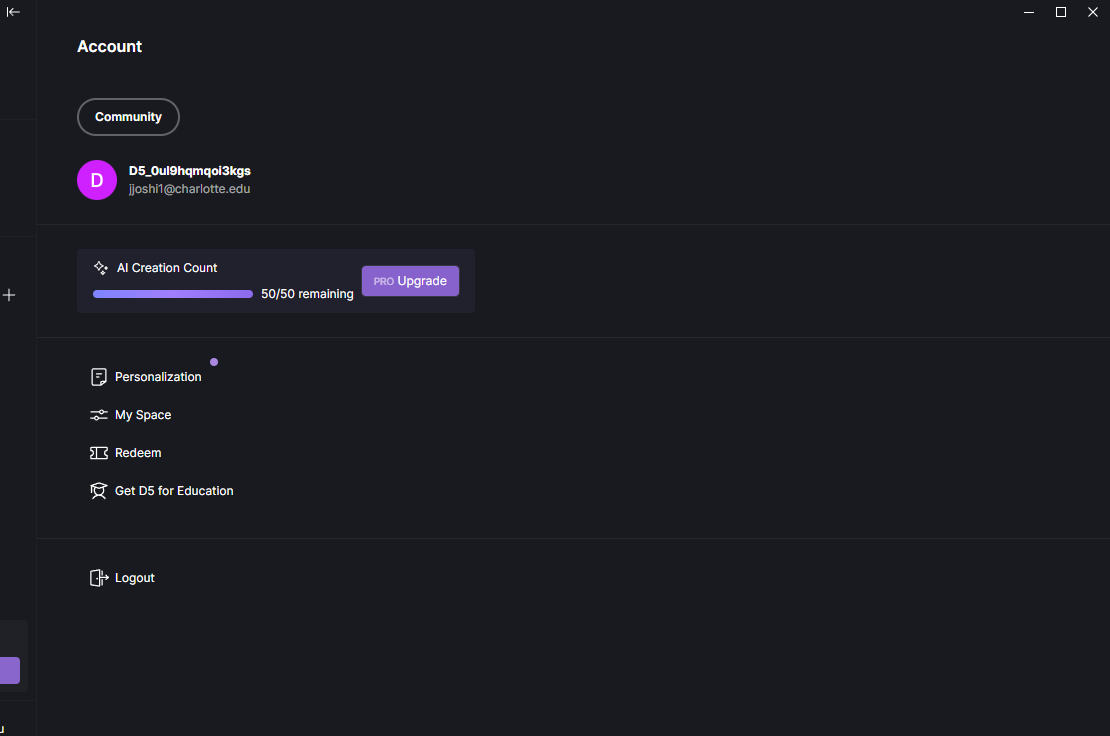
Hi there. I have an educational license approved but when I log in to my device, it says community version. I had a device linked to my account. I had to change my device, so I unbind my previous device and bind a new one. But now in my new device there is no student license confirmed.
Hi @jjoshi1
After unbinding, the account will automatically revert to the Community version, and users will need to reapply through the client.