**D5 Render Version: 2.11.1.0623
**Graphics Card: NVIDIA GeForce RTX 4070 SUPER
**Driver Version: 581,80
**Issue Description: I don’t have this problem on my computer at work, but at home there is some problem with mateirals from gallery, Somehow they all gets white and I cant help it. I chose another mateiral, closed programe and open it agian few days after and than another material of the brick become white. I can’t work like that, whe I choose some good material, show my client, he accept, and than I cannot use it again. Everything is updated.
**Screenshots/Videos Description:

Sorry for the inconvenience, could you confirm a few things for me?
Has this happened before? Does it only occur in this specific file, or are your other projects having the same issue? Also, where are you saving your file — locally or in a cloud folder? And did you recently transfer the project to a different location?
Can you also check the location of your Workspace? Is it still set to the normal local path, or has it changed? Additionally, does your home device have any encryption or security software installed that might be blocking file paths or asset loading? These could also cause materials to appear white.
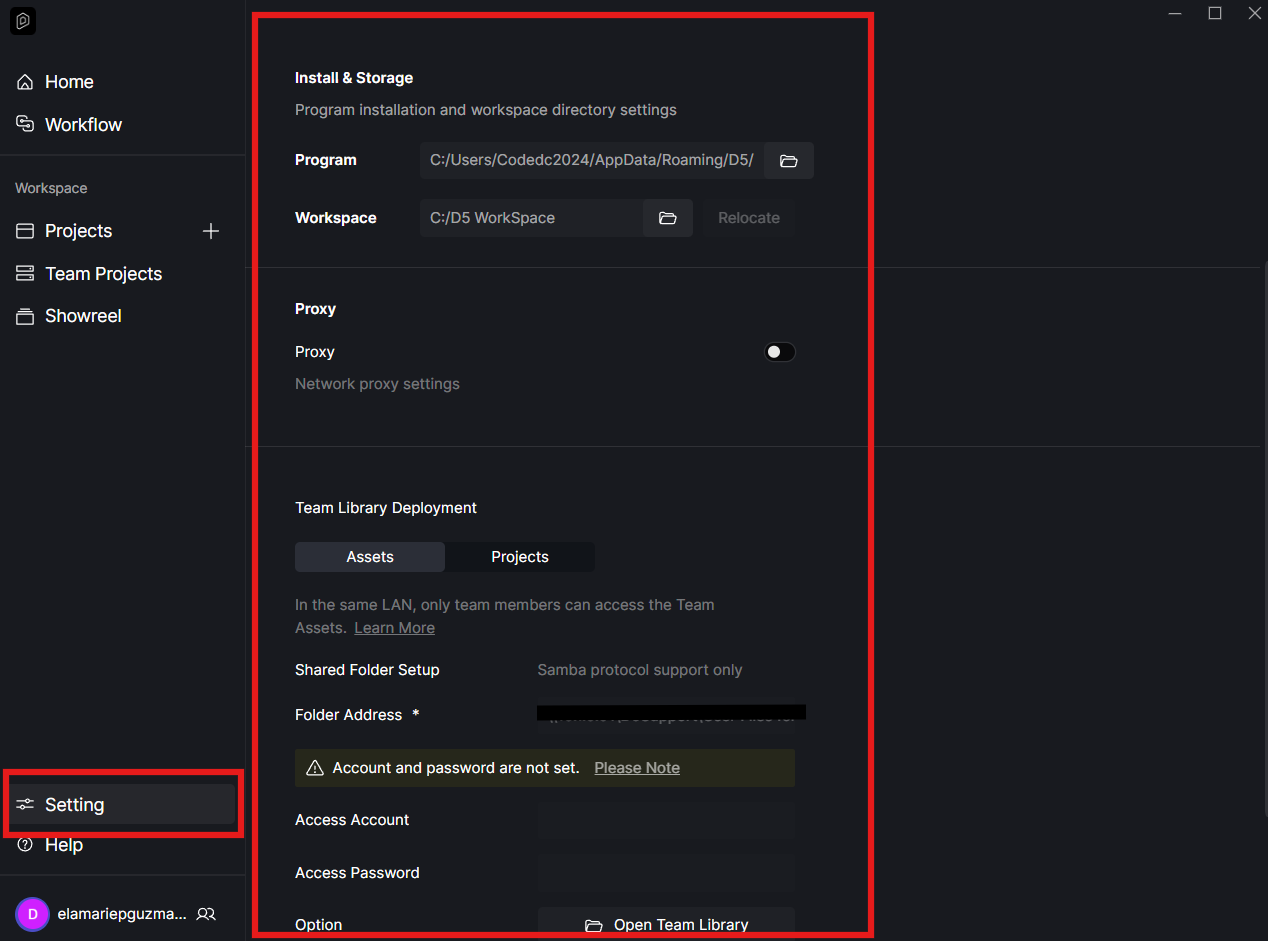
Looking forward to your response, thanks!
Hi! Thank you for your reply!
I work locally and keep my file on desktop. I didn’t transfer the files. And the metarial doesn’t work at all! When I go to library and want to put it agian the icon looks good, but when I put material somewhere it doesn’t look good.
I’ve tried uninstall and install agian D5. bu tit doesn’t work. I will try to remove every trace on my computer and than istall again.
There is no problem with some other materials. But some lick brick or white kind of gravel disapeared.
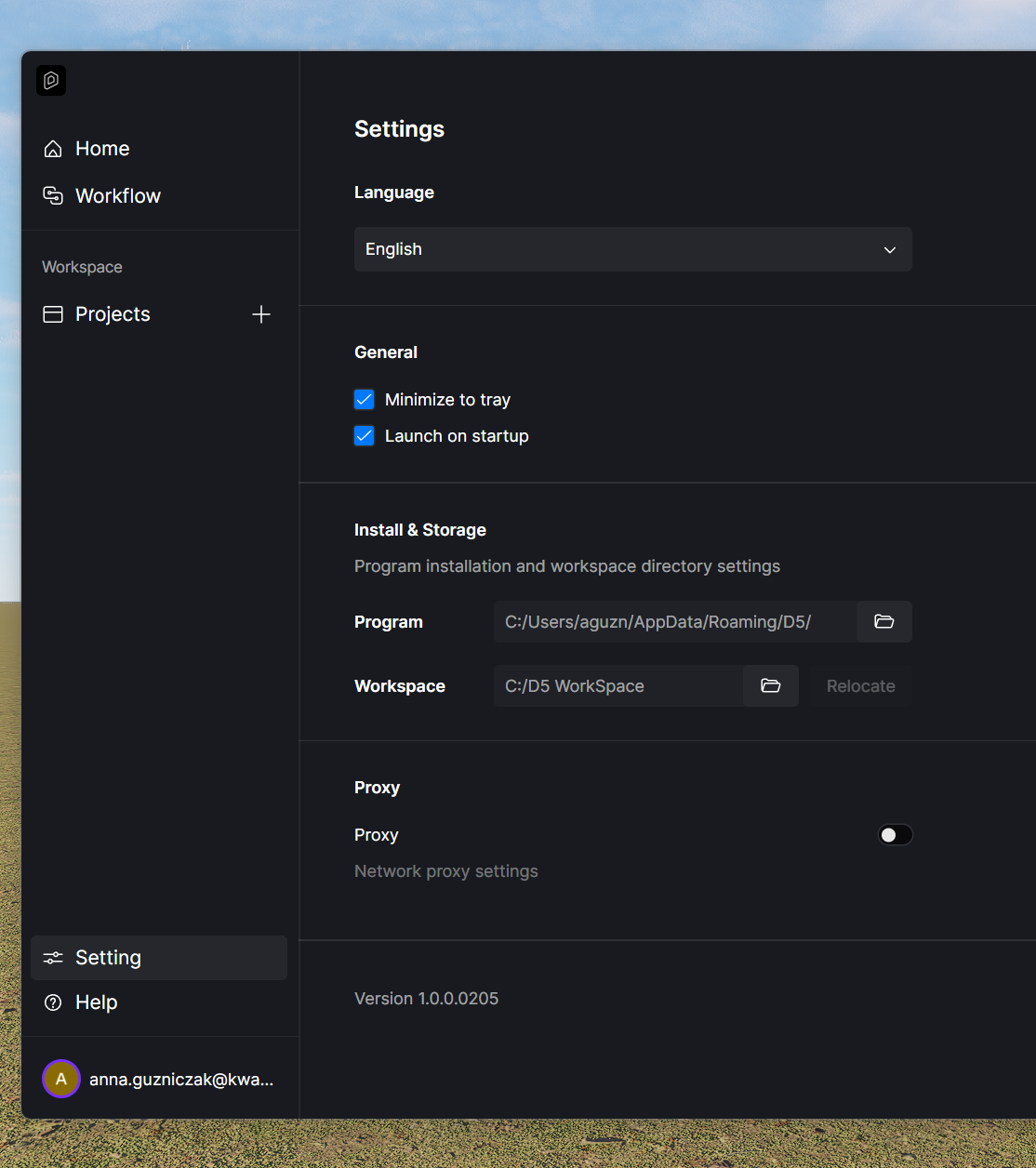
Thanks for the clarification. So it seems not all materials are affected, only certain ones like the brick or white gravel.
Could you please attach screenshots of these specific materials from your Asset Library, including their names? I’ll review them on my end to check if the issue is reproducible. If we confirm it’s a bug, we can submit it for further investigation. Thank you for your help 
Sorry for my absence.
I had to finish the project and for this I used my computer I have at work and there was no issue with these materials. Like before. And so I thnik that maybe it’s something with my computer.
At work I never had an issue like that. Cause of this at home I uninstalled D5 and I’ve searched for every signs after the programe. I will try to install it again and I will get back to you.
But I remeber that the problem was with:
- Old Wall Tile 01
- Old Wall Tile 03
aaaanndd propably (I’m not sure) - White Pebbles
Alright @anna.guzniczak , this is noted. Thank you for the update. Please let us know if the issue is resolved after you reinstall D5, and keep us informed about whether the specific materials—Old Wall Tile 01, Old Wall Tile 03, and White Pebbles—still cause any problems.
Hey, did you menage to solve the textures gets white problem? I have the same issue with it; morover - this morning i noticed that few vegetation asstets that were used with the brush tool turned white…
Hi @dw303665
Have you tried updating your assets? In some cases, outdated assets may cause textures to appear white.
Could you also let us know how it looks on your end? If possible, please share a screenshot so we can better understand the issue.
Sure, as you can see there is something in the map holder… I recently chanched texture of road and it works for the asphalt02 but Rock 02, Rock 05 and some of the “Road surfaces” still have this issue. I tried to “reset” the textures but it did’t help.
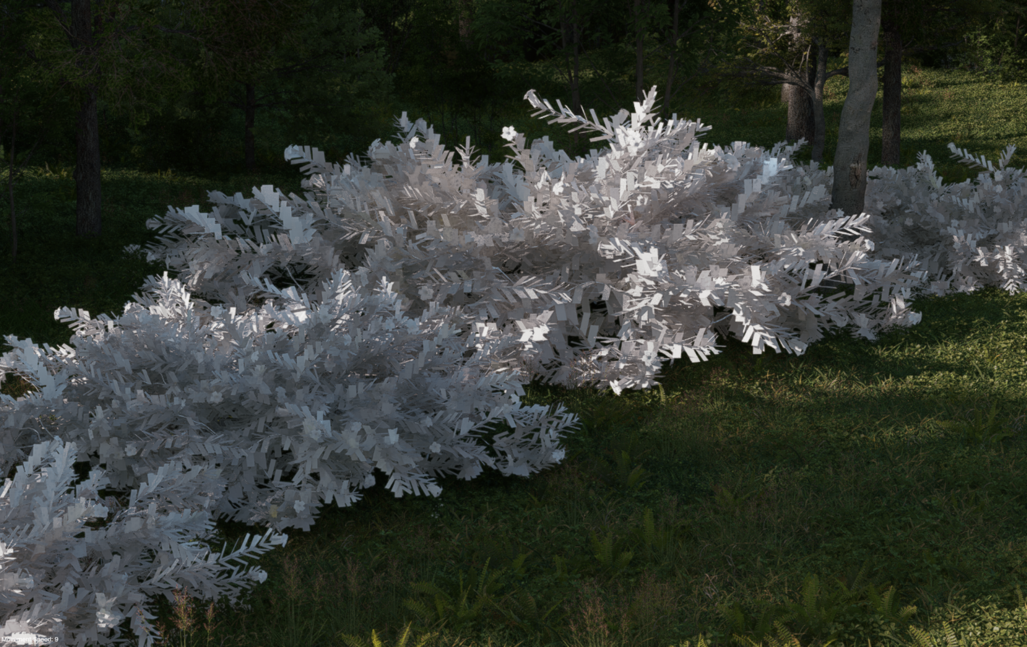

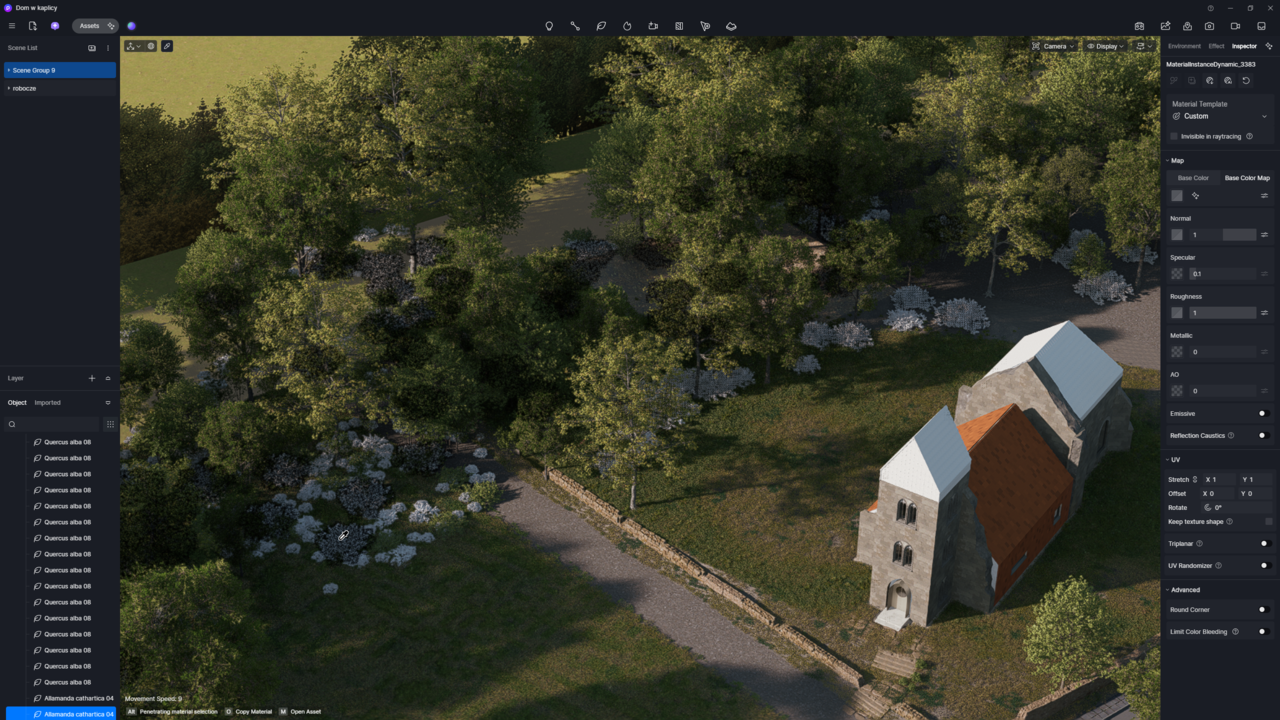
Hi @dw303665
Thank you for the details. I tested this on my end, but was not able to replicate the issue. Rock 02 and Rock 05 display correctly on my end.
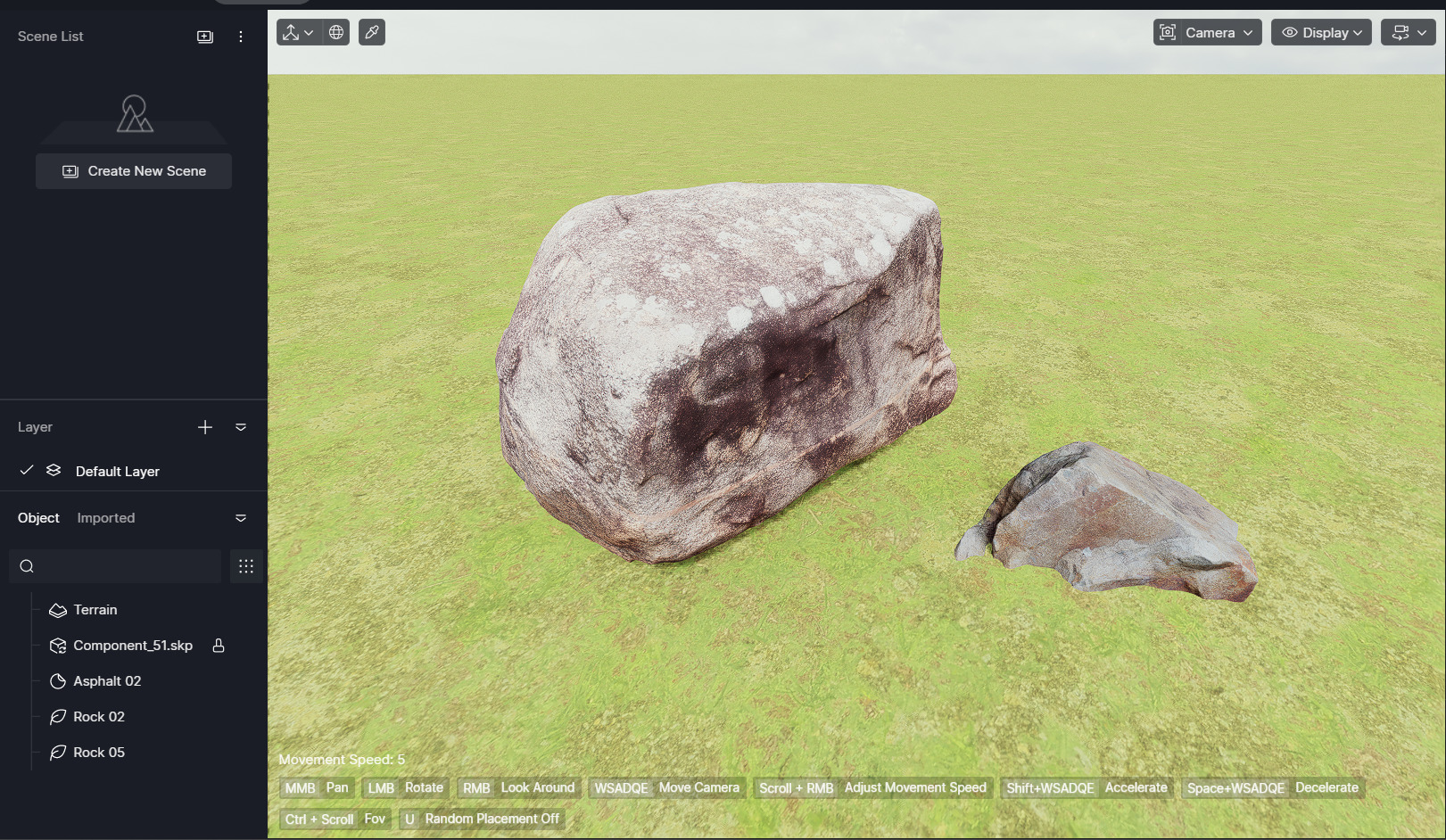
Could you please share the exact names of the road surface materials still showing the problem? Once I have the specific names, I can forward them to our team so they can test them as well.
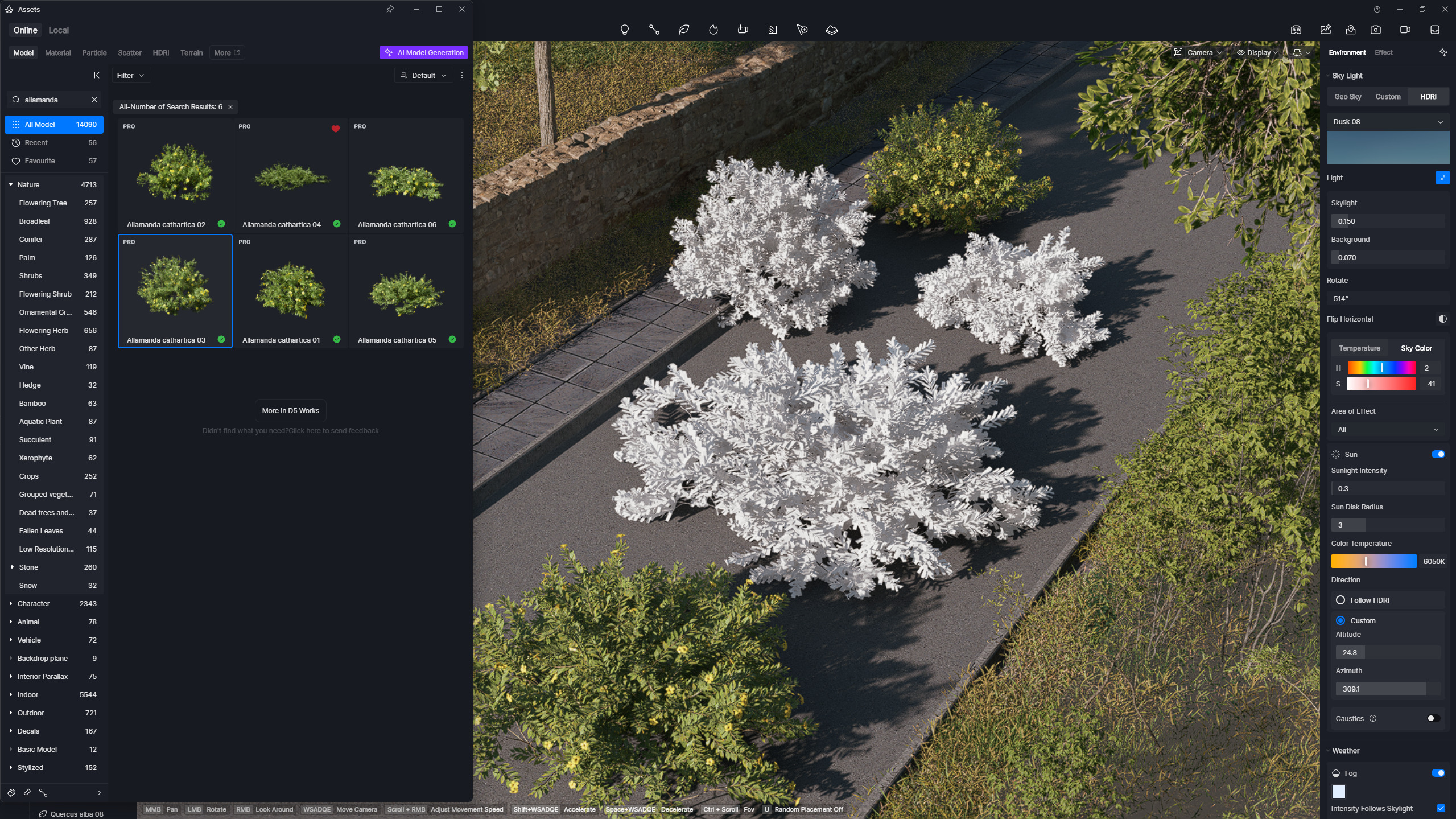
Let’s leave the materials. I replaced them with the working ones. Maybe you can check the Allamanda cathartica assets. Especialy 03, 04, 06. As you can see it displayed without any textures too.
Hi @dw303665
Thank you for the update.
I tried testing this on my end, but I still cannot reproduce the issue, and the Allamanda cathartica assets (03, 04, and 06) display correctly.
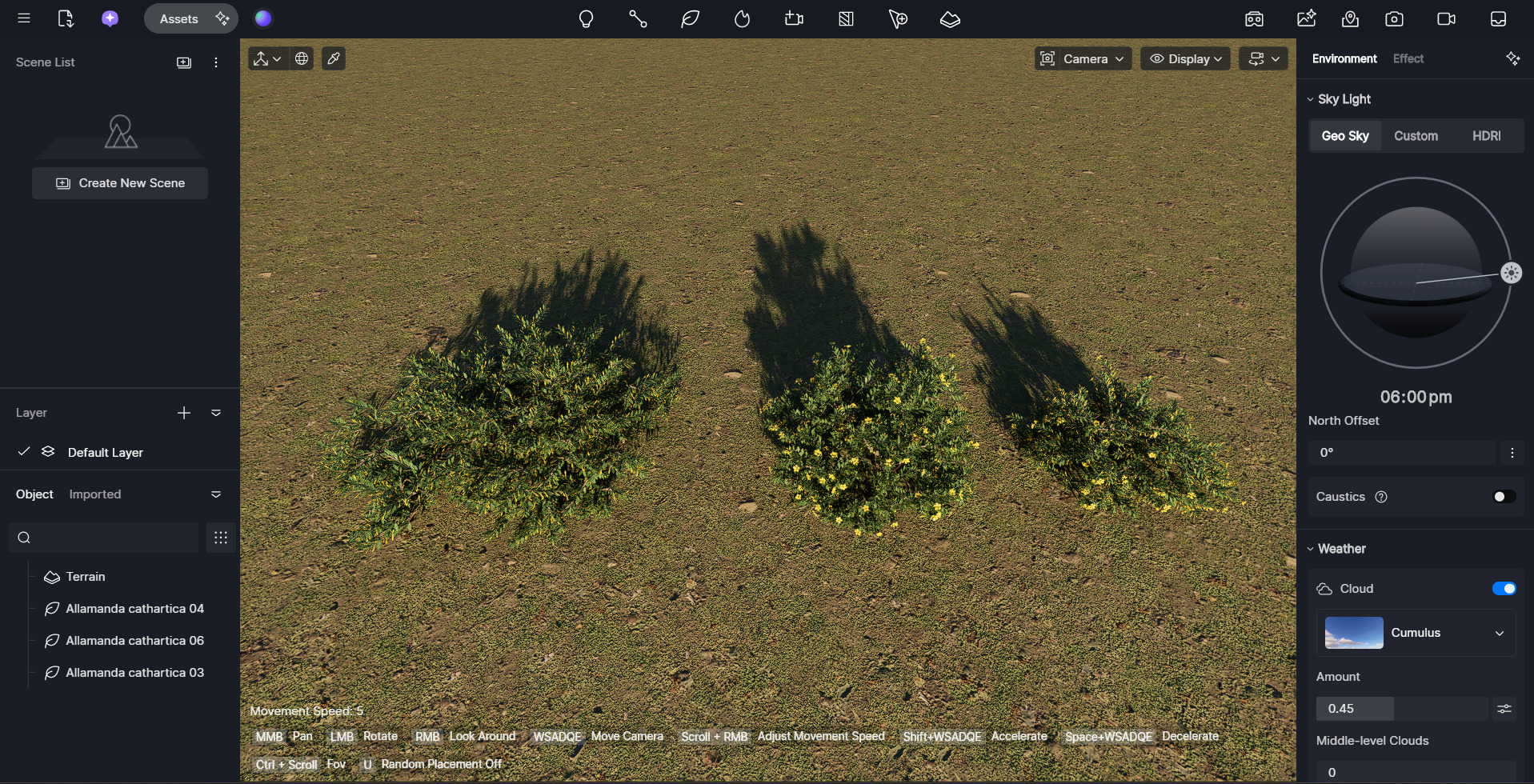
May I know which version of D5 you are currently using? If you haven’t done so yet, I recommend updating to the latest version and checking if the issue persists.