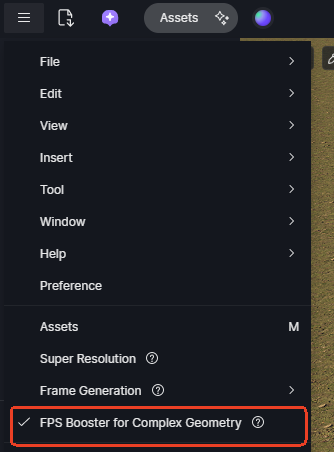
**D5 Render Version:3.0
**Graphics Card:3090
**Driver Version:591.44
Issue Description: I wanted to share a solution for a critical issue I faced after updating D5 Render from v2.11 to v3.0. If you are opening old projects and facing extreme lag or crashes, this might help you. The issue was specifically with vegetation assets placed using the “PATH TOOL” in the older version.
As soon as I deleted the vegetation layers created with the Path Tool, my FPS instantly jumped from 1.2 FPS to 35+ FPS. It seems the new engine conflicts with the old Path Tool data, causing a bottleneck where the GPU stops processing.
Hi @sanjuky86
Thanks for the update and sharing this.
Does this occur in a particular file? Could you share the test file (the entire folder containing the .drs file) with us?
mailto: support@d5techs.com
Kindly tag @ela in the subject and attach this post link to the email
Hi @ela,
I have just sent the email with the download link to the test file as requested.
This is not an isolated issue with just this specific file. I am facing the exact same problem in ALL my projects created in D5 v2.11 that contain vegetation scattered using the Path Tool.
The moment I delete the Path Tool assets in any of those older projects, the performance instantly returns to normal (30+ FPS) and GPU usage jumps to 100%.
Hope this helps the team fix the bug!
Hi @sanjuky86
Thank you for the update. I’ve received your email and the download link for the test file. Please let us know if you notice any additional patterns or changes.