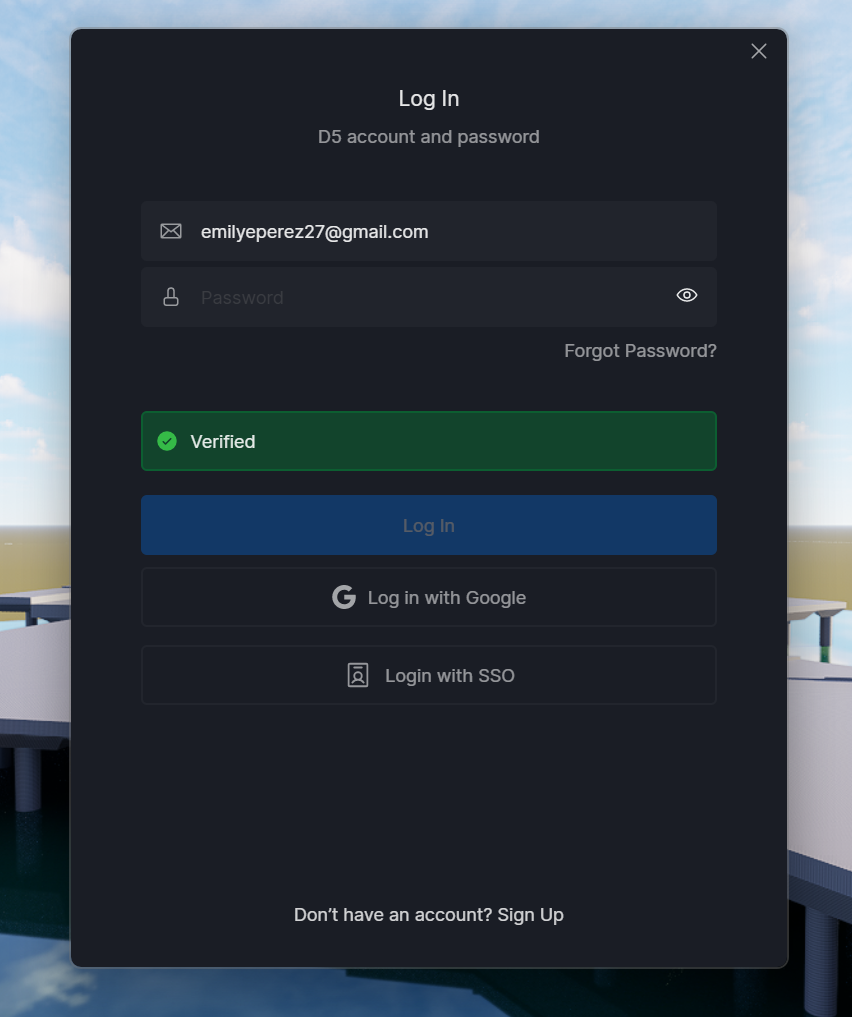
my d5 render wont let me login it just logs me right out
Can you confirm/do the following:
- Which D5 Version are you using? If it’s not updated, we suggest updating to 3.0.1.0683
- Have you tried connecting to another network,mobile data, or even perhaps using a VPN?
- Do you have a PRO account or TEAMS account?
Go to > %localappdata%\d5_launcher\ and delete the cid.dat file in this path.
Exit the launcher from the system tray in the bottom right corner of your desktop, and then restart the launcher.If the issue persists,
Please follow the steps below to generate a new cid.dat file that matches the registry value:
- Check the registry value
- Open Registry Editor and navigate to:
HKEY_CURRENT_USER\Software\D5 Render\Render- Locate the cid entry and copy its value.
- Create a new cid.dat file
- Go to: %localappdata%\d5_launcher\
- Right-click and create a new text document named cid.dat
- Open it and paste the cid value you copied from the registry.
After that, make sure to fully close the D5 Launcher by right-clicking the launcher icon in the bottom-right system tray and selecting Exit. Once it’s completely closed, restart the launcher
i have this version, but i tried the ciddat errors thing and it did not work. i think the vpn also didnt work. neither bid hot spot. i am using a pro i need to use it asap for school
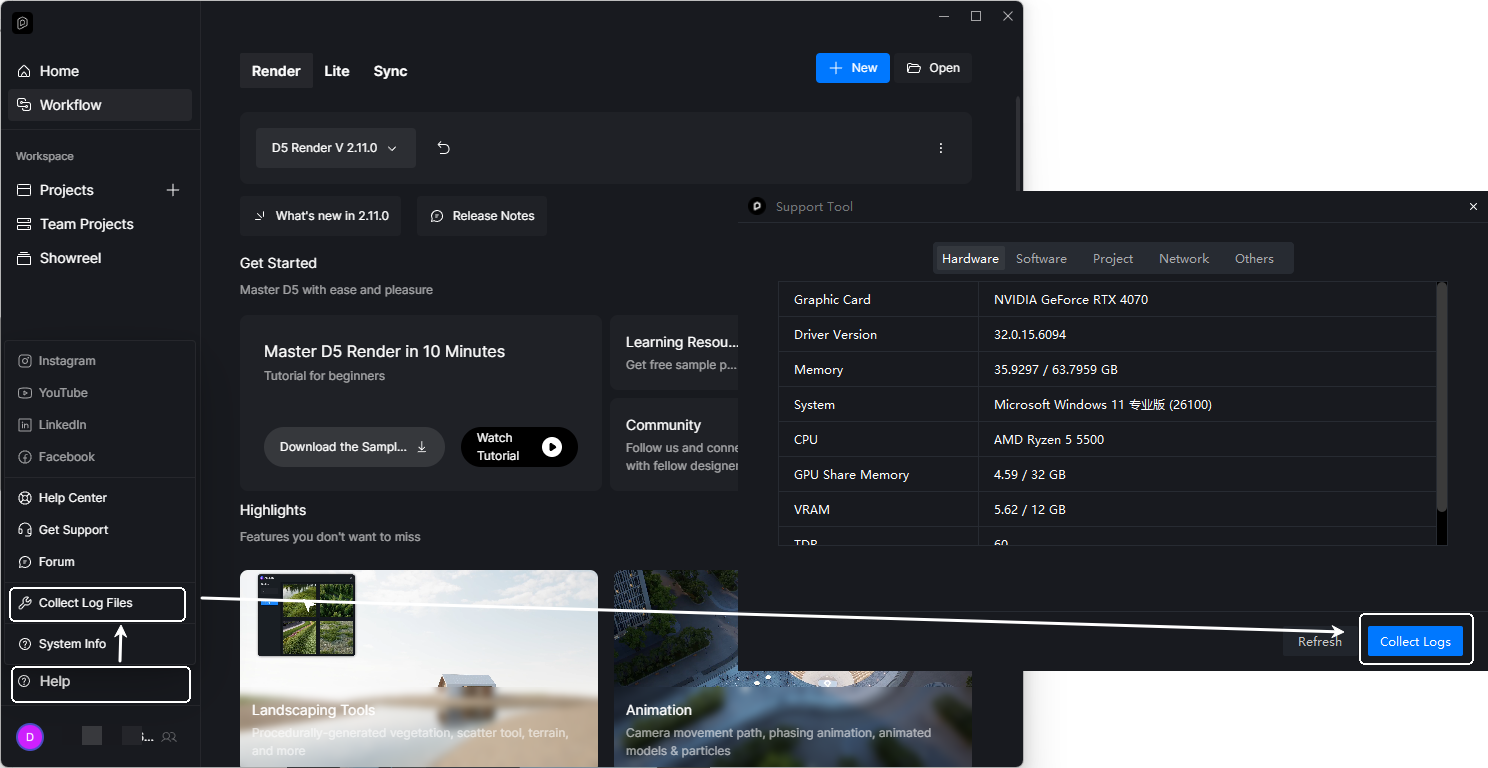
Please send us the following:
- Log Files

Additionally, try accessing this link: IP Address Query and send us the results.
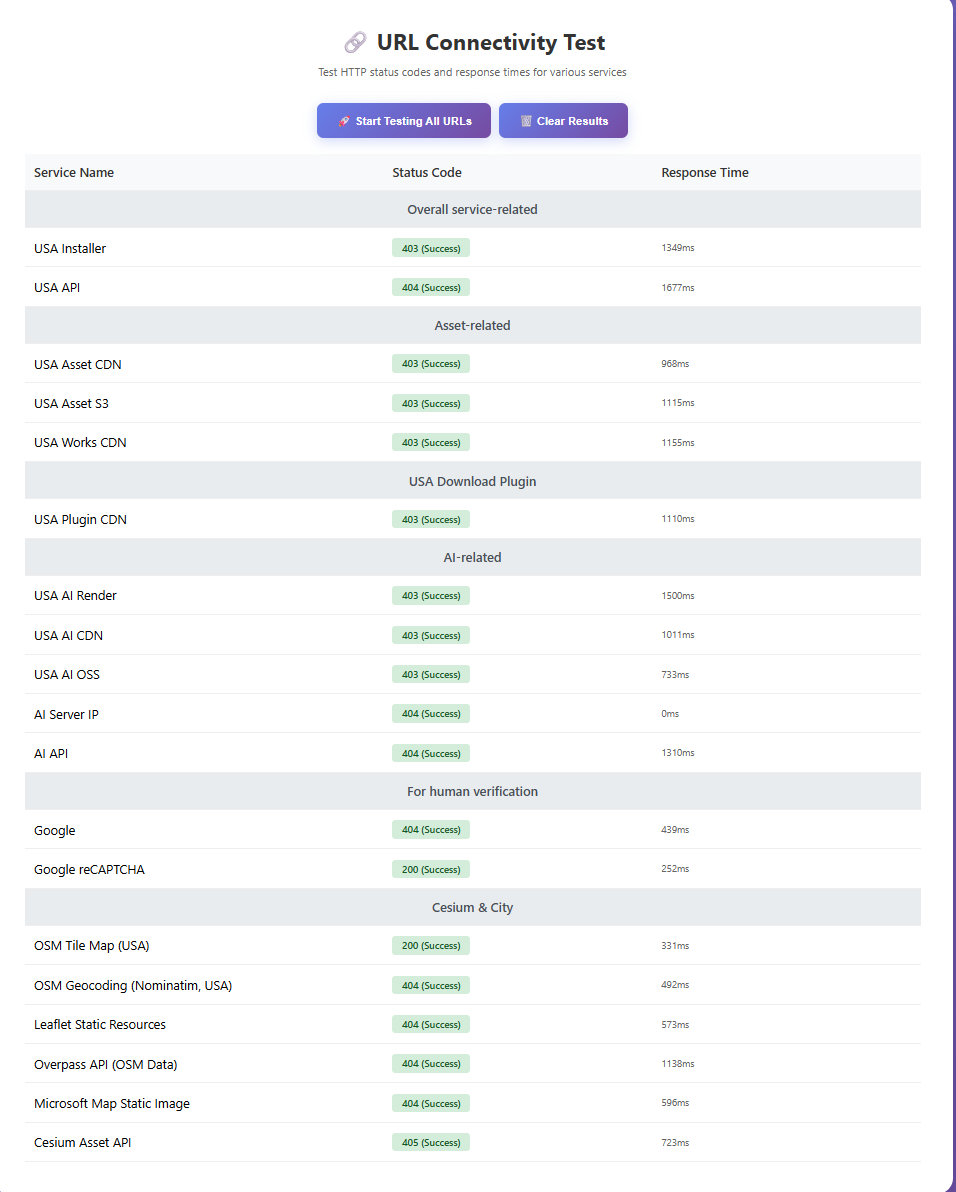
- Select Download Speed Test and Start Testing all URLS
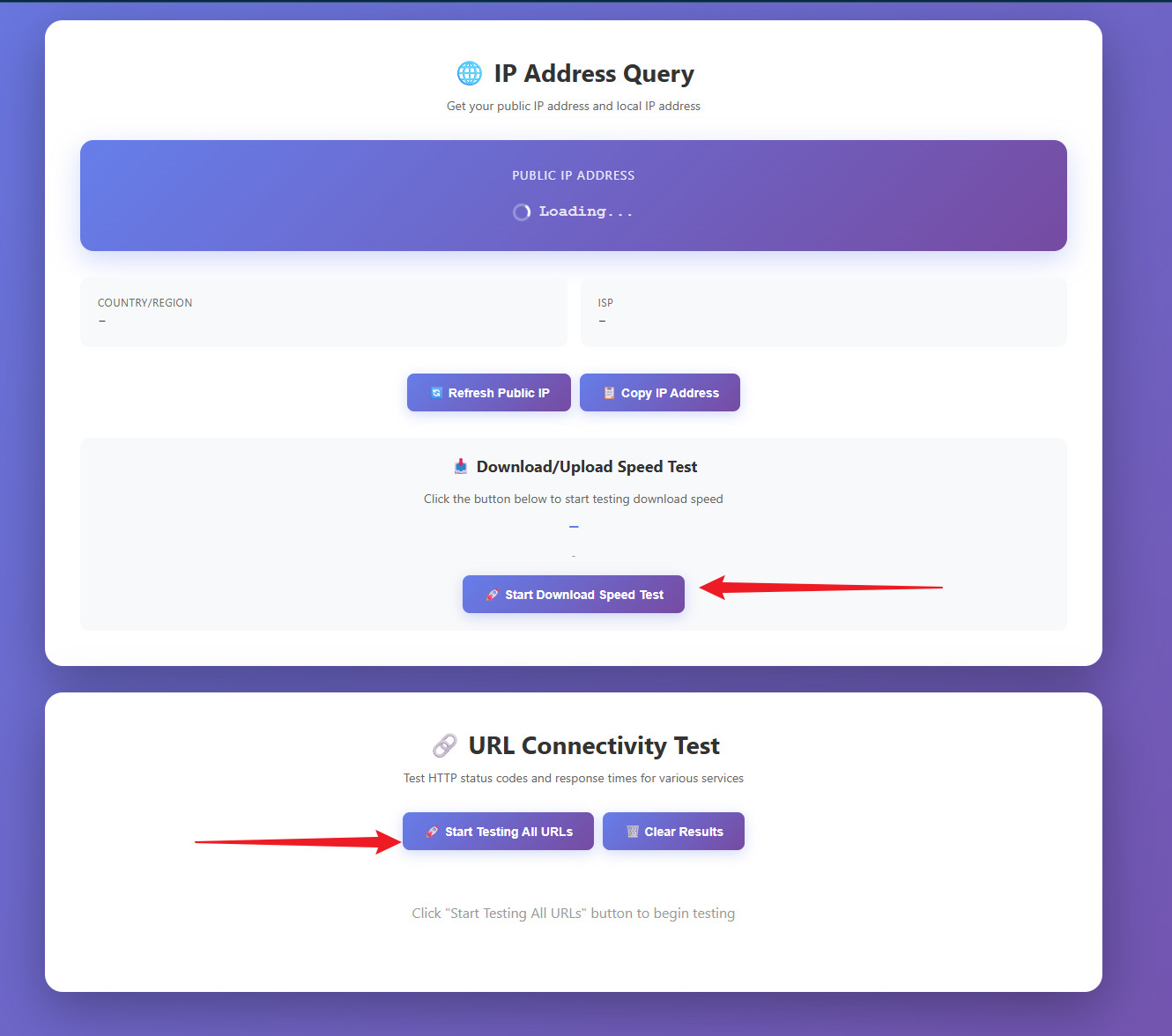
Send us the following results:
- Download Speed Test: this will tell how fast you download D5 related content/assets
- URL Connectivity Test: This will check if you are able to access the following links, which are essential in using D5’s features.

Was this ever solved? I am having this problem as well. Tested it on three different machines and all would accept the login for 5 second then reset.
Hi @d.gale
I apologize for the inconvenience. Have you tried the aforementioned suggestions in this post? We needed to check the first user’s device remotely to resolve this issue.
Let me know if issue persists even after doing the suggestions. Additionally, we would like to know:
- If the logging out occurs in the Launcher or in D5 Render
- Please generate a log file for us