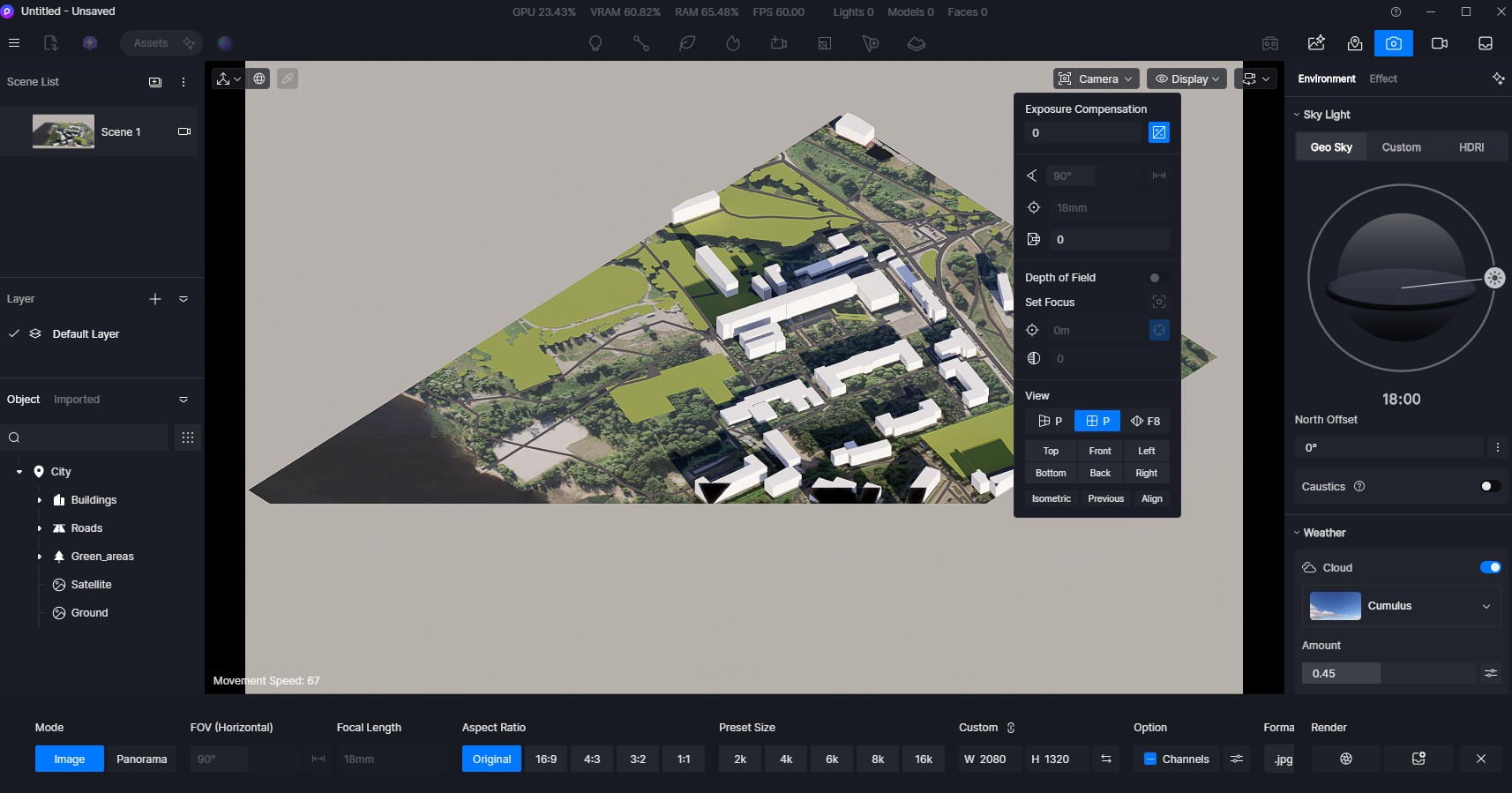
D5 Render Version: 3.0.1.0683 Graphics Card: RTX 3080 Driver Version: 595.97, March 24 2026 Issue Description: I do not understand why and how the viewport clipping works in isometric view. It’s simply impossible to make a rotation of the view in “parallel” view mode without any clipping. Am i missing a setting somewhere? Screenshots/Videos Description:
Steps to Reproduce (optional): import any large scale object (for example a city view) like 2000m by 2000m and try to go to isometric view to rotate it. The clipping in camera mode is switched of (0). View pan does not help. Temporary solution is to move the objects in horizontal access and then pan the view so that the city is fully visible, but if i want to rotate it again a bit it gets cropped/clipped again.
Thank you for the detailed explanation and for sharing the steps and examples.
What you’re experiencing with clipping in isometric (parallel) view is currently an expected behavior. In this view mode, the clipping behavior is handled differently from perspective view, which can result in geometry being cut off during rotation, even if the clipping value is set to 0.
That said, we understand how this impacts your workflow, particularly when navigating and reviewing large models like city-scale projects.
Your feedback is very valuable, and we’ve noted this as a feature request for improved clipping control and navigation in isometric view.
We’ll pass this along to our development team for further consideration.
We also suggest positing this in Ideas and Request in forum
I apologize, but there haven’t been any significant updates regarding this issue yet. I have escalated your request to the team for further review and consideration in a future iteration. We appreciate your patience and understanding.