I’m experiencing frequent crashes in D5 Render when applying materials, inserting assets from the library, and sometimes even while idle. Empty scenes load normally, but the application closes suddenly without any error message. I also use Rhino Sync in my workflow. The software was working normally until around August–September last year. I would appreciate any help or guidance.
System information:
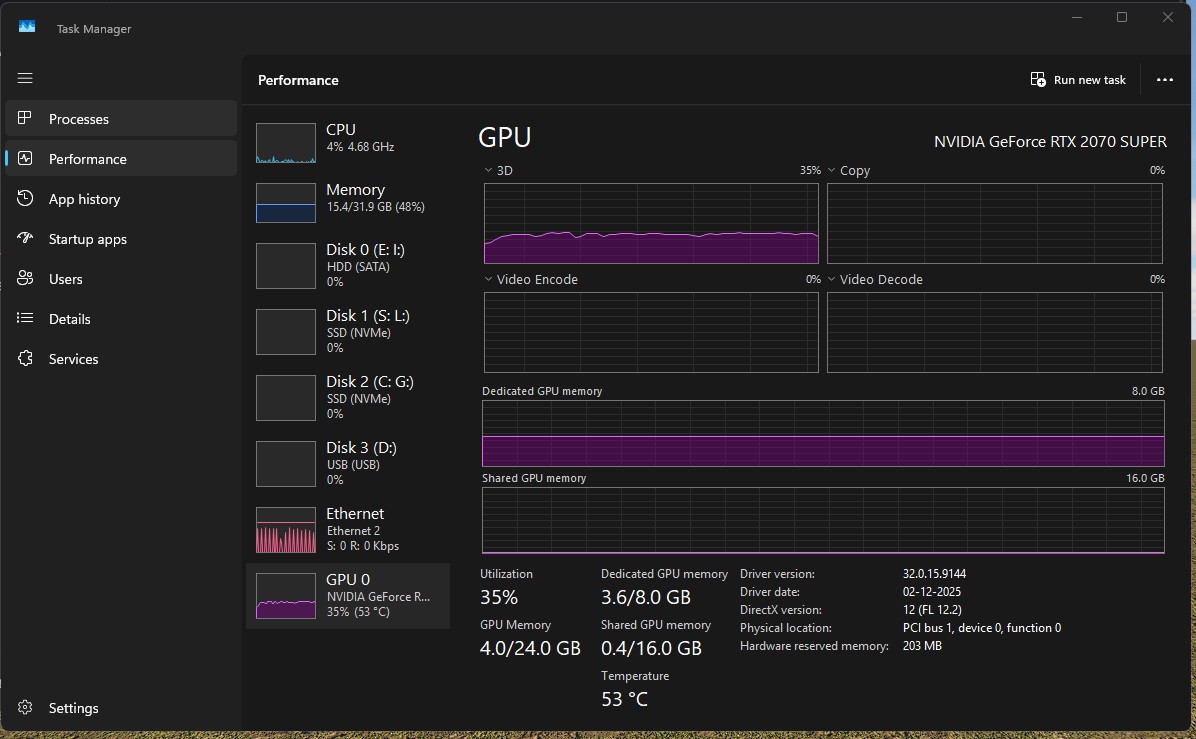
• GPU: NVIDIA RTX 2070 Super (8 GB VRAM)
• RAM: 32 GB
• OS: Windows 11 (64-bit)
Thank you for reaching out and for the detailed description of the issue you’re experiencing. To help us narrow down the cause more efficiently, could you please provide a bit more information by answering the questions below?
Have you noticed any particular asset or material that consistently triggers the crash?
Does the crash still occur if you work in D5 with/without using Rhino Sync?
What version of Rhino and the Rhino LiveSync plugin are installed?
Is your driver / windows updated to the latest version?
Were you able to use 2.11 normally before updating to 3.0?
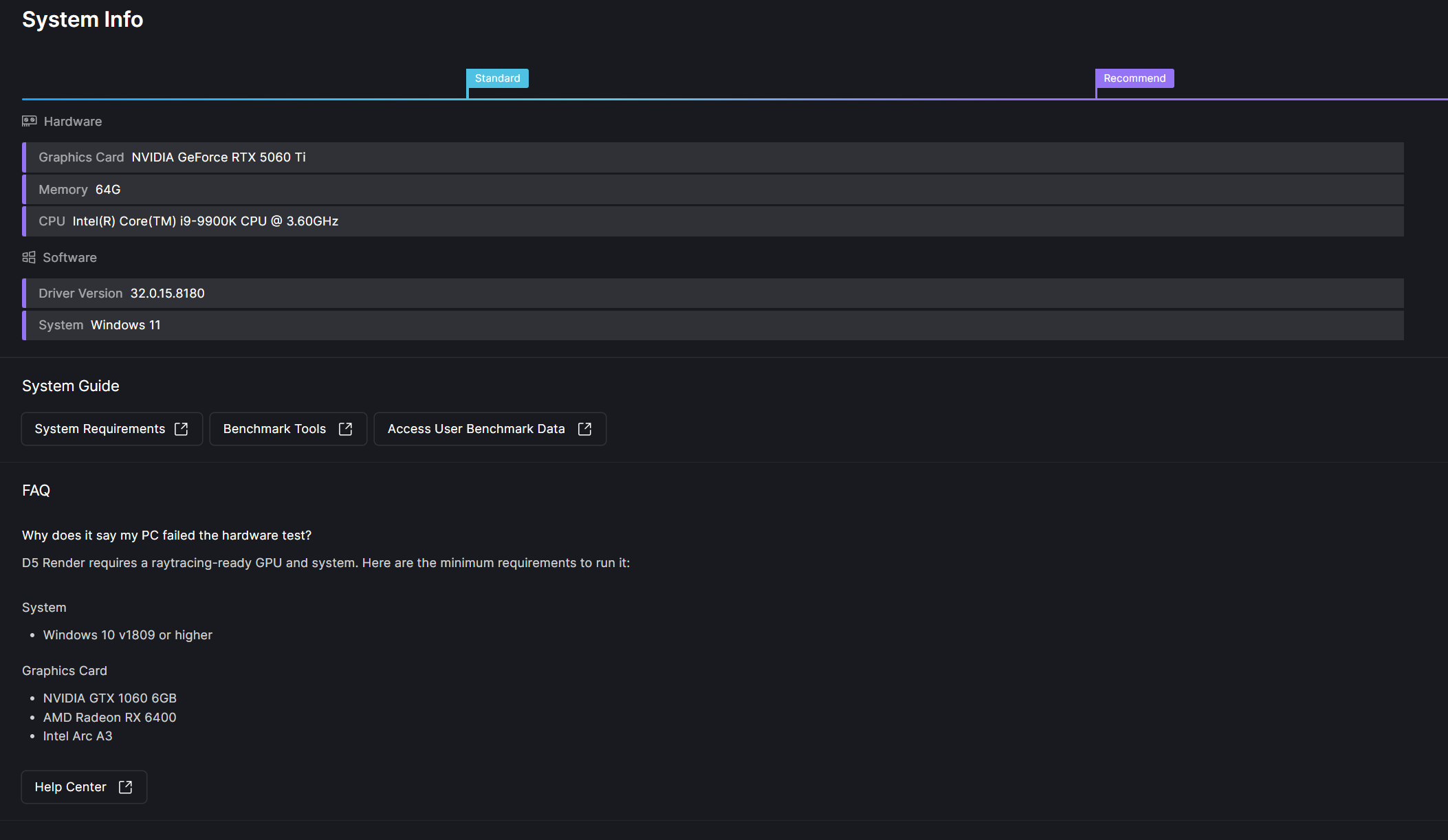
I have been facing the same problem for the past few weeks. I upgraded my system to an RTX 5060 Ti with an 850W power supply. Despite our initial suspicion of a power-related issue, various tests have proven otherwise. The application closes unexpectedly during high GPU load (90%), while idle, and even when working on simple scenes.
Furthermore, after updating to version 3.0.0/3.0.1, assets from the D5 Library are losing their materials. Since Windows 11 updated last week, I am wondering if there might be a software conflict. Please note that we did a clean installation of NVIDIA Studio drivers using DDU after uninstalling the previous RTX 2080 Ti drivers.
@alianisileo same here, nothing works, the software became unstable, eventually an update will fix it, as it has happened to me, many times before.
Meanwhile, we’re stuck waiting and hoping for a patch soon, i just hope the wait won’t be too long, because this directly affects our workflow and business.
I started getting crashes about two weeks ago. Couldn’t pinpoint the reason but now I’m wondering when 3.0.1 came out. It’s becoming more frequent and more random. At first I thought it was because of a Sketchup model. After trying many different things it’s still subject to random crashing.
I still haven’t gotten any official response from D5 Support. I’m still waiting. D5 was working fine since these started popping up. I’m not sure if D5 Support understands that a lot of people are now relying on D5 Render for their professional work and subsequent livelihood.
What’s unbelievable is that there is absolutely no logic to these crashes. Personally, the only thing I’m sure of is that the crashes aren’t related to the rendering itself. Let me explain: we are working on a fairly large residential project. Sometimes it crashes without warning, whether we are in the Smooth or Precise preview mode. With a bit of luck, when it manages to stay stable for a while and we actually reach the rendering phase, we’ve successfully rendered a 3-minute video at 2K 60fps without a single issue. But then, if you just happen to move an object or move the camera while editing, the crashes happen. We are going crazy in the office trying to figure out how to fix this; we are falling behind on our deadlines and are having to justify the delays to our clients.
Hello, I’m a new user on D5 and started with the latest trial version 3.0.1
Actually I was testing the software and evaluating whether to buy a license (I’m a Lumion user)… unfortunately I’m experiencing frequent crashes and it seems I’m not the only one. Random crashes happens in different situations, when the software is idle, when editing the model, when rendering. No error messages, the software just closes, without saving - (even if the 1 minute autosave is active). Has anybody got any suggestion from the D5 support ?
Please also confirm whether the issue started immediately after updating to 3.0.0/3.0.1 and whether rolling back to a previous version improves stability (if tested).
We will compile your feedback and logs for the technical team to further investigate. Thank you for your patience, and we truly appreciate your detailed reports.
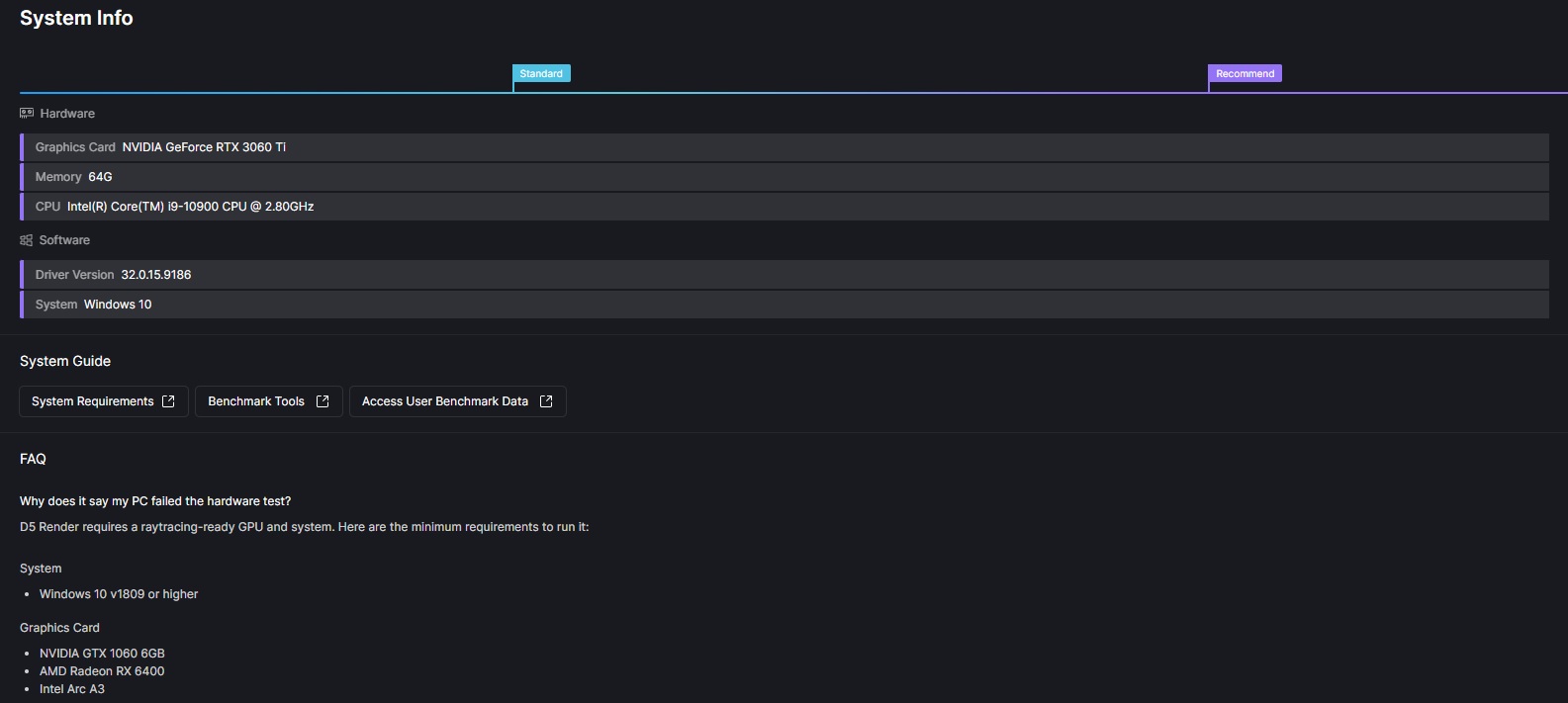
“This is the current configuration. We have tried both the latest drivers (591.74) and a downgrade to version 581.81, but the issues persist. These problems started following the installation of D5 Render updates 3.0.0 and 3.0.1.”
Thank you for sharing what has been happening and your recent experiences with D5.
I am currently experiencing frequent issues with D5 as well. My workflow involves Rhino with Live Sync, but the crashes also happen even when Live Sync is not active. D5 closes suddenly without any warning. Sometimes I step away briefly and return to find that D5 has already closed.
I have contacted D5 Help/Support and tried the fixes they suggested, but unfortunately nothing has resolved the issue so far. It is becoming difficult to meet client deadlines due to these frequent crashes.
I would really appreciate any advice or suggestions from the community.
I didn’t tested with previous software versions, as I just landed into D5 with the current version 3.0.1
I just upgraded to the PRO version, but crashes still occurs.
About the Kaspersky antivirus conflict, I tried closing it (now the confict application doesn’t appear anymore into te log section), but the problem still occurs, so I don’t think that’s the main issue.
The crashes occur randomly, both in large files and empty scenes. We are currently testing the Residence Lawn demo file; it hasn’t crashed for about 20 minutes, and it continues to load additional objects even to the point of saturating the GPU’s VRAM. Obviously, the problem persists because, previously, it never crashed with our files—whether they were created in v3 or earlier versions.
We previously used Archicad with LiveSync, but we also happen to work without LiveSync at times.
We use a single LG 4K monitor (we tried reducing the resolution to Full HD, but saw no improvement).
The crashes occur without any error messages; the application simply closes instantly, just like @vineeth82kumar reported."
Checked BIOS - all default settings.
Deleted Nvidia GLCache.
Uninstalled latest Nvidia driver.
Ran Display Driver Uninstaller in safe mode.
Installed Nvidia game driver 576.80.
Uninstalled D5 Render.
Deleted all D5 directories.
Clean install of D5 Render
Installed latest Microsoft Visual C++ Redistributable v14 x64 and x86.
Ran D5 Launcher as administrator - directly restarted.
Turned off Super Resolution in D5.
But then it crashed which left me wondering. The other day I was going many days without a crash and then one early morning I got up to work on a model and then, poof! I’m leaning towards leaving Super Resolution off and deleting Nvidia GL cache every once in a while. So far I’m currently going several days without a crash.
Assuming you’re using Windows try what I have on my list above.
Other than that make sure you manual save, save, save.
Thank you all for taking the time to share such detailed information about your experiences. We are actively monitoring and investigating this on our end. Based on your reports, random crashes occur in empty, large scenes, with or without LiveSync, with no error message, and even after clean driver/D5 reinstalls.
To help our team analyze this further, could you please collect and share your D5 log files and/or project files with me?
Kindly send them to support@d5techs.comand tag me in the email. Include the link to this forum post for reference. Thank you again for your patience and cooperation.
Any news? Still getting random crashes. Not too frequent but it’s annoying. I went out to have a smoke and right before stepping out I thought to myself “better save this first.” Sure enough I came back in and D5 was MIA again.