D5 Render Version: 3.0.1
Graphics Card: NVIDIA GeForce RTX 4060 Laptop GPU (8GB), AMD Radeon 890M Graphics (284 MB)
Driver Version: 32.0.15.9636
Issue Description: I am updating a rendering from a few days ago. Nothing has changed with the Revit model’s floor, but now in D5, what was once a perfectly smooth, normal looking floor has horrible dark streaks/stripes across it. They show up in previews and exported renderings. I can’t find anything comparable online, and none of the fixes for kinda similar issues work. I’ve even tried starting a new D5 project from scratch–same issue. This is a time-sensitive project and I don’t know what to do if I can’t figure it out. (Sorry, panicking a little here.)
Screenshots/Videos Description:
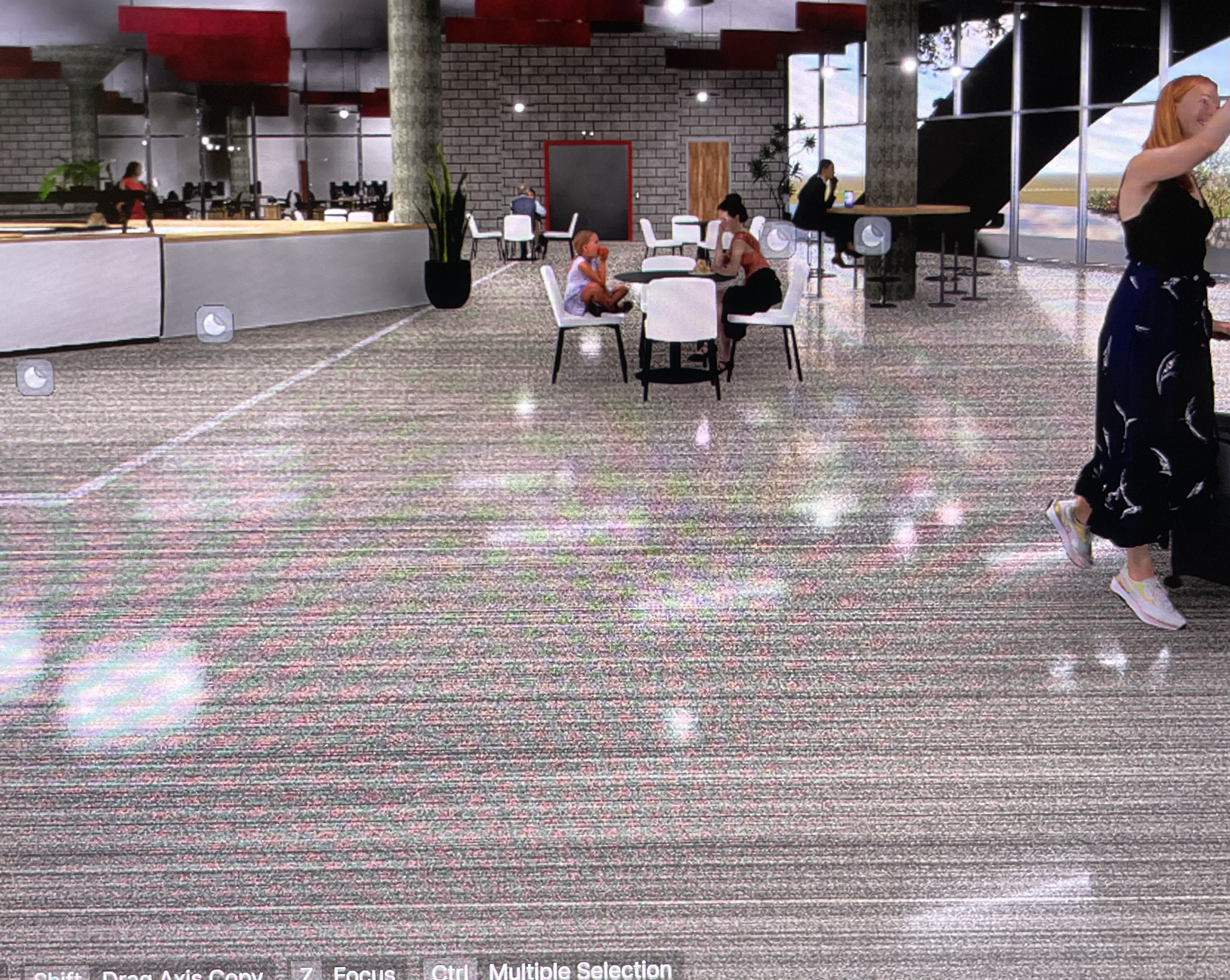
Aaaand now they’re gone suddenly, after hours of being there. Between the original post and now, the computer has been rebooted and the programs (Revit & D5) closed and reopened multiple times. It just suddenly fixed itself. Any ideas on what this was in case it reappears at a critical moment?
Hi @coadc1 so sorry about that. Does this only happen with that project? Also what version of D5 are you using?
Please send me a screenshot of your System info. While the project is running Go to D5 Launcher-> Help ->System Info and take a screenshot
Hi @coadc1
The issue you encountered was most likely a temporary rendering artifact, commonly caused by GPU or driver instability. This is supported by the fact that it appeared across projects and then suddenly disappeared after restarts. It is recommended to keep D5 Render up to date, using stable GPU drivers, and restarting the software during long sessions.
If it happens again, you can try:
- Restarting D5 Render or your computer
- Toggling your render settings
- Re-syncing the model
- Updating or rolling back your GPU driver to a stable version