I noticed that D5 Render constantly needs near 100% GPU usage even if it is idle - nothing is rendering and viewport doesn’t move, animation is disabled. Does that necessary ? Using RTX 4090 it cause very high power usage.
Yes, that is under expectation, D5 Render is a GPU-based renderer, opening the program and opening the file uses your GPU.
Although this is still reliant on how heavy the files are, the heavier it gets then for sure it will consume more VRAM.
[Hot Issue] TDR Problems and Out of Memory Crash Related Issues - Get Help - D5 RENDER FORUM
I’m evaluating D5 for our lab and I’m seeing the same behaviour. With absolutely no activity, as soon as the D5 app is in the foreground, it is using 50% of the GPU. None of our other 3D Apps do this and I see no technical reason why D5 is behaving like this.
Hi @koellpau
What you’re seeing is generally expected behavior, although it also depends on how high it goes even with empty d5 files.
D5 features a real-time path tracing/rendering engine that employs a continuous rendering pipeline, including ray/path tracing techniques. This means:
- The scene is constantly re-evaluated and refined with every frame.
- Lighting, reflections, global illumination (GI), and sampling are updated in real time, even when there is no movement.
- When the application is in the foreground, it prioritizes interactive responsiveness, keeping the GPU actively engaged.
Seeing around 50% GPU usage while idle (in the foreground) can occur based on several factors, including:
- Scene complexity (even a simple scene requires full lighting calculations)
- Resolution or viewport size
- Quality settings (such as GI and reflections)
- GPU headroom (higher-end GPUs may show a lower percentage of usage for the same workload)
If you can provide us with the following:
-
File size of the file that was recently opened.
-
Device’s System Information
-
Device VRAM while the file is being opened

The problem is that D5 constantly use high power usage like 370watt on my 5090 even after reducing d5_immerse.exe FPS to 30 frames. It doesn’t take into account reducing GPU power usage in Nvidia App like other software. There is no difference in power usage between 60 and 30 fps.
Hi @Clov , thanks for getting back to me. We are running RDS with Nvidia A4000 RTX, 16GB VRAM. VRAM usage is approx. 5GB for a very basic Model (two walls, one glas pane, one cube, 4 chairs, one table, one cupboard, two people) but the bigger problem is GPU usage. As soon as the D5 render view is partially visible, GPU is between 20 and 70 percent (3D in Task Manager - GPU). 70% if the render view is the active window (idle), more or less 20% if its visible in the background. Sometimes it goes up to around 70% even when it’s in the background.
If the “gets hot on idle” problem is not solvable, I’d prefer a way to disable raytracing during interactive use. It has it’s value while designing materials, but the constant resource usage is a dealbreaker for multisession environments.
Hi @koellpau
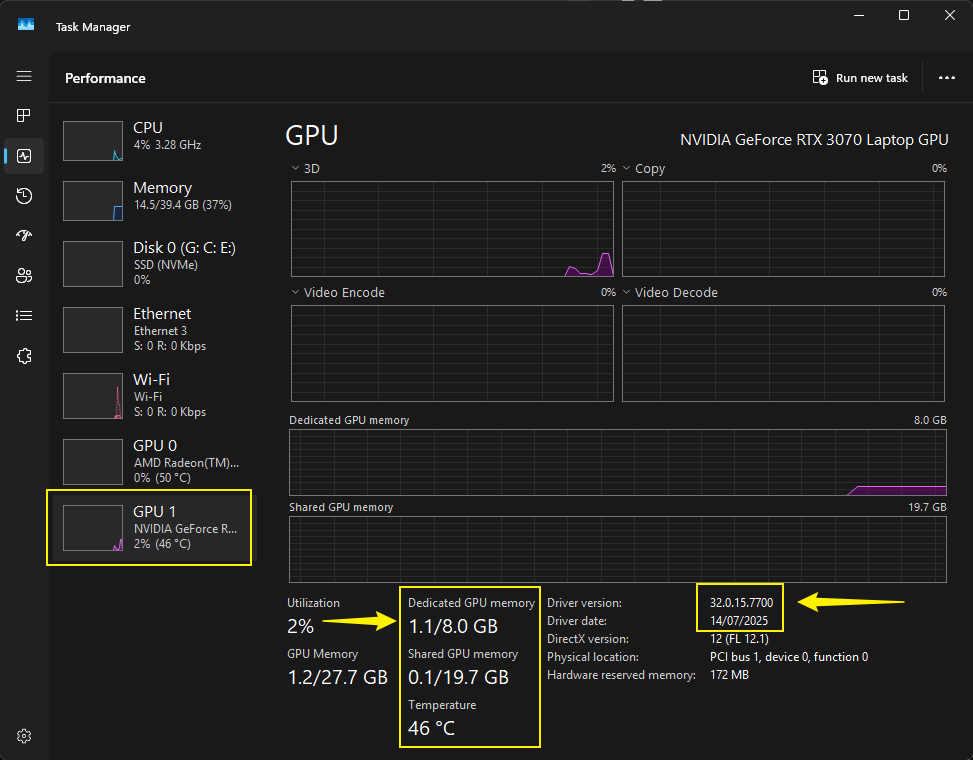
Please provide a screenshot from your Task Manager while opening this specific D5 File.
- VRAM (Image for reference)
Additionally,
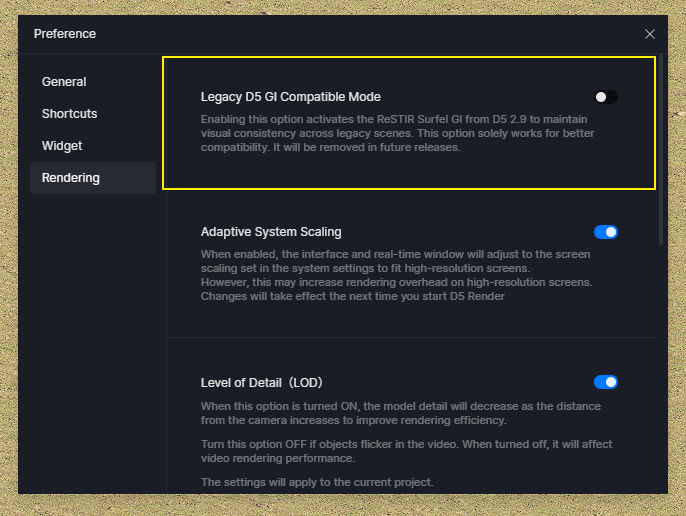
- Path Tracing can be disabled by enabling D5 Legacy.
- D5 does not offer a fallback mode (like rasterization-only); ray tracing is integral to its real-time rendering pipeline.
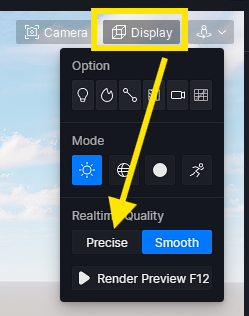
- You may try enabling Smooth Mode