I’m having a sync issue between SketchUp 2024 and the latest version of D5.
D5 shows objects/layers that are hidden in SketchUp. Visibility is set correctly in SketchUp, but D5 doesn’t reflect it after syncing.
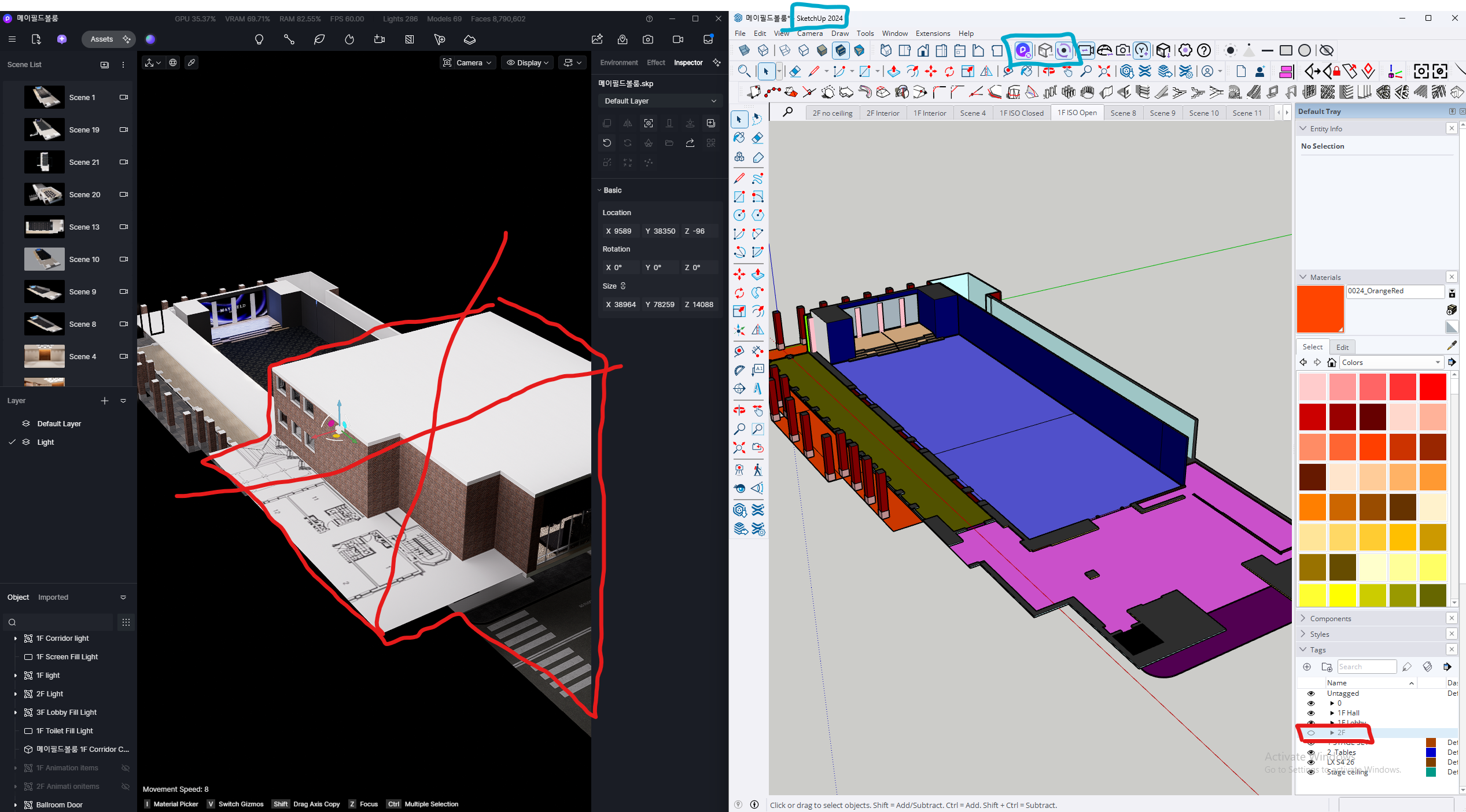
What I’ve tried:
- Restarted both programs
- Reconnected sync
- Saved as a new SKP file and re-synced
- Updated Sync plugin
- Clicked throught Scenes in Skp.
Still no fix. Anyone experienced this?
Ps. Noticed it in 3 Project so far. Not sure when it started but I’ve updated to the latest version of the D5 last week. Did not check the Blender files yet might have same issue…