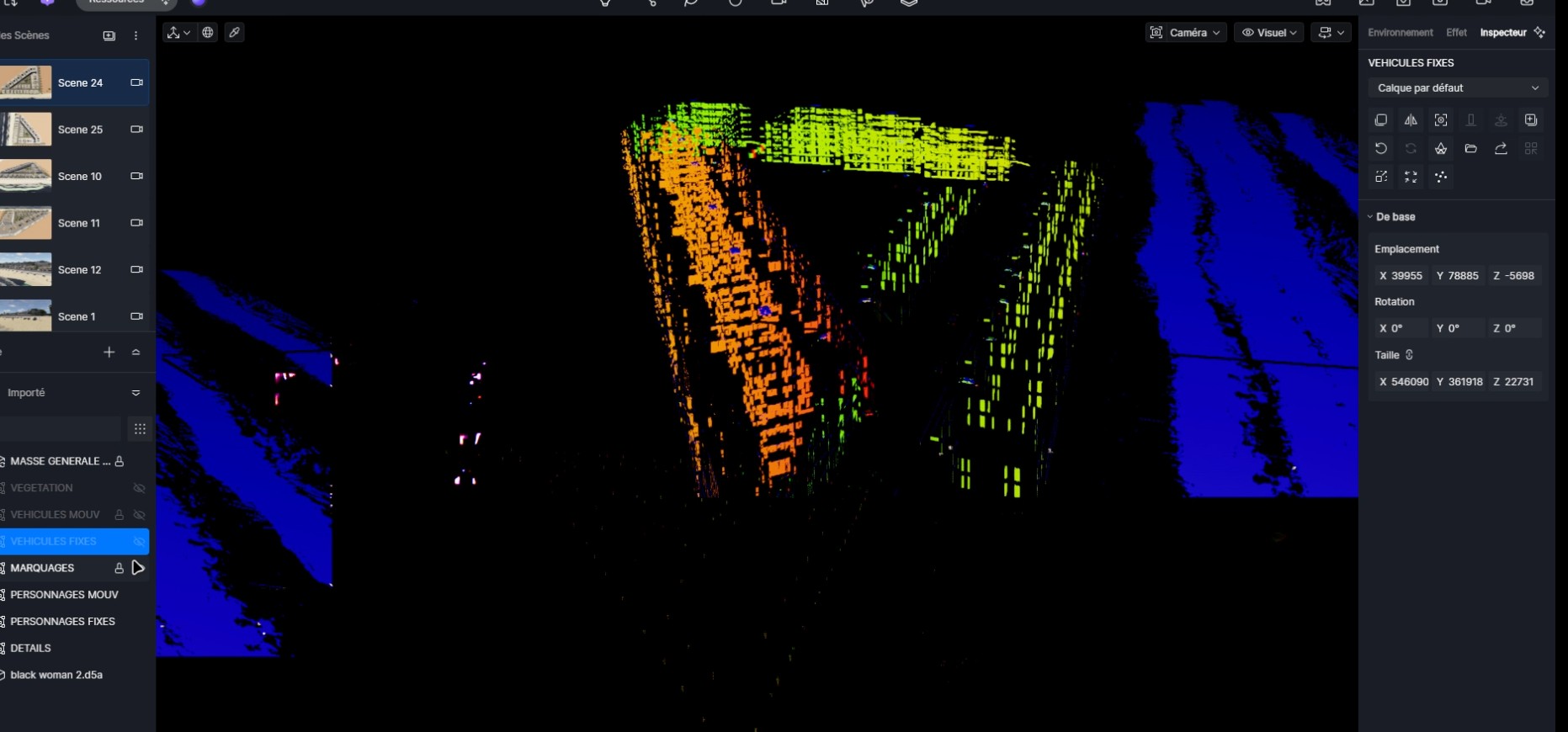
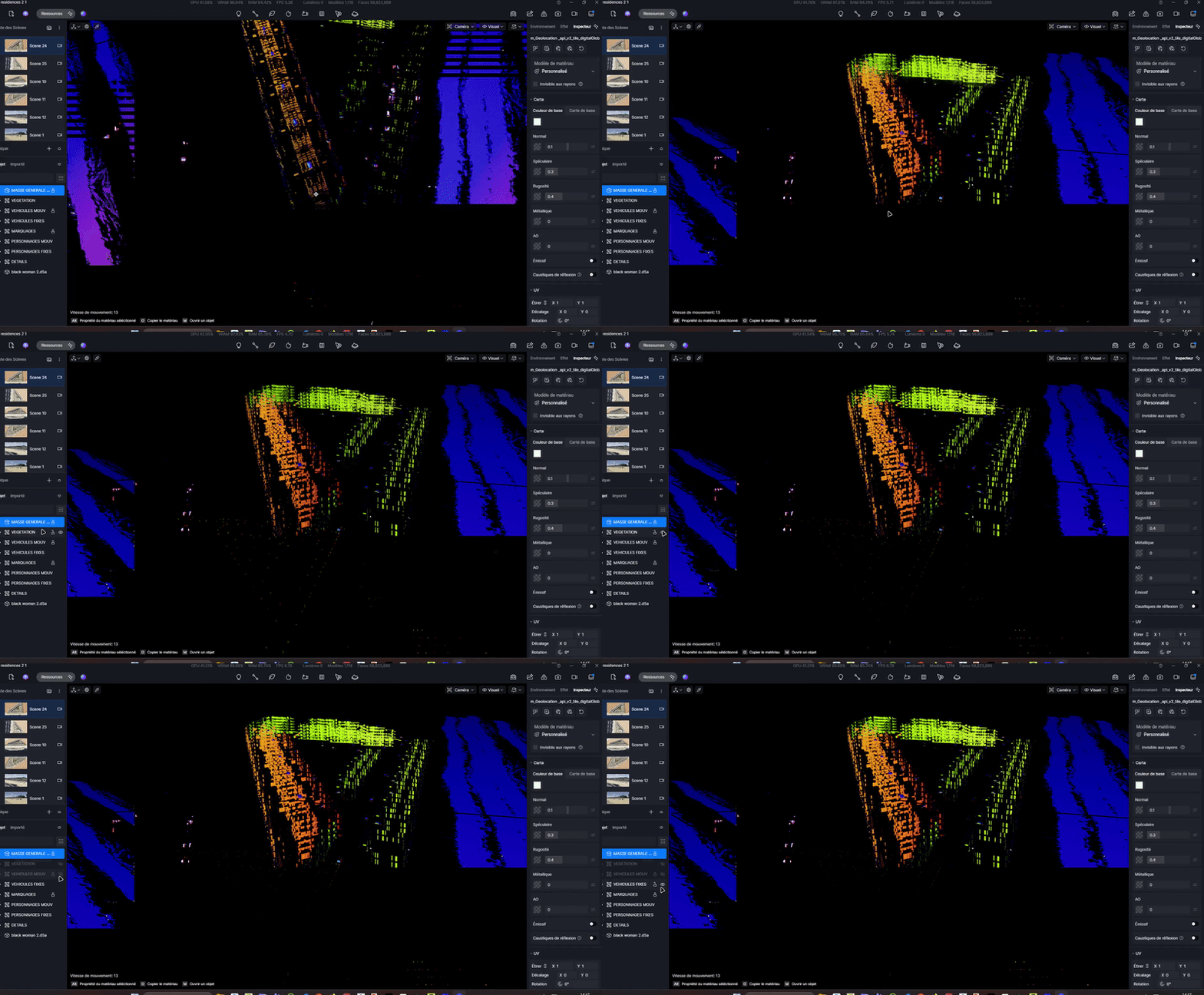
D5 Render Version: 3.0.1.0683 Graphics Card: NVIDIA GFORCE RTX 4090 Driver Version: 32.0.15.9174 Issue Description: When i update the link of a sketchup file of an old D5 render project i need to update everything goes black and glitchy with some neon colors… It doesn’t change a thing to errase some of my layers and objects, but when i HIDE the linked skp file, eveything shows up. When i unhide it, everything goes black and glitchy. Screenshots/Videos Description:
So yeah it happens with this file, the old one is fine, the sketchup is even a bit more heavier actually. The file i am trying to get replaced with is 434Mo.
Usually i get rid of all backfaces, do a proper cleanup and replace textures in sketchup with plain colors so it is not supposed to be about heavy textures, maybe the amount of overall polygons
In the viewport i can move and zoom freely, the screen turns on and off Black with neon effects when i Hide/unhide the newly re-linked skp file.
ALSO: I cannot move my object, groups etc in the down left list, dragging them doesn’t move or do anyting. Any ideas ?
Thank you for the detailed explanation. Would you mind sharing the affected file with me? If the file contains confidential content, you may simplify it or remove unnecessary elements before sending it. What I’ll need is:
The problematic .skp file
Your D5 log files
The downloadable screen recording you just attached in this post
Please upload these files to WeTransfer and send the download link to support@d5techs.com. Kindly tag me in the email and include the link to this forum post for reference. Thank you in advance for your cooperation.
@ela Hello, Do you have any news on your side ?
I asked a lighter version of the file but it does the same thing, black and neon screen. I think there is something wrong when he save the archicad 3D into Sketchup as everything i open on D5 just looks the same glitches.
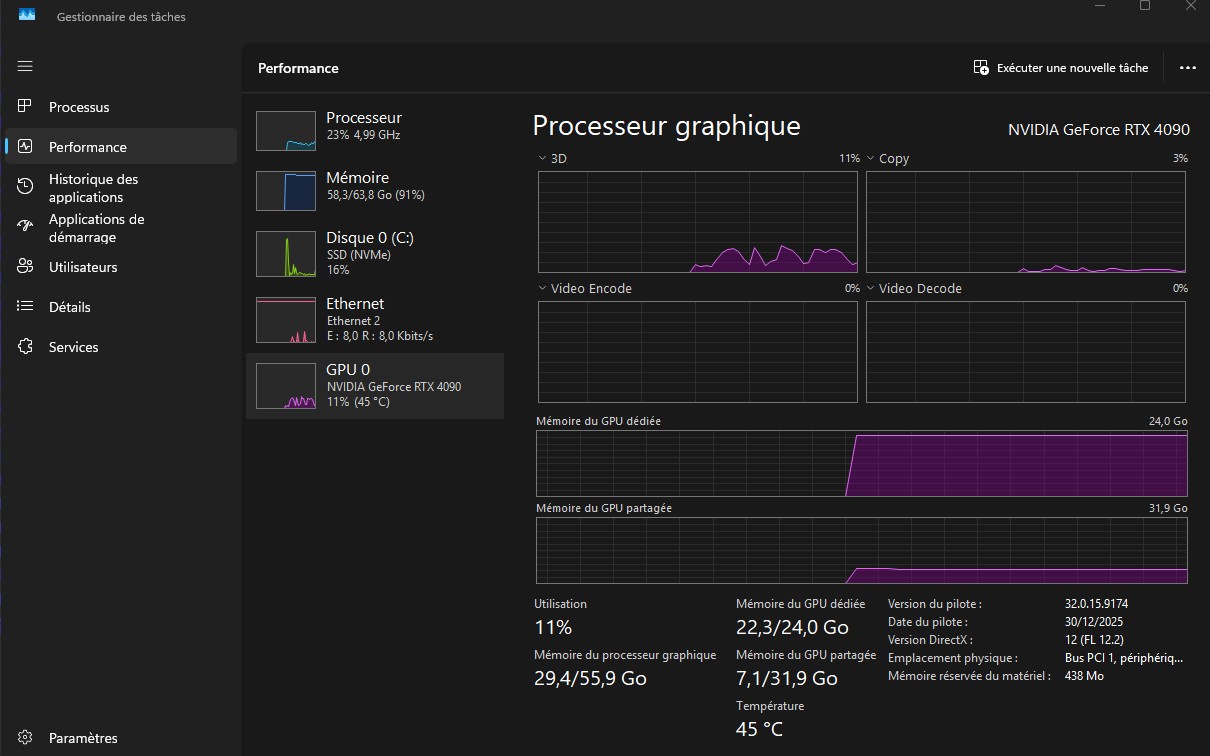
Unfortunately, we haven’t found a fix yet, but I noticed that your VRAM usage exceeds 80%, suggesting the file might be too large and causing the glitches. You mentioned that even a simplified version of the file still triggers the issue.
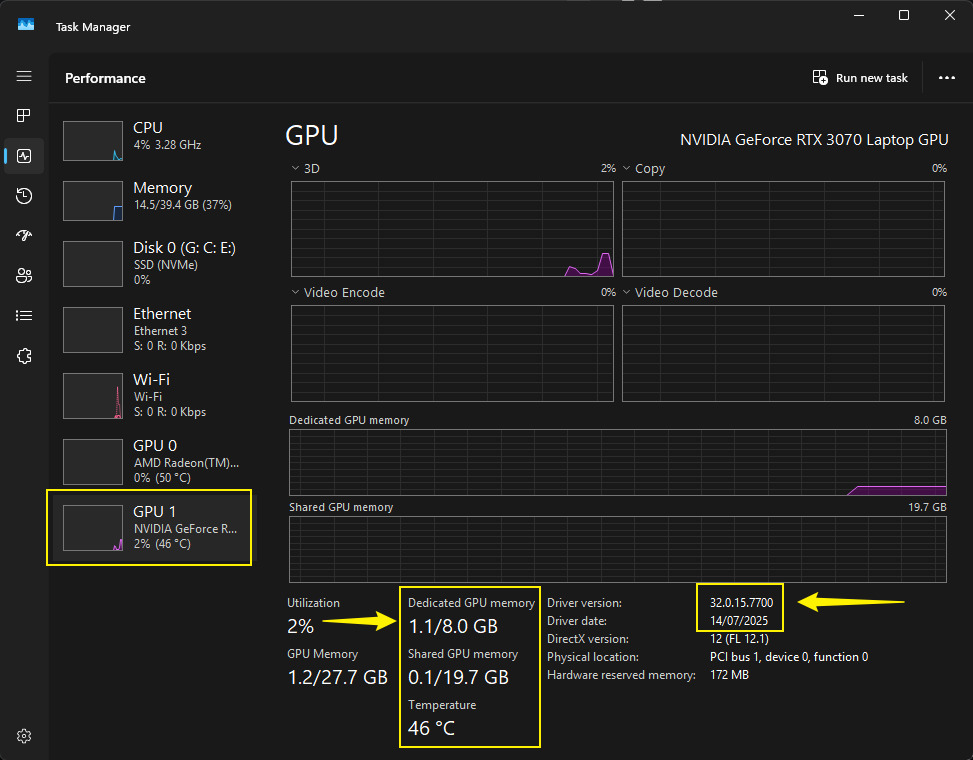
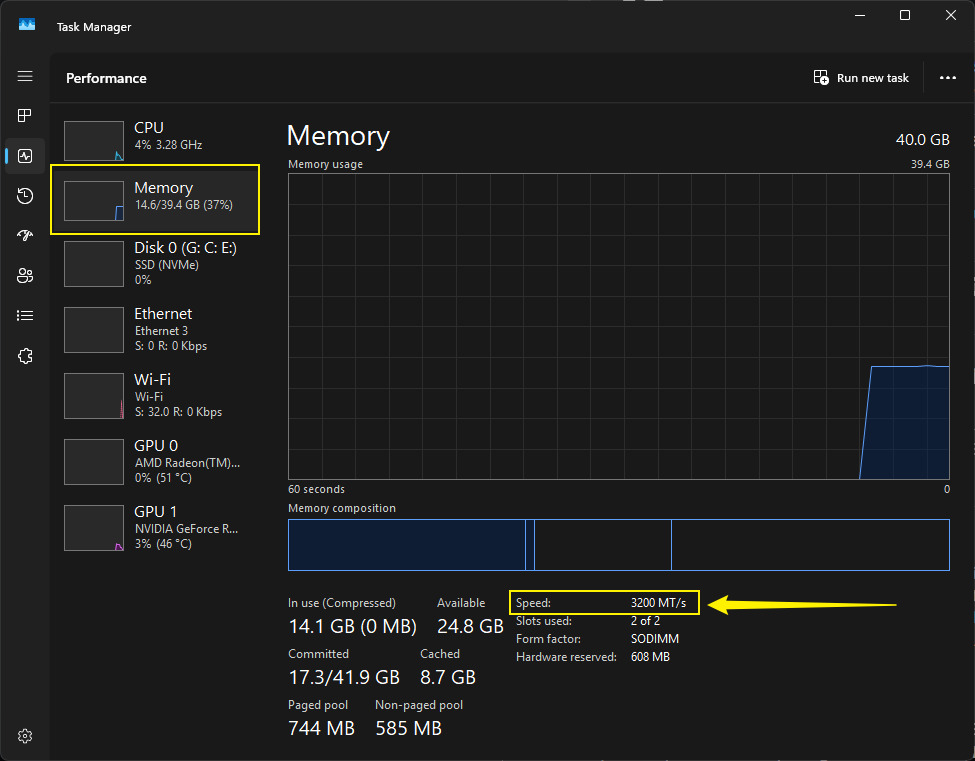
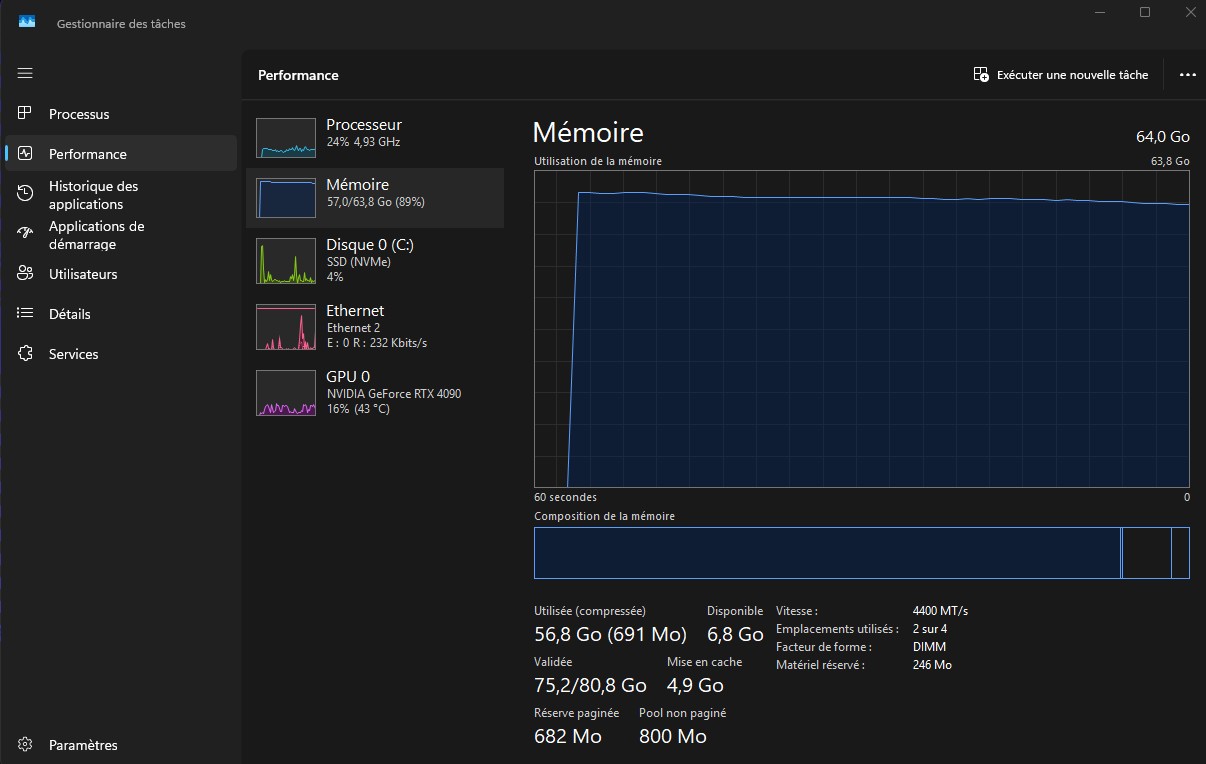
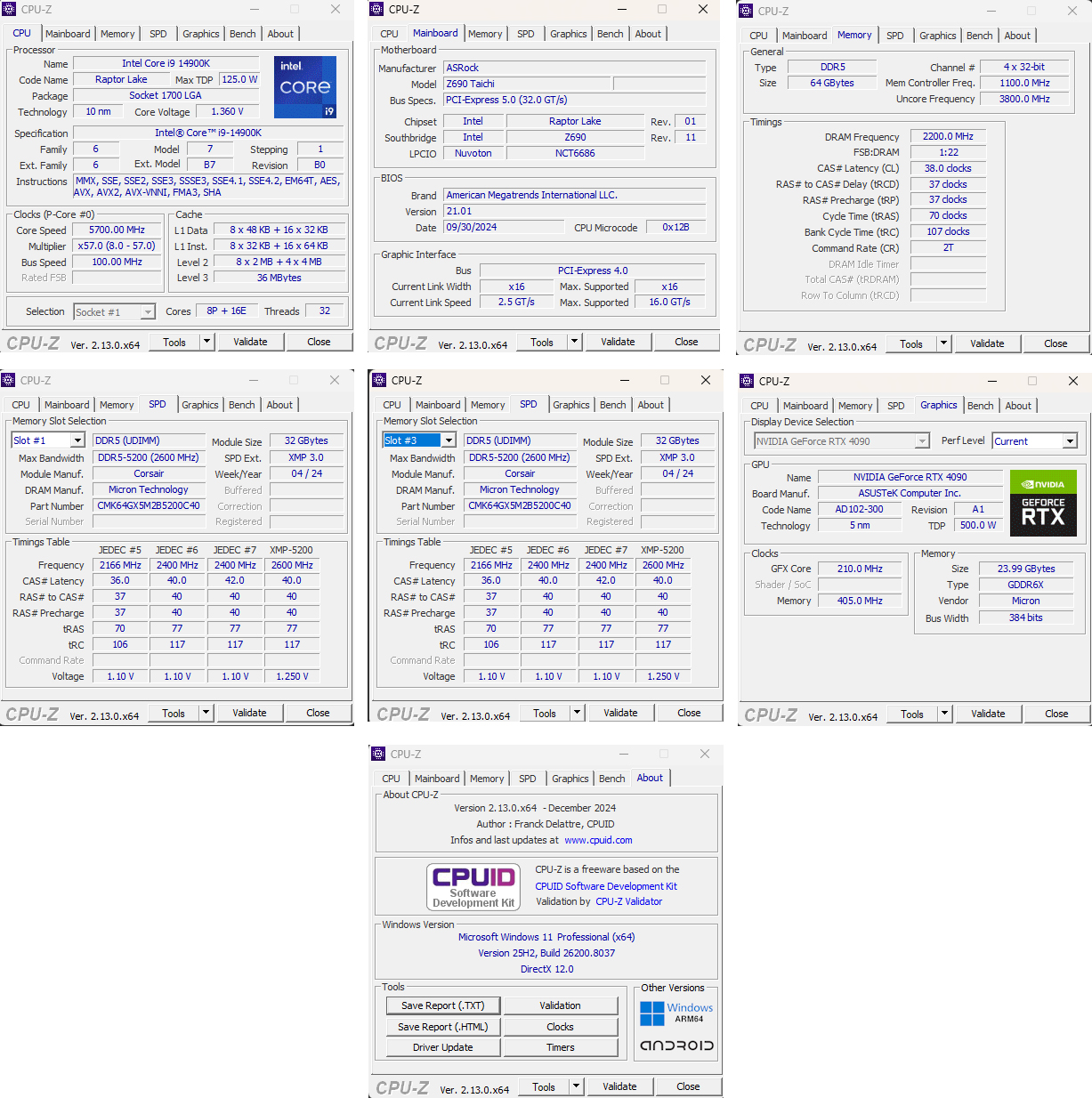
Could you please share your hardware usage (CPU, GPU, and VRAM) while this file is open? This will help us better understand whether resource limits are contributing to the problem.
What i find strange, especially with that file, is that the previous version of the project was heavier on, sketchup and still i could do proper work on D5 without issues.
When i copy from the updated skp file and paste it on the original file i was working (linked to d5) no matter was i copy paste (a small house, a whole block, or the whole project) it istantly makes it glitch. Like something was wrong inside the skp file itself.
I also did the test of Opening only the d5 file without updating the skp file (so the d5 file opens without issues) and i had the exact same values that was screenshoted previoulsy.