After changing my computer, in the D5 Render program, the assets I take from the library are placed stuck to the ground by default. This means I have to move them manually. The cube in the center of the move gizmo arrows is not working, so I can’t freely move objects in all directions.
For example, I can’t place a glass on a table using the center cube; I have to do it by dragging the arrows instead. I didn’t have this problem before, but I haven’t been able to find a solution for the past two days and all my projects are left unfinished.
Could you please provide support as soon as possible? In short, the gizmo center cube is not working and it does not detect surfaces at different heights.
This is a known issue, and we’re currently working on a fix. The underlying problem appears to be related to screen capture functionality , which also impacts other tools and actions that rely on it, such as
orbit point, gizmo
placing models,
and other similar tools/action may all get affected
Please do the workaround for now:
For AMD 7000 series and AMD 9000 series 3.1 paired with the old driver version 2025.9.1, the color picker will fail to work. It is recommended that they use the latest driver to resolve this issue.
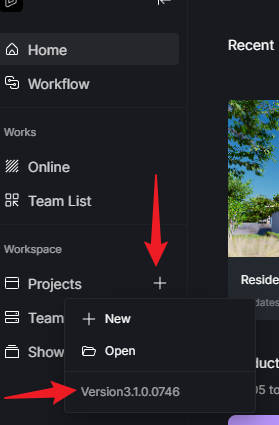
For AMD 5000 series and AMD 6000 series, roll back to version 3.0.1 until we will fix this issue (we’re targetting it to be included in hotfix). Can you confirm if reverting to 3.0.1 fixes the issue?
I don’t know how to revert to an older version, and I’m afraid of deleting projects or assets, or not being able to access my projects again. I prefer to wait for the fix if it’s coming very soon.
Approximately how long will it take? And how will I know when a new update is available to fix the software?
The hotfix is currently in grayscale, and unfortunately, there is still no fix for this issue. We do not yet know the specifics of its release date. So it might be best to revert to 3.0.1
Note: You may uninstall 3.1, then install 3.0.1, or just install 3.0.1 immediately on the same path; this will override the current D5 Version in that installation path.