Everything is updated and i cant open D5

I updated d5 recently to the 3.0.0 version I cant even load the software now. I even try doing it through rhino with the plug in, and it doesn’t work.

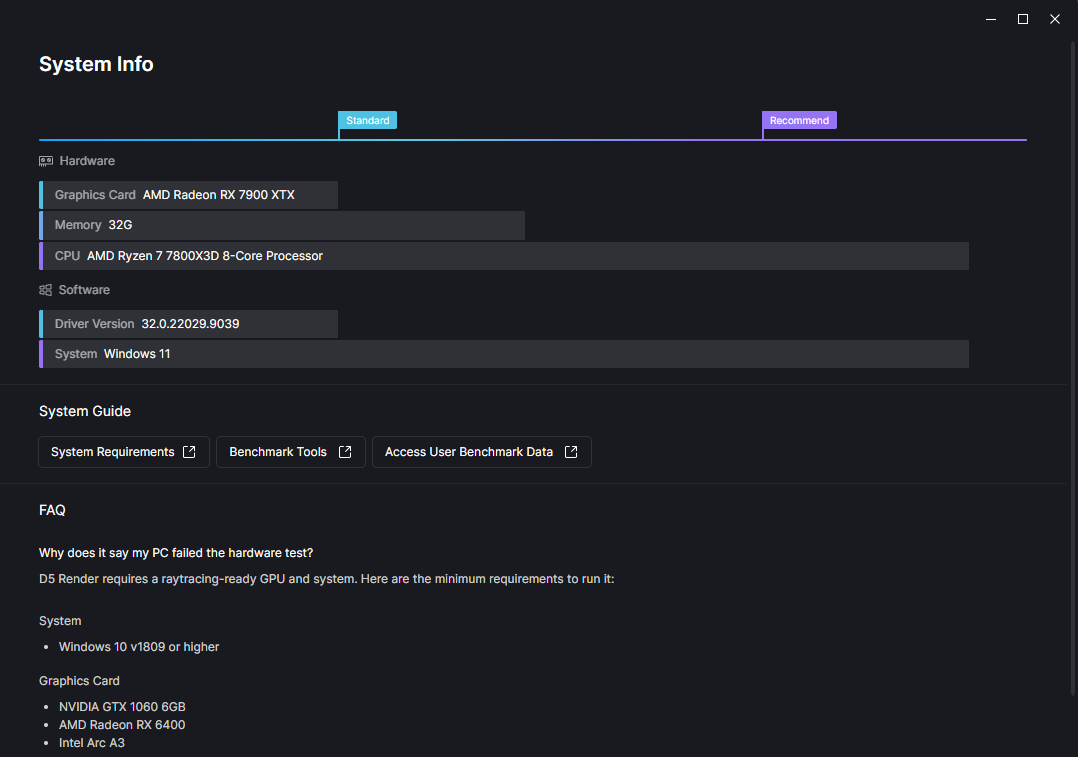
This image pops up every time I attempt to open D5 I even try to do the benchmark test and it tells me to update D5 past 2.11.0 which makes no sense when I have the newest version.

All my drivers are updated to the newest version so I have no idea why it says my GPU is at standard power considering I have a AMD Radeon RX 7900 XTX. If anyone can help me I’d like to use D5 for school but I cant even open the app. Not sure if this matters but I’m also using the D5 with the education license.

Hi @christian.cruz

Thank you for the detailed explanation. I apologize for the inconvenience caused.

To rule out a known AMD driver compatibility issue, could you please try rolling back your GPU driver to a stable version?

You can find the full workaround steps and the recommended stable AMD driver download link here:

After rolling back the driver, please restart your system and try launching D5 again.