D5 Render Version: 3.0.1.0683
**Graphics Card:RTX 5070 ti
**Driver Version:32.0.15.9636
**Issue Description:The program crashes randomly when using it. I haven’t found any pattern yet. Sometimes when I pick a material, sometimes when I move something, sometimes after I save. I’m so frustrated since this happens everytime I use it. Appreciate the help in resolving this. Thank you!
Hi @eramireze
Based on your description, this seems to occur in a specific file, right? And empty files are functioning normally?
Just to clarify,
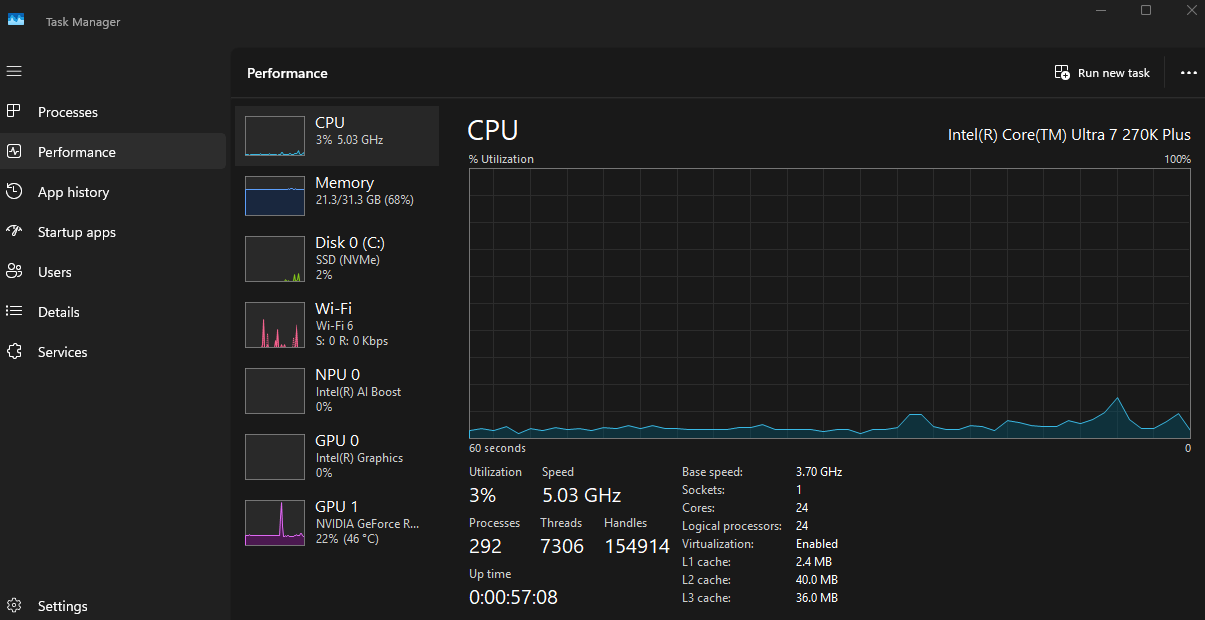
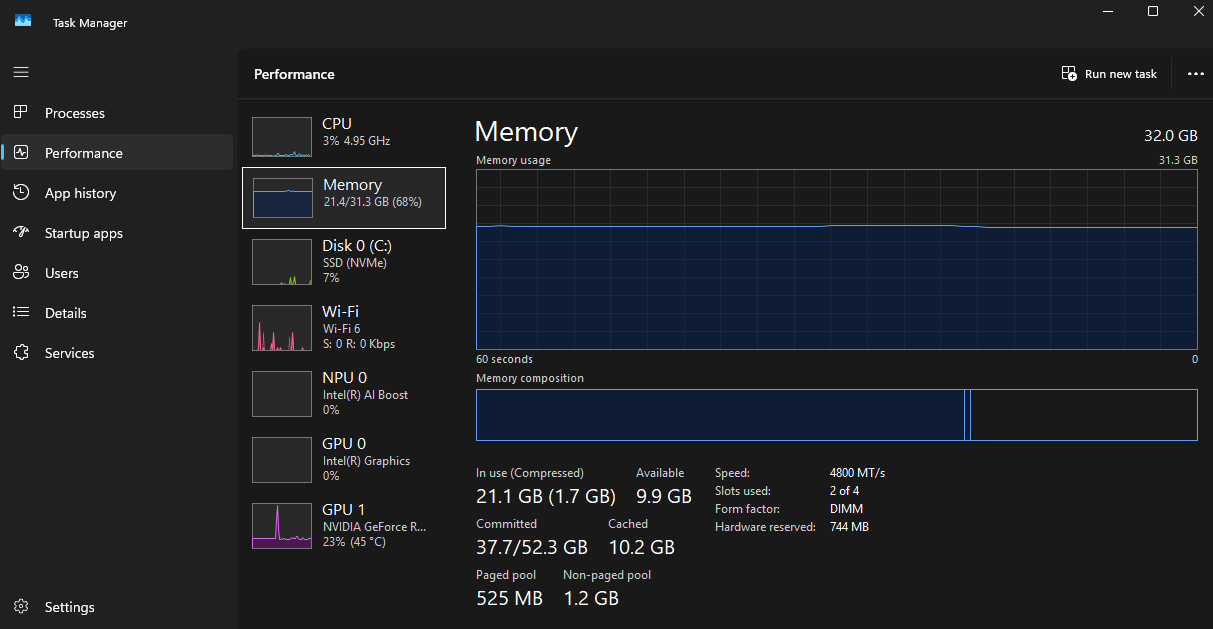
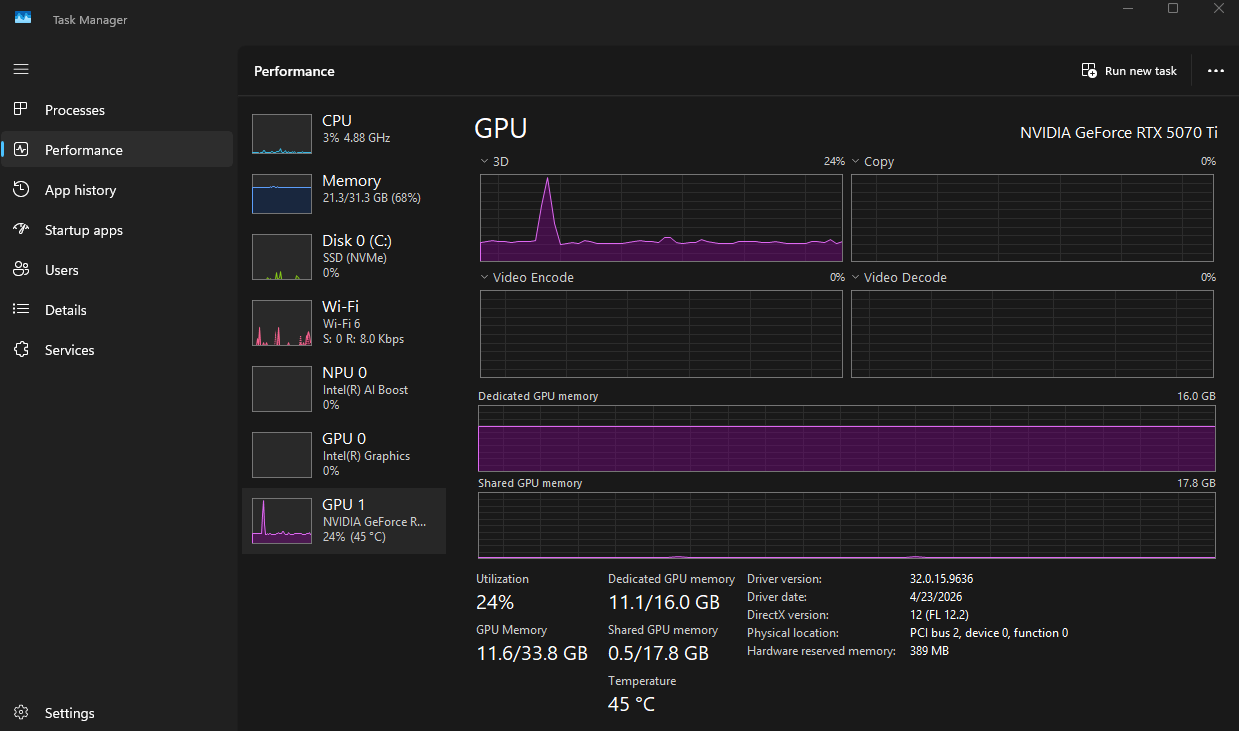
- Did you open this specific D5 file while accessing the task manager? And are these numbers the result of opening them together?
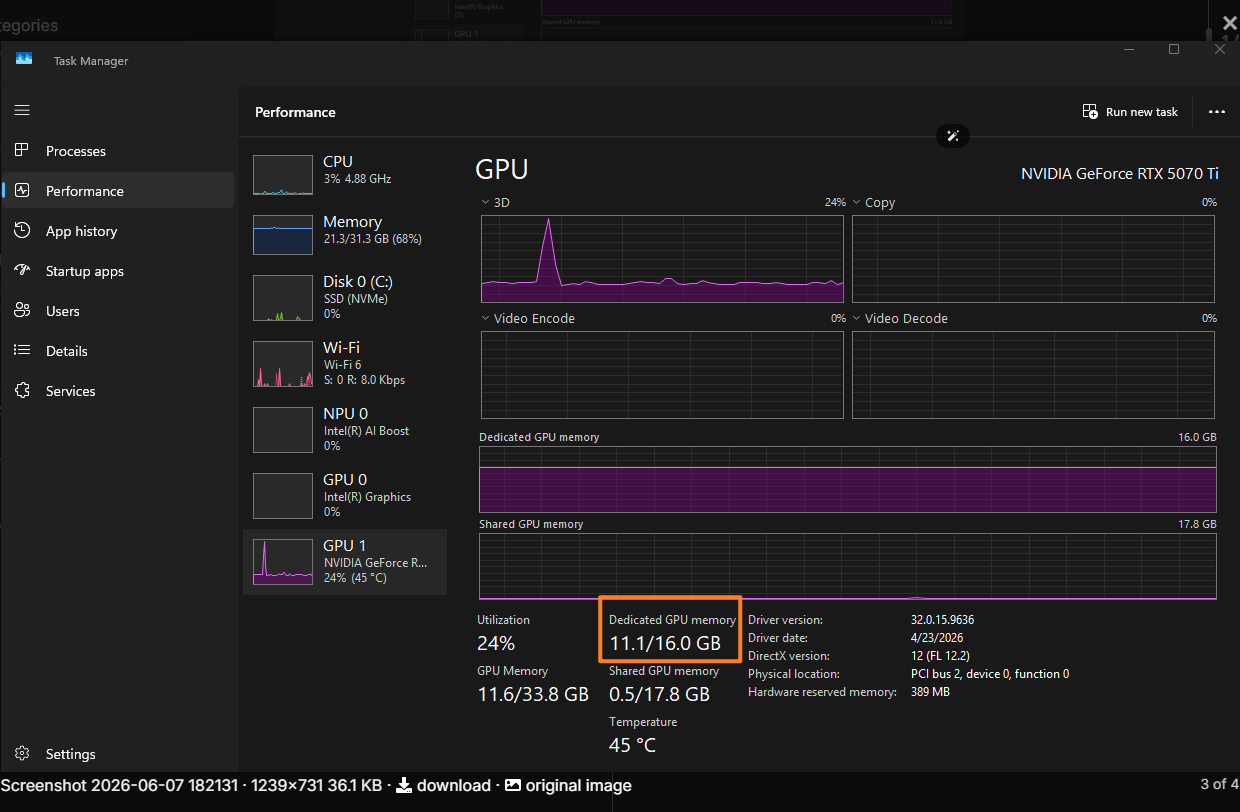
Correct, this screenshot is when I had the file open. It’s hard to answer if this won’t happen in an empty file because it happens randomly.
But no, I just opened an empty file, moved around and it didn’t crash immediately, but also doesn’t crash immediately on the larger file I’ve been using, usually takes a while when I’m working on it.
Thank you
Hi @eramireze
Thank you for confirming. It seems that this crash only occurs in projects that are becoming more resource-intensive. Based on your screenshots, you have 16 GB of VRAM, which is quite good, and your file is currently using 11 GB. At this level of consumption, I don’t think crashes are expected to occur
- Please do a clean reinstallation of your drivers; there’s no need to update them, just a clean reinstallation will suffice.

If the issue persists, please send us the ff:
-
Log Files
-
Scene Files (where the crashing occurs)
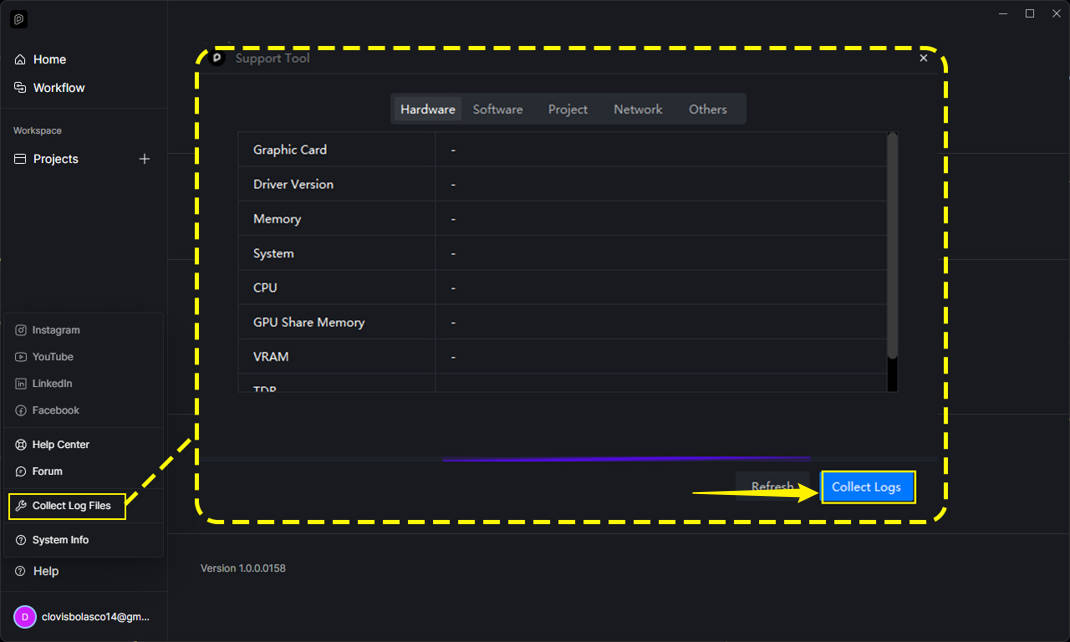

I did a clean install of the graphic drivers and d5 just crashed right now with the same project.
I’ve added the log zip file and scene zip in the drive folder:
https://drive.google.com/drive/folders/1bgc3ePAXsCaDQ8lfH1hCH6kS-sjUxLBK?usp=sharing
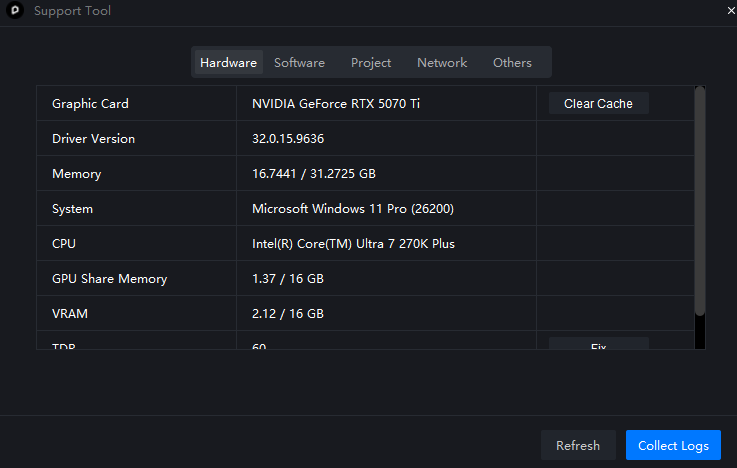
I also got a new error message telling me my GPU driver is incompatible with the windows 10 version, but I have windows 11 so I’m not sure what to do.
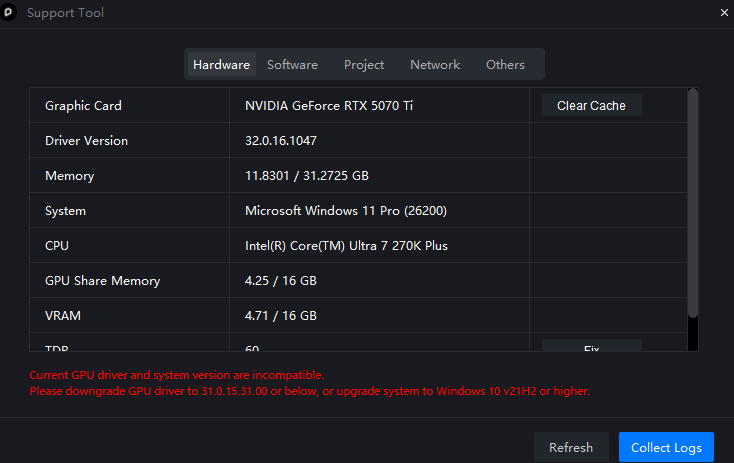
Thank you
Hi @eramireze
Based on your previous screenshot, it seems you just updated your drivers to 610.47, which has been reported to cause crashes.
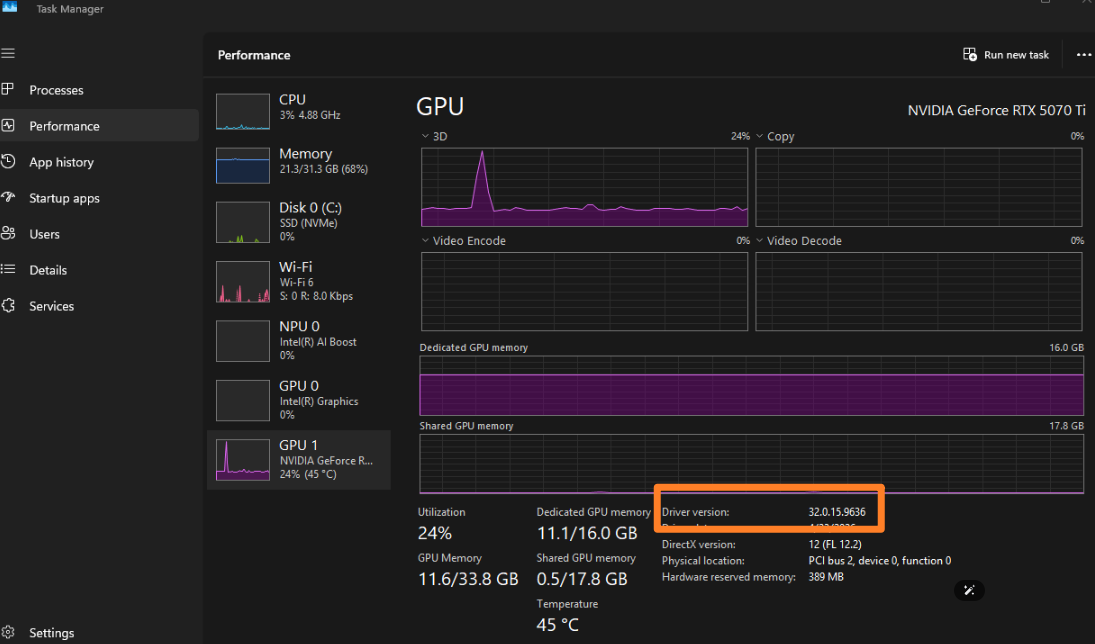
- It would have been best if you had just cleanly reinstalled it without updating your drivers.
- 610.47 is known to cause the error prompt that just appeared in your Support Tool.
- Several reports have also pointed out that 610.47 caused frequent crashes to all of their files.
Please try reverting to your previous version. I believe this qualifies as a fresh reinstallation since you’ve downgraded from version 610.47 to 596.36.
- Additionally, we will be reviewing your log files. Based on your description, version 610.47 caused your files to crash immediately, whereas the previous version experienced random crashes.
Oh ok It didn’t give me the option to reinstall, it said update and I did it clean one.
I wasn’t aware about that version having crash issues. I will revert and keep trying
Thank you.
Let me save you five months of headaches trying to find the solution. Nobody really seems to know the actual fix. Just try this:
1: Turn off Turbo Mode in your BIOS.
And voilà, good luck!
We’ve been suggesting this option for quite some time. This was the solution for the recent issue that just happened with 3.0.1.0683, which was experiencing frequent crashes.
- This is effective, no doubt about it. But we’re trying to figure out the influx of crashes and how they are all related to the 610.47 driver version, since most of them are using it.
Thanks.
Hi @Clov
I really hope the D5 team can find the root cause of this issue soon. We want to be able to use our systems at their full capabilities without constant crashes or having to lower settings just to keep the program stable.
We still have faith in the team, and I truly hope that from version 3.1 onward, these kinds of problems become a thing of the past.
Best of luck, and please keep pushing forward!