I’m having a serious issue with the new D5 Render version while working with Teams .
Here is the workflow and the problem:
When opening a Teams project, the file will not open unless I do it from the Central File to update or change the file version.
Inside the Central File, I make a small change in the scene (for example, modifying something created by another team member).
I save the file and close D5.
Then, I reopen the same project using my individual workset .
Problem:
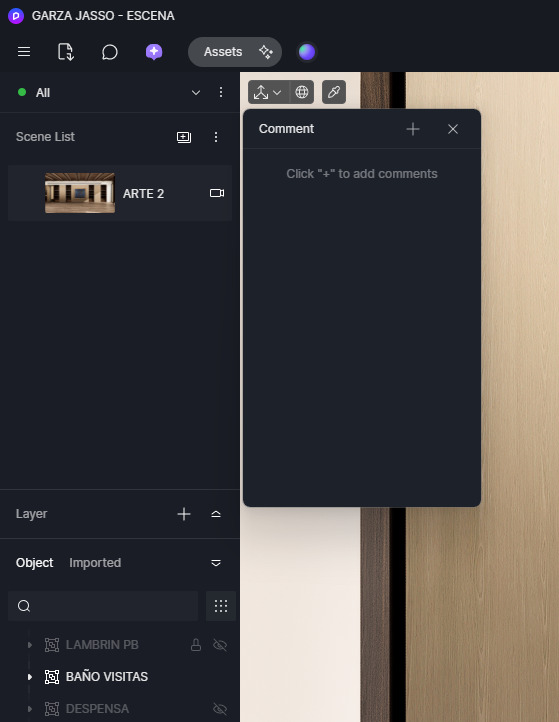
When the project opens from the workset, all scenes are missing inside D5 .
The entire scene list appears empty, as if the project was reset.
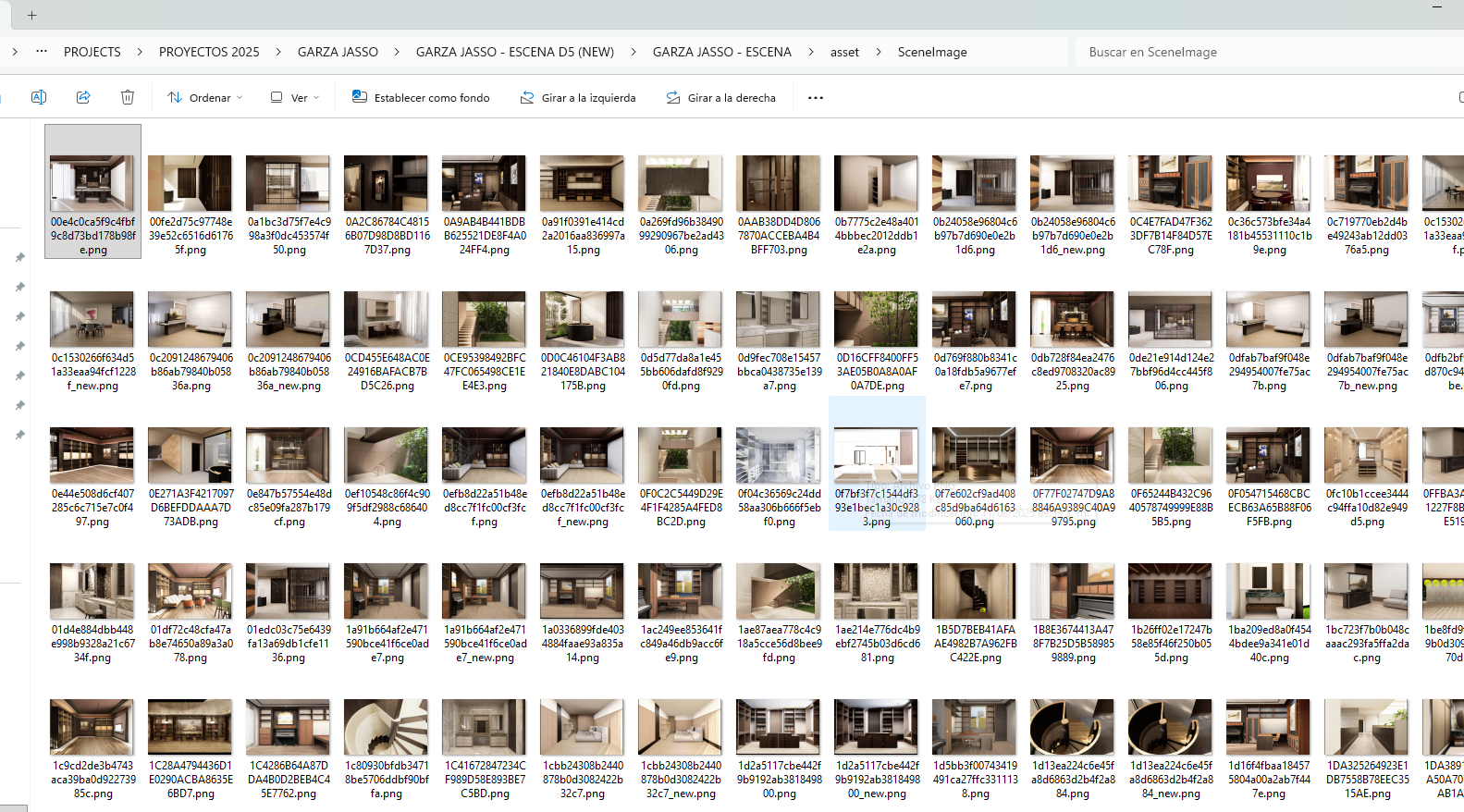
However, when checking the D5 project folder, the scene image files are still present inside the scene image folder .
This makes it seem that the scenes are not actually deleted, but not being loaded correctly by D5 .
This issue happens consistently and makes it impossible to work normally with Teams.
Could you please help us understand:
If this is a known issue in the current version
If there is a correct Teams workflow to avoid this behavior
Or if saving changes from the Central File can cause scene data not to sync properly
We are using D5 Teams for collaborative work, so this problem is critical for our production workflow.
Did this occur in a particular file, or in multiple files?
Also, was this scene file created in the previous 2.11 version? Or was it just created after updating to 3.0? We currently have an issue where opening the multi-editor file created in 2.11 with 3.0 results in the loss of scene lists, which is under fix.
This has happened to me in at least 2 projects; in one I was able to recover it with the backup. I updated the file from 2.11 to 3.0, saved the file, and reopened it from an individual workset. I believe the problem occurs when I make a change on the central workset of the multi-editor file.
Thanks and I’ll be wating for this update solution
Moring @Leah_Li . I ended up here because I had exactly the same problem described by @alfredo. My file was started in D5 3.0, and I am using the Revit Live Sync. Five scenes disappeared, leaving me with only the last active scene.
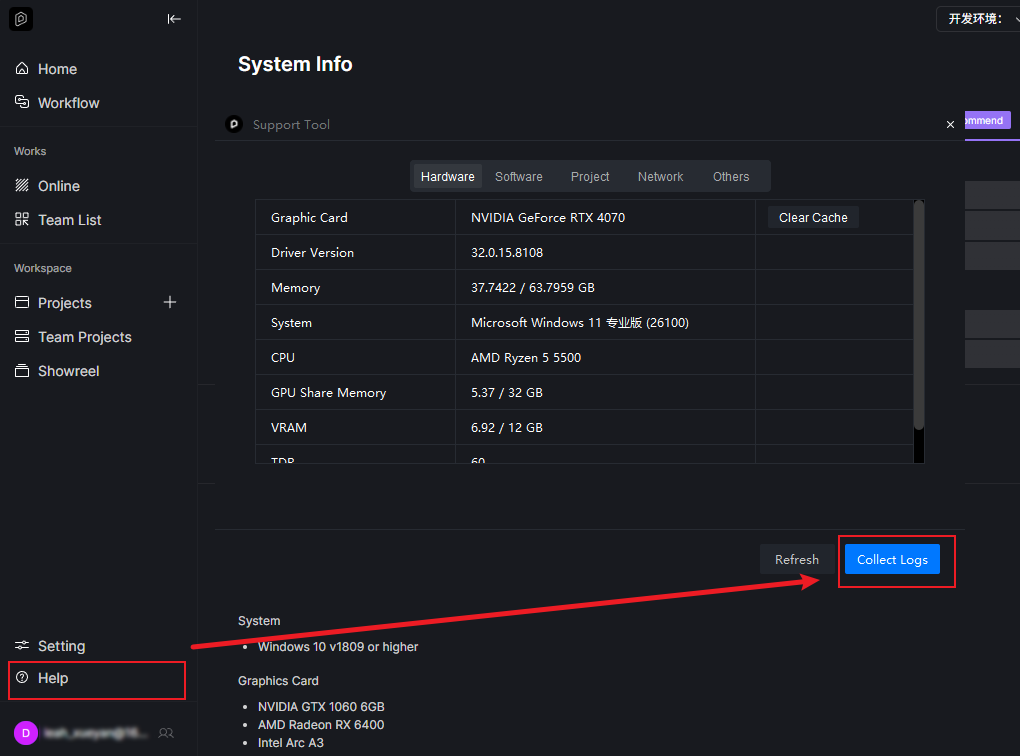
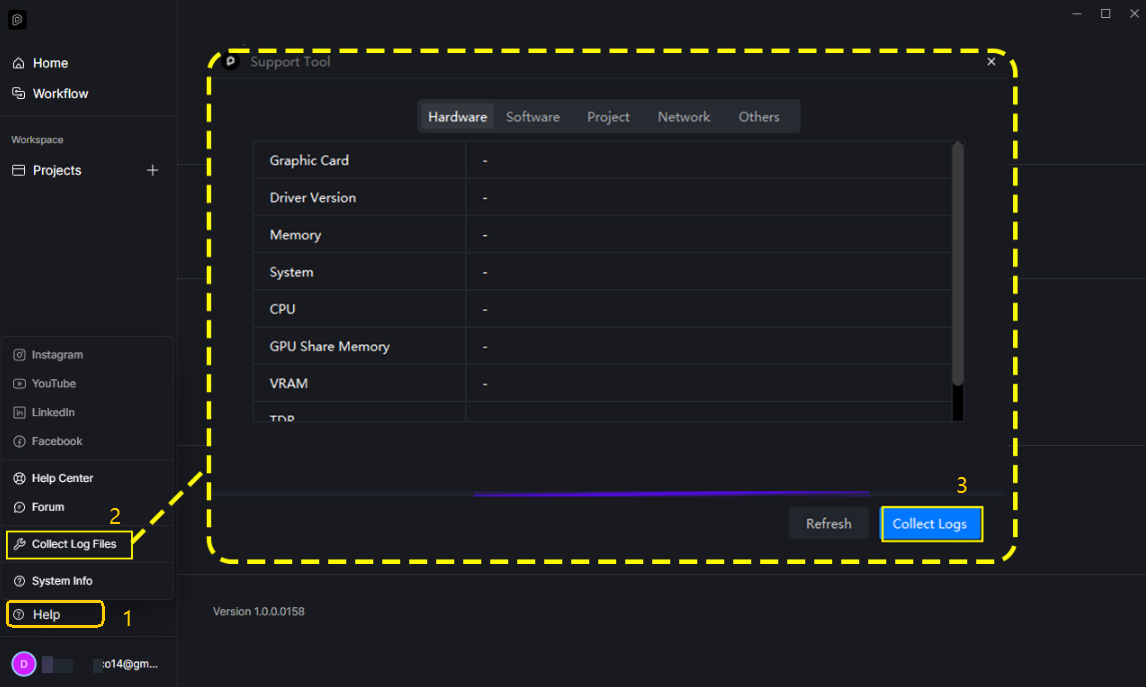
Hi, I shared the log files, and you asked me to send the full project file via a WeTransfer link. However, the file is larger than WeTransfer’s upload limit. How can we resolve this?
Regarding the full project file, would it be possible for you to compress it (zip) first and then re-upload it via WeTransfer? This should help reduce the file size and allow the upload to succeed.
@ela I have just sent my files on a we transfer link to support@d5techs.com. Note this file it’s a recovery from our internal servers from the day where the issue happened. The file has the missing scenes because I could resync them with my cameras in Revit, however all the scene settings were gone. Since this issue I have reverted the file to single editor. We are working towards a deadline and we can not afford loosing work.
You can share the project via any file transfer method that works for you. Alternatively, if possible, duplicate your file and try simplifying your scene by removing unnecessary or very heavy objects and assets. This can significantly reduce the file size and speed up the transfer.
Either way, once we receive the file, we can take a closer look and provide guidance. Thank you