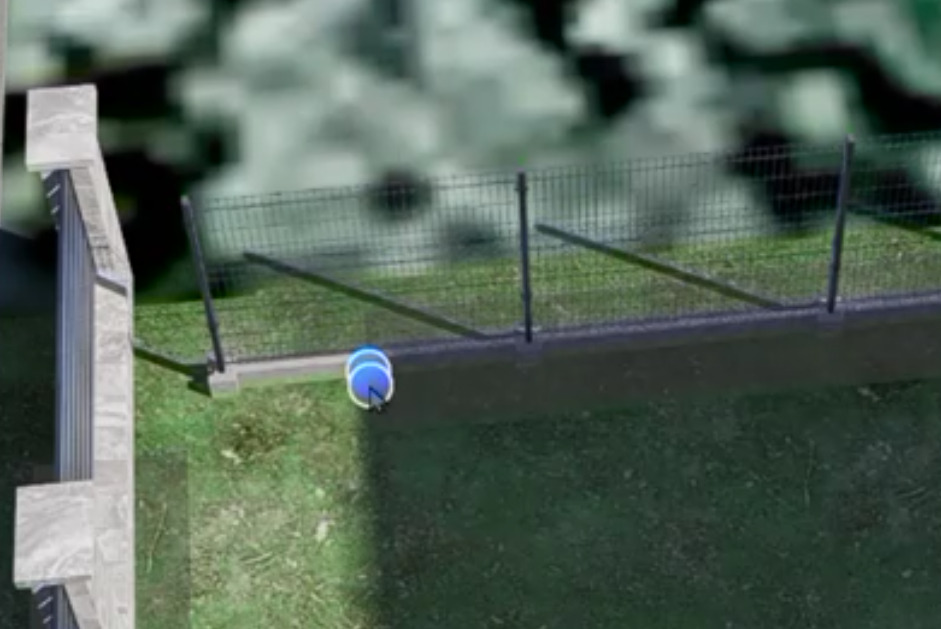
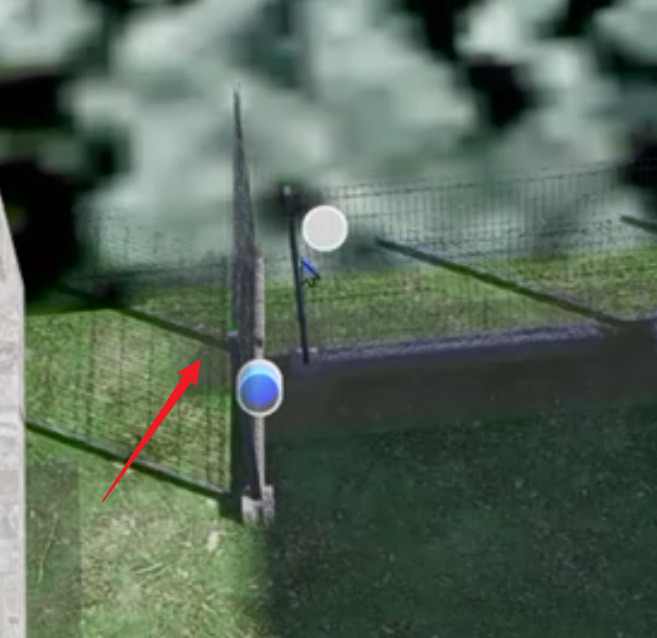
Custom Path - move path points issue on heavy scenes. It works fine on light scenes.
PT_2.zip (2.8 MB)
Custom Path - move path points issue on heavy scenes. It works fine on light scenes.
PT_2.zip (2.8 MB)
Hi @Smolak
Tested it on a 1.0 GB Demo File - Terrain; no replication on my end, so I’m not sure how heavy these files should be in order to replicate the issue that you have mentioned.
When I removed all other scene objects my custom path fences started to works fine. So there must be something that collide with them. I will check if I can compress this scene to reasonable size.
Also as you see in my video this is near impossible to drag last point without creating the new - these dragging points collides.
I noticed on your video that you move last point without dragging it - how you do that ?
fenc (2).zip (670.2 KB)
UPDATE :
This is not related to scene complexity. I just have problem to drag last point because the new is created just over it and I can’t drag last one. I must deselect all ( right mouse button ) and after that start to drag last one. It is little more noticeable on complex scene because interface works little slowly.
Last path point has the same size that the new - there is no way to drag last point without deselect all.
fenc2 (2).zip (3.4 MB)
Hi @Smolak
I am actually dragging these points to a different location to edit the path. I’ve just realized that I have a habit of pressing the Esc key each time, which may explain why I wasn’t able to replicate the issue earlier.
Indeed, it’s quite troublesome if you haven’t deselected it first. We’ll improve this further, but for now, I suggest pressing the “Esc” key whenever your cursor shows the circle icon while dragging the path.