Hi, d5 is basically unusable at the moment. As soon as you try to render or connect with archicad or sketchup it automatically crashes. I already lost many hours of work and there is no fix.
It was good before never had these kind of issues even with 3gb+ files npw 300mb.
Please fix this the software is unusable.
1 Like
Sorry for the inconvenience caused. By any chance, have you tried the workaround yet?
Hello @filonid.mahmutaj @ela
This is exactly the issue I’m currently facing with Rhino and D5. The workflow is not stable or reliable for project work, and it’s causing significant time loss.
Typically, software goes through extensive beta testing over several months before being released to paid users. That phase is meant to identify and fix bugs. Only once it becomes stable should it be launched as a proper update.
At the moment, it still feels like we are working with a beta version rather than a stable release.
I would strongly suggest reverting to the previous stable version as the current official release, fixing the existing bugs thoroughly, and then launching an updated version once it is truly stable.
1 Like
Hi @vineeth82kumar @filonid.mahmutaj
I have separated the issues you’re experiencing from the main topic, as this may differ from files simply crashing in the recent version.
Both of you stated that the crash occurs when Livesync is enabled. Please confirm the following:
-
Does this occur to all of your 3d Model files in your respective DCC software? Have you tried enabling Livesync with just a simple cube model?
-
If this issue only occurs to a specific 3d Model file, then if possible, send us your 3d Model files so we can test it on our end.
-
If you have any screenshots or video-recordings that you can provide to demonstrate the issue that would be very helpful.
-
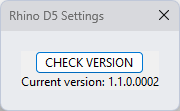
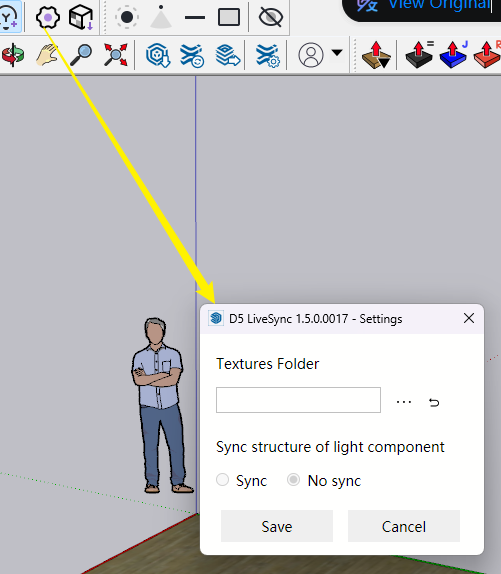
Please state your Livesync version, and preferably send us a screenshot to validate it.
We sincerely acknowledge the issues you are facing and appreciate your patience throughout this process. It’s crucial to understand that before launching a new version, we conduct thorough beta testing for several months to uncover any significant bugs or issues. We take stability seriously and do not release versions lightly.
That said, challenges can still come up even in an official release, a reality faced by all software, including games and rendering tools. Rest assured, our dedicated team is actively collecting user logs, files, and other essential information to accurately diagnose and resolve the problems you are experiencing.
Your feedback is invaluable as we strive to enhance your experience. Thank you for your continued support.