I manage to connect my headset to D5 Render, but when I enable the virtual reality function, the project’s quality drops significantly and it stutters a bit. Is there a specific setting I can adjust to improve this? I’m using a Dell laptop with a 13th Gen Intel(R) Core™ i9-13900HX (2.20 GHz) processor, 32GB of RAM, and an RTX 4060 graphics card.
Can you please confirm the following:
- D5 Version you’re currently using? Are you using 3.1.0.0746?
- Does this occur to other files as well or just this specific one?
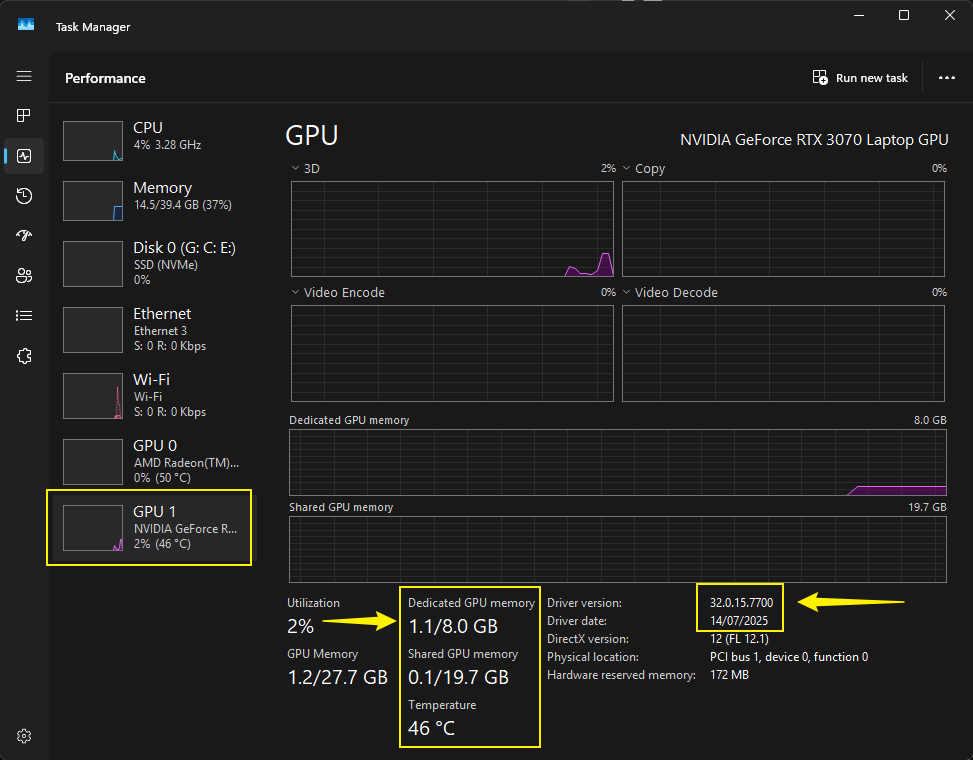
- While the file is being opened/viewed, can you check your Task Manager> Performance > VRAM Portion? Please send us a screenshot.
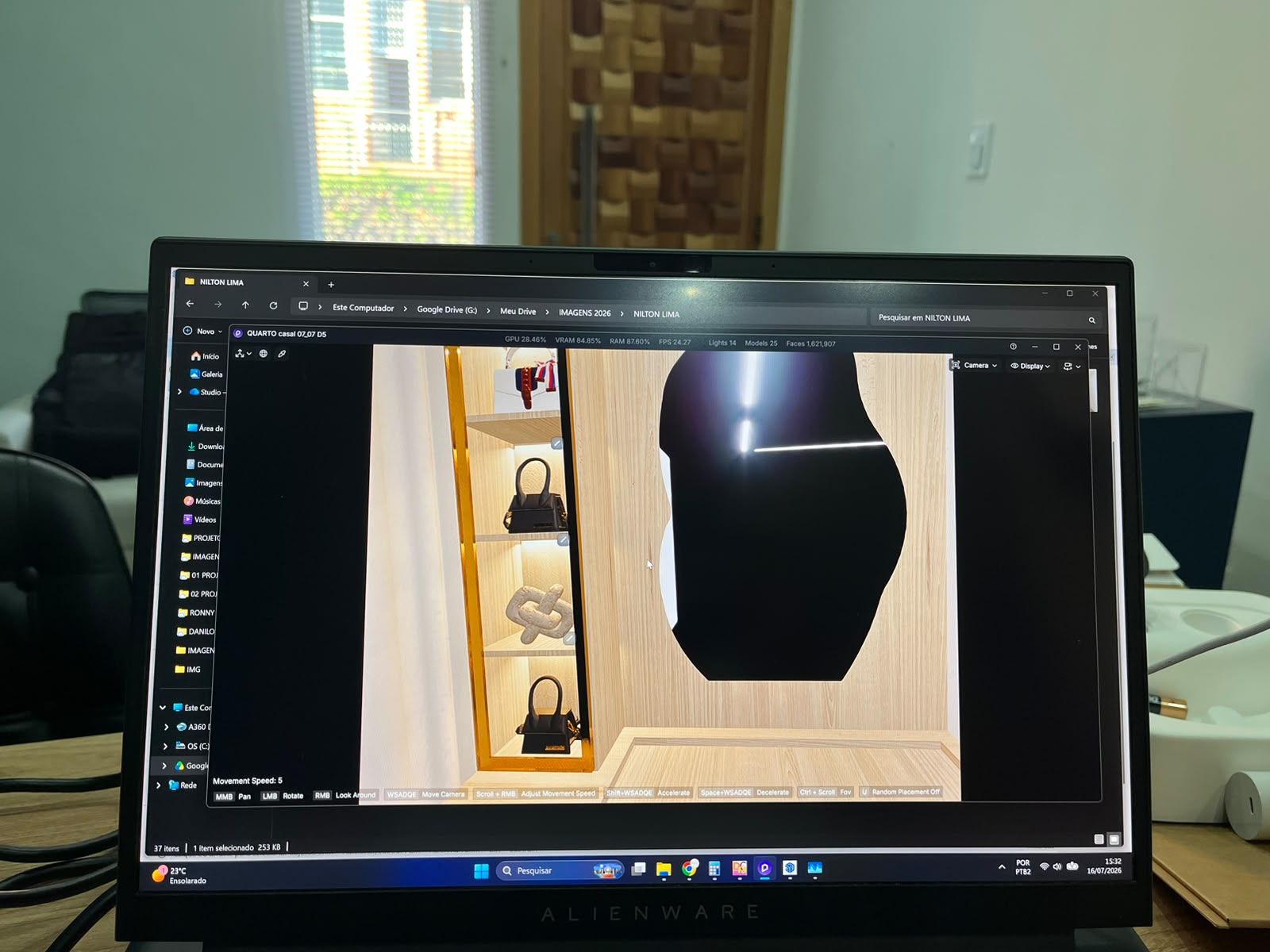
That’s right, it already has that update; it happens with other files too. Do you want me to send a screenshot showing D5 connected to the virtual reality headset?
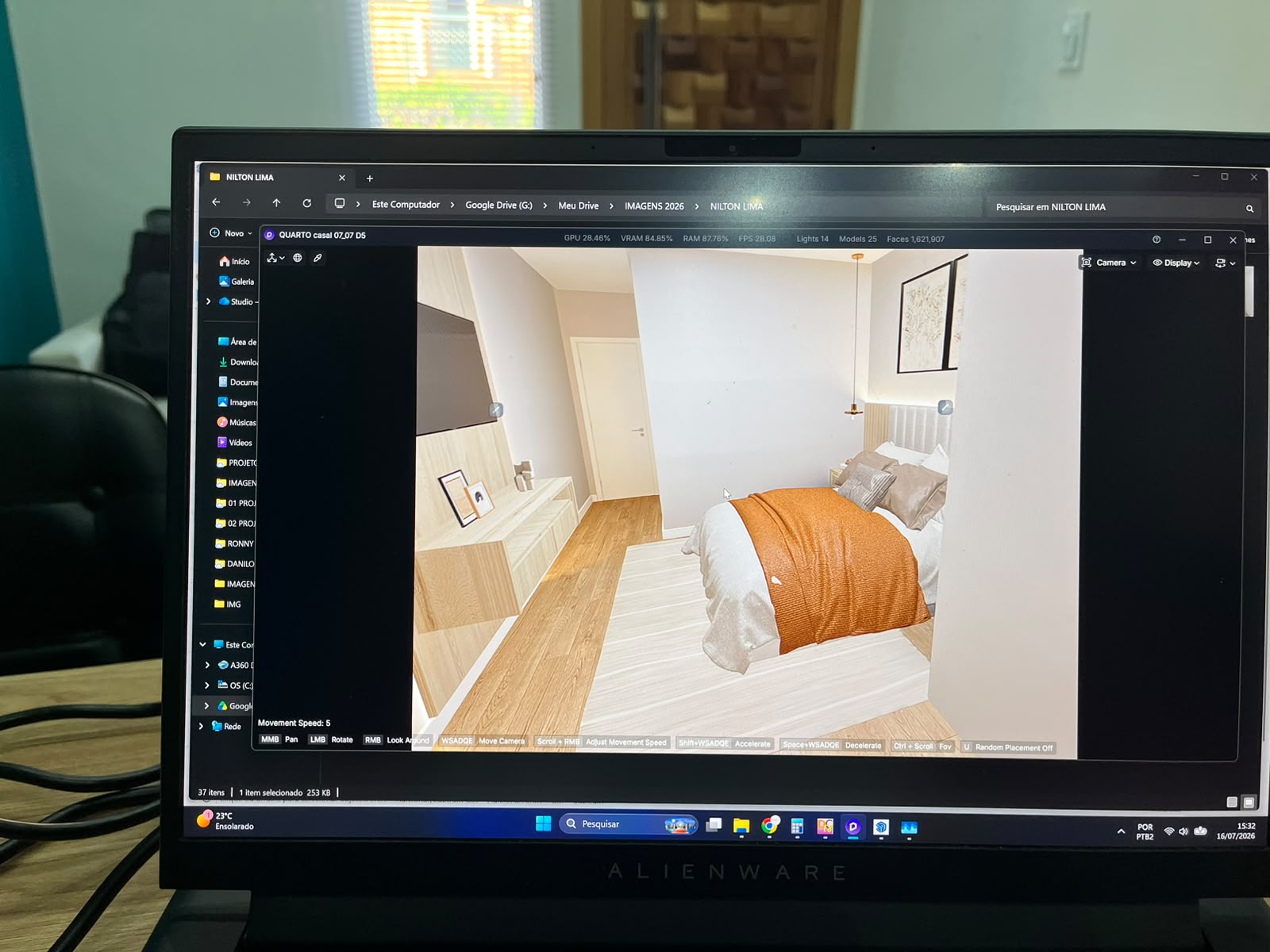
This screenshot shows the scene with the glasses enabled in D5 Render; one detail you can notice is that the mirror doesn’t reflect, and the material doesn’t look quite as realistic.
Uploading: WhatsApp Image 2026-07-16 at 15.37.17 (1).jpeg…
Uploading: WhatsApp Image 2026-07-16 at 15.37.17 (2).jpeg…
Uploading: WhatsApp Image 2026-07-16 at 15.37.17.jpeg…
The screenshots you have provided do not display here in the forum. Please wait for them to load before sending your reply here. Thank you.
Additionally, which VR Quality settings were you using?
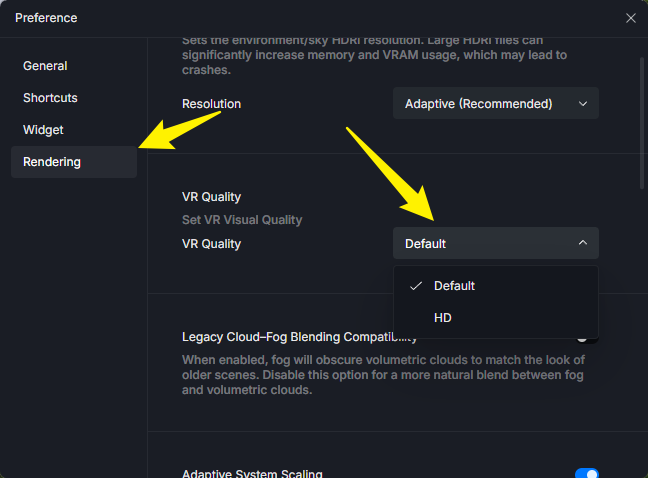
- Default: Suitable for most devices; balanced performance and quality.
- HD: Enhanced rendering precision, optimized lighting and material reflections. Suitable for high-performance devices or static showcases.
Were you able to use VR Wayback 3.0.1? How does it compare to version 3.1?
- Please send us your files
- Along with your log files.



You may generate a link containing these files and send it to me privately.
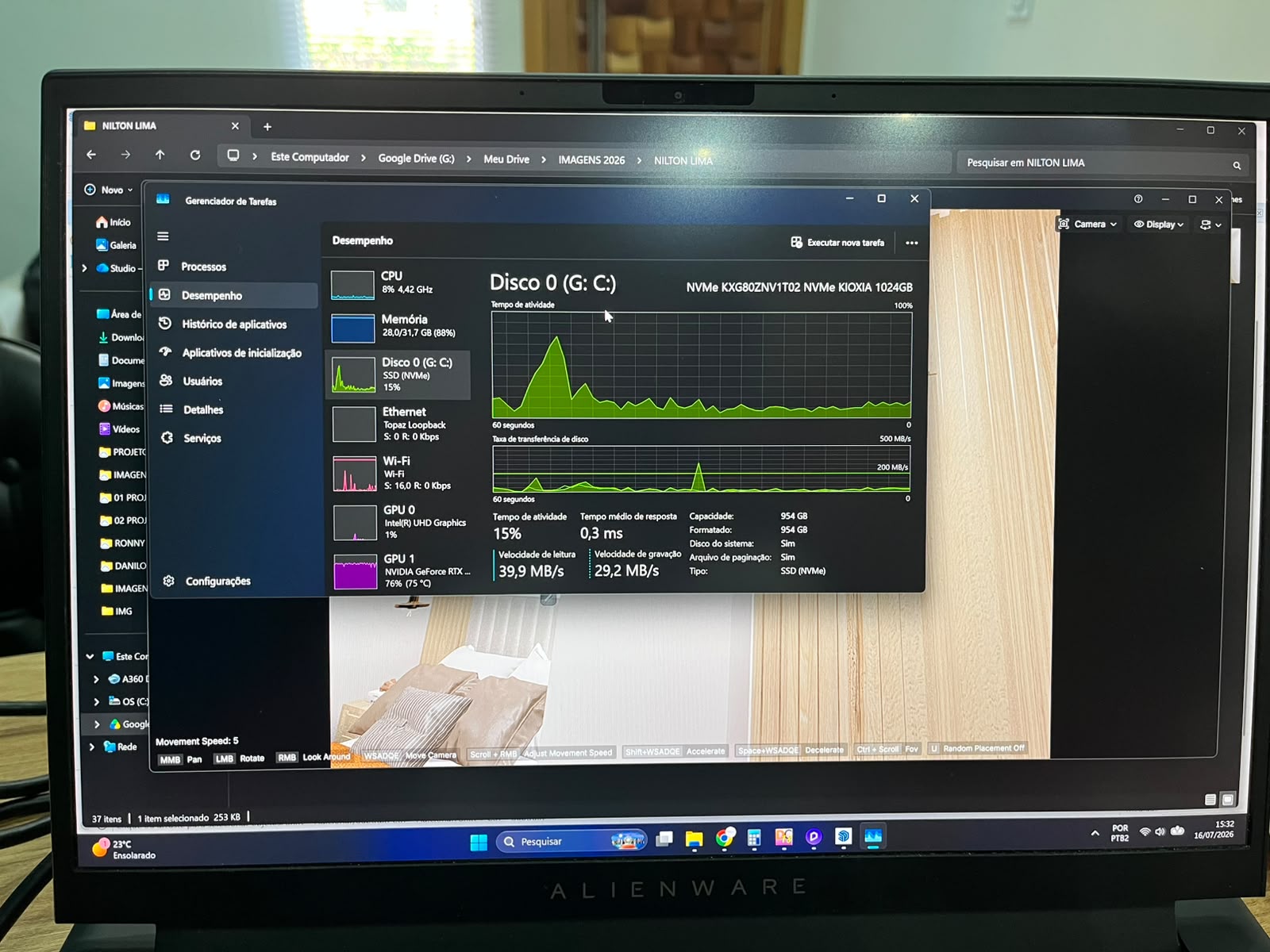
I am having a similar issue. Should I start a new Thread or add all my information on this thread? Thanks!
Hi @bcross
Preferably, please add it to this thread to streamline our communication. Additionally, please check out my replies and confirm the following information.
- Are you also using the same device?
- Were you able to update your device’s browser?
Here is the link to the file.
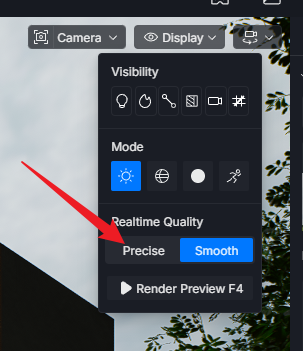
Can you please check if you’re running Smooth Mode?
- Try switching to Precise Mode and see if the materials are all displaying correctly.
- We’ve also requested your logs; can you send them to us? Please refer to the images that I have already sent here in this thread.