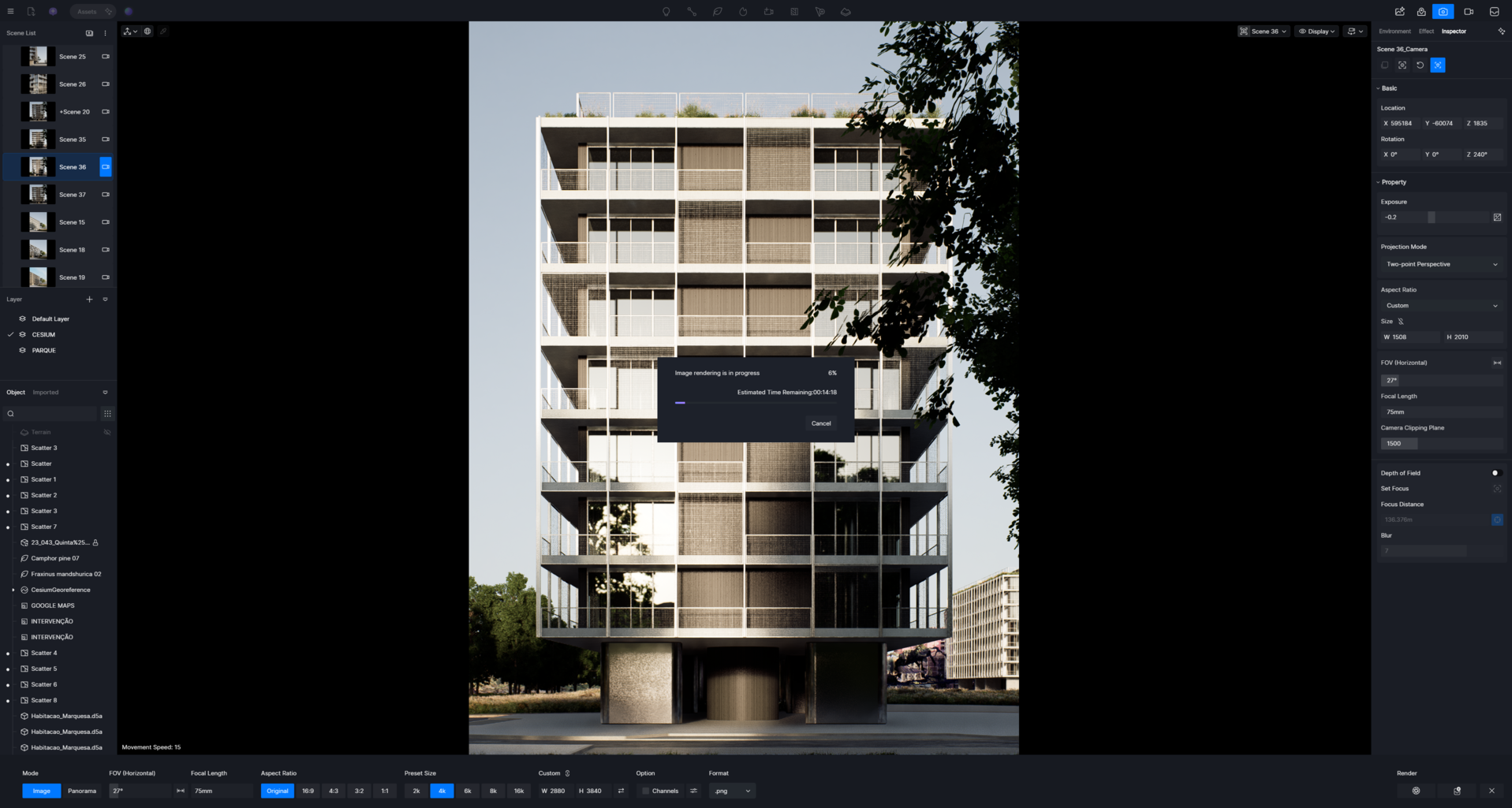
During CESIUM, my scene isn’t rendering; it’s stuck at 6%. I don’t understand why. I think it’s related to the new version.
D5 Render 3.0.0:
Nvidia 3080 Tİ:
591.74 :
During CESIUM, my scene isn’t rendering; it’s stuck at 6%. I don’t understand why. I think it’s related to the new version.
D5 Render 3.0.0:
Nvidia 3080 Tİ:
591.74 :
I believe our test a few days ago was also stuck at 6% while rendering Cesium assets.
Maybe D5 3.0 is having some internet connection issues, because Cesium uses streaming and AI features that are currently out are also reliant on internet connection.
I’m not a software engineer, just throwing suggestions out there. 
I have the same problem! 
Just curious, is it any different if you try to render at different focal lengths? I’ve noticed D5 simply will not finish the render if I render anything higher than a ~40mm focal length with Cesium on.
I tried again and it still didn’t work. It’s stuck at 6%. I wondered what I should do, why it failed, and why I didn’t get a solution from technical support.
Hello @sahne.render @joseph.lico @nicolasgasp @DaStruCon
Thanks for reporting this.
Could we know if this problem occurs across different files or in particular files/scenes?
The issue is that once you enable Cesium and launch rendering, it gets stuck at 6% and never proceeds. Is this the same case you are encountering?
Kindly provide a test d5 file and your log file, send to support@d5techs.com, tag ‘Forum’ in Subject, and attach the link to this post in the email. This could greatly help with the investigation and fix.
Thanks for your help.
Kindly provide a test d5 file and your log file, send to support@d5techs.com, tag ‘Forum’ in the Subject, and attach the link to this post in the email. This could greatly help with the investigation and fix.
Thanks for your help!!!
Has anyone managed to find a workaround for this issue? 
Hello @nicolasgasp @DaStruCon
Our team has checked this issue.
When rendering, you need to waitfor Cesium to complete loading. If Cesium fails to load at this point, it will remain stuck indefinitely. The latest hotfix version includes error prompts.
If you encounter different issues, please let us know.
Thanks for the info.
Im not sure how much time does it take for Cesium to fully load (we have a 500 Mbps net connection) but im pretty sure the scene i wanted to render was stationary for about 10 minutes.
I did think that Cesium loading could be the issue so i wanted to limit the range, but that option didnt work for me. The Cesium model would just disappear completely no matter what values i imputed for the range. Maybe look into that issue as well.
Same problem here. I have Starlink with at least 150mb download speed, but it only uses approximately 6mb or sometimes up to 20mb download speed. I set LOD transition and Maximum Screen Space Error set to 16.
After installing D5 3.0.1. Hotfix today i was able to render an image with Cesium (Google 3D tiles), but Cesium Range Limit still not working. Created a New Project and imported Cesium only, but the bug was still present. So it’s not related to a single project.