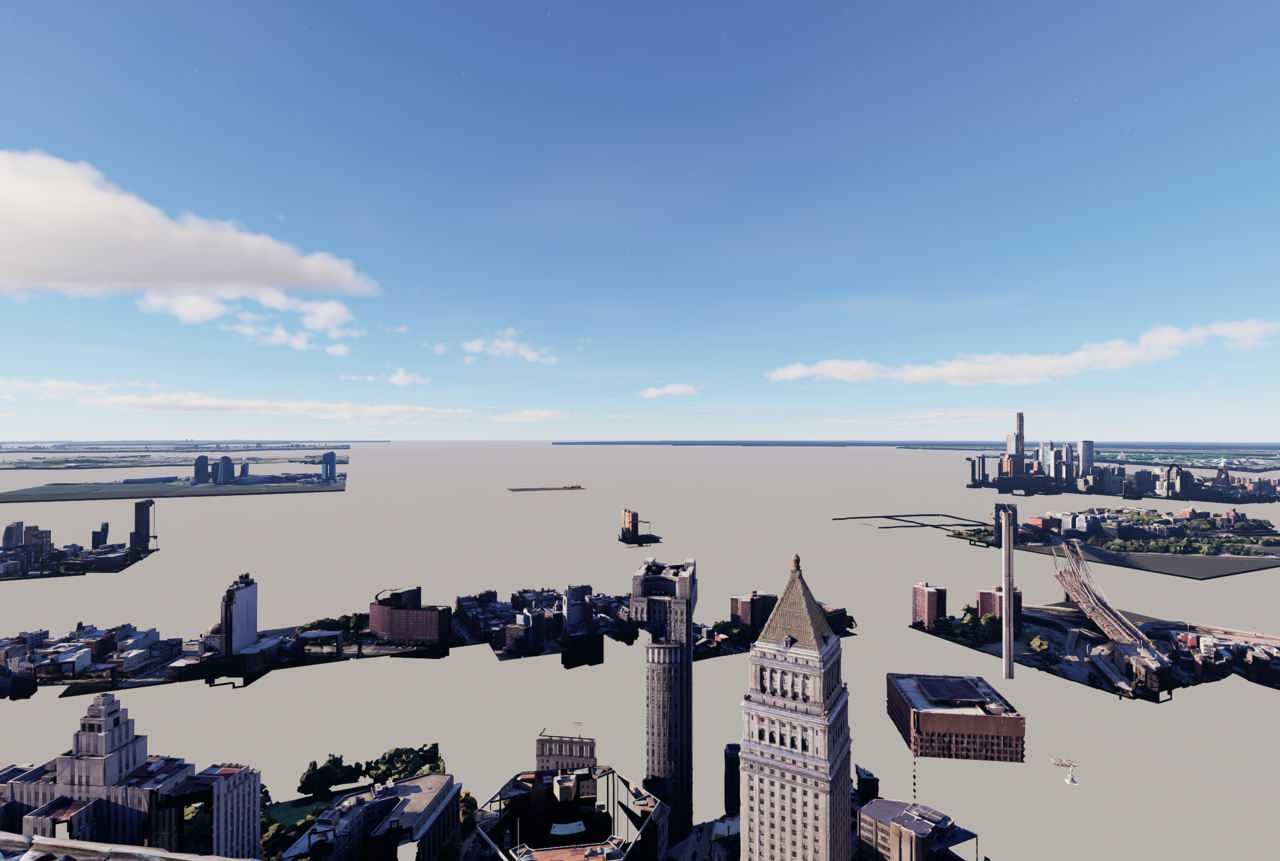
Hi! I been having this problem with the renders, I dont know why the images are going out like that working with cesium. I have a pro license.
1 Like
Apologies for the inconvenience caused. To help identify the cause and guide you toward a solution, I need a bit more detail. Could you please confirm and try the following?
-
Does this problem happen only with this specific Cesium project, or with other Cesium scenes too?
-
How large is the Cesium area you’ve loaded? (High camera distance or very large terrain datasets increase tile loading.)
-
Are you connected to a stable internet connection? Cesium data streams progressively, and a poor connection/streaming interruption can cause incomplete tile data that looks broken.
-
Can you see the Cesium data fully loaded in the viewport before rendering?
-
Can you export a small test area with minimal Cesium data (e.g., only terrain or only satellite imagery) and see if that renders fine? This helps isolate whether it’s the tiles or something else.
Hi!
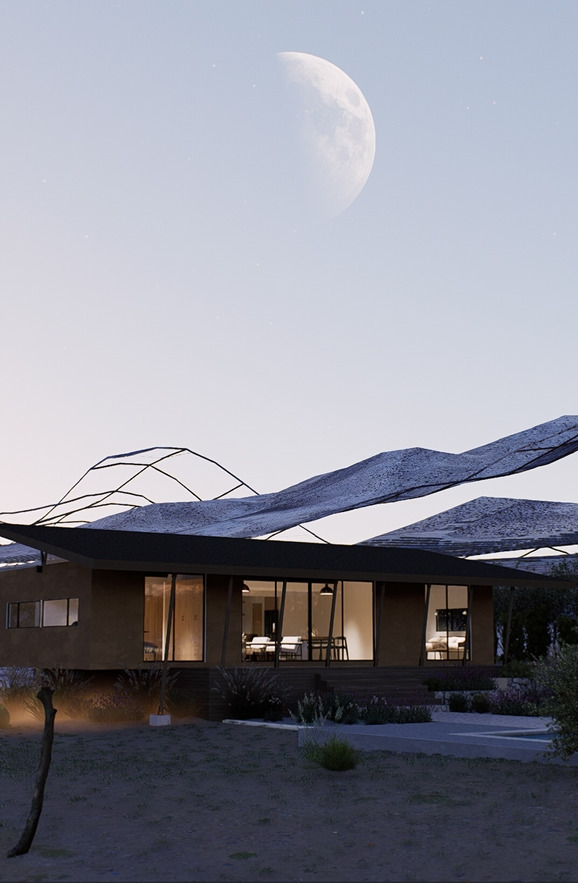
This happened to me too; I rendered videos and images, and in both cases, Cesium failed me.
It looks great in the workspace, but when exporting, it looks like this.
It would be good to implement the option to import only one section of terrain into Cesium to prevent the program from crashing.
Good day,
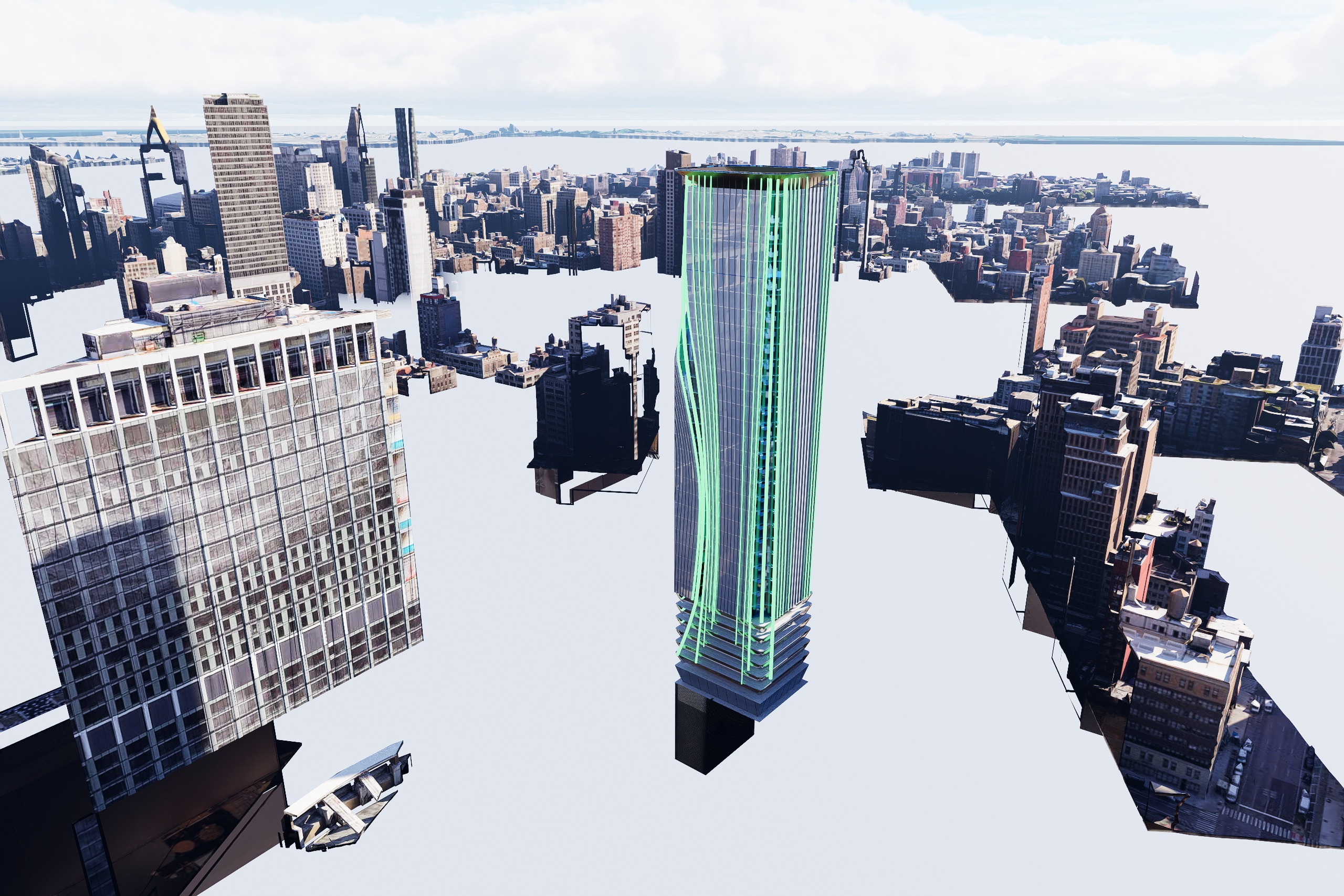
Cesium is displaying great in the viewport however is not rendering or loading tiles correctly in the final render.
Please see attached render.
Any ideas would be highly appreciated!
Thank you!
I’m sorry to hear this. Could you please confirm the following so we can investigate further? Thank you
Hi! Tae Konrad here.
Currently, two of us are working from two different accounts, and we’re both having trouble working with Cesium, tiles are constantly disappearing. In the working view, the terrain loads completely and looks amazing. However, when we export, we get results like the one in the previous image, with the terrain incomplete.
We’ve run tests with shorter focal lengths and 18mm, which shows fewer errors, but it still appears incomplete. We’re only working with the satellite image.
One of us is using an NVIDIA GeForce RTX 4060 Ti, and the other is using an NVIDIA GeForce RTX 5070 Ti.
Furthermore, Cesium doesn’t allow us to set a limit on the imported terrain, so it seems that if we move around in the work view, the terrain keeps loading indefinitely. I think that’s part of the problem.
Regards.
Thanks for replying.
-
Does this problem happen only with this specific Cesium project, or with other Cesium scenes too? - All projects
-
How large is the Cesium area you’ve loaded? (High camera distance or very large terrain datasets increase tile loading.) - Its a high camera - I have also tried adjusting Max Screen Space Error Settings, Range limit and LOD Transition toggles.
-
Are you connected to a stable internet connection? Cesium data streams progressively, and a poor connection/streaming interruption can cause incomplete tile data that looks broken. - I monitored network stats whilst rendering and no internet/network issues or drops. See internet speed test: Speedtest by Ookla - The Global Broadband Speed Test
-
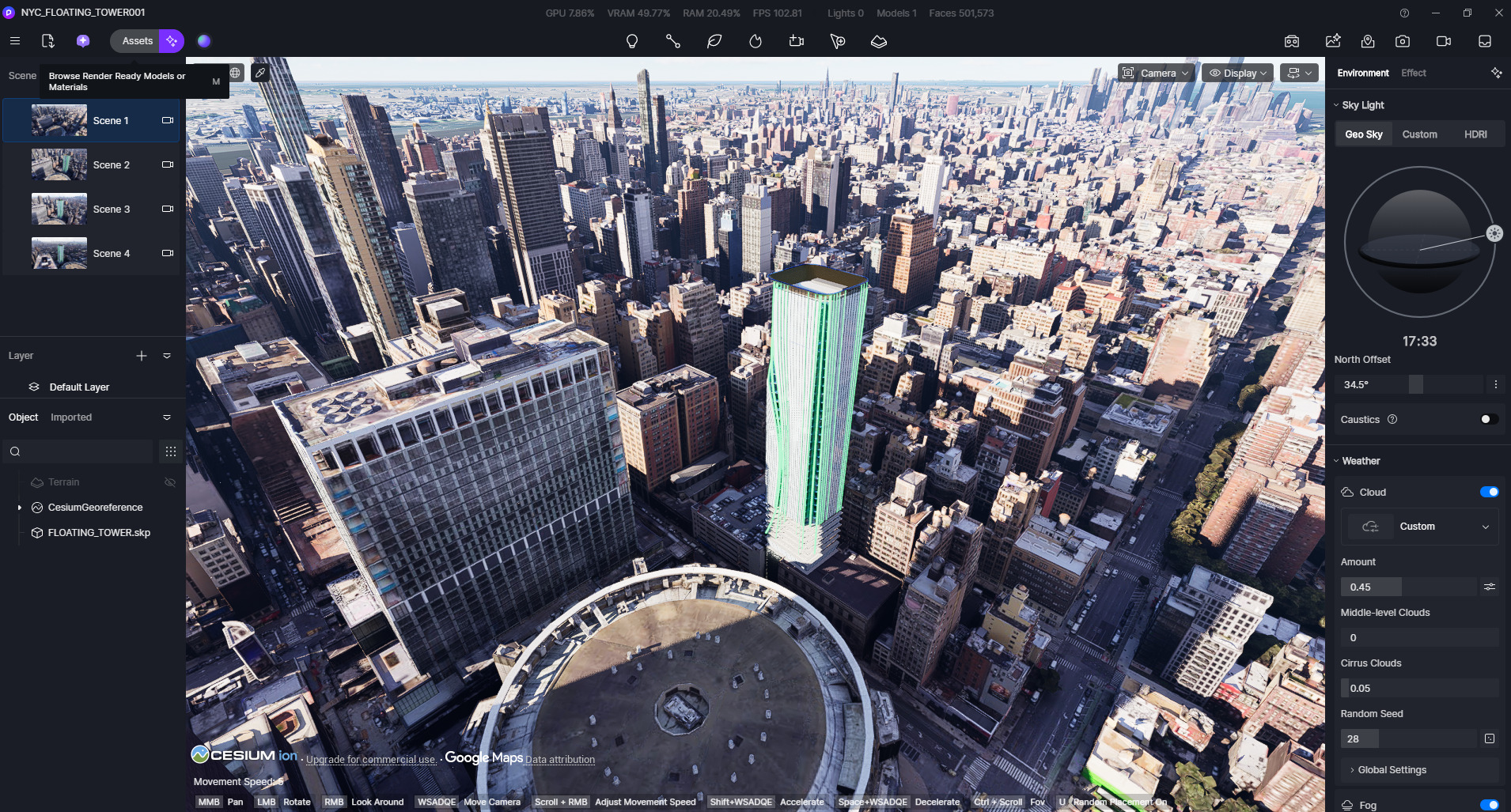
Can you see the Cesium data fully loaded in the viewport before rendering? Yes I can with amazing perfoemance. See screen grab
-
Can you export a small test area with minimal Cesium data (e.g., only terrain or only satellite imagery) and see if that renders fine? This helps isolate whether it’s the tiles or something else. Did that still not working.
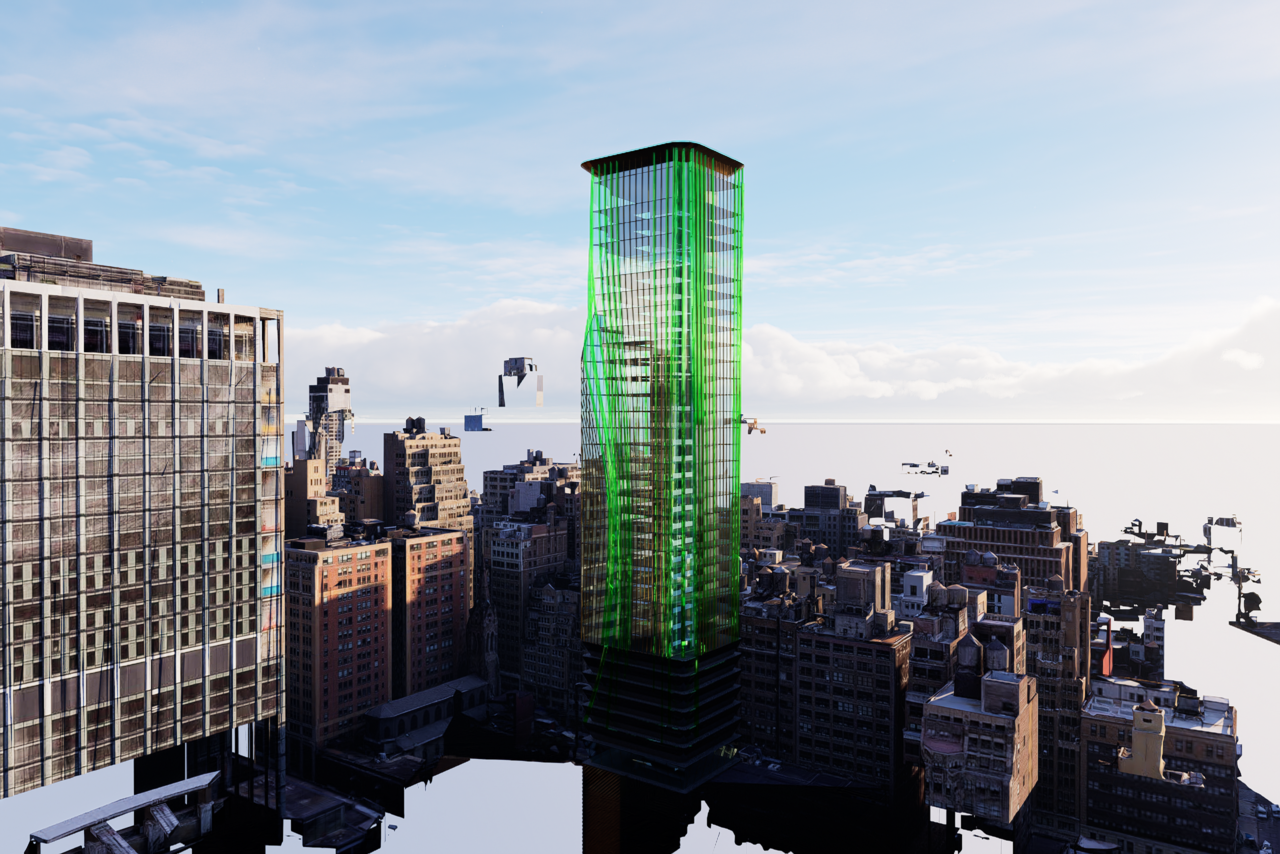
Installed D5 on an older machine and is working perfectly on that… Could it be that I installed the Nvidia Studio Driver?
**Update: I have installed the latest gaming driver and no change:
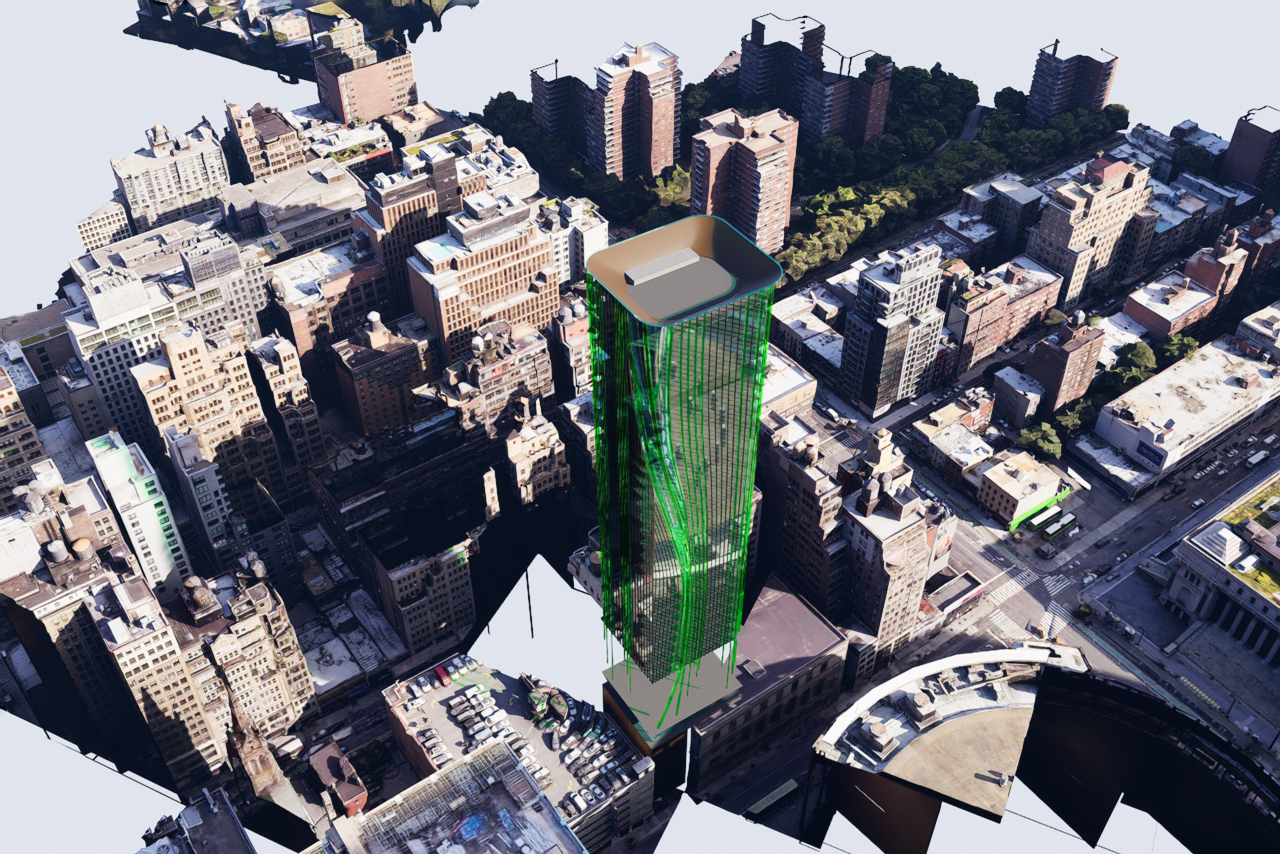
Just tested animation. It works fine no issues. This issue only seems to be with stills rendering…
Hi @shane @munizaga.arq @martin.canziani
I apologize for the inconvenience caused. Could you please let me know what version of D5 Render you are currently using?
Also, please collect your log files and send them to support@d5techs.com. When you do, make sure to tag me in the email and include the link to this forum post for reference. Thank you for your patience.
Please send your log files to support@d5techs.com. Make sure to tag me in the email and include the link to this forum post for reference. Thank you for your patience.
I’m having the same issue and I would like to know if it has been resolved?
i solved this problem for now by creating a cube section and keep inside the cube only the part i wanna visible of the Cesium Map. This way i think the programs loads only the visible part of the map
Hi @NOG_the_DOG @florian.heise
Our development team is actively looking into this, and a fix is planned for a future update. We appreciate your patience while we work on a permanent solution. 
Hi,
As of today, I am also having the issue; working view looks great, still frame renderings are missing all kinds of Cesium tiles. Same/similar settings and answers as the others from above (RTX4090 here, updated drivers, etc).
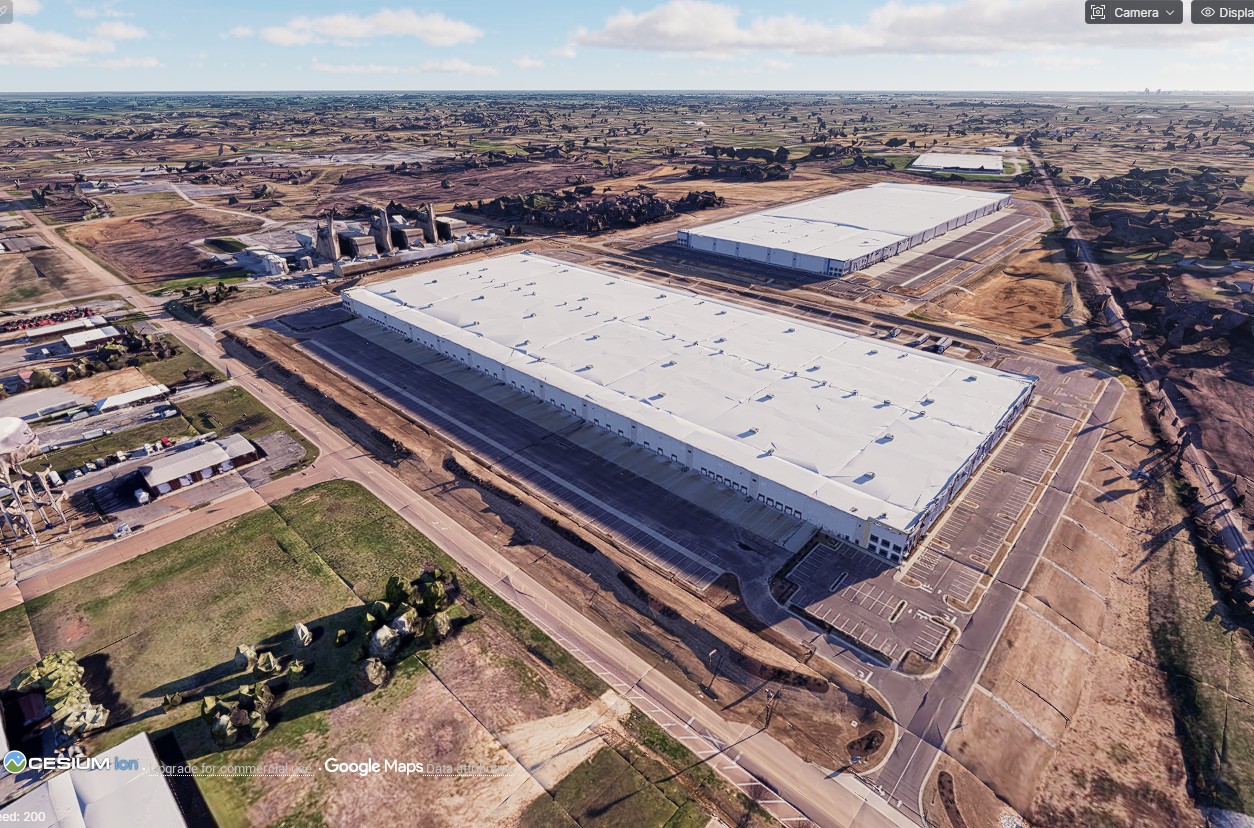
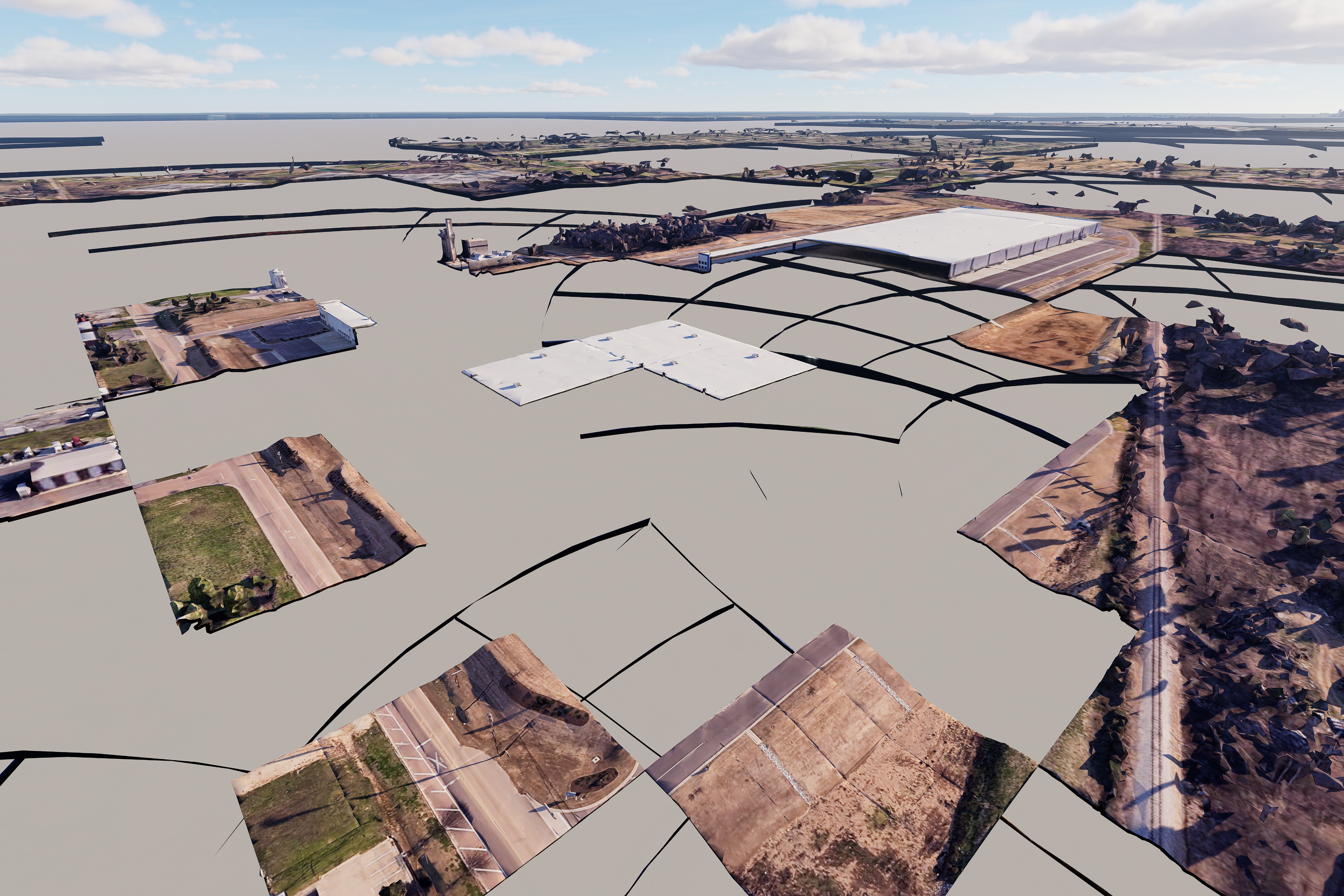
Any progress on this? Or, any estimate on a timeframe of when there might be one? It essentially makes Cesium unusable, which is really unfortunate obviously.
thanks
We have identified several possible causes so far:
- Two-point perspective setting – This may be affecting the rendering. If you are currently using two-point perspective, please try disabling it and check if the issue persists.
- Note: If two-point perspective is used with a 0° pitch angle, it may not trigger the issue.
- Google resource loading failure – This could be related to known issues such as: Google-compatible token refresh · Issue #749 · CesiumGS/cesium-native, or similar cases where Google resources fail to load properly.
- We are also checking whether all affected users are using Google Photorealistic 3D Tiles, as this resource may be a common factor.
As of now, the fix is targeted for release in the next version.
Any update on this? I was really excited to use this feature for my current project, but I’m running into the same issue.
The problem seems to be tied to output resolution and detail level. It works fine in the viewport, and it also rendered correctly for a 720p animation and a 2K still at detail level 16. But once I move up to 4K or raise the detail level, the issue starts to appear and gets progressively worse at higher resolutions. At 6K, most of the tiles are missing.
2K - Detail Level 16 (site removed with cube selection)
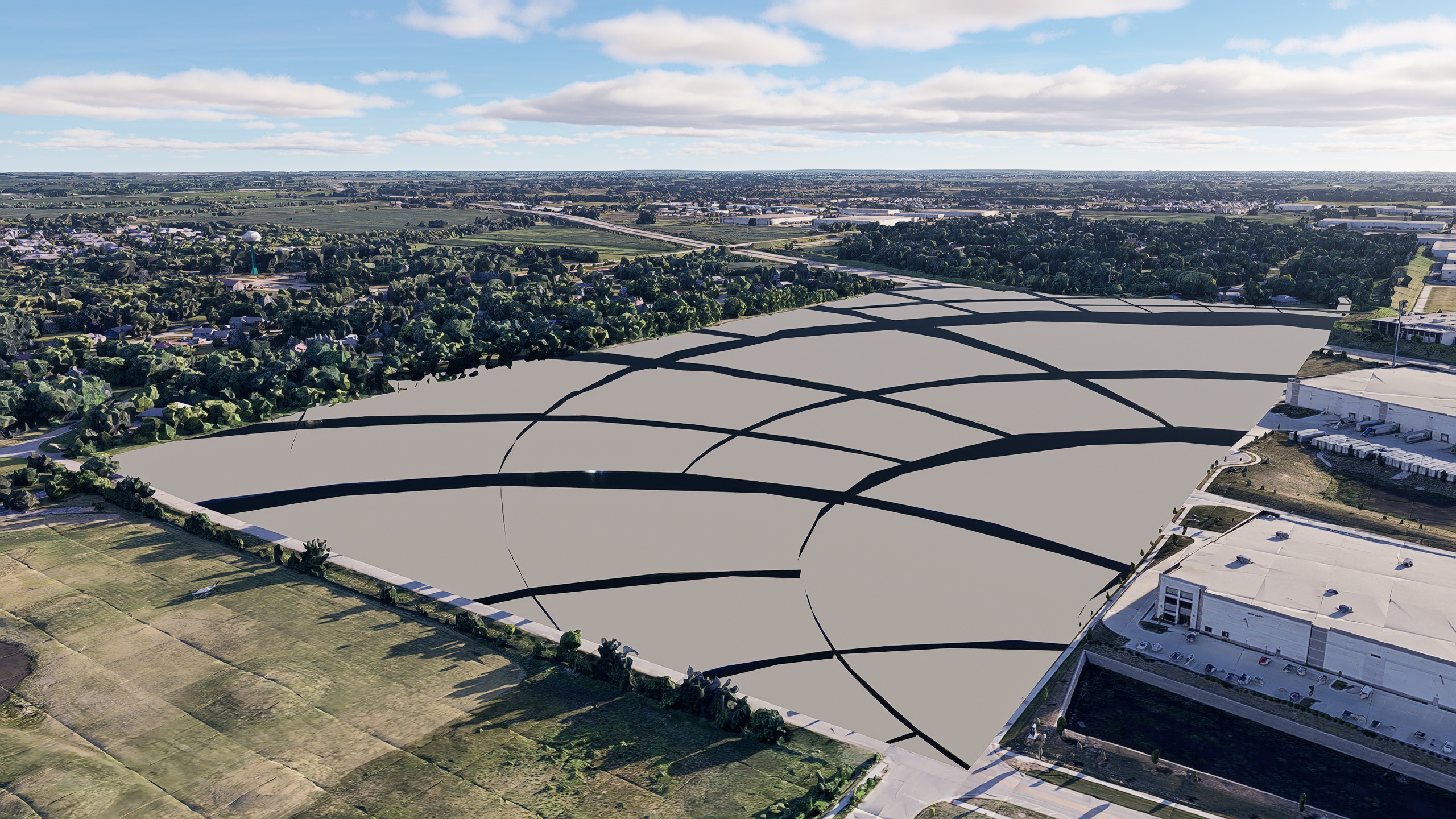
4K - Detail Level 16 (site removed with cube selection)
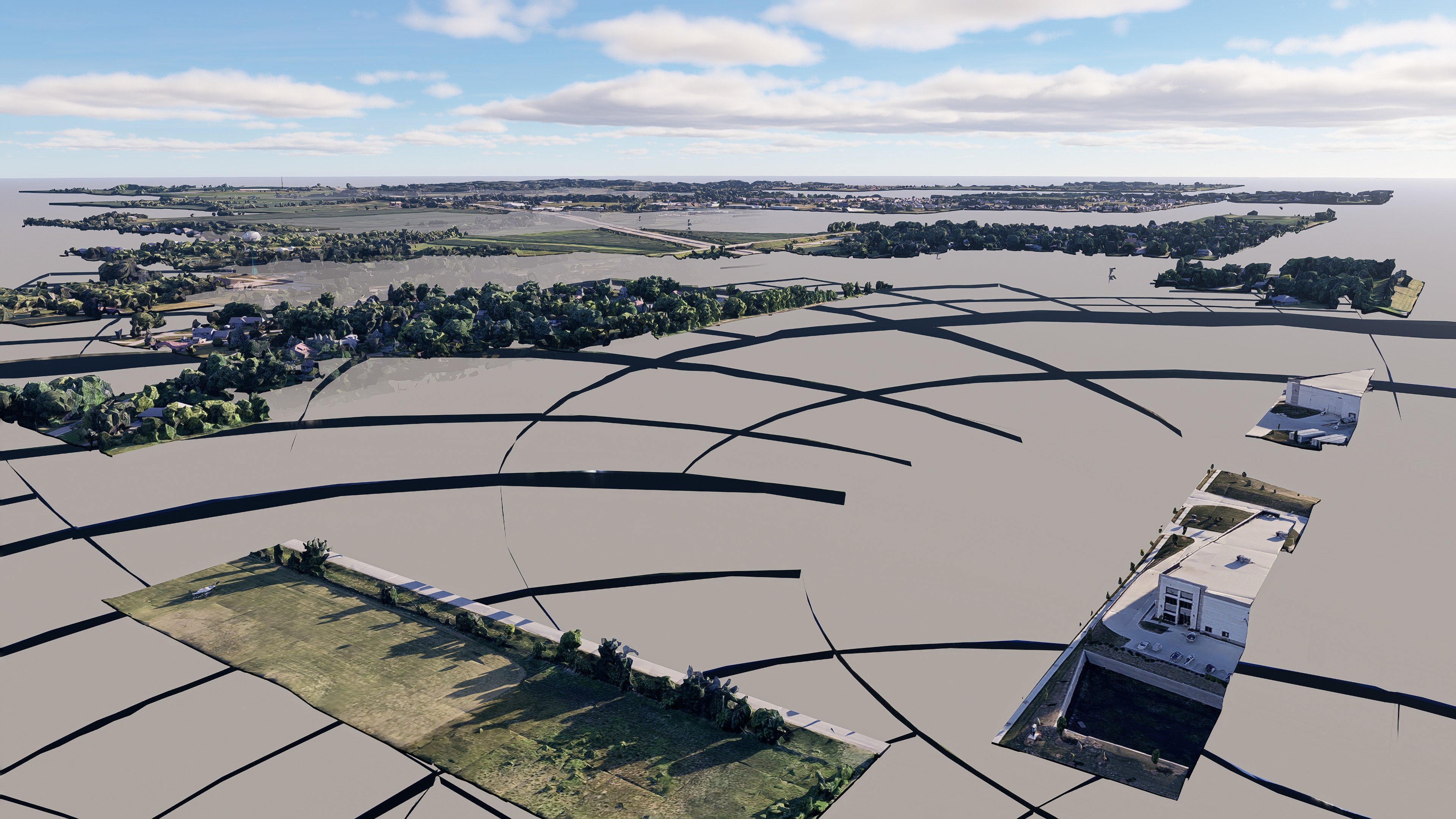
6K - Detail Level 16 (site removed with cube selection)

Viewport - Detail Level 4
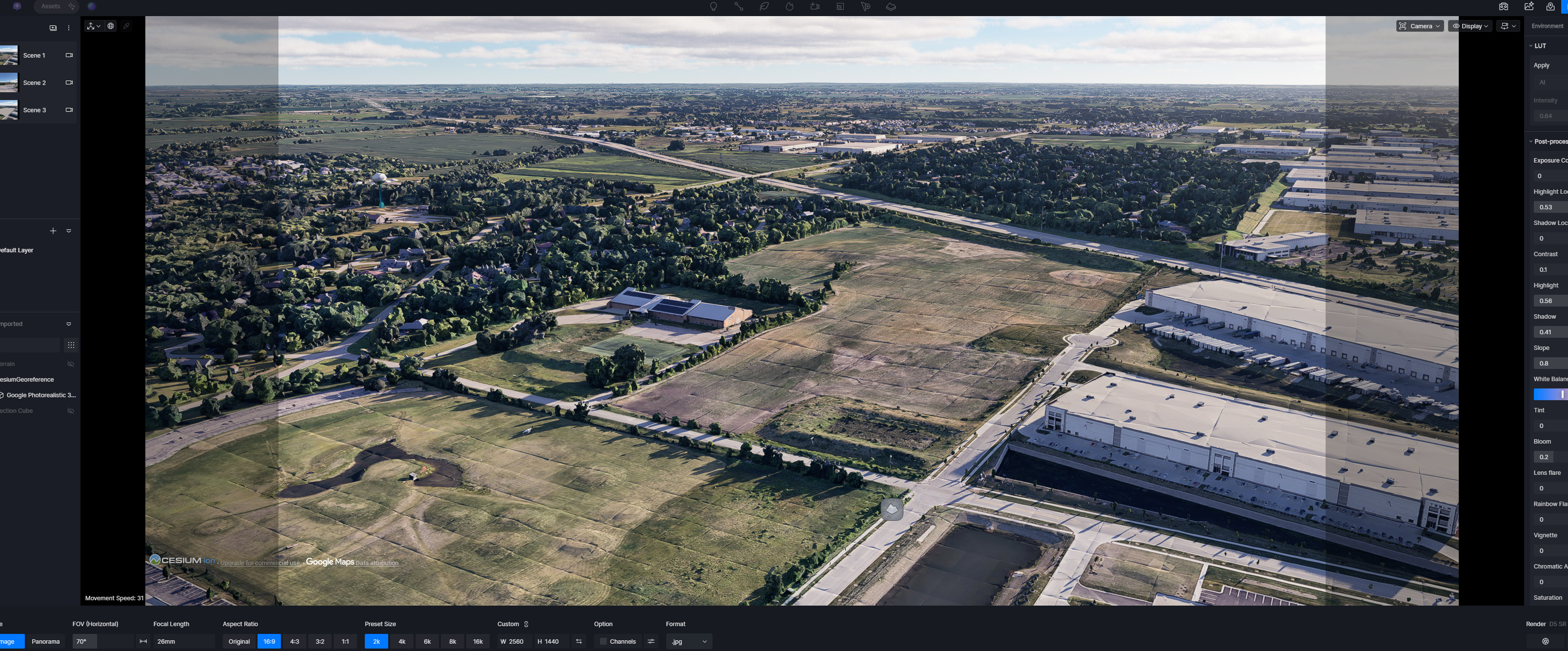
720p Animation
720p Animation (no issues)
This is the latest update. The issue is targeted to be fixed in the next version.
1 Like
So, any ETA on this? It’s been a few months since this issues was first reported, can we not get a point release to fix this issues? Such a fantastic, major feature that’s completely unusable at the moment!
Well, they said, ‘the fix is targeted for release in the next version’, whenever that is.