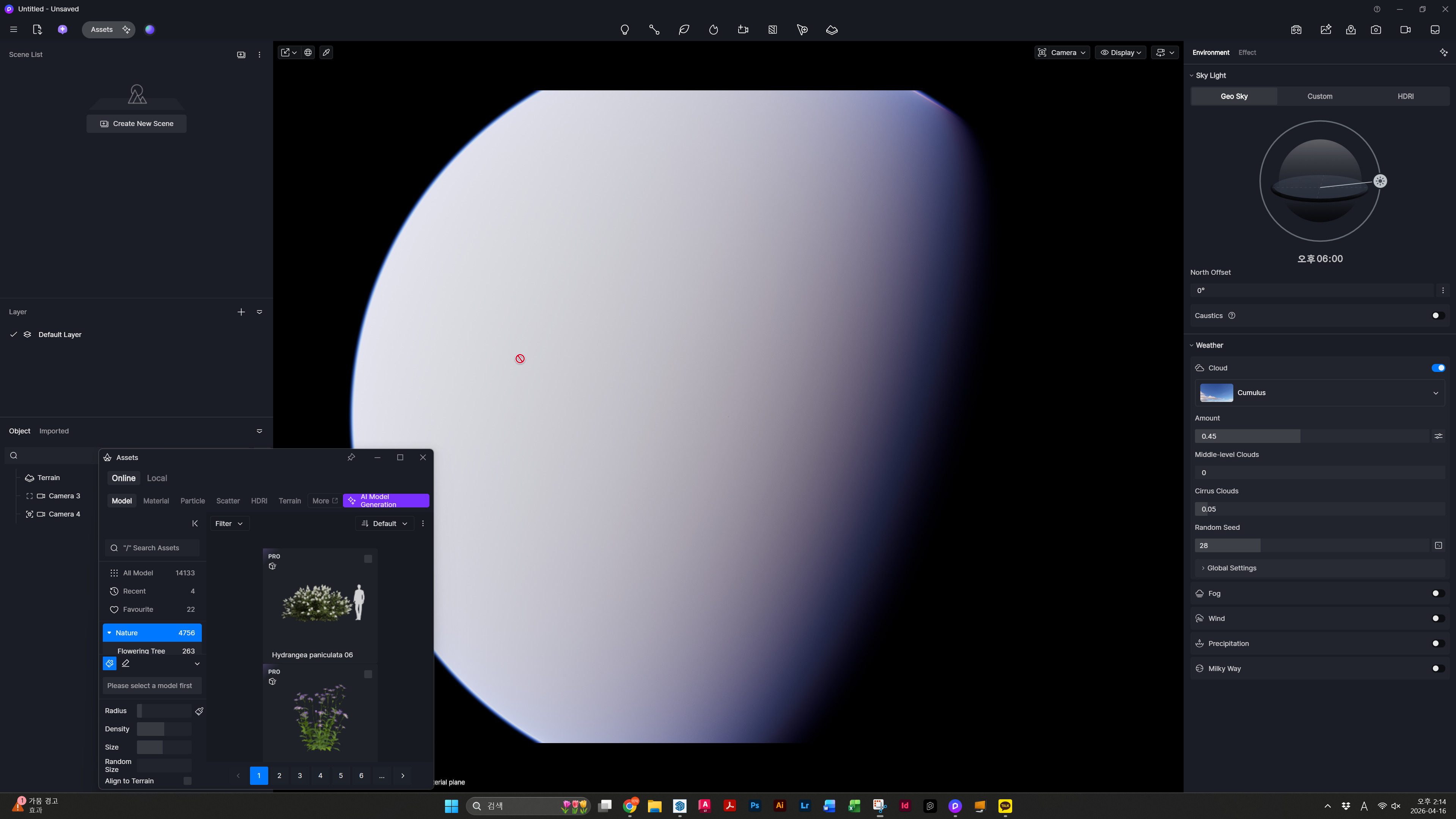
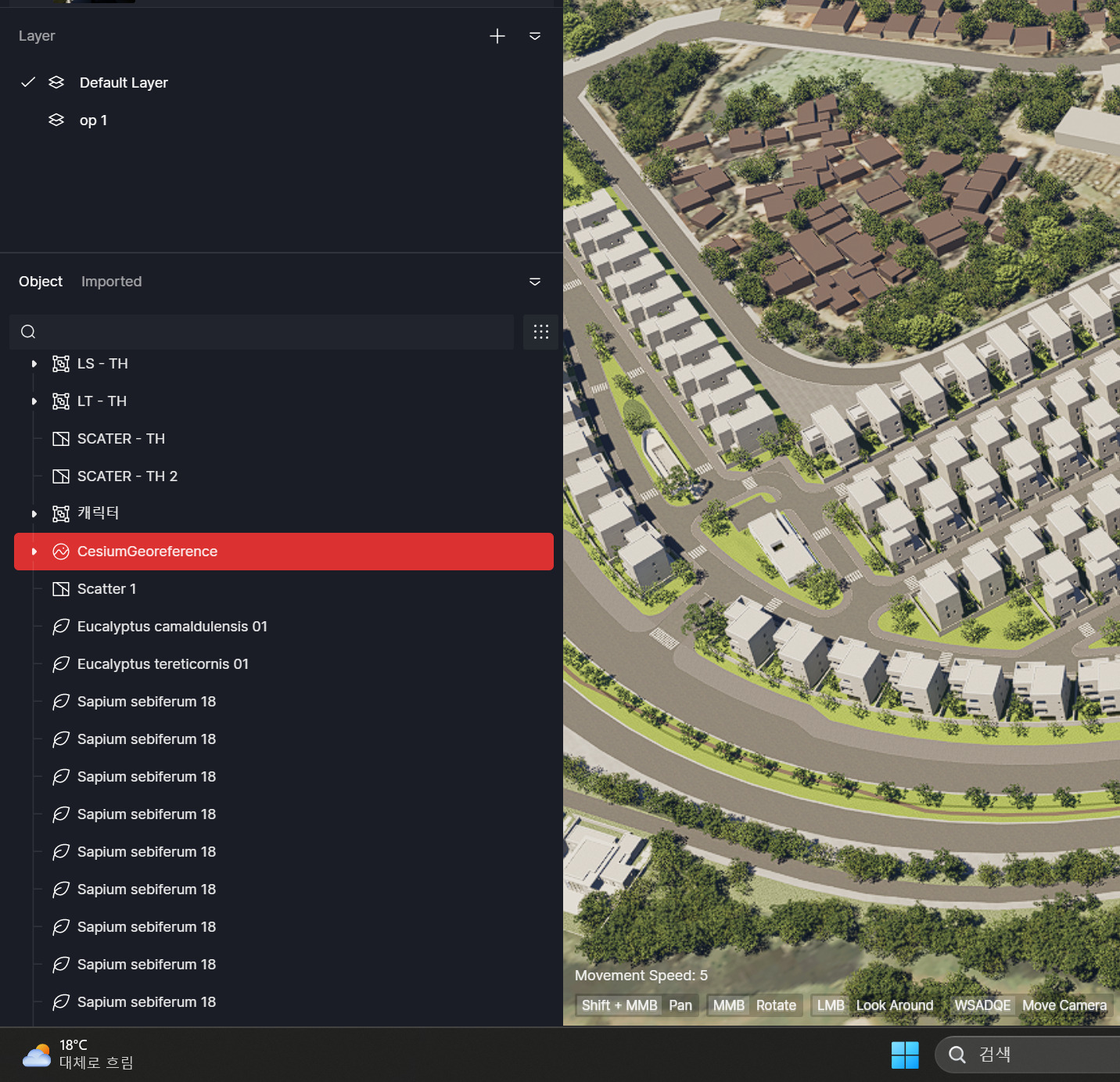
I am experiencing a critical issue where the Brush tool fails and the camera view malfunctions in Top View (T) after using Cesium data in D5 Render.
Without Cesium (Normal State)
Behavior: The Brush tool works correctly after switching to Top View (T).
Notes: Toggling from Orthogonal to Perspective view in Top View does not cause
any issues with the brush or camera.
With Cesium (Issue Occurs)
Behavior: The Brush tool stops working entirely in Top View (T).
Notes: If I switch to Perspective view while in Top View, the camera zooms out excessively, displaying the entire Earth (as seen in the attached images).
Persistent Bug (After Hiding or Deleting Cesium)**
Behavior: Hiding or even completely deleting the Cesium data does not restore the project to its original normal state.
Result: Once Cesium has been loaded, the project remains bugged, making it impossible to use the Brush tool in Top View regardless of whether the Cesium data is present or not.
I am looking for the cause and a solution to this issue, specifically how to revert the project to its normal state after the Cesium data has been removed. Any help would be appreciated.
I would like to clarify on the issue that you’re experiencing. Currently, there’s a known issue with Cesium when being viewed in Parallel Projection > Top View. Hence, I haven’t been able to replicate the issue on my end.
How were you able to use Parallel Project Top View with Cesium? Can you provide us with a screen recording of the whole process on your end?
The only solution for a top view is to use the Advanced Camera Tool, directing the camera to look straight down.
I have recorded a video to help explain the issue. The details are as follows:
1) Normal Brush Tool Operation
Before activating Cesium, the Brush tool works correctly in both Top View (Shortcut: T) and Perspective View (Shortcut: P).
2) Brush Tool Failure After Activating Cesium
After activating Cesium, the Brush tool stops working in Top View, although it still works in Perspective View.
The camera coordinates show an abnormally high Z-value. When switching to Perspective view via the camera tool, the view is zoomed out to show the entire Earth.
I recorded this because I suspect the excessive camera distance is the cause of the issue.
3) Persistent Issue After Deleting Cesium Data
The problem persists even after deleting the Cesium data from the project.
Switching to Top View still results in an extreme camera distance (global scale), and the Brush tool remains non-functional.
4) Manual Coordinate Adjustment (Not recorded)
I verified that the Brush tool works if I manually lower the camera’s Z-value to a reasonable level (around 50,000) while in the state described in point 2.
However, having to create a camera object and manually adjust the Z-value every time I switch to Top View is highly inefficient and is not a standard or acceptable workflow.
Conclusion: While I would like to use the Brush tool alongside Cesium, my immediate priority is restoring the functionality of the Brush tool in Top View. Currently, my file remains in this bugged state simply because Cesium was once loaded, even after it has been deleted. Please let me know if there is a way to restore the normal Top View Brush functionality in this file—regardless of whether Cesium is used.
Thanks for providing a screen-recording. I’ve replicated this issue on my end. It seems that the Cesium problem tends to make the brush tool unstable. We’ve already forwarded this further to our team.
Thank you and the D5 team for the support. I will be looking forward to the update.
I wanted to share a new finding from a few hours ago. I noticed that if I restart D5 and the Cesium object turns red with an error message saying, “The token no longer exists, loading failed,” the Brush tool actually works normally as long as I do not attempt to reload the Cesium data.
It seems that when the loading fails in this specific way—rather than being manually deleted—the project reverts to its original state before Cesium was introduced.
By using this “failed loading” state as a workaround, I am now able to proceed with my work without further issues. I plan to load the Cesium data only at the final stage when I am ready for the final rendering.