Thanks for the update on your situation and how you were able to discover a workaround.
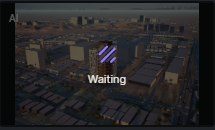
Hello, I am facing the same problem now and I changed the DNS following the attached link but there is nothing changed and the problem is still there. The purple butten is loading without any results.
I apologize for the inconvenience this issue has caused.
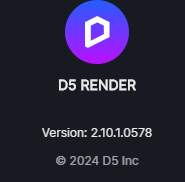
- Did this issue occur in the previous 2.9.1 Version?
- Which specific AI feature did you use? Have you tried AI Style Transfer or Inpainting and see if these features are also working?
- Have you tried connecting to another network? Or perhaps using a VPN? Please try and see if there are any differences.
- Please provide us with your email address and region.
I have same error.
I use AI Style Transfer. I’ve already try to change the DNS, but dont works.
isoliev2128@gmail.com region, Central Asia, Uzbekistan
Hi @isoliev2128
I apologize for the inconvenience. Can you please try to use the AI Tool right now and see if it’s working normally? We recently had some server issues which have now been repaired. Please let me know. Thank you.
Hi, I tried, but dosn’t work.
Hi @isoliev2128
Does this problem occur after the 2.10 Update? Have you tried reverting to the 2.9 Version and seeing if it works normally?
Please whitelist the IP Address that I have sent to you via Direct-Message.
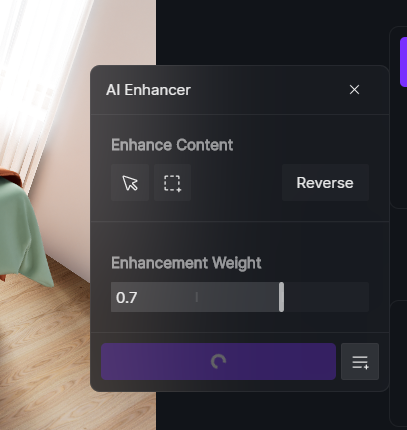
Hey guys, I have same error in D5 new updates
in previous updates there were no problems when i try Ai enchancer
if anyone is also experiencing this or if the guys at D5 have learned about this problem recently.
Thanks a lot!
Hi @myfenje
I apologize for the inconvenience.
- May I know if connecting to another network helps or if there are any differences? or perhaps you can use a VPN?
- Can you also provide me with your email address and the region you are in?
- And lastly, please whitelist our IPs, I will send it to you via DM.
Hi everyone
If any of these suggestions are not working:
- Whitelisting our IPs (If you need this information, please DM me)
- Changing to another network
- Or this other workaround provided by Oliver: AI Post-processing not working - #6 by oliver
Then, please try this:
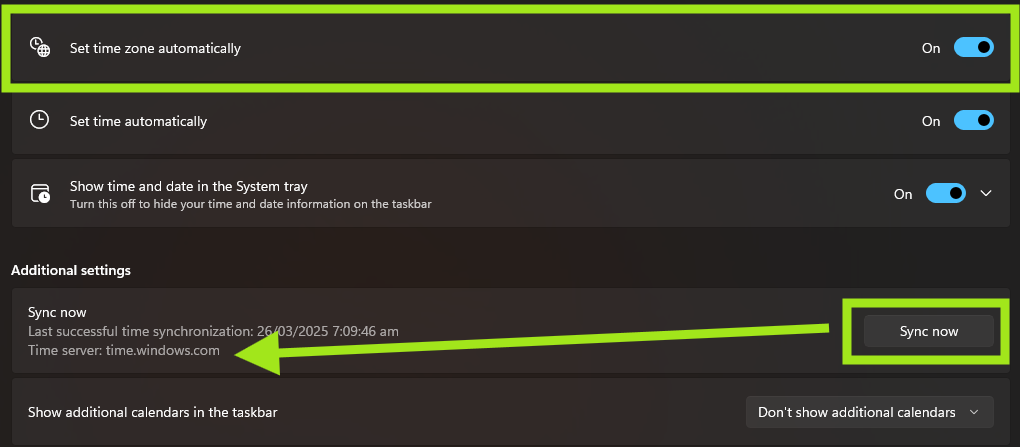
- Set the Time Zone to Automatic and Enable Sync Now in Additional Settings
Hi Clov, I’m having the same issue. How can I revert back to the 2.9 version? I haven’t been able to find the download anywhere on the website.
Have you tried setting the Time Zone to automatic? If doing so, does not resolve the issue please whitelist our IPs.
- Our historical Version can be accessed - Download Historical Versions of D5 Render - Get Help - D5 RENDER FORUM
Any news on this topic ? What is the adress to “whitelist” and how ?? thanks
I apologize for the inconvenience. Are there any error prompts that you have observed? And have you tried the suggested possible solution mentioned above?
If any of the solutions above do not work and only whitelisting our IPs is left for you to try , then I’ll gladly share your IPs relating to AI via direct message. Additionally, whitelisting our IPs may need or require the assistance of your IT Department.
The solution that worked for me was to uninstall v2.10 and re-install v2.9. Clov posted a link above to it.
Hi there, I am having the same problem here in Jakarta, Indonesia. It seems the AI Enhancer is stuck at the very beginning. Can you help me with this ? Thanks
We’re sorry for the inconvenience you’re experiencing.
There was a Cloudflare outage earlier today that affected several online services, including D5’s AI Enhancer. This caused the tool to freeze or get stuck during initialization. Our team has already confirmed the issue and applied the necessary fixes.
Please refer to our official forum update here for more details: Apology Regarding the Cloudflare Outage on the December 5th - Get Help - D5 RENDER FORUM
If the issue persists after the outage resolution, kindly restart D5 Render and try again.
Hi thank you for the response @ela. Currently working with the AI Enhancer, but there’s another issue that the image is not found in the specific location. Can you help me with this one? Thanks
Hi @enricomelvin95 sure, could you please elaborate on the issue regarding the image not being found in the specific location?
It would help if you could provide a screenshot of the error message (if there’s any), the exact file path you’re trying to access, and whether the image is stored locally, on a network drive, or in cloud storage. Thanks
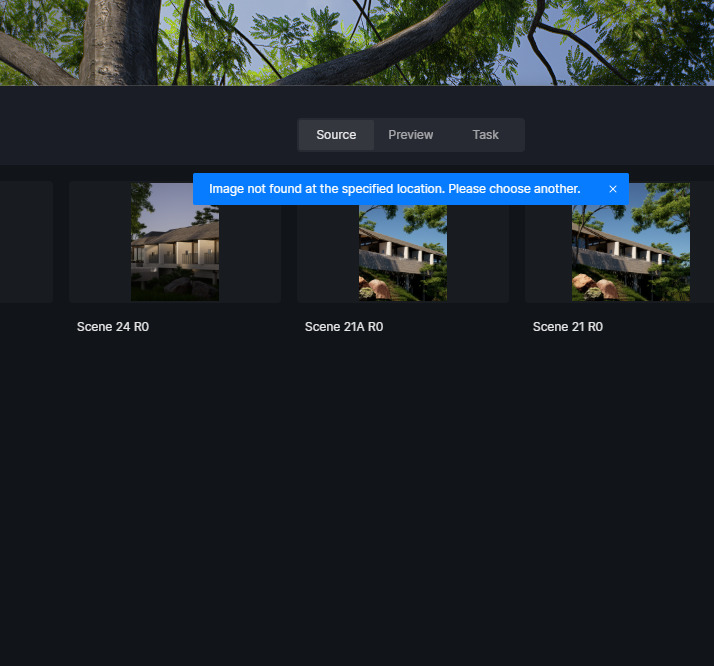

We couldnt find the images either in our folder. However, we can find the name of the file in our rendering history. @ela