When I render a scene and then use AI post-processing to enhance the materials and textures, the AI post-processing no longer works as it did before. It produces very poor results and, instead of improving the image, it actually degrades and removes texture detail. How can I fix this?
1 Like
Thank you for reaching out, and sorry to hear this.
Could you please confirm what version of D5 you are using? Could you also attach the original render and the AI post-processed image so we can compare the results directly?
Additionally, does this issue happen on all scenes or only specific projects? Have you tested other AI post-processing tools? If so, do they produce the same poor results?
Looking forward to your reply so we can assist you further.
- D5 RENDER 2.8.0.0471

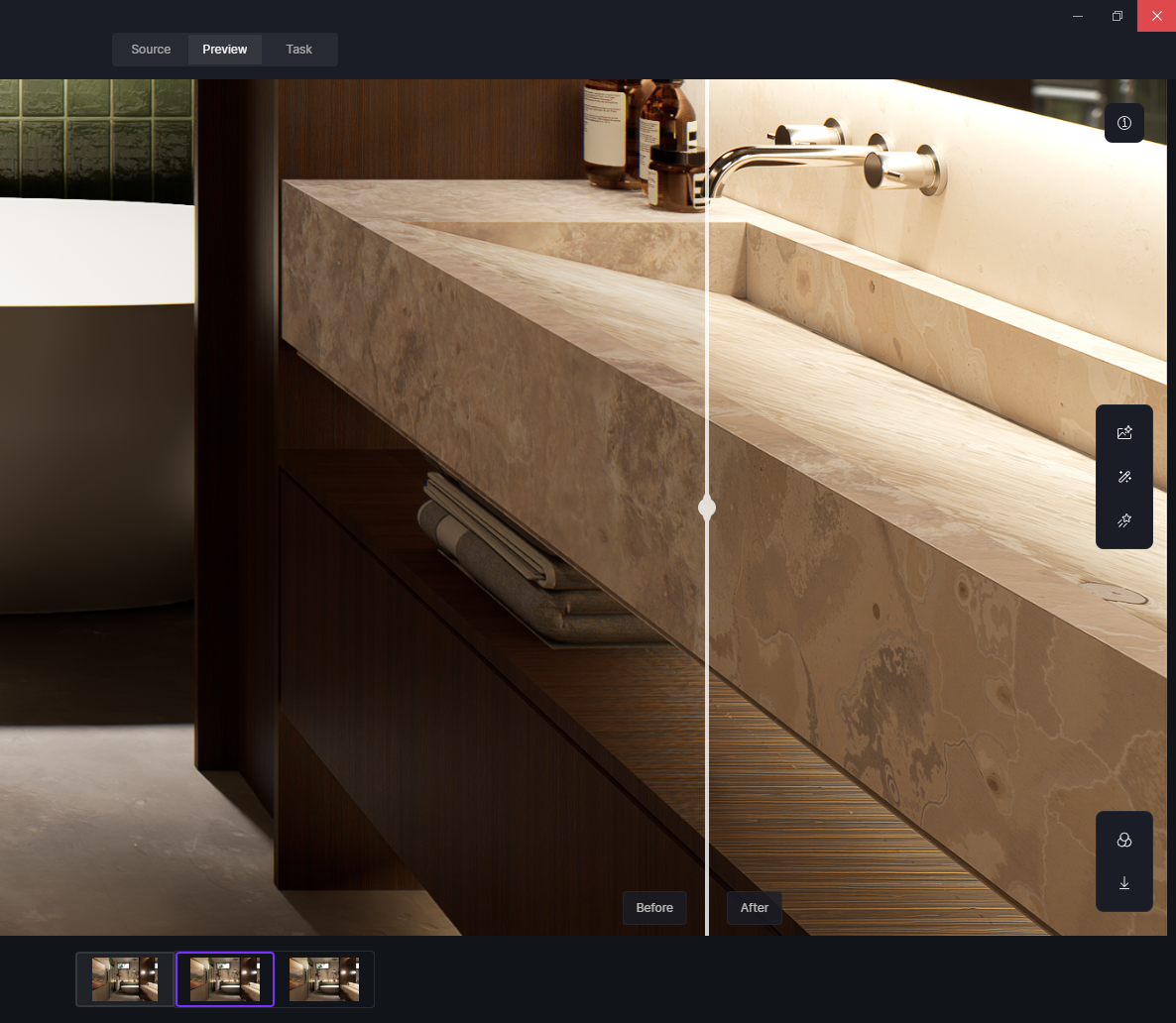



3. ALL SCENES AND EVERY PROJECT ( I have been using this program for a long time )
4. I tried other AI post-processing tools, but they don’t work effectively.
Thank you for the update and for confirming your version.
I noticed you are still using D5 Render 2.8.0.0471. There have been many updates since that version, especially improvements to material handling, LiveSync stability, and AI post-processing tools. Some of the issues you mentioned (materials loading inconsistently and AI tools not recognizing textures) may be related to version limitations that have since been addressed in newer releases.
For that reason, I strongly recommend upgrading to the latest version, as it could resolve these behaviors and provide better performance and tool compatibility.
thanks for attention … I have upgraded program , but results are same… post AI tool just changes exposure on rendered image… what can be another problem instead upgrade?
I’m experiencing exactly the same issue with AI Post-Processing … it makes the materials and textures look overly smooth or degraded, and none of the results feel realistic anymore. I’ve tried many different settings and rendering variations, but the outcome is always the same. It seems like more and more users are running into this problem. Do you have any updates on a solution or official fix? Any guidance on settings or workflow that can preserve material detail would be really appreciated. Thank you.
1 Like