Hello, I am trying to render a patio door, which has double plane glass, and in the final render, using PT, it has this weird black line, and also off reflection. It is also there in the viewport display. What could be the issue? Is it a bug?
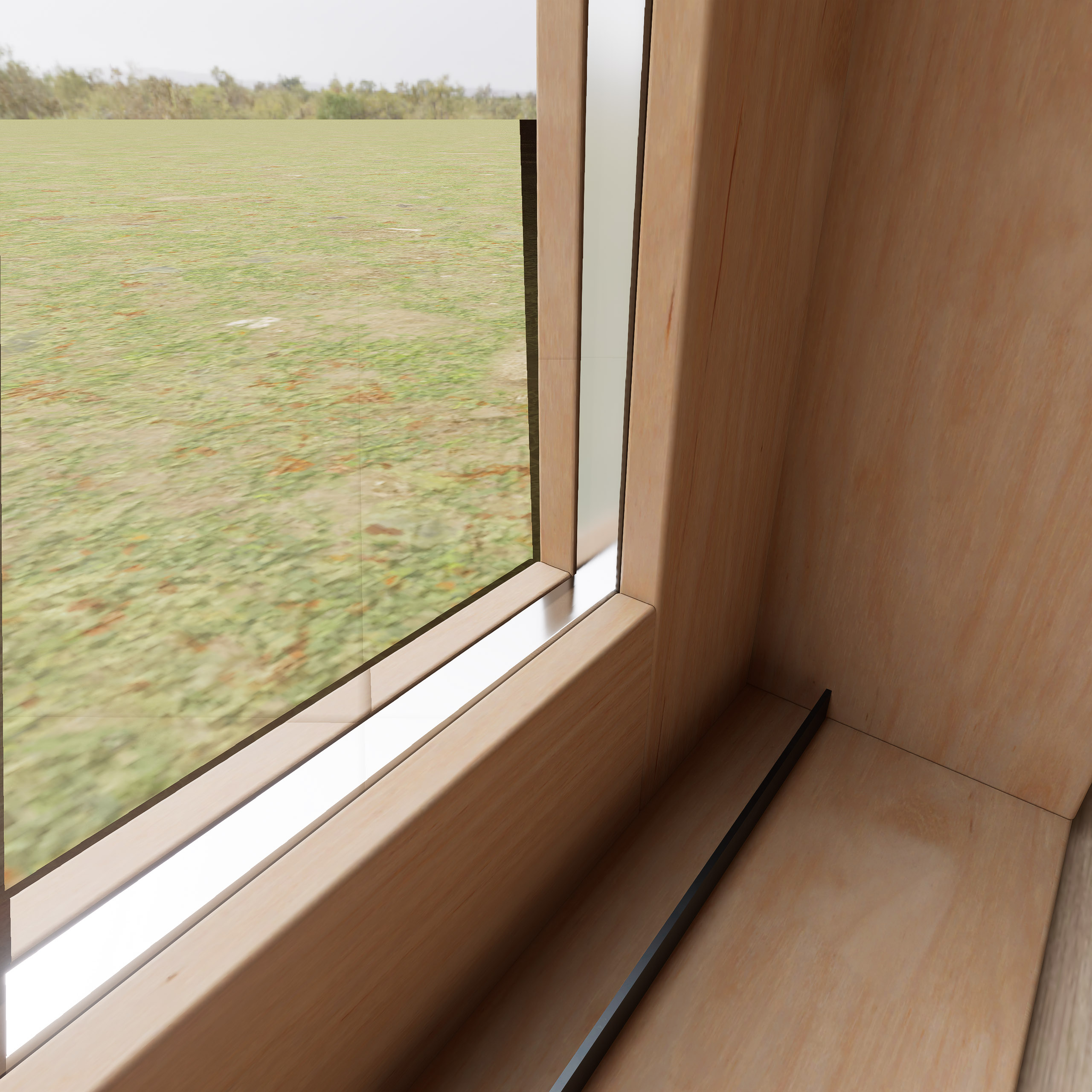
Could you please check a few things:
- If you temporarily hide one of the glass planes, does the black line disappear?
- Are you using the default D5 glass material or a custom/imported material?
- Does this issue appear only in this specific file, or does it also happen in a new test scene?
- Does the issue also appear in the real-time viewport?
Hi, sorry for the late reply.
- No, its still there, I should add it only happens with HDRI Mode, not Custom or Geo.
- Yes, Its the D5 normal glass
- No, its appears in all projects.
- Yes, it apperas in the Viewport as well.
There seems to be issues with the glass metarial, I also sometimes get these weird straight shadow lines in renders, like in the screenshot below (look at the wood flooring, where the sun light hits)
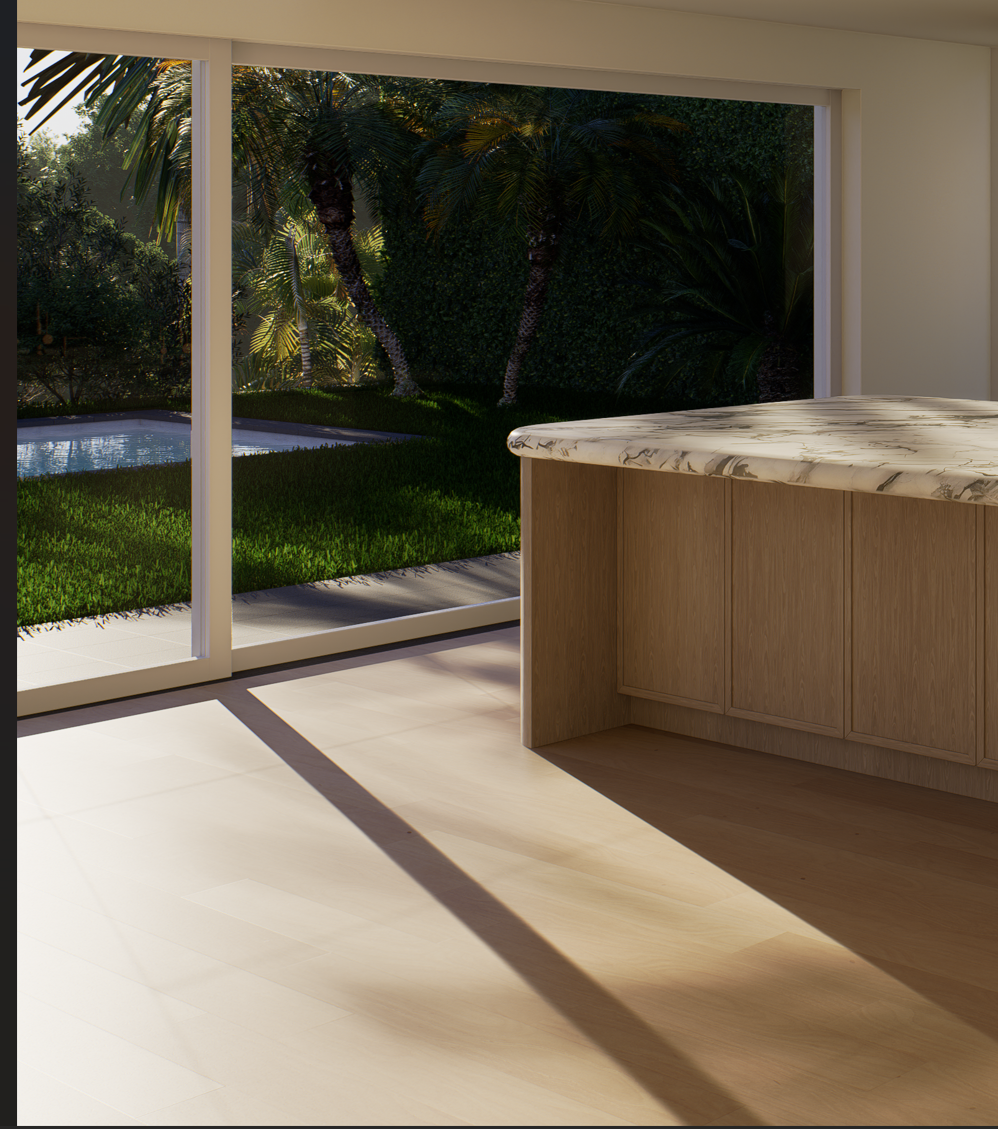
Can you check the following:
- Ensure that your model is located near the 0,0 axis
- If you’re using Fog or Rain, try to disable it.
- Have you enabled or disabled SuperResolution, Frame Generation, or FPS Booster? Try to see if tweaking these settings will improve the results.
- Try to update your drivers, or preferably do a clean reinstallation.

If issue persists, we may collect your files. Let me know.