Hi, i’ve some issues with rendering videos from d5 3.0.1.
i’ve got an high end desktop (AMD Ryzen Threadripper PRO 7955WX 16-Cores,64go ram, 4080rtx 16g) and render a short video (3minutes).
i’ve done lot of test at low resolution mp4 480p25ims and the video is taking forever to render.
i’ve done the same thing but with the sequence outpout (png instead of mp4)
the render is stuck in the queue with the render time not moving.but if i look in the render folder, all images are here.the sequence is finished. and d5 is still telling me is only at 39%of rendering
the same thing happened if using render queue, and it block the queue to advance.
the scene is 230,000,000 faces, with a hundred lighs, and is lit with an hdri. i dont think the problem is my computer as it appeared to happen on a alienware m16 from last year also, same d5 version. tests done with and without super resolution option.
Hi @j.denis
Thank you for the detailed explanation. Could you please help confirm a few additional details:
- Are you rendering to a local drive or an external/network drive?
- Approximately how many frames are included in the 3-minute video (based on your FPS settings)?
- Does the issue occur in all projects or only with this specific scene?
- Could you try rendering a very short test clip (e.g., 5–10 seconds) from the same project and check if the issue persists?
- Is the render always stuck at 39%, or does the percentage vary?
You mentioned that the PNG sequence already appears complete in the folder, while the render progress remains stuck. Please also share:
- A screenshot of the render queue when it is stuck
- Your render settings (resolution, FPS, and whether Super Resolution is enabled)
1.I’ve tried rendering locally and network drive. same thing
2. this sequence is 3880 frames long
3.it occur only on this scene, and this particular clip. i tried queue render 4 different clips in a row, only this one (who is the last) is stuck, at 11% this time
4.shorts clips seems to be fine
5.it happens whatever the output resolution is (720 24, 2k 30…)
here is the screen shot of d5 when i reopen my workstation this morning, after 5 hours of rendering at 2k30, 4 sequences in a row
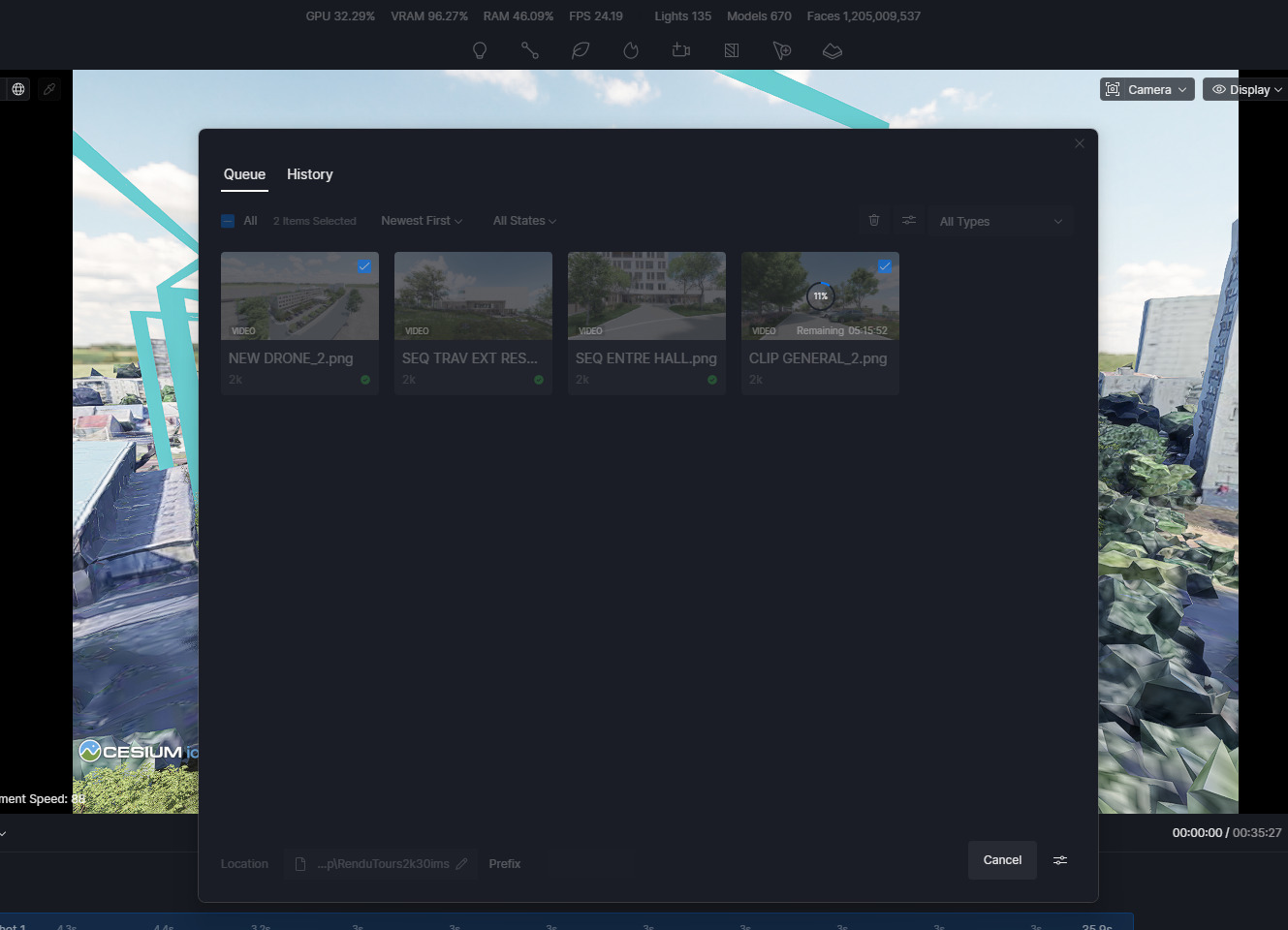
the bug seem to only appear on clips who use multiple shots.
thanks for helping
Hi @j.denis
Thank you for the detailed information and the screenshot.
Since the issue appears to occur only with this specific scene and clip, could you please collect and share your D5 log files with us? If possible, share the project file for this scene as well. If the project file is too large or contains confidential content, you can omit the full file and instead send a simplified version of the scene that still reproduces the issue.
Kindly send the files to support@d5techs.com, tag me in the email, and include the link to this forum post for reference so we can track the case properly.
Thank you for your cooperation, and I look forward to your update.