Updating FBX files (generated in 3ds Max 2027) in D5 Render gets stuck; I was forced to revert to the previous version to continue my work. Has this issue been identified?
Hi @Rodrigues
Does this occur with all FBX files generated in 3dsMax 2027? Including simple cubes or 3d shapes?
- Can you please send us a sample file?
Hi Clov, I sent the FBX file via email.
Hi @Rodrigues
3.1.1.0755
I just tried importing the fbx file that you have provided, and the size is too abnormally large. Proceeding to place it in the preview space then clicking “Focus On” will result to this view.
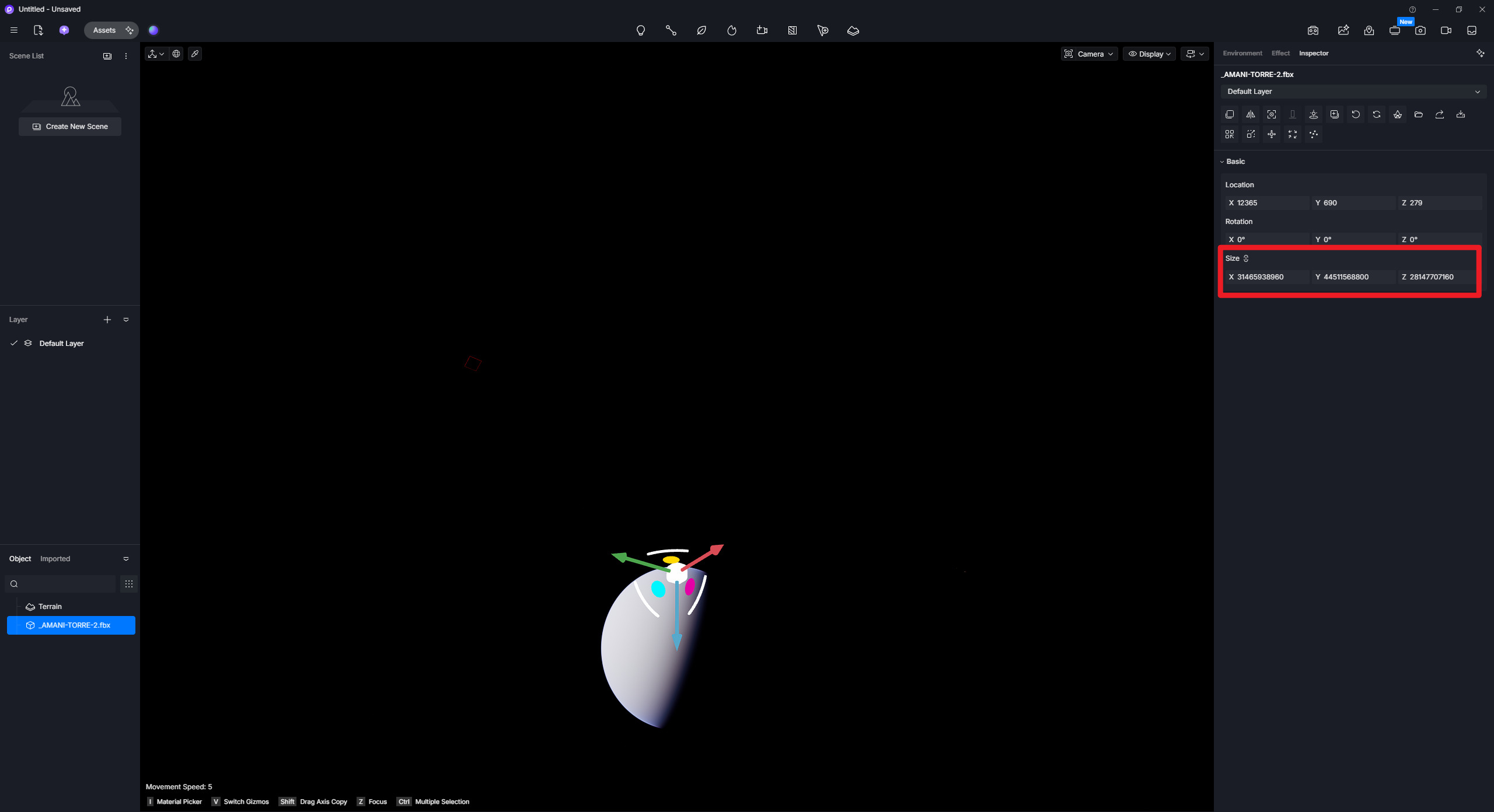
3.0.1.0746
I’ve also tested this fbx file in 3.0.1 and it does appear normal.
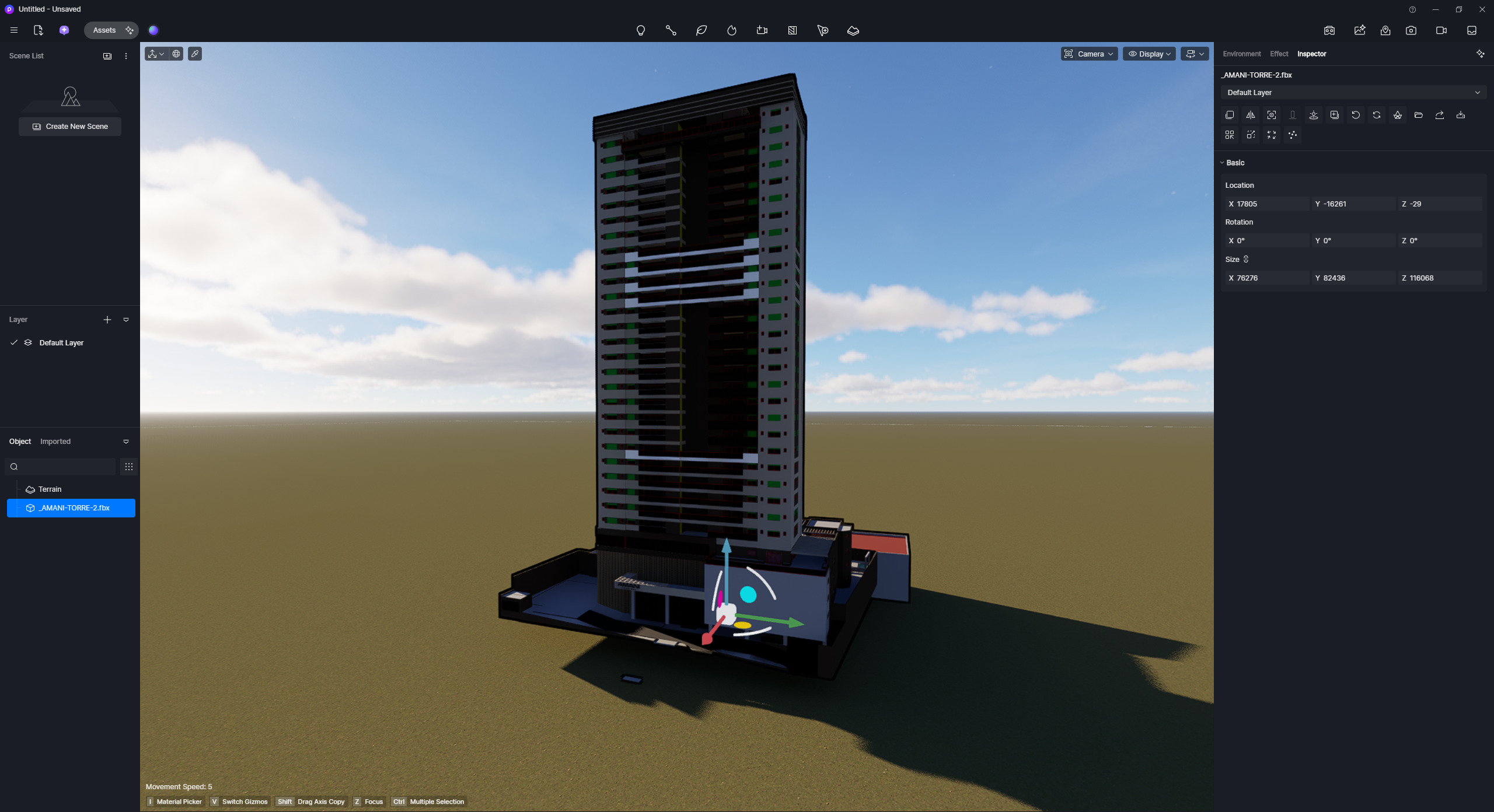
Would it also be possible to collect your 3d Model file (3dsMax Model) so we can examine it together with the fbx file you’ve created?
Hi Clov, I’ve just sent the files via email.
The 3ds Max file and the DRS with the entire scene.
Hi @Rodrigues
Can you please send me your files directly here via forum direct message? You may use google drive or WeTransfer to generate the link.
Hi Clov, how are you?
Attached are two compressed files—the 3ds Max file and the DRS file—containing the entire scene.
My system has 128GB of RAM and an RTX 4090.
Hi @Rodrigues
Can you please try updating to 3.1.1.0758, we’ve fixed some fbx issues with the recent hotfix version.
- Link: Download Package
I downloaded and installed the new version of D4Render you recommended and am currently testing the FBX file update; so far, everything seems to be working perfectly.
I’ll continue testing and let you know the results shortly.
Hi Clov, after opening the file in the new version of D5 Render, the FBX update seems to be working well, but I noticed a material swap: the facade glass and a wall in the entrance hall were replaced by water.
The 3D file was originally created in Revit and then imported into 3ds Max; however, D5 didn’t recognize the materials, so I had to replace each one with a 3ds Max Scanline material. In this recent case, though, the facade glass and the entrance hall wall were already working fine in D5 3.0.1.
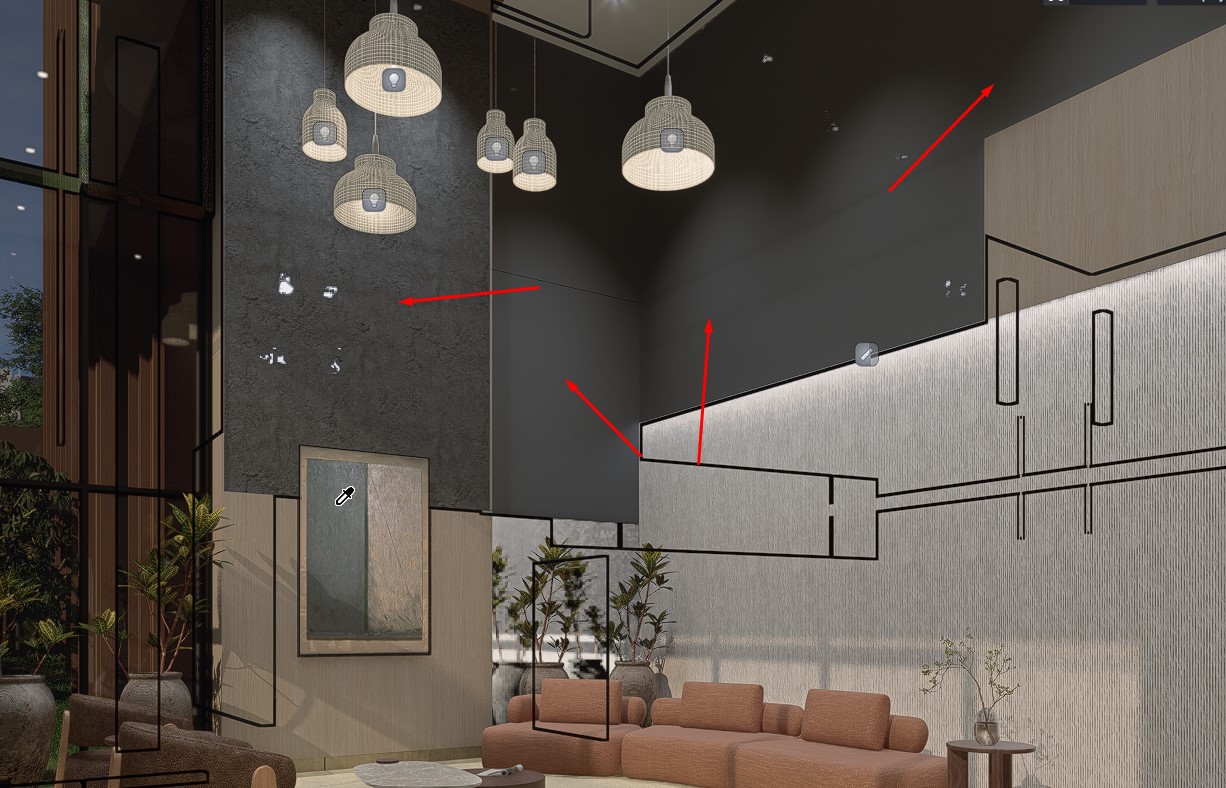
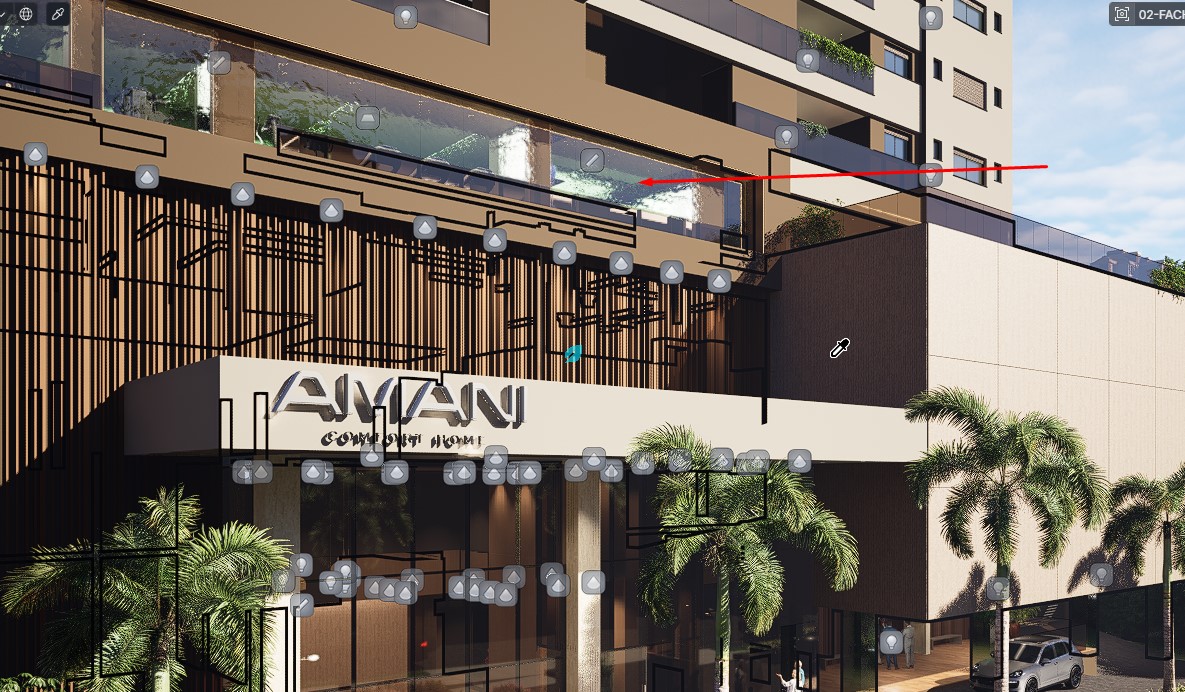
Hi @Rodrigues
Is this the same FBX file/3dfile/d5 file you sent us previously? We would like to confirm whether there have been any unwanted changes to the material template for this specific situation.
If not, could you please send us the 3D file along with your D5 file?

There were no changes; it is the same file.