Hi everyone, hope you’re doing well.
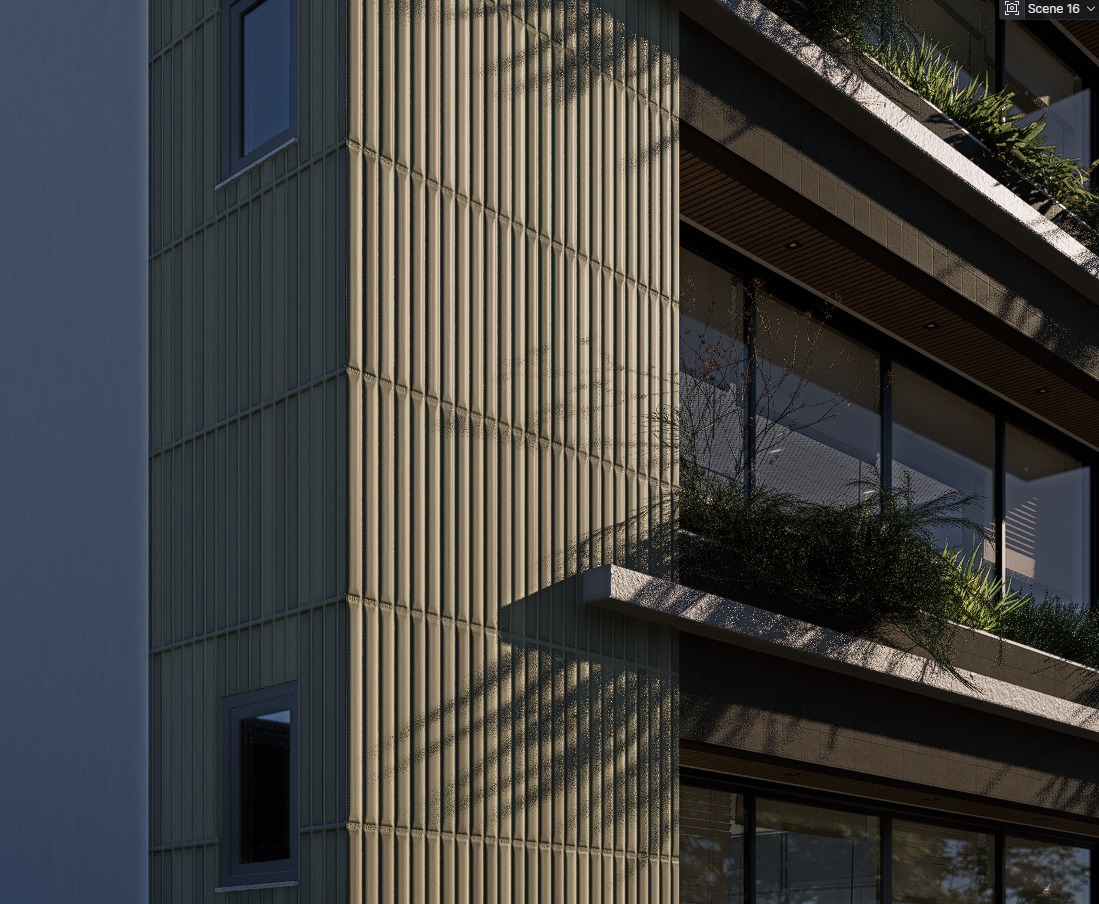
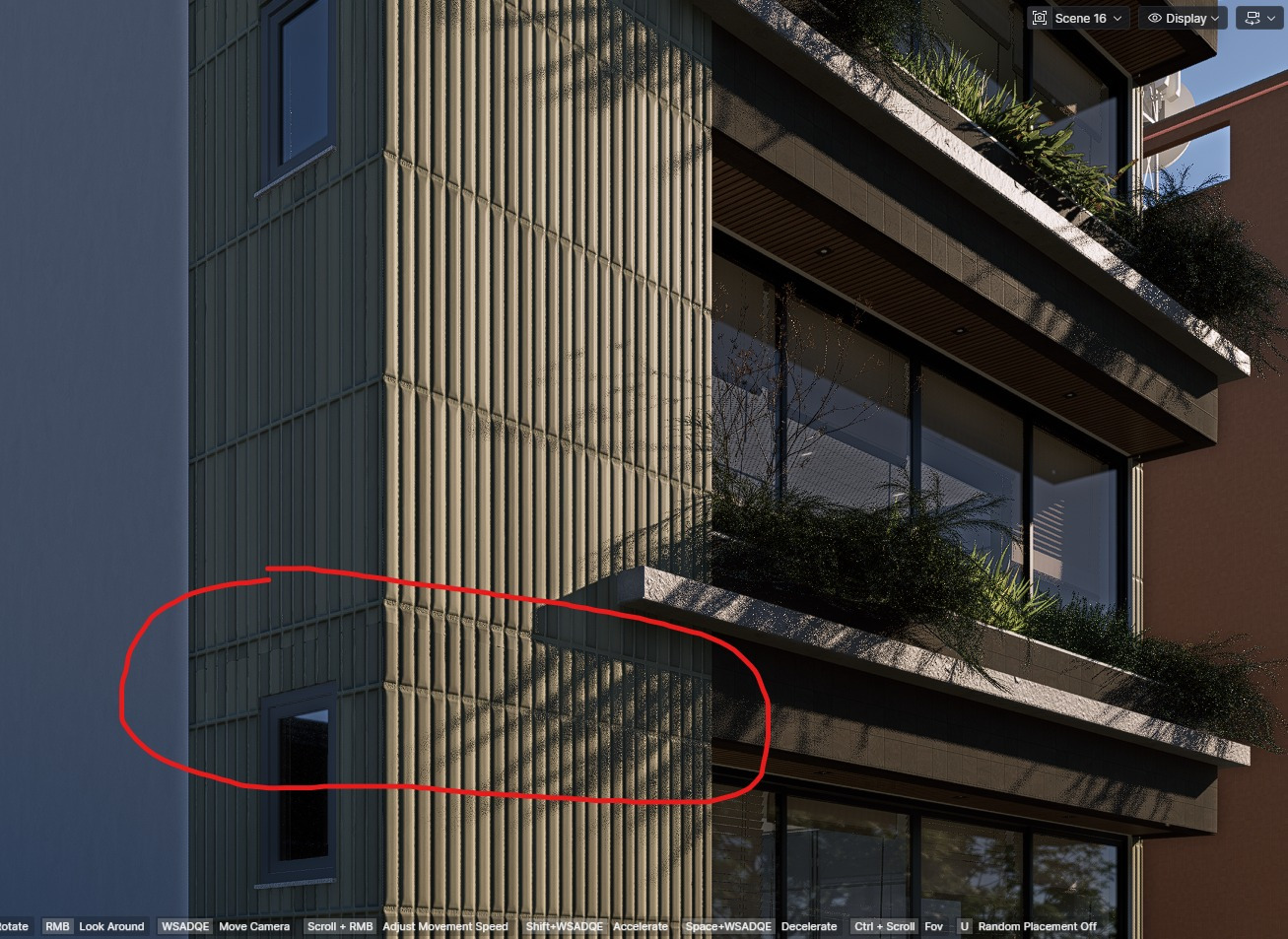
I’m having an issue with a texture after updating my model, and I’m not sure what’s causing it. I’m using True Displacement for a building facade material, and everything was working fine before. However, after the latest model update, the texture suddenly started to bug.
The main problem is that the texture looks like it’s shrinking or compressing, even though I haven’t changed any of the material settings. This is a project that’s almost finished, but this issue appeared only in the most recent update.
This started happening after the new D5 update (post-3.0). D5 was updated yesterday, so I’m not sure if this could be related, but since then the displacement doesn’t behave correctly anymore.
I’ve already tried updating the model multiple times, reverting to previous versions, and reloading the model, but nothing worked so far.
I’m using SketchUp, and I’m not using Live Sync — I’m importing the model normally to use True Displacement.
Has anyone experienced something similar, or does anyone know what I could try to fix this? Any help would be really appreciated.
Thanks in advance!