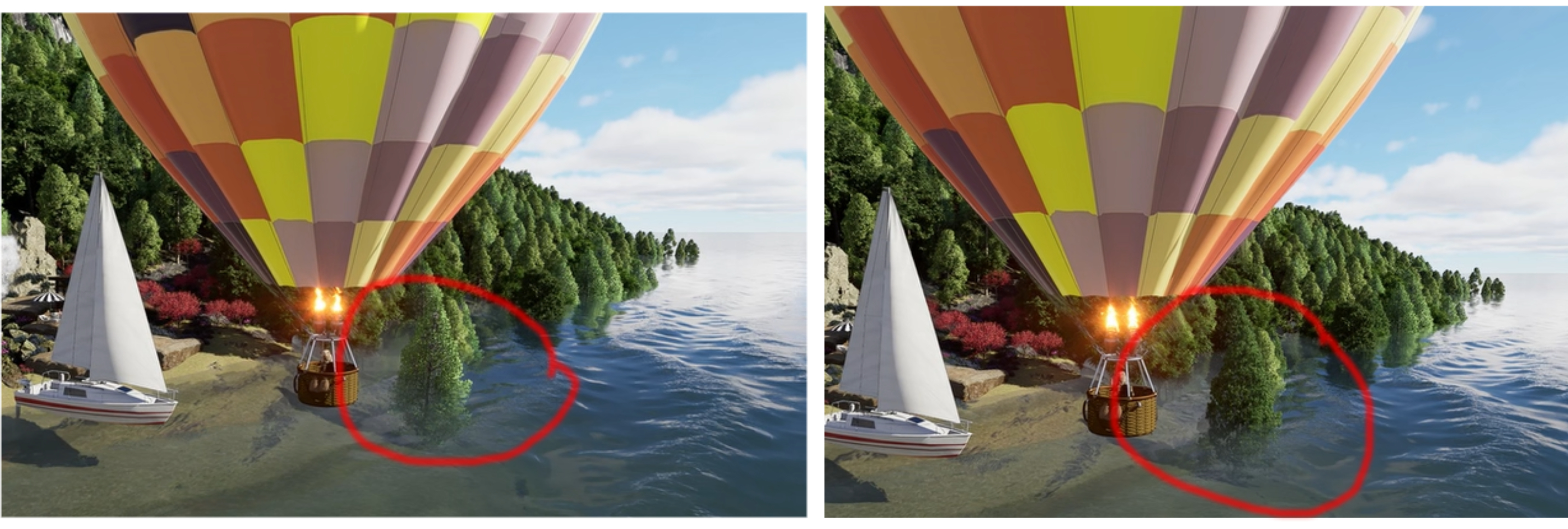
I’ve attached two images from a test video. The area circled in red is an example of the tree changing color mid video. Any suggestions?
Clov, thanks for responding.
With further research, it appears to be a function of LOD settings as trees switch levels between frames. The object image used from one distance is slightly different in darkness than the object image used from another distance. The solution is supposed to be this…
Lock Tree LOD (Level of Detail)
- In Scene Settings, disable Auto LOD for vegetation.
- Set LOD to High so trees don’t switch detail levels between frames.
I haven’t tried it yet. But based on the video, that makes sense.
(The file is 153 mgs…too big to email)
