Hey,
SO i make a model in Blender, i then use the D5 Exporter and it creates a d5a package, i can send this to any PC, import into D5 and it works correctly, fully textured.
However, often this asset needs to be tweaked because the D5 exporter is not perfect, for example setting the leaves to foliage shader in D5, or slightly tweaking the glass shader.
I then RE-export this from D5 (Either using Export or Add to Local) and a new d5a package is created and i send that to my other PC and suddenly all textures are gone.
If i restart the project and reimport this new file, the textures are gone.
If I right click on the material texture slots and locate the textures before i re-export, they live in the temp folder. So I think that when i start a new project the textures are wiped.
One thing to note, the new d5a package is the same size as the original, so the textures ARE inside, but unlinked and refercing an old temp folder? Shouldn’t it reference the new d5a package itself?
How do i export this with textures??
Recap steps
-
Import this asset - https://www.dropbox.com/scl/fi/ea2fdknnqo25lil1vu0zn/Decorations_Decor-Sets_Tray_03.d5a?rlkey=8q7qqdu8fpmb0k3fn75vxr1u7&st=ozz8p395&dl=0
-
Asset works and looks correct
-
Click export
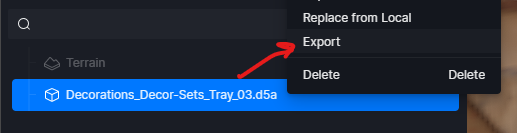
-
Asset package is the same file size as the original

-
Make a new project, or send to my other PC
-
Import
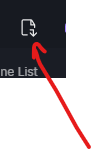
-
Textures now missing

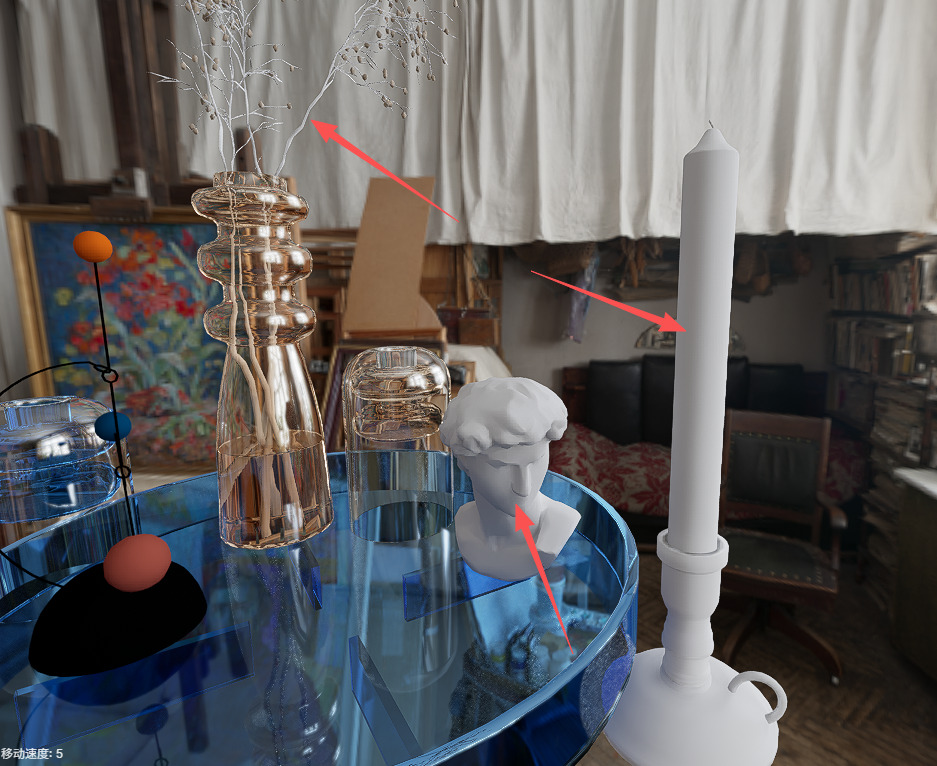
Surely there is a way to export a package from D5 so i can share it? Why is the package so big with textures(?) but not showing up?