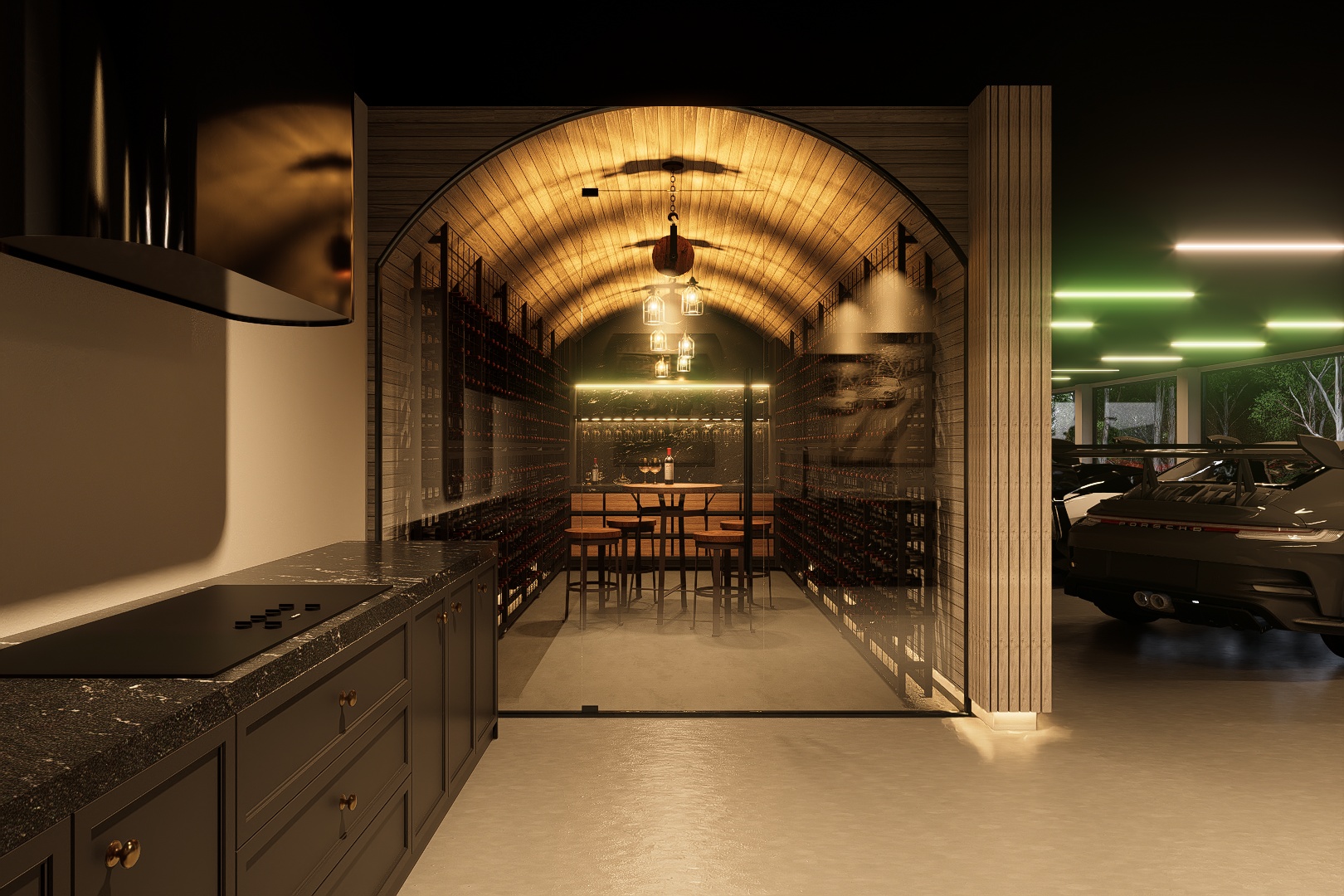
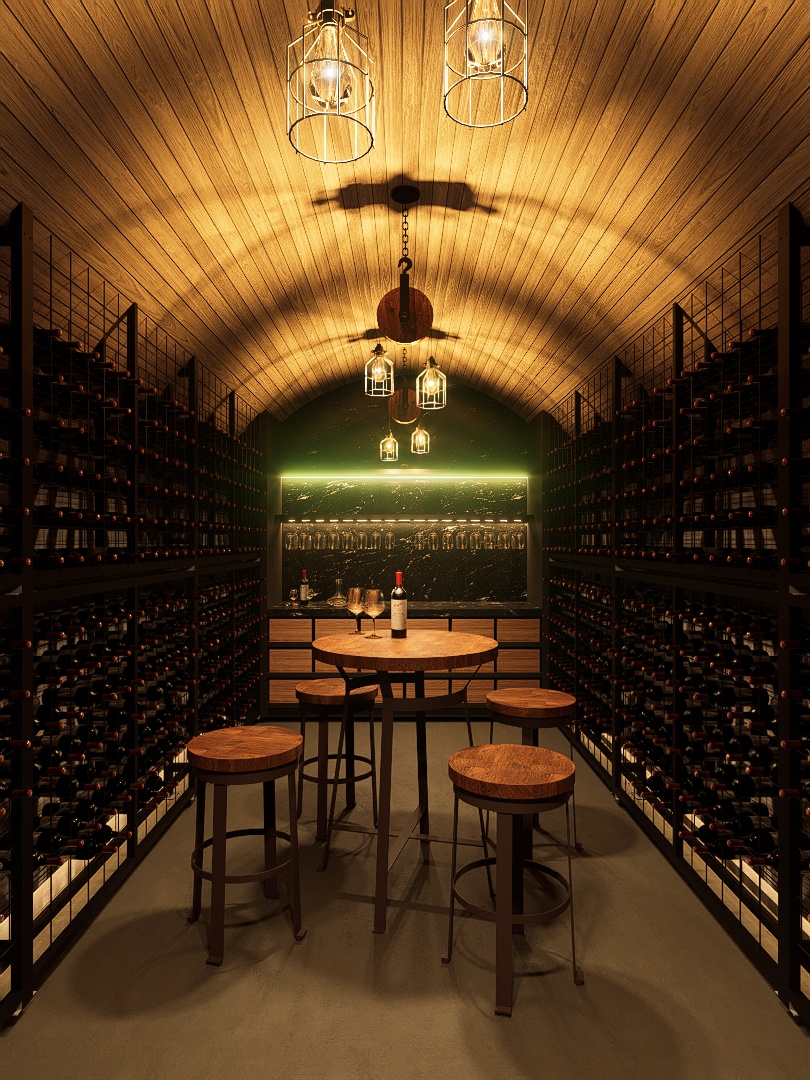
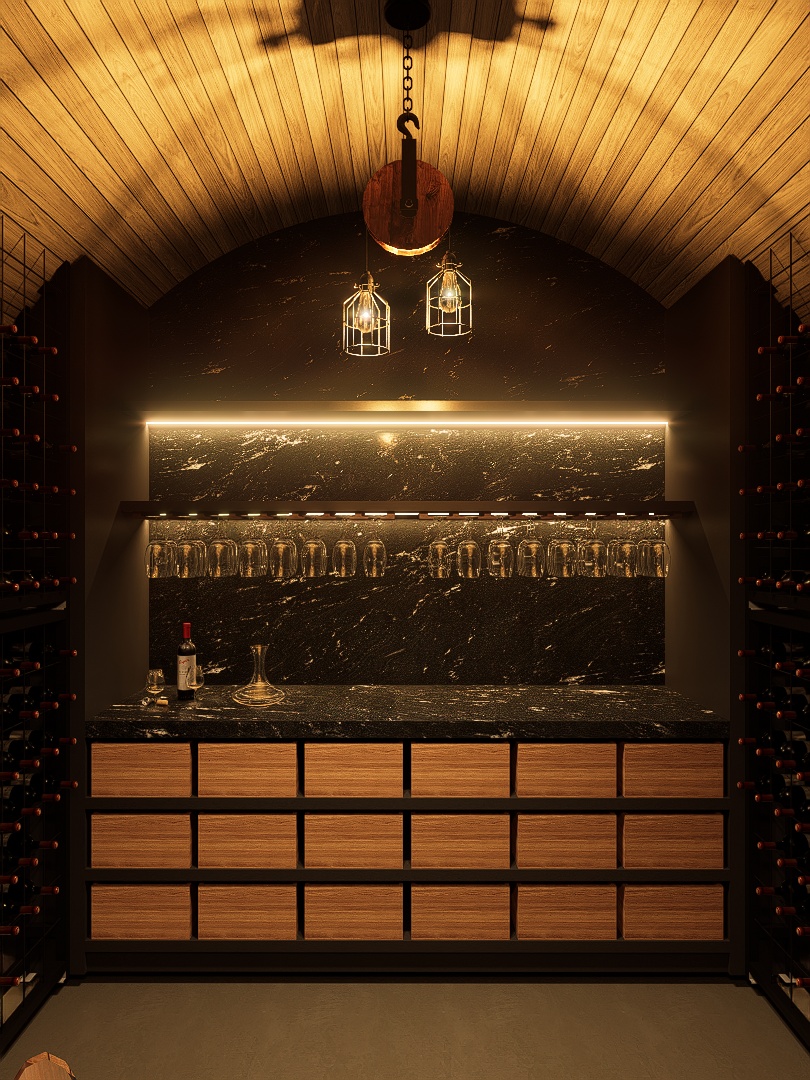
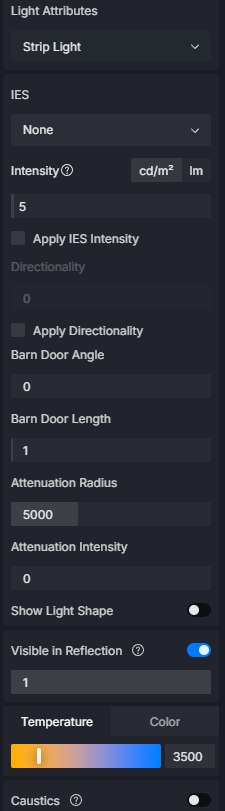
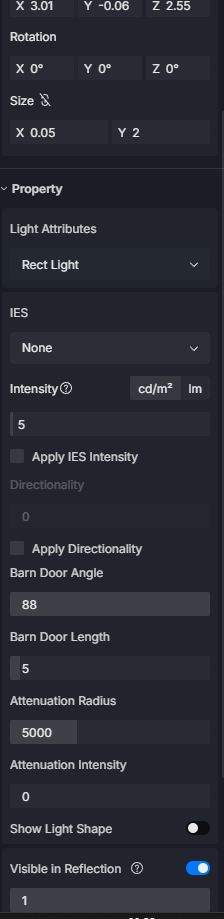
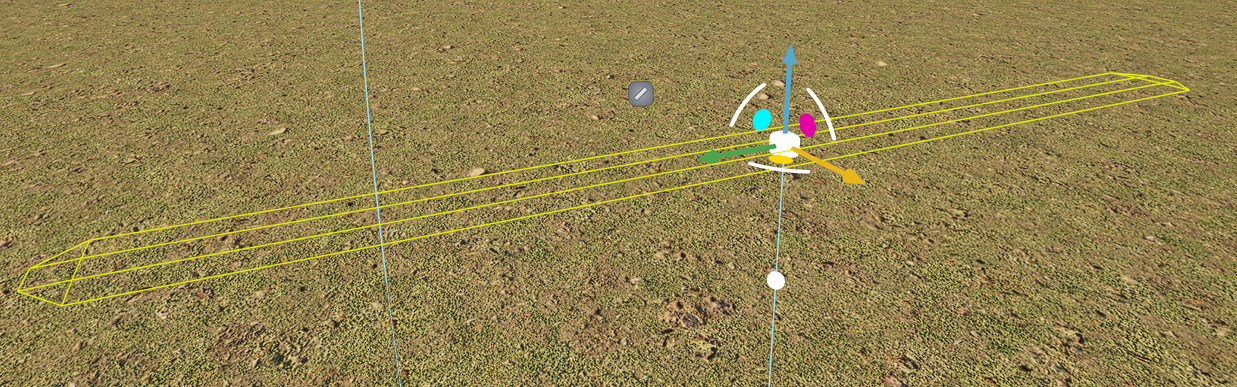
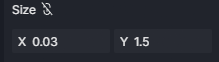
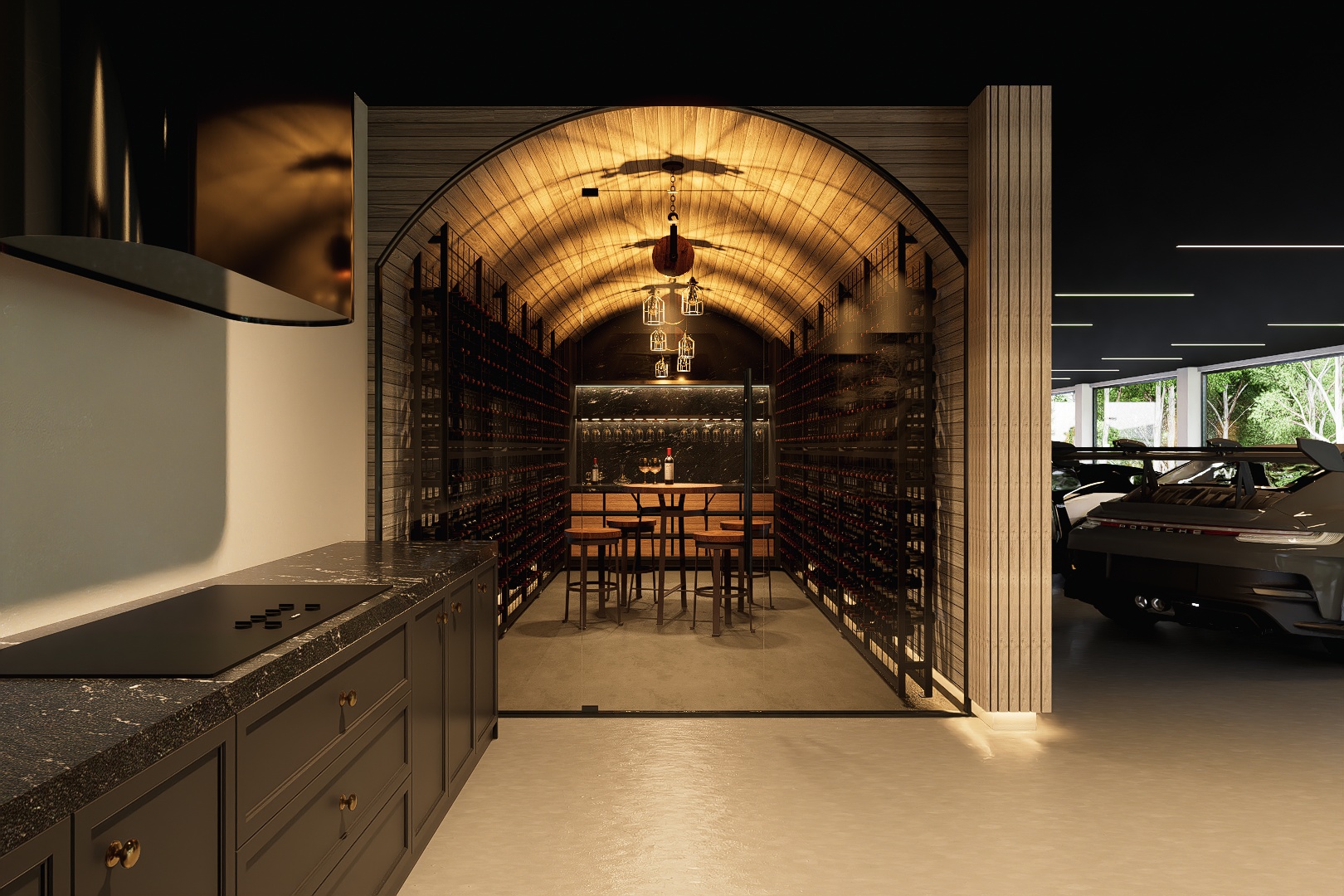
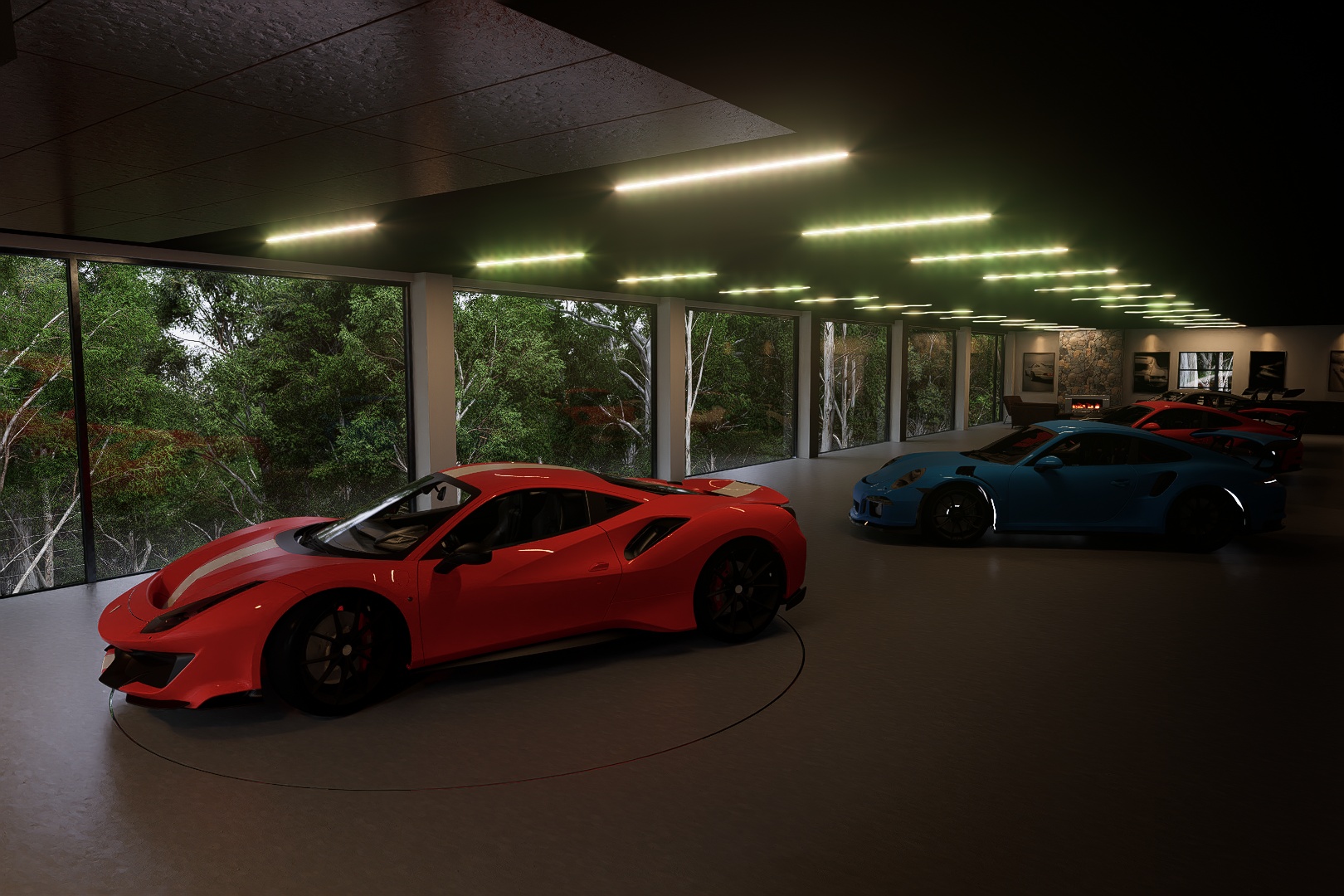
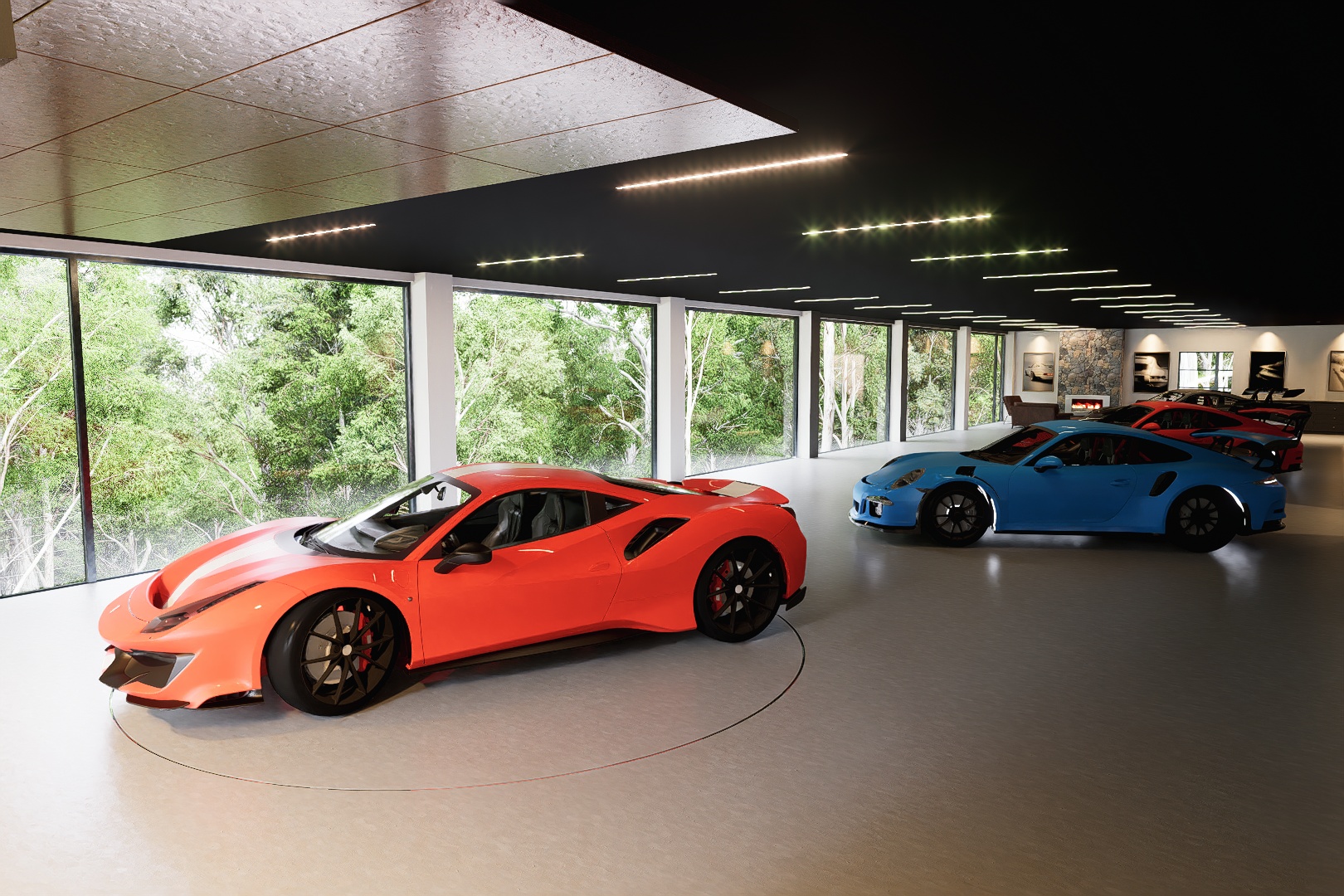
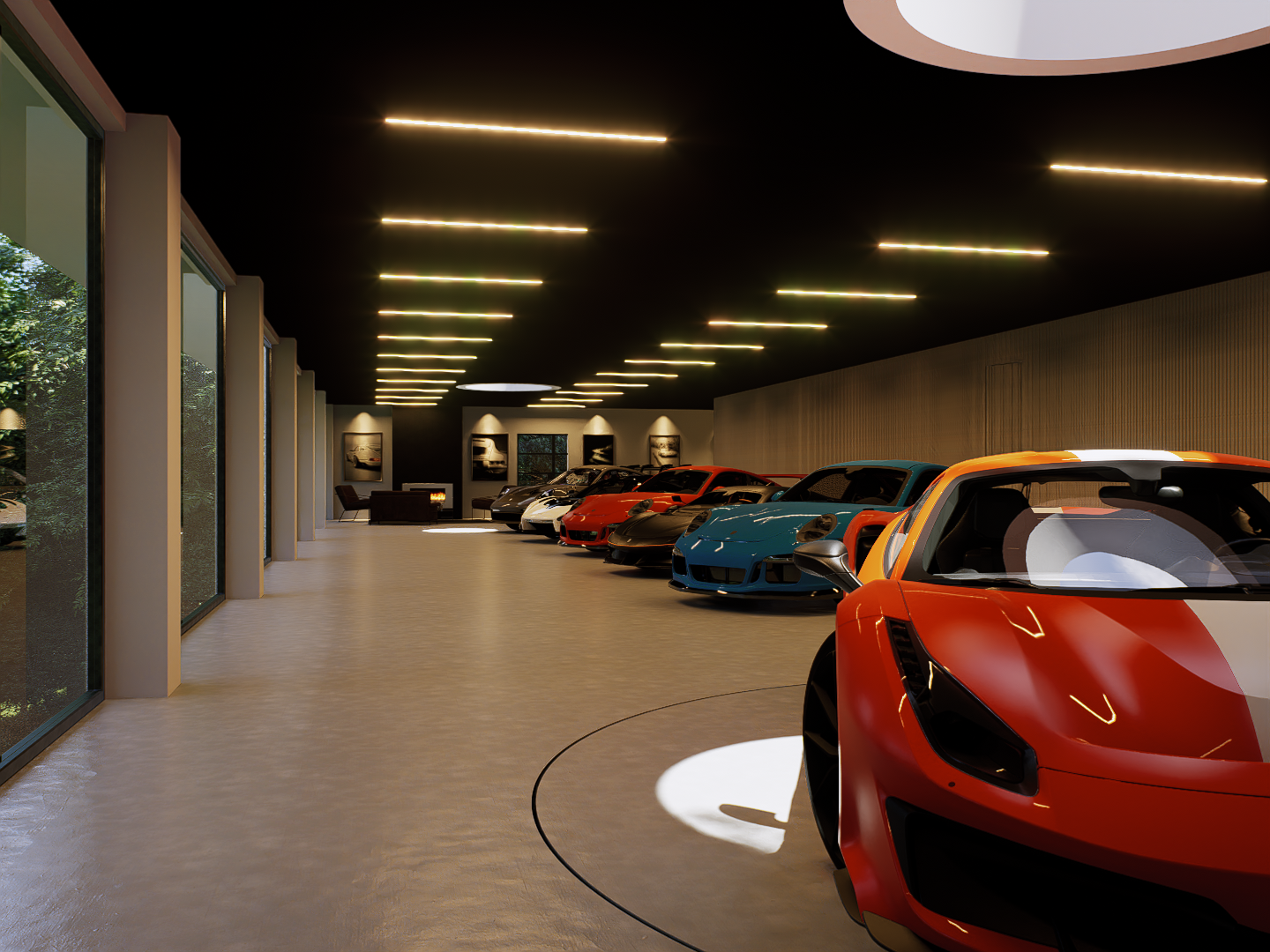
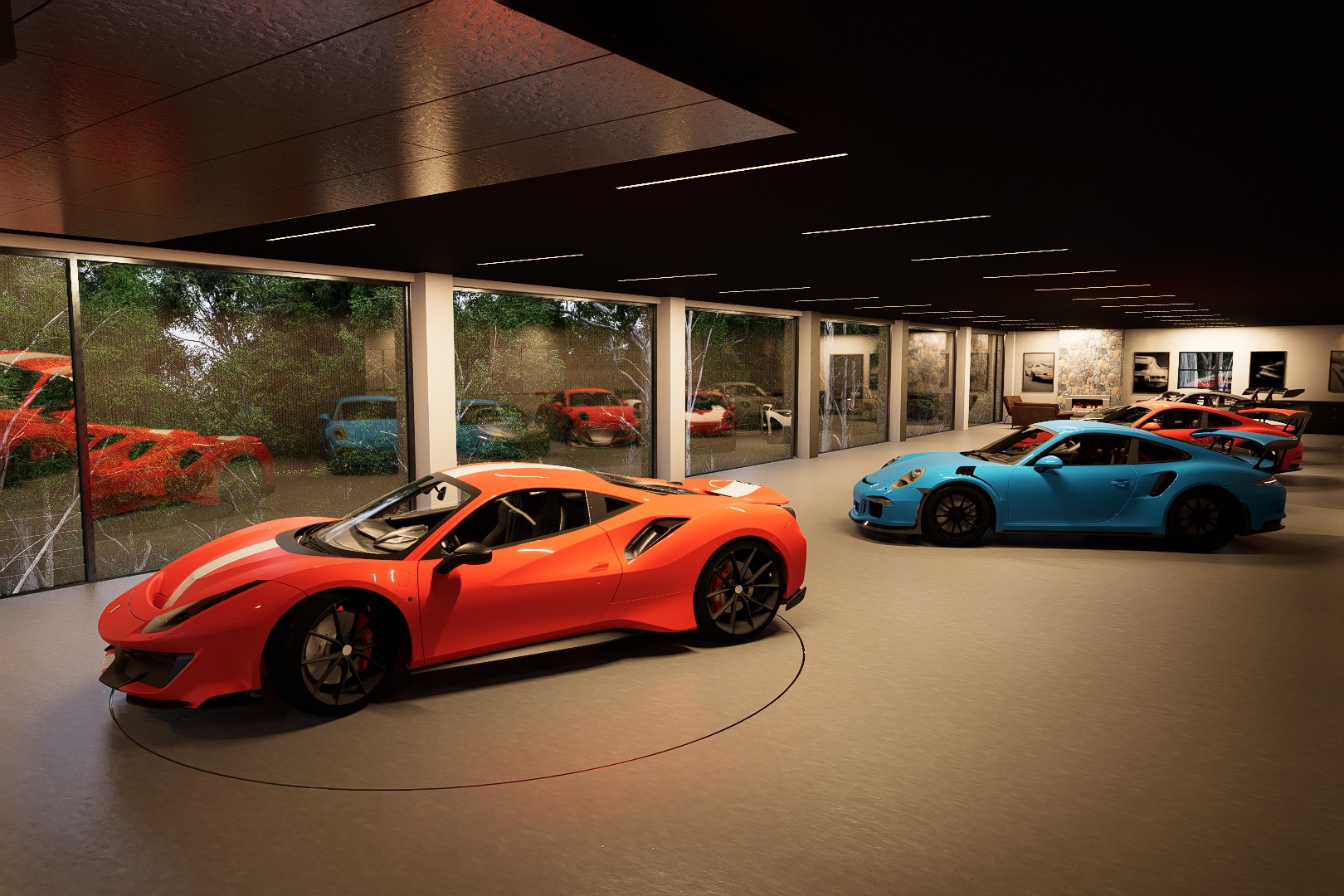
Was wondering if i could please have get some help with some of my renders. You will see in the provided images that some of my LED strip lights are showing green. None of my lights are actually coloured green as this is only happening in the render. Does anyone know how to resolve this as these renders will be going to a client and they really hurt then end product.
Hi, for the lights you used an emissive material, see on the emission what you used, the color and the temperature, if the material is white the color is white you shouldn’t have any problems. I usually use the temperature, because it gives me the possibility to adjust it to 3500 to have a warm light and the intensity must be 2 or 5 but the Bloom must be at 0.2, then the material selected in the right drop-down menu must be Car Paint and you don’t have to adjust anything about the material. If you did this there is a problem, or post a picture of the curtain of the light-emitting material
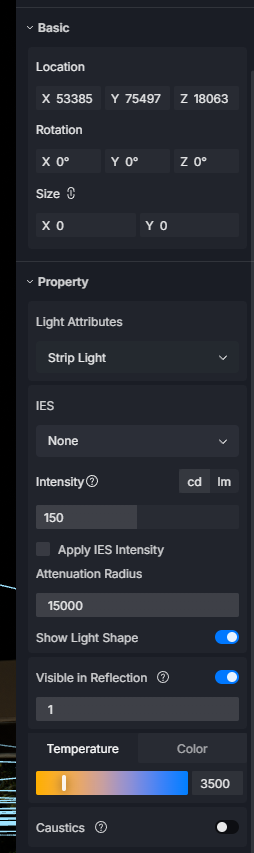
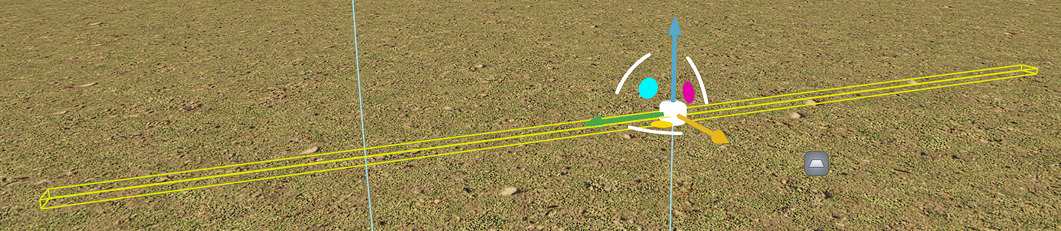
In this i didnt use any emissive materials for colour as i always use temperature for lights as we like to try match the products we install. These are just the Strip lights only utilising temperature. The light shape is being shown because i have selected the show light shape on the strip light itself.
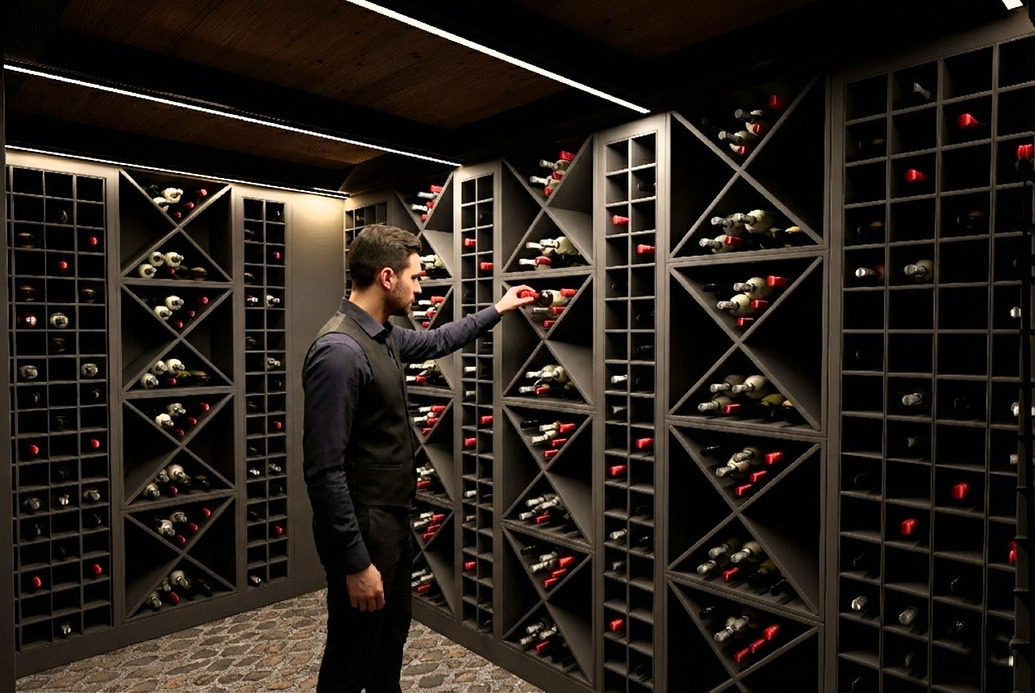
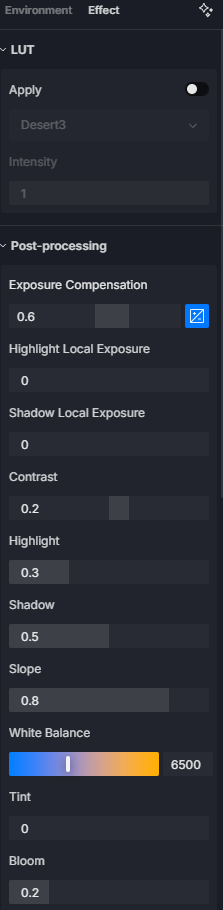
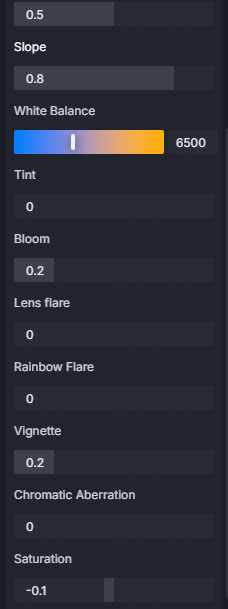
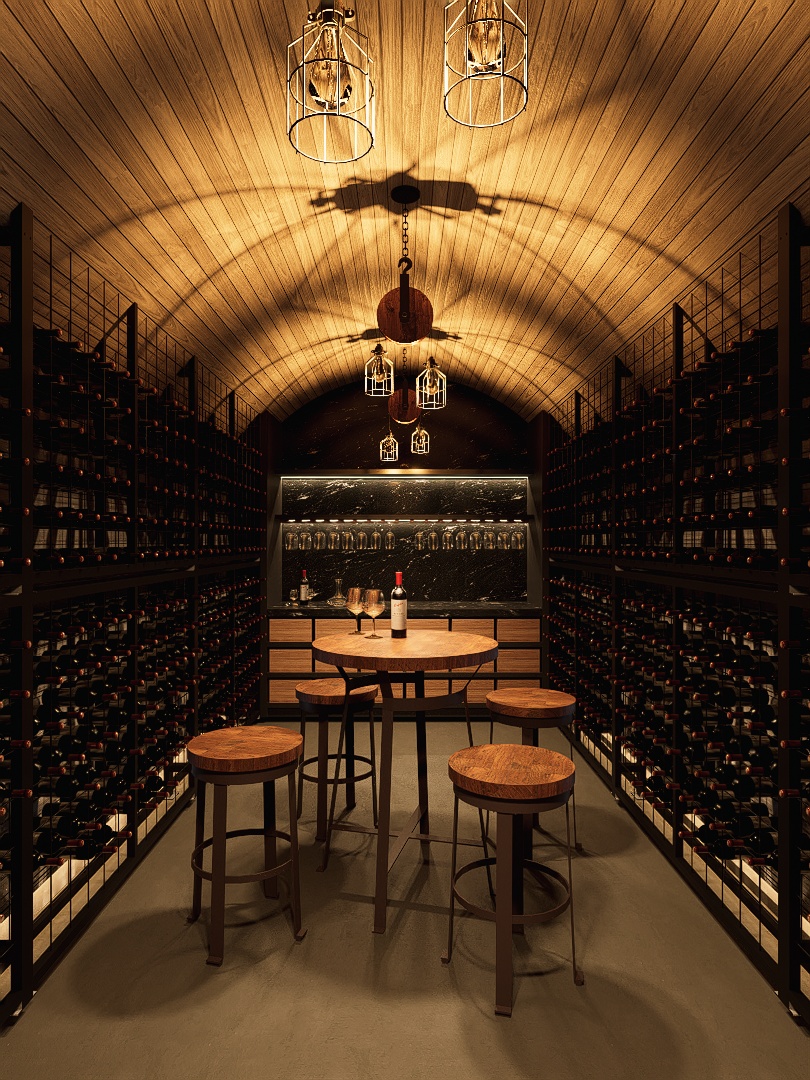
For the Effects you have to increase to 0.5 or 0.6, so you improve the brightness of the room i.e. the wine room, I’ll give you an example that I designed:
Then I adjust the height, but since the lights you placed are in the middle of the room and have no lighting angle, I place the rectangle which gives me the possibility of adjusting the position but also the angle
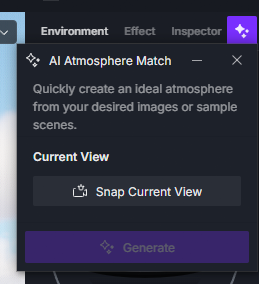
As regards the brightness of the environment you can also help yourself with AI that is:
By inserting an image taken from Google with a brightness you like, and AI makes sure you have those parameters of the environment with that brightness
If the issue persists even after doing @riccardofortelli suggestions, please send us this file so we can further test it on what’s causing the green tint in your lighting.
You may generate a link either by Google Drive or Wetransfer containing this D5 File and your log FIle
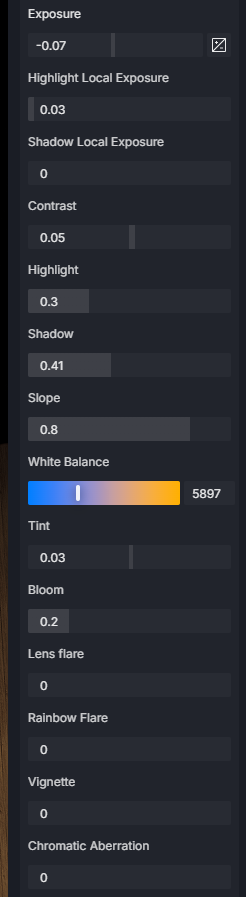
Hi there @riccardofortelli, Thankyou so much for that. Those settings are a game changer for the cellar shots. I would have had no idea to run with lower lighting intensity and higher exposure as I’ve always run the other way around with reduced exposure and higher intensity, especially for these cellar shots as I was going for a very moody environment. This has although now opened up some issues that i will have to work out where i am outside this structure looking in or where there is a window where the outside is now really light and the internal is really dark. So I need to work on a good balance for the two.
Sorry I am still very green in my journey with D5 but thankyou heaps for this!
Regarding fixing the green lighting you can see in these images that it has helped but you in some images you can still see a subtle green tint. I have copied all your settings but cant seem to negate it fully. I also went back to some older renders back in 2024 and it was a minor issue back then as well.
As some information for the D5 Team and yourself, I tried to use an neutral exposure and increased light intensity to 50 to try and resolve my internal external lighting difference and found that this increased the effect of the green hue which I found interesting. It appears that the reduced intensity and higher exposure mitigates the effect but doesn’t fully remove it. You can almost see in that image to the individual lighting sources within the strip light also. Could just be the resolution but also worth noting.
Please see the names of the images for what i have done in each.
Just thought id provide an update. Ive had to slightly change what I was doing as i think it is a big with the “Strip Light” itself. As when I turn off the show light shape option and just put an emissive material there instead i dont get the issue. I will run with this option for now until it gets resolved.
You can see in this image that there is no green hue anywhere on any of the lights and there is no longer the appearance of seeing each individual light source like previously.
Ideally in the future it would be good just to use the light itself for this but in the meantime this works well.
Hi, I’m glad that you took my suggestions into consideration, but there is another thing, it concerns the external light if it is an HDRI, just darken the image, you know under the HDRI option there is the possibility of lowering the light so you can have a darker external image, but it affects the inside a little, but there is a solution, when you do it in the lighting setting it tells you if you want the light from the HDRI image or the sun, I change the option and put the solar one, so you solve the problem, or when you change scene and go outside all you have to do is lower the lighting value and save the image. As for the color of the light, see if you can give it a warm orange color instead of keeping it white, then it concerns the green that the lights had, it could be that a green material from a car, I have a bottle, I also have the glass that separates it from the green outside the car showroom, there is the idea of attenuating the light of the material, perhaps this gave it that green to the LED lighting, but it is a hypothesis.
However, the images have improved, but I see that you are not satisfied, I regret this, but think before how they were and now how they are, the improvement is a lot, for me it is worth giving a vision to your client, but certainly to your project, as often happens, there is always a review, based on the client, to change something.
Anyway, I wish you good work.
Can you please modify the permission/access settings of your Google Drive link? Preferrably please set it to “Anyone with the link” so we can easily download your files. Thank you.