Slow Rendering with D5 3.0

Hi,

I have updated to 3.0 in the last week and have noticed a major rendering speed decrease in the rendering progress.

I was rendering similar projects in approx 5-10 minutes and they are now taking 30-40 minutes with the update.

I have tried to go back to 2.11 but it will not install properly and I keep getting errors.

Can you please let me know what I should do to increase the rendering speed again?

Hi @rob1

Thank you for reaching out and sharing the details. The new version uses higher default quality settings (such as Path Tracing or updated GI behavior), it can significantly impact render speed compared to earlier versions like 2.11.

To help pinpoint the cause and suggest the best optimization, could you please confirm the following:

  1. Are you rendering with Path Tracing enabled, or are you using Legacy/standard GI?

  2. Has your render output resolution or quality preset changed compared to when renders took 5–10 minutes?

  3. What are your GPU model and VRAM capacity, and does VRAM usage reach near 100% during rendering?

  4. Is this slowdown happening for images, videos, or both?

  5. Are there more lights, reflections, transparent materials, or high-resolution textures in the scene compared to before?

In the meantime, you may try:

  • Disabling Path Tracing or switching to a lower render quality preset.

  • Checking VRAM usage during rendering and closing other GPU-intensive apps.

Thanks Ela,

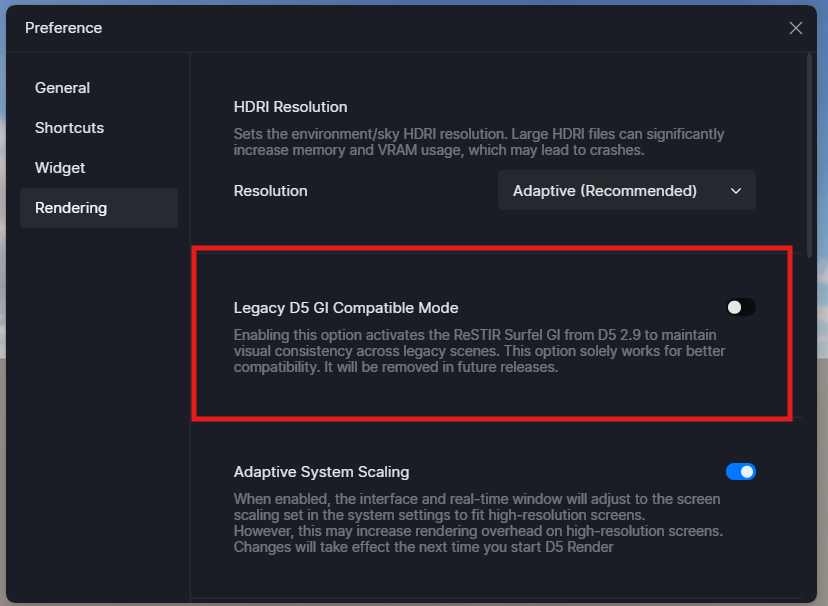
I have just changed to Legacy Mode and this seems to be helping abit.

I will open an older another older file with the original lighting, reflections etc and see how the rendering time go with the Legacy on.

Thanks for your help.

1 Like