Hi I just installed the new D5 Lite for SketchUp 2026. Sketchup opens and i see the interface for a split seceon before i just closes itself without any warnings og notifications. I just tryed uninstalling d5 lite and the proble goes away, when i reinstalled it the problem came back. Any one else experienced this and found a soulution?
Hi @mha
Sorry for the inconvenience caused. Does the crash happen in a new, empty SketchUp file with D5 Lite installed, or only when a particular model is open? When SketchUp closes, do you see any BugSplat/error window, or does it just silently quit?
To further investigate, please collect your D5 log files, tag me, and send them to support@d5techs.com. Thank you in advance
Hi Ela. I belive I have solved the poroblem now, the issue was caused by Norton Anti Virus, I had enabled safe web browsin, after turning this off, the proble disaperared. I can replicate it by turning it back on. very strange! If you wish I can still send my log.
Hi @mha
Thank you for the update and for sharing your findings.
Yes, security software may interfere with network or application processes. We appreciate you taking the time to investigate and confirm this. There’s no need to send the log files at this point. If the issue reoccurs or you encounter any other problems, please don’t hesitate to reach out.
Well I thought I had solved the problem, but the problem persists. I have tried uninstalling my antivurs software completley but it is the same. each time i installe D5 lite Sketchup imideatley crashes when trying to open. Now I cannot even install the old plugin wich does not show up in sketchup  please help. thx.
I have a similar problem - sketchup crashes on startup with d5 light installed. Without it or with a regular plugin, everything is ok.
Hi @interiorgp @mha
Could you share your system information, including CPU, GPU, driver version, and memory details? Please also share any error messages from the Ruby console so we can troubleshoot this further. Apologies for the inconvenience.
1 Like
Hi anthony. Thx. i will post. could you please explain how to get data from teh “ruby console”?
Response to data about the SketchUp crash system due to D5 Light:
“Could you provide information about your system, including processor, graphics card, driver version, and memory capacity? Also, please share any error messages from the Ruby console so that we can continue to diagnose. We apologize for the inconvenience”.
Best wishes, Dmitry Krassa
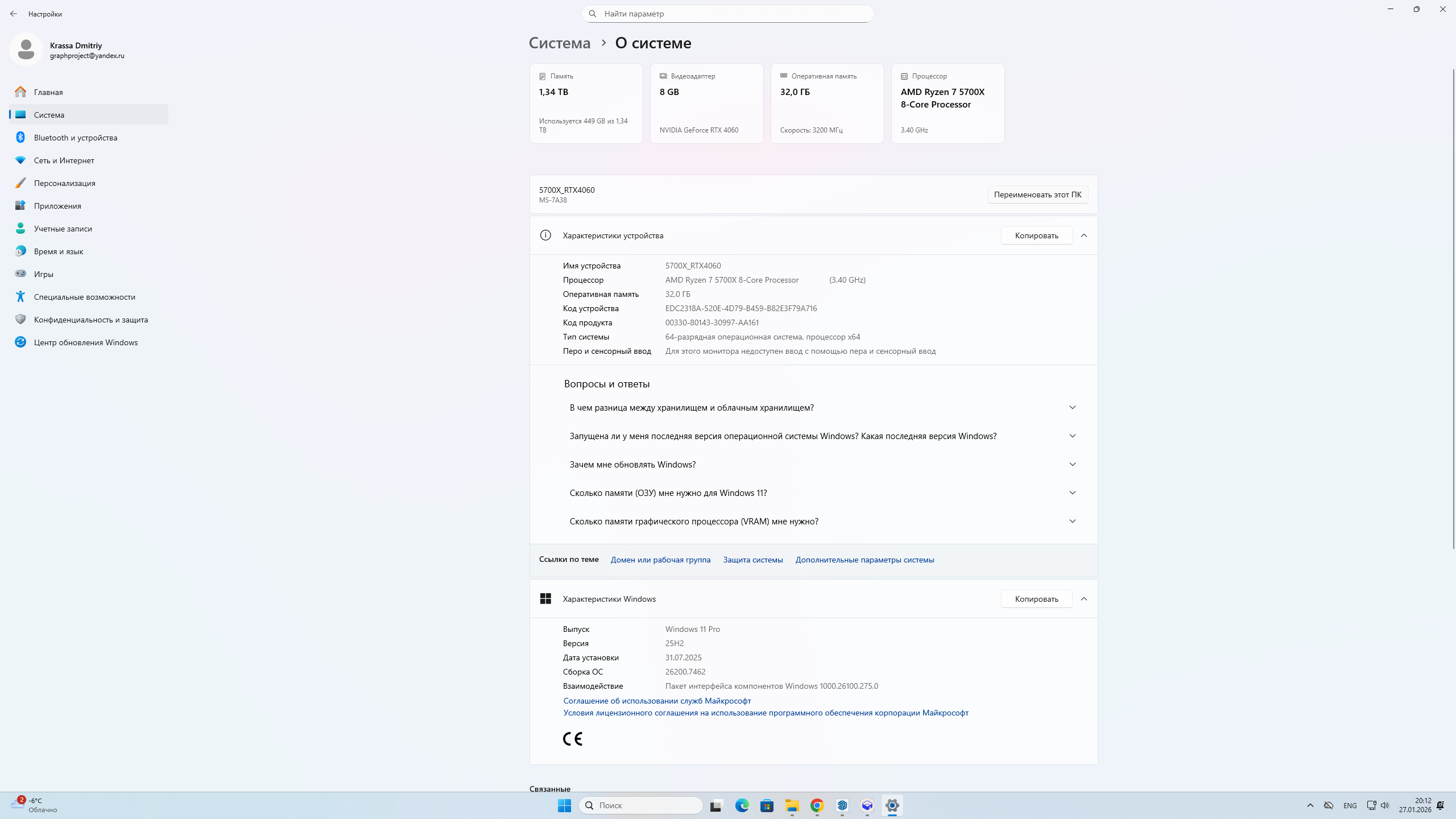
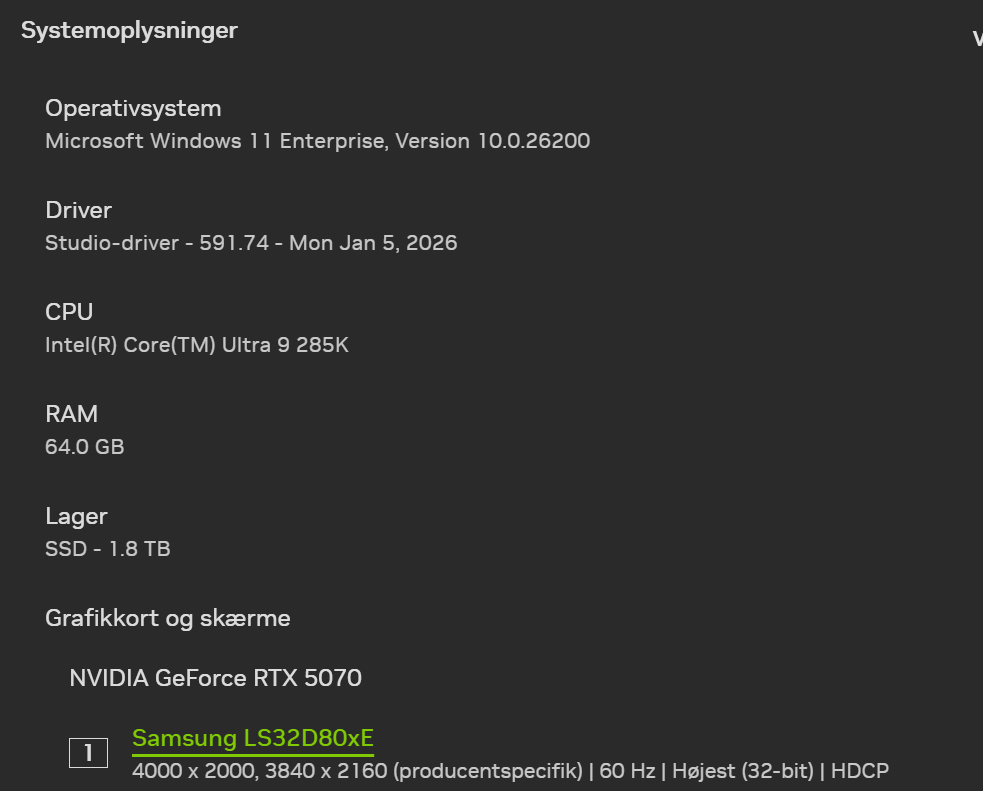
anyone have any fix to this. I runn the “old” sync app and thsi worrks but everytime i try to install the D5 lite i still get the crash?
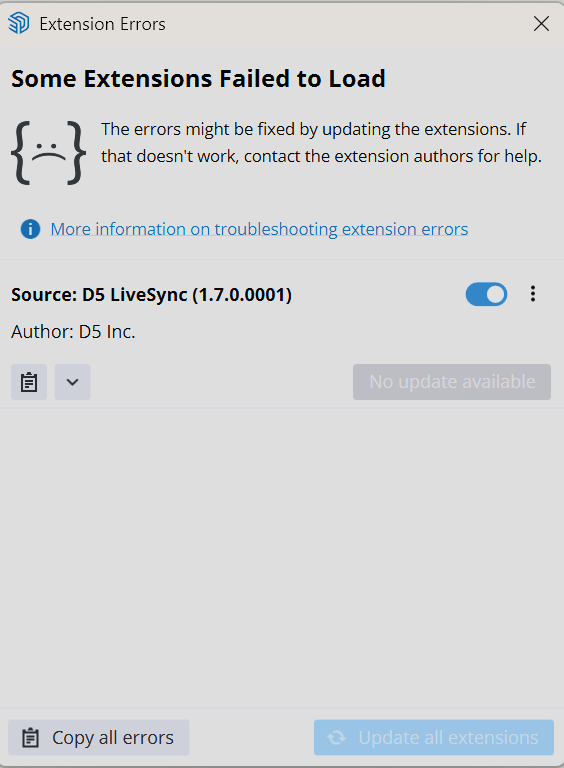
Extension Errors Report
SketchUp: 26.0.429
OS: Windows 11
Ruby: 3.2.2
Extension: D5 LiveSync (1.7.0.0001)
Error: Fiddle::DLError (Permission denied)
C:/Program Files/SketchUp/SketchUp 2026/SketchUp/Tools/RubyStdLib/fiddle.rb:62:in initialize' C:/Program Files/SketchUp/SketchUp 2026/SketchUp/Tools/RubyStdLib/fiddle.rb:62:in new’
C:/Program Files/SketchUp/SketchUp 2026/SketchUp/Tools/RubyStdLib/fiddle.rb:62:in dlopen' c:/users/micha/appdata/roaming/sketchup/sketchup 2026/sketchup/plugins/d5_converter/su_d5_plugin_dll.rbe:89:in module:D5dllFunc’
c:/users/micha/appdata/roaming/sketchup/sketchup 2026/sketchup/plugins/d5_converter/su_d5_plugin_dll.rbe:77:in <main>' c:/users/micha/appdata/roaming/sketchup/sketchup 2026/sketchup/plugins/d5_converter/su_to_d5render.rbe:2043:in eval’
c:/users/micha/appdata/roaming/sketchup/sketchup 2026/sketchup/plugins/d5_converter/su_to_d5render.rbe:2043:in require' c:/users/micha/appdata/roaming/sketchup/sketchup 2026/sketchup/plugins/d5_converter/su_to_d5render.rbe:2043:in ’
C:/Program Files/SketchUp/SketchUp 2026/SketchUp/Tools/extensions.rb:197:in eval' C:/Program Files/SketchUp/SketchUp 2026/SketchUp/Tools/extensions.rb:197:in require’
C:/Program Files/SketchUp/SketchUp 2026/SketchUp/Tools/extensions.rb:197:in load' C:/Users/micha/AppData/Roaming/SketchUp/SketchUp 2026/SketchUp/Plugins/d5_converter.rb:58:in register_extension’
C:/Users/micha/AppData/Roaming/SketchUp/SketchUp 2026/SketchUp/Plugins/d5_converter.rb:58:in <module:D5Converter>' C:/Users/micha/AppData/Roaming/SketchUp/SketchUp 2026/SketchUp/Plugins/d5_converter.rb:29:in <top (required)>’
I’m facing the same issue. If I don’t instal sketchup D5 live sync first, I’m getting the same error report as you :
Extension Errors Report
SketchUp: 26.2.243
OS: Windows 11
Ruby: 3.2.2
Extension: D5 Lite (Beta) (1.3.0.0025)
Error: LoadError (Could not find such file – C:/Users/Jean/AppData/Roaming/SketchUp/SketchUp 2026/SketchUp/Plugins/d5_lightening/su_to_d5render)
C:/Program Files/SketchUp/SketchUp 2026/SketchUp/Tools/extensions.rb:209:in require' C:/Program Files/SketchUp/SketchUp 2026/SketchUp/Tools/extensions.rb:209:in load’
C:/Users/Jean/AppData/Roaming/SketchUp/SketchUp 2026/SketchUp/Plugins/d5_lightening.rb:58:in register_extension' C:/Users/Jean/AppData/Roaming/SketchUp/SketchUp 2026/SketchUp/Plugins/d5_lightening.rb:58:in module:D5Converter’
C:/Users/Jean/AppData/Roaming/SketchUp/SketchUp 2026/SketchUp/Plugins/d5_lightening.rb:29:in `<top (required)>’
If I install d5 lite afterward, D5 lite just don’t show in Su, there is no plugin at all (even if D5 launcher says otherwise).
Any idea what could cause this issue ? I’m on a windows 11 latest version, RTX 5090 latest drivers, latest sketchup revision
Hi @jeanthiriet
I apologize for the inconvenience. Were you able to use D5 Lite before or is this your first time using it?
Can you send us the following:
-
Screenshots or video recording of the whole process. Including the error prompt from ruby console.
-
Log Files
-
SKP Dump Files

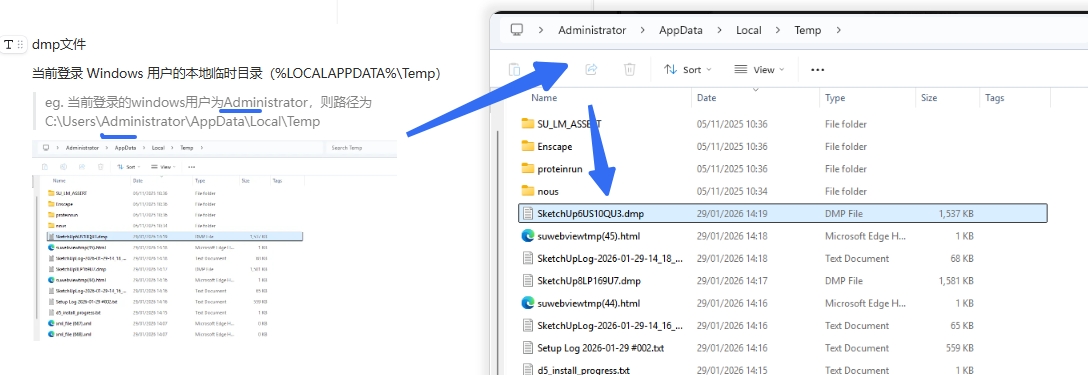
I, sorry for the late answer.
I solve the issue by uninstalling completly d5 and d5 lite, By deleting every folder and file remotely linked to D5 in both “app data” and “program data” sketchup folder (where plugins are installed). After that, with Su up to date, latest drivers Nvidia and a good reboot, I’ve reinstalled D5 and D5lite and it worked.
So be sure to clean thoroughly every skethup plugin folder if it’s not working properly, and restart a clean instal.