Hi! I’ve been trying to get gradient-translucent glass and tried the new material. The problem is that the gradient is in the opacity setting so now at one end the glass seems black instead of just clear and frosted but whiter at the other end. How can i make it so that the frost alone is what fades to smooth glass not the opacity of the glass?
Hi there,
Have you tried modifying the “Roughness” and “Opacity” parameters? Can you send us an image of what you are trying to achieve? So we can understand your query better. Thank you.
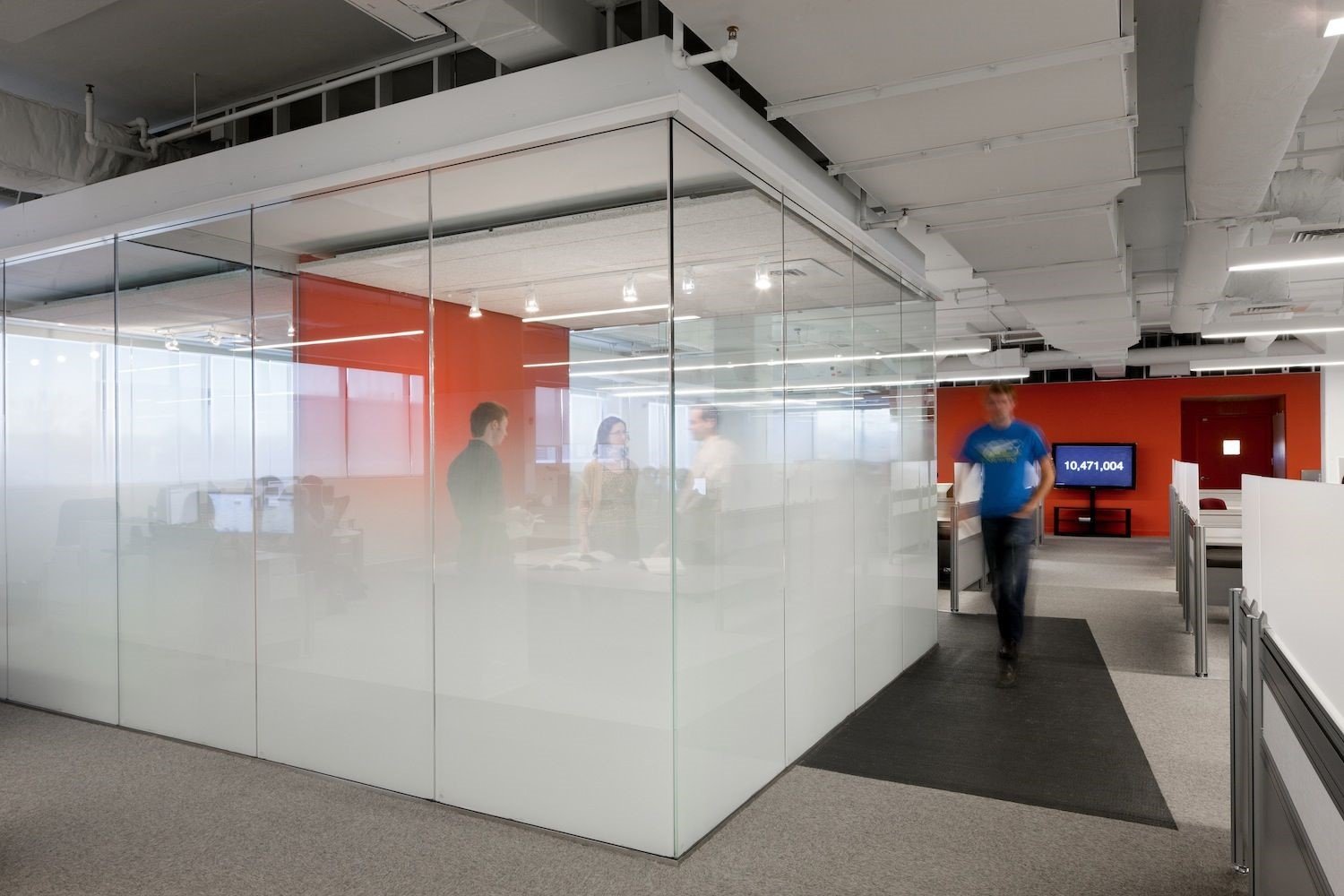
Hi there,
I apologize for the late response. Have you tried adjusting the opacity parameters of the material? Please try to modify it and see if it suits your needs. Thank you.
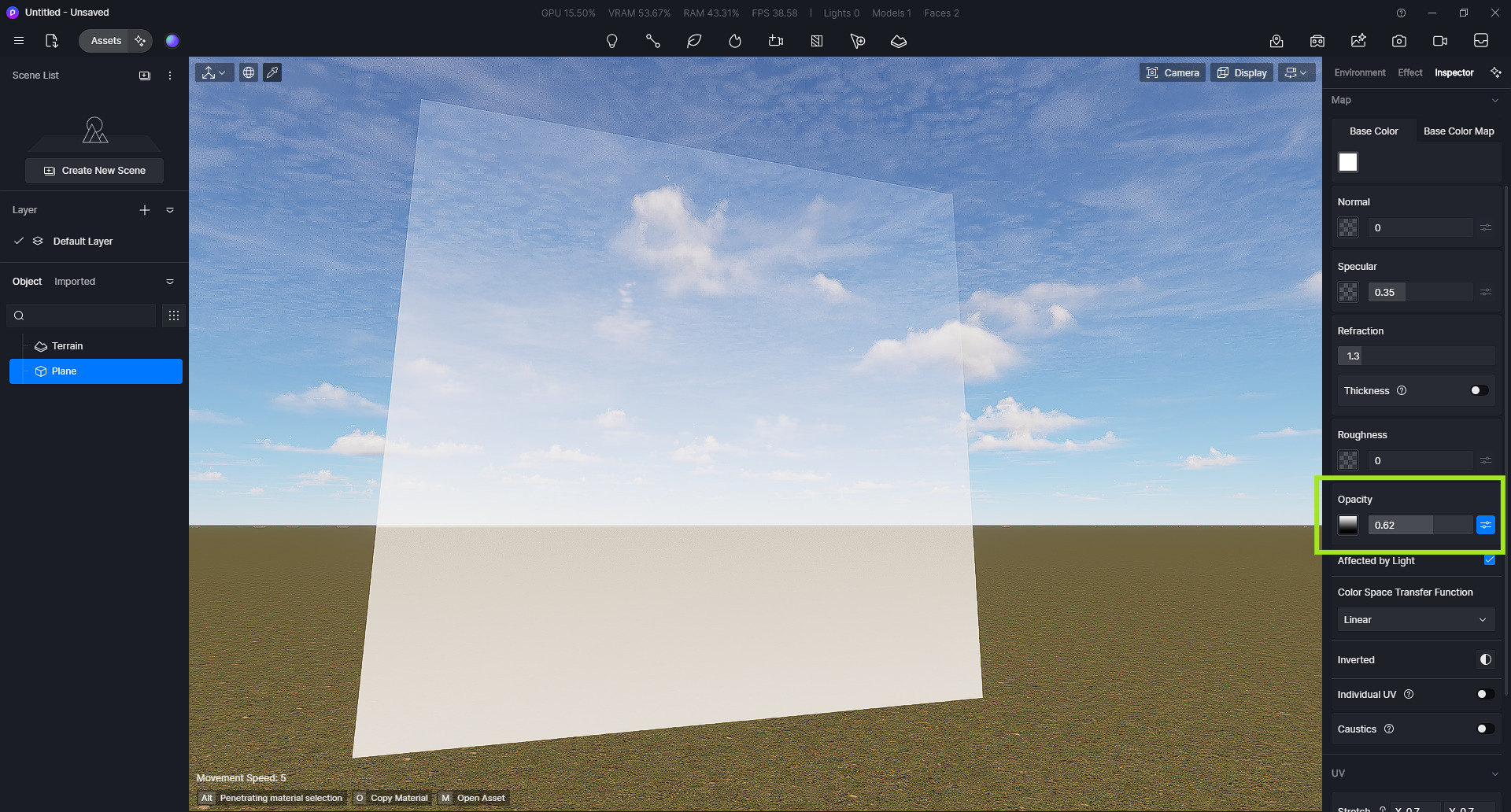
This may be suitable for a flat surface, but trying to mimic the same effect on a sphere isn’t possible. This is the effect i’m going for… orbs opaque at the bottom and clear at the top.
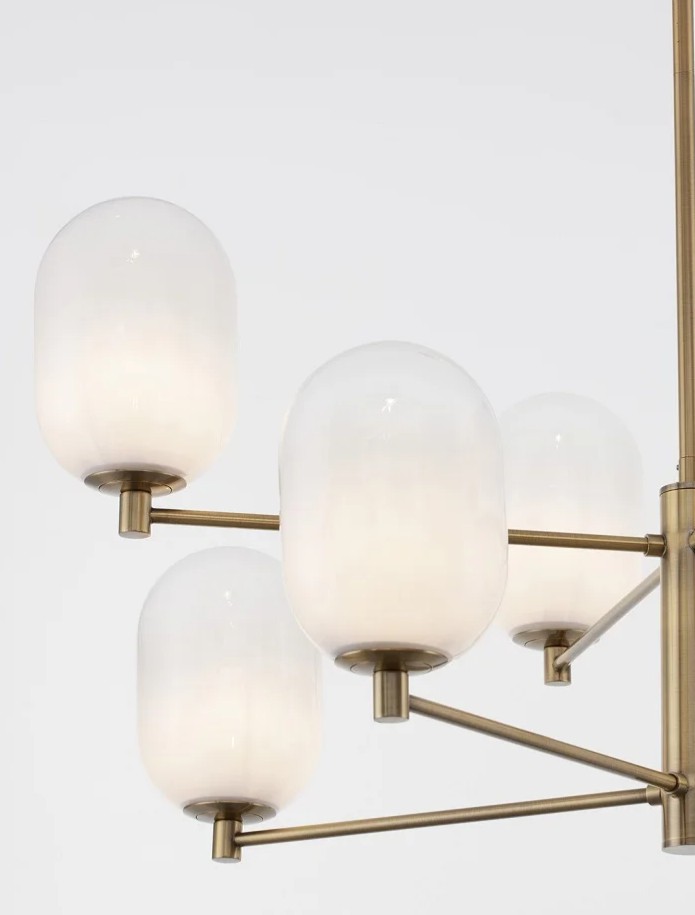
Here’s the things I’ve tried:
- transparency material with gradient opacity - doesn’t work
- cloth material with gradient opacity - doesn’t work
- foliage material with gradient opacity - doesn’t work
- creating an outer and inner sphere, then making the outer layer regular glass (so we get the reflections) and inner glass transparent/cloth/foliage with gradient opacity - doesn’t work
If someone has figured out a way, let me know. 
Hi @DaStruCon
This is the closest I can get with the reference image that you have sent:
- I used the material Semi-Transparent gradient glass, then imported a new opacity map that is closest to the reference image then have proceeded to scale the texture.
- These are my settings
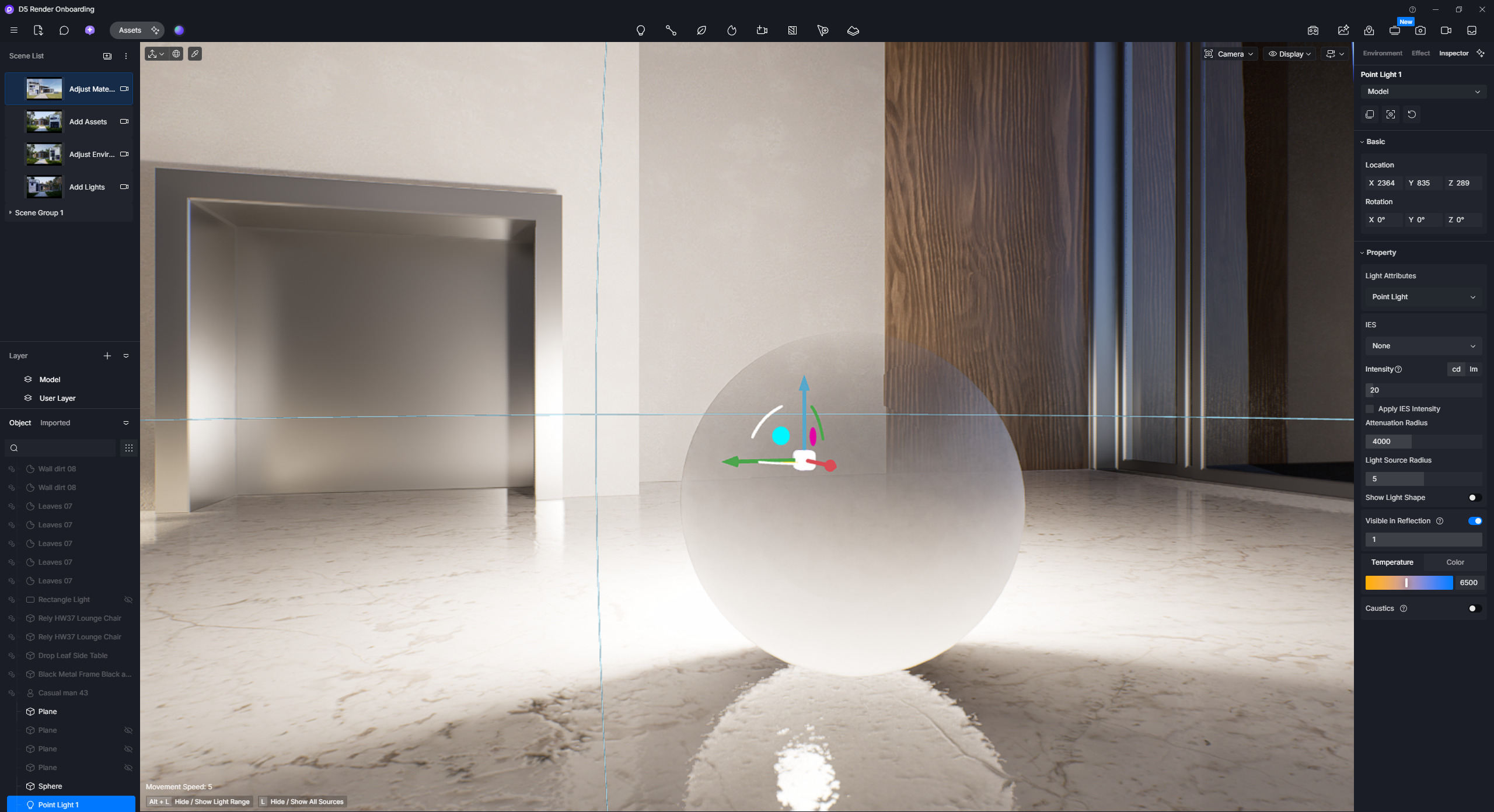

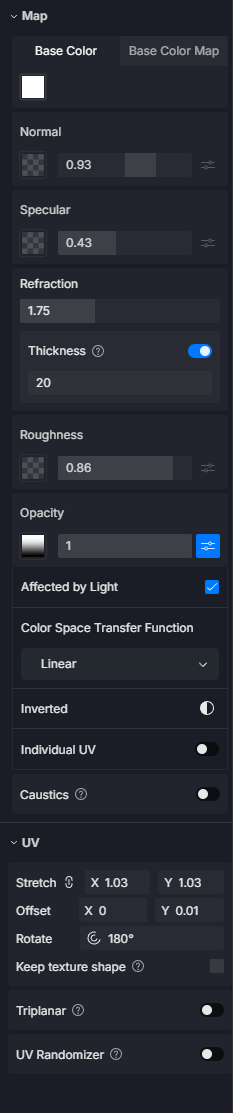
@Clov Thank you for replying and taking the time to experiment with the material.
I used your suggestion and made some tweaks. I think it’s better than what i had yesterday, but it still doesn’t look right to me (mostly very flat) and there are still limitations with reflections, refractions and transparency.
On a flat plane the materials looks ok. Lacks depth and thickness, but opacity and interaction with light sources is good enough - light passes through clear parts of the glass and is occluded in the frosted parts.
On the sphere, those effects are not really the same. The light outside the sphere doesn’t pass really through the sphere. If the light source is inside the sphere it’s ok, the frosted area is shown as glowing and light clearly shines through the clear part. One issue is that it casts some weird shadows… almost as if the sphere has some inner geometry.
If we look at the material in an interior setting, it looks ok for the most part (still lacks thickness and depth), but where it falls apart is in the reflections on other materials.
I posted videos on the following link: WeTransfer
(please keep in mind the link will expire in 3 days since posting)
Like i said in the begining, better than yersterday, but not great.
Hope this improves in the future (as i firmly believe that lighting and materials should always be the core focus of any rendering engine, and constantly improved  ).
).
